React-instantsearch: Query Rules are not shown in refinements
Bug: What is the current behavior
- Visit this demo
- Search for an actor by name i.e
Mel Brooks - The query rule is applied to filter the results by actor name
- The UI doesn't update
Bug: What is the expected behavior
When a query rule is applied filter to rating > 4, the rating widget auto updates. I would expect the same behaviour here.
 therealwebby
All 17 comments
I don't see the problem, can you explain a bit more. When I search for Mel Brooks no matter which search bar I use (main one or actor one) the UI is updated.
 samouss
on 1 Dec 2017
samouss
on 1 Dec 2017
Query Rules are kept opaque for frontend operations on purpose because they're supposed to be changing which results are responded, but we decided that it shouldn't show in the interface, in what case does it make sense to have the UI update
 Haroenv
on 2 Dec 2017
Haroenv
on 2 Dec 2017
Currently the interface of the StarRating component will updated when a query rule is trigged to filter by attribute used for rating. For example for the component:
<StarRating attributeName="rating" max={5} min={1} precision={2} />
This query rule being trigged will cause the StarRating UI to update.
If query contains best then add query parameters filter: rating > 4
Based on this logic I expected that when a query rule triggers any kind of auto filtering, then the UI would reflect this automatically. For example, in this component
<RefinementList
  attributeName="actors"
  limitMax={16}
  limitMin={8}
  operator="or"
  showMore={true}
  withSearchBox
/>
When the following query rule is triggered, I would expect the UI to reflect it in the same way as the star rating example
If query contains {facet:actors} then auto facet filter on actors
therealwebby
on 4 Dec 2017
Query rule are hidden to the end users, so it could be a bit weird IMO to update the UI according to it. In fact for the StarRating component the UI is updated like that because the results now contain only movies with rating > 4 we don't have any information about the query rules. We just update the UI according to the results.
samouss
on 4 Dec 2017
@Haroenv @samouss I stumbled upon this ticket looking for something similar. Maybe I can share a case where Query rules make sense to be shown in the frontend:
I have a usecase where once the user starts by entering a term which matches a category name, then I have a query rule set up which searches the next term only within that category. It is quite similar to Google Chrome Omnibar search works. If you type in 'Github.com' and press space, it will search within Github.com. There are examples within Query Rules docs which also mention similar cases (like last two use-cases here or here)
Now to have the Chrome Omnibar effect, I'm not sure what would be the best way to get access to what the current facet being applied is (or for that matter, it would be possible to do this via SearchBox). It seems like one could parse the params string or match value of input component with query value but they both feel like hacks.
 oyeanuj
on 7 Dec 2017
oyeanuj
on 7 Dec 2017
For now you won't be able to have a display for facets which are from query rules, since the UI is seen as the source of truth, however we can consider showing it as refined in the library itself. @bobylito, we need to change things in the js helper for that right? Let's sync on this for all types InstantSearch
Haroenv
on 7 Dec 2017
@Haroenv thank you, getting that information is super useful especially since with query rules, in some sense, UI is no longer the complete source of truth.
oyeanuj
on 8 Dec 2017
Something very important to keep in mind here, is that when you’re for example typing something, a new query rule could apply. The current situation is to treat that as part of the relevance, and thus just saying “these are the results”. If you’d show the refinement in the UI, it comes up, seemingly out of nowhere which might be quite unexpected. Regardless of that, we should probably investigate how to show it
Haroenv
on 8 Dec 2017
I'm completely agree with the previous comment of @Haroenv. I’m not convinced by the fact that a user should have visual feedbacks on something that he doesn’t control. But still, we can begin to experiment this kind of UI and provide feedbacks about them.
Thanks for the feedback @oyeanuj !
samouss
on 8 Dec 2017
@Haroenv @samouss I agree with your main contentions that showing as is can potentially be confusing to the user, especially in default UIs or cases of personalization.
..If you’d show the refinement in the UI, it comes up, seemingly out of nowhere which might be quite unexpected.
...I’m not convinced by the fact that a user should have visual feedbacks on something that he doesn’t control.
But I think that is not the same as suggesting that it never makes sense to show it. Even the Query Rule examples in docs talk about cases where it can be used for narrowing categories, etc. Chrome Omnibar search pattern is just one example case where it would make a lot of sense.
Hope I am not coming off as super insistent since you both already said you are going to investigate (which I appreciate) it but want to make sure that I clarify this - I just think that this information should be available to the developer to see how it works within their UI, to have that freedom.
oyeanuj
on 8 Dec 2017
Totally clear 👌
Haroenv
on 9 Dec 2017
@Haroenv @samouss Back with another case of query rules - this time not playing well with <Highlight /> component.
So, like the Chrome Omnibar, I have a simple experience where if you put in a category name, it searches within that category. On the backend, this is what query rule looks like:
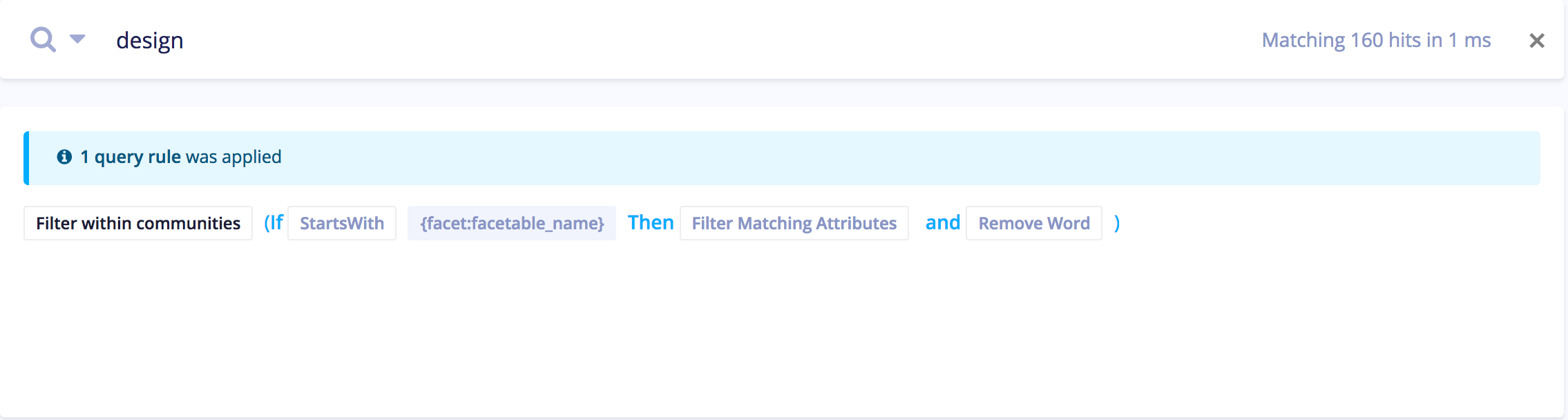
So, that leads to the following behavior when the user finishes typing in the category name:
From this:
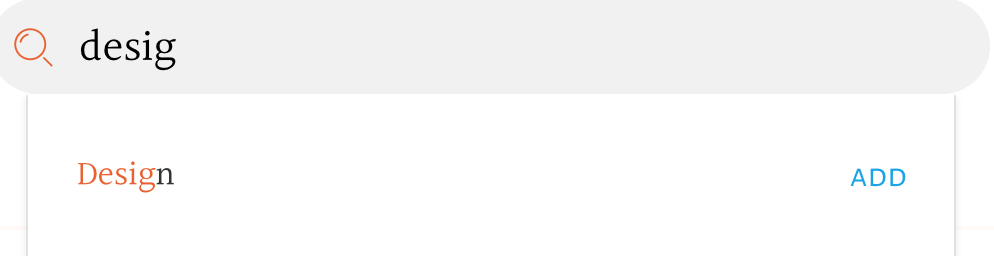
to:
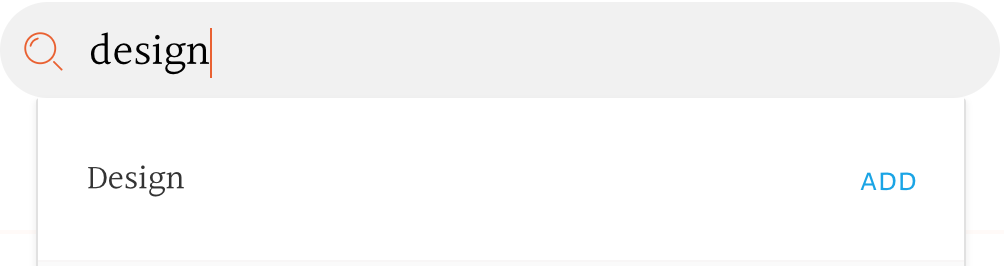
I assume this is because the query for the Highlight was changed to the result of the query rule. But this leads to an unintuitive behavior on the front-end. To @Haroenv's point above, the UI doesn't seem to be the source of truth and there is no way to know that a query rule was applied, so that one could pass a prop to <Highlight /> to use the query in the textbox for purposes of highlighting.
How can query rules be presented to Front-end to solve such cases (which given the prevalence of Chrome, I assume I am not the only one building such UIs)?
oyeanuj
on 15 Apr 2018
I'll suggest this again to our engine team with this use case!
Edit: I got answer that it's technically _very_ hard to add back deleted words for highlighting. It's on their roadmap, but won't be done immediately yet
Haroenv
on 16 Apr 2018
@Haroenv Thank you! In the meantime, is there a workaround for the above situation? Maybe have <Highlight /> component maybe take in a custom query prop that I could pass that it uses instead of what it uses now?
Also, on the response: I think more than adding back deleted words, there needs to be some intimation to the front-end that query rule was applied and maintaining the original query (before query-rule) and the new query (post query-rule). If that information was then conveyed to the components, then developers could add custom logic to make their UX work. Is that something that react-instantsearch could provide as a workaround?
oyeanuj
on 16 Apr 2018
I think that might be possible, since we do have the original query, but we don’t have the original highlighting, so you’d have to recreate the highlighting completely
Haroenv
on 16 Apr 2018
I think that might be possible, since we do have the original query, but we don’t have the original highlighting, so you’d have to recreate the highlighting completely
If you have the original query, is it possible for a developer to access to pass to the Highlight component as a custom query (overriding what it uses right now)? Or is the entire highlight created in the backend and not in the React component?
oyeanuj
on 16 Apr 2018
The highlighting is completely done backend, all that the react component does is make sure that there's no XSS possible by the highlighting @oyeanuj. It would technically be very complex to know that a query rule like this was applied, and even harder to recreate the highlighting I think
Haroenv
on 17 Apr 2018
Related issues
 rtman
·
5Comments
rtman
·
5Comments
 denkristoffer
·
4Comments
denkristoffer
·
4Comments
 noclat
·
3Comments
noclat
·
3Comments
 mthuret
·
5Comments
mthuret
·
5Comments
 itsmichaeldiego
·
4Comments
itsmichaeldiego
·
4Comments
Most helpful comment
Totally clear 👌