React-i18next: `next export` doesn't work on next.js/examples/with-react-i18next
Hi, thank you for great library!
I found with-react-i18next in next.js repository doesn't work with next export. Another example, with-i18next is able to next export though.
$ node -v
v10.8.0
$ npm -v
6.3.0
$ npx create-next-app --example with-react-i18next with-react-i18next-app
$ cd with-react-i18next-app
$ npm run build
$ npx next export
> using build directory: /path/to/with-react-i18next-app/.next
  copying "static build" directory
> No "exportPathMap" found in "next.config.js". Generating map from "./pages"
> exporting path: /index
> exporting path: /page2
TypeError: Cannot set property 'toJSON' of undefined
    at I18n.module.exports.i18n.getInitialProps (/path/to/with-react-i18next-app/.next/server/bundles/pages/page2.js:129:19)
    at Function._callee$ (/path/to/with-react-i18next-app/.next/server/bundles/pages/page2.js:286:92)
    at tryCatch (/path/to/with-react-i18next-app/node_modules/regenerator-runtime/runtime.js:62:40)
    at Generator.invoke [as _invoke] (/path/to/with-react-i18next-app/node_modules/regenerator-runtime/runtime.js:296:22)
    at Generator.prototype.(anonymous function) [as next] (/path/to/with-react-i18next-app/node_modules/regenerator-runtime/runtime.js:114:21)
    at step (/path/to/with-react-i18next-app/.next/server/bundles/pages/page2.js:245:221)
    at _next (/path/to/with-react-i18next-app/.next/server/bundles/pages/page2.js:245:409)
    at /path/to/with-react-i18next-app/.next/server/bundles/pages/page2.js:245:477
    at new Promise (<anonymous>)
    at Function.<anonymous> (/path/to/with-react-i18next-app/.next/server/bundles/pages/page2.js:245:97)
 adwd
adwd
All 28 comments
no idea...not so deep into next.js...
 jamuhl
on 6 Sep 2018
jamuhl
on 6 Sep 2018
@adwd have you open this issue at next.js repo.
I have the same issue as well
 SuperCipher
on 20 Sep 2018
SuperCipher
on 20 Sep 2018
any update on this?
jamuhl
on 30 Sep 2018
I solved this by using a NODE_ENV=local when building and exporting.
Secondly, you have to modify i18n.js like this:
i18n.getInitialProps = (req, namespaces) => {
  if (req && req.i18n) { . // you add this
    if (!namespaces) namespaces = i18n.options.defaultNS
    if (typeof namespaces === 'string') namespaces = [namespaces]
Lastly, i have to switch between environments to export corresponding App in _app.js
 revskill10
on 12 Oct 2018
revskill10
on 12 Oct 2018
I investigated this issue few days ago. https://github.com/nhducit/with-react-i18next-app IIRC my example works. Give it a try bro @revskill10
 nhducit
on 12 Oct 2018
nhducit
on 12 Oct 2018
@nhducit are there a lot of differences in your sample compared to the one provided here ?!? would be great if we could merge them back so we got a starting point for others free of unneeded struggles...
jamuhl
on 12 Oct 2018
I forget to mention that. my example repo is based on an example from next.js repo.
nhducit
on 12 Oct 2018
@nhducit i see - not yet had time to update that to v8 -> currently even not sure if we should just reference that readme there back to the sample here out of following reasons:
- we do not get notified (or do not look regulary at it) on issues in the next.js repo related to the react-i18next sample
- guess as we need to adapt more to next.js to make things work it's easier to do so here
But still undecided - do you have an opinion regarding that topic?
jamuhl
on 12 Oct 2018
@nhducit your repo fix allows to export, but there is still an issue on the first page load. Just before the translation appears, you can see the translation key name. As effect, there is a flashing/flickering of the text on (initial) page load. Did you manage to fix that?
 stefanoTron
on 15 Oct 2018
stefanoTron
on 15 Oct 2018
@littletower @jamuhl
I have not found the root cause. can you investigate and sent PR. I investigated next.js SPA mode, but I decided to use create react app 2 instead.
I will revisit this bug when I have some free time
nhducit
on 16 Oct 2018
@littletower could you try with the sample here - and add the changes by @nhducit needed to get export to work...i guess it should work on that sample as i had issues with the original one published on the next.js repo too.
jamuhl
on 16 Oct 2018
ok, I'll have a look today
stefanoTron
on 16 Oct 2018
ok, so I managed to make it work.
check out this repo https://github.com/littletower/react-i18next-with-export
while in dev and when 'exported', there is no more flashing or flickering.
But, I'm in no way a nextjs expert nor a i18next expert, so I would be great I someone would double check my modifications as there might be some nonsense.
basically, I used the nextjs example in this repo, updated the dependencies then compared it with @nhducit repo and then changed a few options to make it work.
stefanoTron
on 16 Oct 2018
hm...sadly the changes have no separate commit - so i guess it's mostly about loading translations from static/ path?!? https://github.com/littletower/react-i18next-with-export/commit/3cb6a17f75bd2a925aca3d9ebd8725897dad9674#diff-78c12f5adc1848d13b1c6f07055d996eR24
jamuhl
on 16 Oct 2018
yes, that's one part. But in the i18n.js file I had to add this https://github.com/littletower/react-i18next-with-export/commit/3cb6a17f75bd2a925aca3d9ebd8725897dad9674#diff-74193e2b6ac9c012d83d60c093b1f973R8
also set wait={false} to true
stefanoTron
on 16 Oct 2018
hm...https://github.com/littletower/react-i18next-with-export/commit/3cb6a17f75bd2a925aca3d9ebd8725897dad9674#diff-74193e2b6ac9c012d83d60c093b1f973R12 preload would harm on clientside i guess -> triggers client to load all languages...not just the one needed. Same for adding all namespaces in https://github.com/littletower/react-i18next-with-export/commit/3cb6a17f75bd2a925aca3d9ebd8725897dad9674#diff-74193e2b6ac9c012d83d60c093b1f973R15
but honestly i got more or less zero next.js knowhow (even less on that export stuff)
jamuhl
on 16 Oct 2018
honestly from reading i think that does never meant to work...you can't export the content as static files. the whole magic happens on the serverside rendering...using server.js
Doing a static export means it would export i guess would be something similar to a gatsby site (but might be i understand that export wrong).
jamuhl
on 16 Oct 2018
well, I just removed the preload option and changed to just preload the common namespace. It still works fine. again, my knowledge in nextjs is also very limited.
stefanoTron
on 16 Oct 2018
Hm...never run export myself -> but i guess it will do a prerender of every page and place that in static assets -> than have the bundle keep in on clientside -> which won't work as it won't prerender all languages (just the set default)
So if i understand export === static assets placeable in eg. githubpages ---> that won't ever work correctly with "serverside" prerender in every language without a node.js server.
But i might understand export totally wrong - idk
jamuhl
on 16 Oct 2018
yeah, my solution just let's you export it without errors and host it like here https://suspicious-knuth-b3ff14.netlify.com
but I'm not sure about the rest of it.
stefanoTron
on 16 Oct 2018
hm...i see...that is basically just removing the server part and let the client do stuff (turning off javascript results in an empty page - guessed there is more to it ;) )
so i guess moving locales to static is more or less all needed to make it work for export - will test that later today / tomorrow.
jamuhl
on 16 Oct 2018
Hm...never run export myself -> but i guess it will do a prerender of every page and place that in static assets -> than have the bundle keep in on clientside -> which won't work as it won't prerender all languages (just the set default)
this is correct, if we want to prerender all languages we need to do it by ourself, and serve the correct language for a user. In this case, we need a way to archive it (nodejs or nginx - not 100% sure that we can use nginx or not). it sounds a little bit complicated and I prefer not to export if we don't have so many users
nhducit
on 16 Oct 2018
i added the npm run export needed changes to the sample here. That command now runs without errors -> generating static html files in source language like discussed above.
jamuhl
on 17 Oct 2018
awesome stuff! But I must say I still see 2 issues:
- English translations are not all being translated (see pic. below)
- On page load there is still this flashing/flickering
In _app.js, is I set wait to true, the translations work properly and there is no flashing, but then SSR stops working.
How do you think this could be solved?
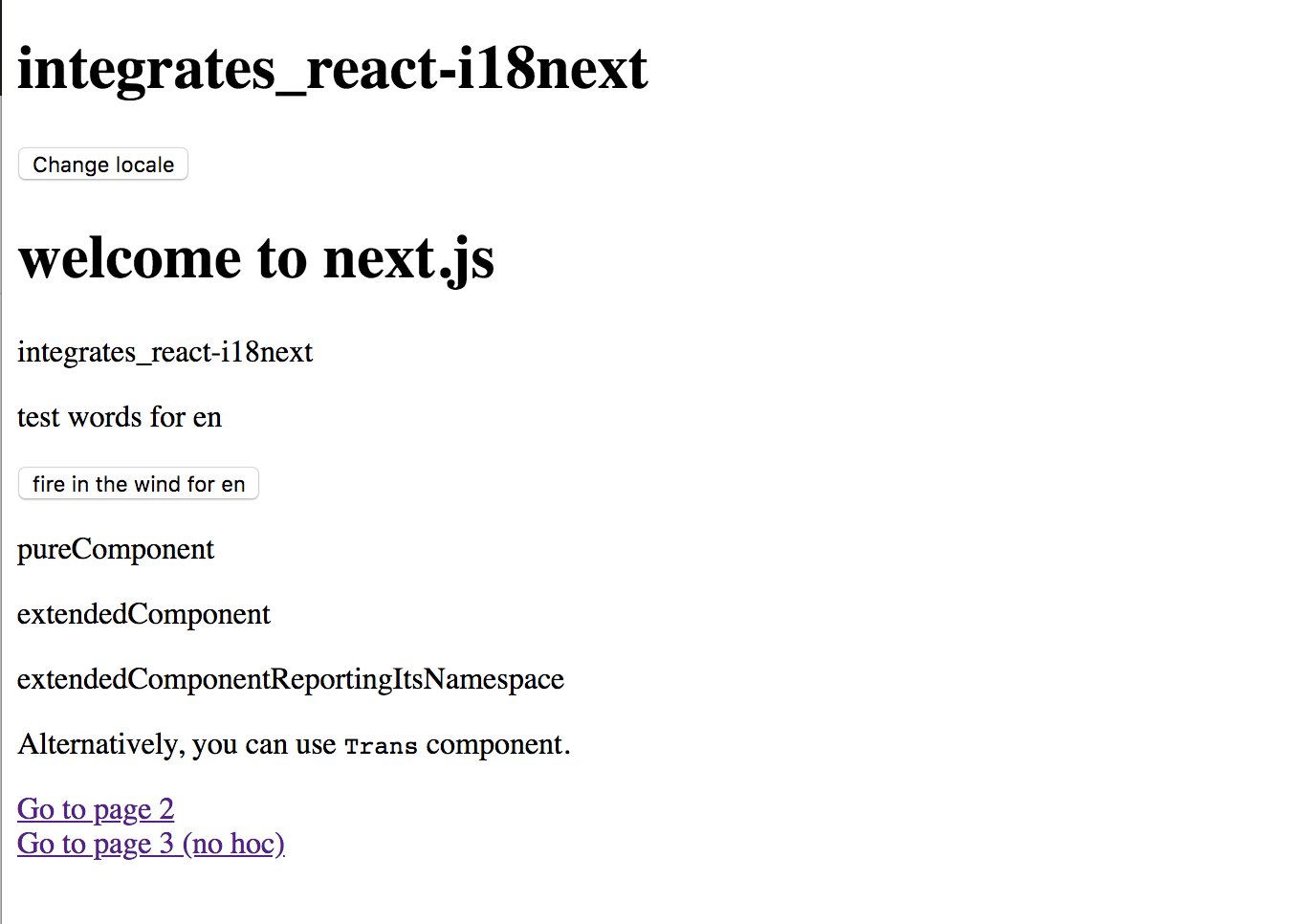
stefanoTron
on 17 Oct 2018
set it to process.browser
        <NamespacesConsumer
          {...pageProps}
          ns="common"
          i18n={(pageProps && pageProps.i18n) || i18n}
          wait={process.browser}
        >
but like said with export there is nothing like SSR -> it's more a precompiles html file that is in default language so loading in de will result in flickering as it initially will be in en
jamuhl
on 17 Oct 2018
thanks. yeah I wrote SSR but that's indeed not what I meant, sorry about that.
thanks for your help
stefanoTron
on 17 Oct 2018
closing this for now - feel free to reopen if needed - but the problem should be solved in latest sample.
jamuhl
on 18 Oct 2018
Related issues
 martinlaregina
·
3Comments
martinlaregina
·
3Comments
 pwiszowaty0
·
4Comments
pwiszowaty0
·
4Comments
 nicholasmaddren
·
4Comments
nicholasmaddren
·
4Comments
 oyeanuj
·
3Comments
oyeanuj
·
3Comments
 ok2ju
·
3Comments
ok2ju
·
3Comments
Most helpful comment
ok, I'll have a look today