React-hot-loader: hot update was not successful. hot updated failed for module ... Last file processed:""
If you are reporting a bug or having an issue setting up React Hot Loader, please fill in below. For feature requests, feel free to remove this template entirely.
Description
react-hot-loader is working. i am attempting to add "@hot-loader/react-dom": "^16.8.6",
because of the warning in console stating that it may not support react 16.6 feature .
After adding it i got this error,

file processed was an empty string, i assume there is something wrong with my relative path
in my webpack configuration? @hot-loader/react-dom" couldn't detect my file path to process?
error information in console

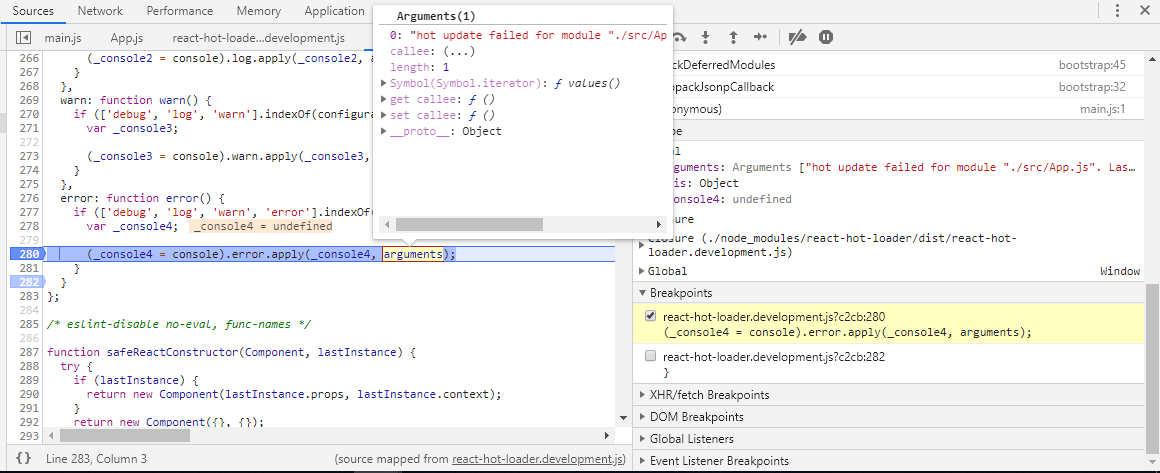
below is my settings for react hot loader
//index.js
import ReactDOM from "react-dom";
import React from "react"; //sets the name Component to the default export of the 'react' package

//import { ThemeProvider } from "@material-ui/styles"; //JSS way of providing theme to top level. Passing it down to react components
//import "semantic-ui-css/semantic.min.css";
import "./styles.css";
import App from "./App";

const render = () => {
  ReactDOM.render(<App />, document.getElementById("reactApps"));
};

render();
```javascript
//webpack.config.js
module.exports = {
mode: "development",
entry: ["./src/index"],
output: {
publicPath: "http://localhost:3000/", // relative to HTML page
path: path.resolve(__dirname, "dist"),
filename: "[name].bundle.js",
chunkFilename: "[name].js"
//pathinfo: true
},
resolve: {
alias: {
"react-dom": "@hot-loader/react-dom"
}
}, ......
devServer: {
open: true,
contentBase: path.join(__dirname, "dist"),
historyApiFallback: true,
port: 3000
}
}
```javascript
//app.js
import { hot } from "react-hot-loader/root"; //enable ^16.6 react feature(preserve component internal state) for hmr.
import React, { Component } from "react";
import { Route, Switch, BrowserRouter as Router } from "react-router-dom";
import Login from "./login";
/*
const Main = React.lazy(() =>
  import( webpackChunkName: "MainPage"  "./Main");*/
import Main from "./Main";

class App extends Component {
...
}
export default hot(App);
What you are reporting:
Red Error in console and overlay appearing in my webpage. Something wrong with my configuration ?
Expected behavior
no error overlay
What you think should happen:
working as expected. no errors screaming at me.
Environment
React Hot Loader version:
"react-hot-loader": "^4.12.6",
Run these commands in the project folder and fill in their results:
node -v: v 8.11.3npm -v: 6.9.2
Then, specify:
- Operating system:window
- Browser and version: chrome Version 75.0.3770.142 (Official Build) (64-bit)
Not sure how to solve it. would appreciate some help :D
 lancerace
All 16 comments
Look for the error between ‘import {hot}’ and call to ‘hot’ - it was not called.
 theKashey
on 16 Jul 2019
theKashey
on 16 Jul 2019
clicked on console that begin with the import

directed here

stepped into function call
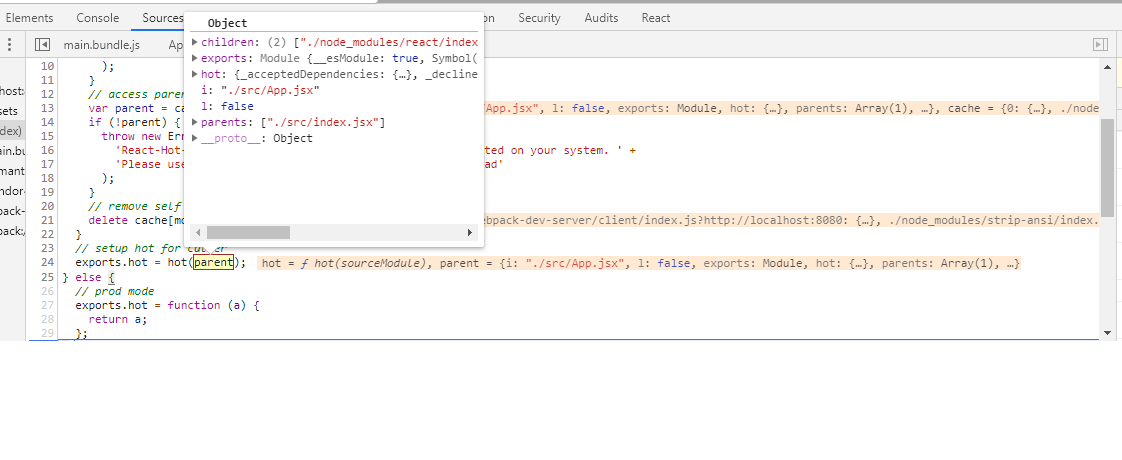
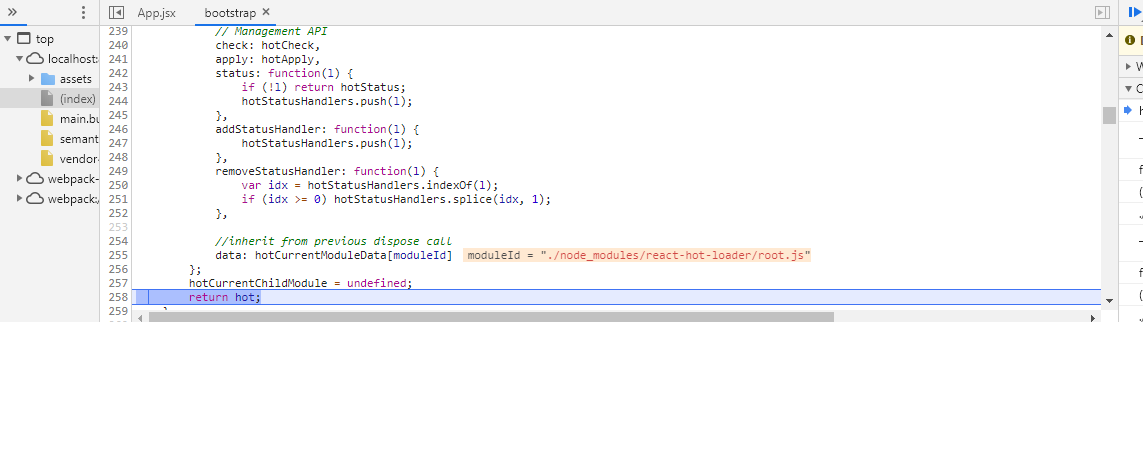
hotcurrentchildmodule undefine? is it related to the error?
Not sure what to do now as everything seem magical as i don't understand most of it.
i've always struggled with the boilerplate code generated from development and sourcemap(eval-source-map) was not working as expected.
lancerace
on 17 Jul 2019
The problem is somewhere between the __first__ part(import) and the __second__ - export default hot(App).
You've just debugged the first one, which was absolutely ok.
theKashey
on 18 Jul 2019
second - export default hot(App).

breakpoint
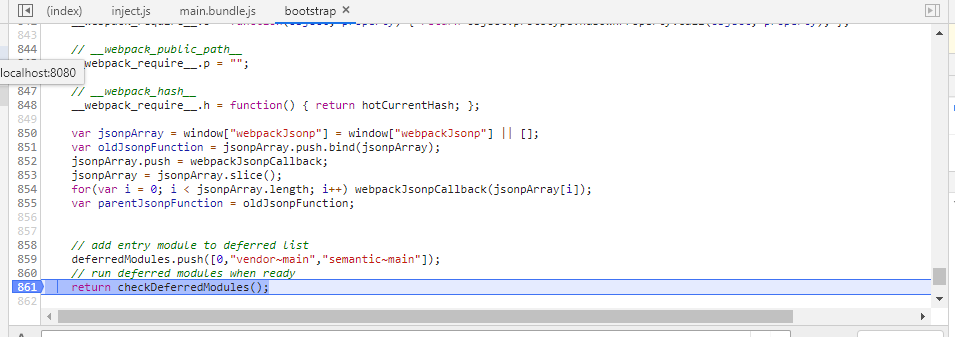
found the source
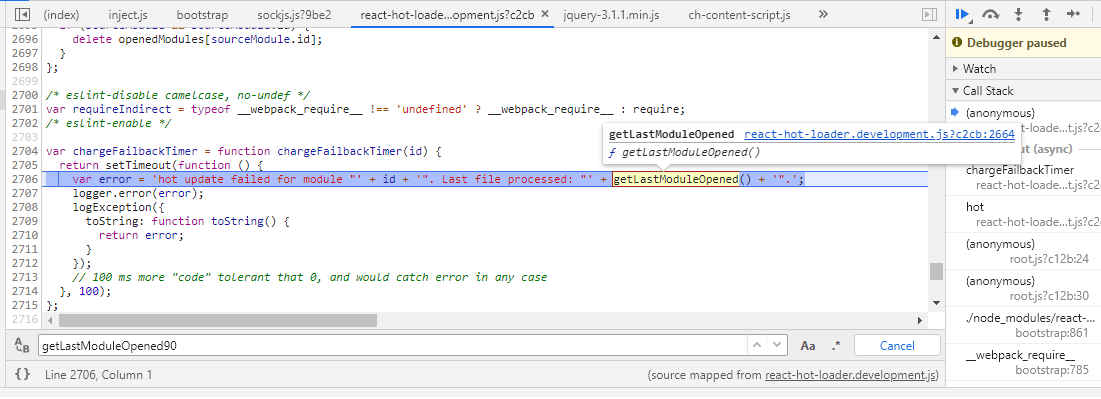
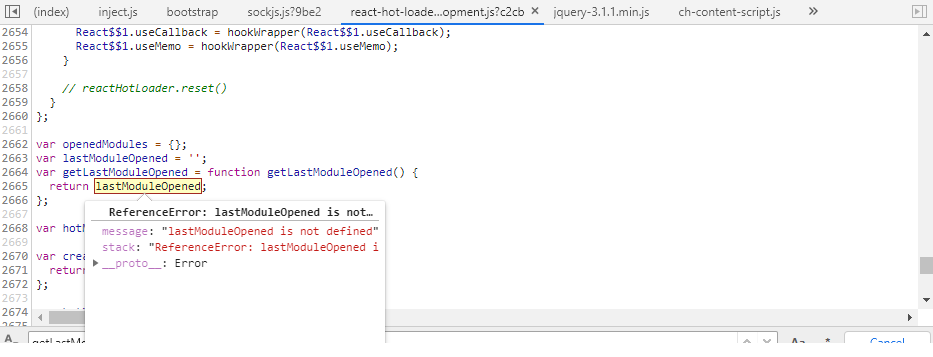
box that display error info is too small, cant find an option to maximize so i combine it.
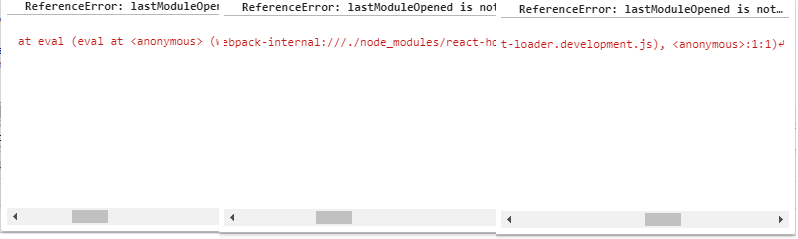
stack: "ReferenceError: lastModuleOpened is not defined↵ at eval (eval at <anonymous> (webpack-internal:///./node_modules/react-hot-loader/dist/react-hot-loader.development.js), <anonymous>:1:1)↵ at eval (webpack-internal:///./node_modules/react-hot-loader/dist/react-hot-loader.development.js:2706:17)"

undefine everywhere .what am i missing?
lancerace
on 18 Jul 2019
But they are defined, and you were getting "correct" error message before.
Double check - first part if setting up chargeFailbackTimer, you just debugged, while the second part is clearing that timeout.
Timeout was not cleared - error would be displayed.
And you haven't answered the main question - what do you see except RHL error box? Is Application dead?
Try:
- setup breakpoint at the "first part"
- configure debugger to stop on exception
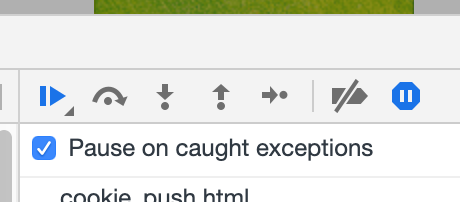
- run. It should stop on the "real" problem.
theKashey
on 19 Jul 2019
And you haven't answered the main question - what do you see except RHL error box? Is Application dead?
Pardon me, I'm not really sure what I'm doing mostly..
this is the whole view of what I'm looking at. application is not dead

Try:
- setup breakpoint at the "first part"
- configure debugger to stop on exception

lancerace
on 20 Jul 2019
It seems to me that you did .2, but not .1. "ParseSupported" is usually evaluated on script startup, when polyfills are initiated, and that shall take a place __before__ react hot loader initialization.
Let me conclude - you are not able to find the issue by yourself, and I am not able to guest the cause by myself. Please provide an example to reproduce - that's the only way to continue. You may DM me if the project is not public.
theKashey
on 20 Jul 2019
I have met same issue.
The real reason that you got this error because the hot function not execute.
Close webpack souceMap and check the complied file,you will see module just export App component.
The reason why for this situation is babel thought current NODE_ENV is 'production' in compile process. We can see babel.prod.js in RHL repo that babal will replace the hot(App) code.
So. if you use webpack node api to start dev server. make sure the process.env.NODE_ENV is define correct.
 hi-zhaolei
on 10 Sep 2019
hi-zhaolei
on 10 Sep 2019
@hi-zhaolei
Hi. thank for the advice. I solved it weeks ago.
And yes, my hot function was not executed from import {hot} react-hot-loader/root.
i did set env to development mode module.exports = {
mode: "development",...
i realize the problem was with my editor Atom that i am using. it is preventing {hot} from executing,
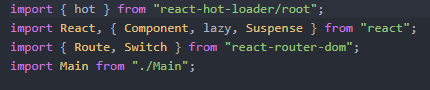
as you can see the {hot} is white in color, no syntax highlight was applied so i guessed atom editor environment prevent me from importing {hot} for some reason (which i don't know why) . so i changed to visual studio code and everything is working fine.
lancerace
on 10 Sep 2019
@lancerace
WOW. Glad to hear you resolve it.
That`s weird for atom behave. I still use sublime be my IDE. so never see this before.
But you did right to switch to vscode,it is most popular editer right now
hi-zhaolei
on 13 Sep 2019
Ya. Better than atom. You may want to try it too. Syntax and lint setup was simpler 😁.
lancerace
on 13 Sep 2019
I'm getting the same error and I'm quite new to react and js so can you please tell me the steps and location of the files where i have to make the changes. And I'm using vscode.
 anishhegde14
on 21 Apr 2020
anishhegde14
on 21 Apr 2020
I'm getting the same error and I'm quite new to react and js so can you please tell me the steps and location of the files where i have to make the changes. And I'm using vscode.
Few mths ago of me encountering that issue was, i am using atom. i was trying to find a solution to this and i decided to switch to vscode and it work. i am not clear on the fix behind it but it worked for me.
well.. i think my solution doesn't help others as i'm getting 3 thumbdown lol...
At this point, i am using Create React App to start off a template, which i don't have to care about hot reload setup much.
lancerace
on 23 Apr 2020
Also having this issue, was original using react-rewired. Started a new project from scratch, ejected, and followed steps exactly to try not make any mistakes on my end. I wish I could give you something reproducible but it would end up just being an exact copy of your instructions which wouldn't be helpful.
Something I am noticing is that the bundles served from npm run start contain code that currently doesn't exist in files (code that was removed an hour ago continues to be served) . Could this be partly a caching issue?
Edit: Specifically in my case after a hot-reload, the websocket connection drops. I'm served with up-to-date code when looking at the source, but a blank page.
 LKNSI
on 30 Apr 2020
LKNSI
on 30 Apr 2020
⚛️🔥😭: hot update was not successful collapseRetry
(1/1)
(AppContainer, in Coursecart (at pages/index.js:25)) TypeError: Cannot read property 'edges' of undefined
Stack trace:
at new Coursecart (http://localhost:8000/commons.js:76880:30)
in Coursecart (at pages/index.js:25)
in Layout (at pages/index.js:16)
in IndexPage (created by HotExportedIndexPage)
in AppContainer (created by HotExportedIndexPage)
in HotExportedIndexPage (created by PageRenderer)
in PageRenderer (at query-result-store.js:86)
in PageQueryStore (at root.js:56)
in RouteHandler (at root.js:78)
in div (created by FocusHandlerImpl)
in FocusHandlerImpl (created by Context.Consumer)
in FocusHandler (created by RouterImpl)
in RouterImpl (created by Context.Consumer)
in Location (created by Context.Consumer)
in Router (at root.js:73)
in ScrollHandler (at root.js:69)
in RouteUpdates (at root.js:68)
in EnsureResources (at root.js:66)
in LocationHandler (at root.js:124)
in LocationProvider (created by Context.Consumer)
in Location (at root.js:123)
in Root (at root.js:132)
in StaticQueryStore (at root.js:138)
in _default (at app.js:94)
 HEMANT96
on 1 Aug 2020
HEMANT96
on 1 Aug 2020
my tag have children i removed them then worked
 kambleaa007
on 22 Dec 2020
kambleaa007
on 22 Dec 2020
Related issues
theKashey
·
4Comments
 calvinchankf
·
3Comments
calvinchankf
·
3Comments
 tiberiumaxim
·
4Comments
tiberiumaxim
·
4Comments
 rockchalkwushock
·
3Comments
rockchalkwushock
·
3Comments
 Opty1712
·
4Comments
Opty1712
·
4Comments