React-diagrams: there is a "view-only" option?
Hi guys! There is a way to disable all interactions except move, pane or zoom? Thanks!
 phellipeandrade
All 12 comments
Yes, there is. Check this example. Add some components by clicking on the "plus" icon on the bottom-right corner and then click on the "Lock" button on top-right corner.
You can achieve this by simply doing:
const model = new DiagramModel();

model.setLocked(true); // locks interactions
model.setLocked(false); // allows interactions
 renato-bohler
on 13 Jan 2020
renato-bohler
on 13 Jan 2020
@renato-bohler can I learn how did you set the grid on the background?
 latifuluman
on 13 Jan 2020
latifuluman
on 13 Jan 2020
@renato-bohler Thanks a lot!
phellipeandrade
on 13 Jan 2020
@latifuluman I did it only with CSS (source code)
body {
  background-color: #eee;
  background-size: 45px 45px;
  background-image: linear-gradient(to right,
                    rgba(0, 0, 0, 0.15) 1px,
                      transparent 1px,
                      transparent 15px,
                    rgba(0, 0, 0, 0.1) 15px,
                      transparent 16px,
                      transparent 30px,
                    rgba(0, 0, 0, 0.1) 30px,
                      transparent 31px
                    ),
                    linear-gradient(to bottom,
                    rgba(0, 0, 0, 0.15) 1px,
                      transparent 1px,
                      transparent 15px,
                    rgba(0, 0, 0, 0.1) 15px,
                      transparent 16px,
                      transparent 30px,
                    rgba(0, 0, 0, 0.1) 30px,
                      transparent 31px
                    );
}
@renato-bohler thanks for your response
latifuluman
on 13 Jan 2020
Glad to help :smiley:
I think we can close this now, right?
renato-bohler
on 13 Jan 2020
Sure, Thanks!!
phellipeandrade
on 19 Jan 2020
Thanks but what about turning off the zoom functionality ?
I want to work with scrollbar only..
 flieks
on 19 Feb 2020
flieks
on 19 Feb 2020
@renato-bohler . I did not create a new issue since it is related with the suggestion you suggested to me before.
I have used the css you recommend above.(changed little) So I have a grid like following:
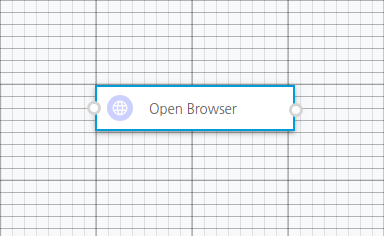
What I want is that the left top of the node should be in the corner points of the squares in the grid. Initially it is okay to do this task. But when I zoom out the grid, the node becomes smaller. However the grid size not change. It is 12px. Since the node becomes smaller, it's left top point is not stay on the corner of the grid like following:
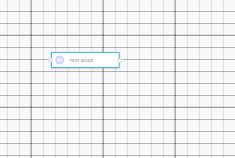
How can I handle this problem? Do you have any suggestions?
Thanks..
latifuluman
on 22 Mar 2020
Hey @latifuluman
Hmm, I've actually tried to update the grid size according to the zoom to try to solve this problem, but it's more difficult than it seemed, so I ended up just disabling the diagram zoom feature on my app.
Here's roughly what I've tried to do:
model.registerListener({
  eventDidFire: realignGrid,
});

const realignGrid = ({ offsetX, offsetY, zoom }) =>
  requestAnimationFrame(() => {
    document.body.style.backgroundPosition = `${offsetX}px ${offsetY}px`;
    document.body.style.backgroundSize = calculateSomethingUsing(zoom);
    //    I'm not sure what to do here   ^^^^^^^^^^^^^^^^^^^^^^^^^^^^^
  });
Actually, as I was writing this previous comment, I gave it one more try and succeded.
What I've done:
Replaced the
background-imagewith this PNG grid image:
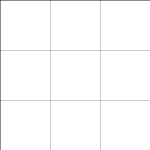
Changed
background-positionandbackground-sizeto use CSS variables
background-position-x: var(--offset-x);
background-position-y: var(--offset-y);

background-size: calc(var(--grid-size) * 3)
                 calc(var(--grid-size) * 3);
- Changed
realignGridimplementation, to set those variables when offset or zoom changes:
const realignGrid = ({ function: type, offsetX, offsetY, zoom }) =>
    requestAnimationFrame(() => {
      switch (type) {
        case 'offsetUpdated':
          document.body.style.setProperty(
            '--offset-x',
            `${offsetX}px`,
          );
          document.body.style.setProperty(
            '--offset-y',
            `${offsetY}px`,
          );
          break;
        case 'zoomUpdated': {
          const GRID_SIZE = 15;
          const ZOOM_FACTOR = zoom / 100;
          document.body.style.setProperty(
            '--grid-size',
            `${GRID_SIZE * ZOOM_FACTOR}px`,
          );
          break;
        }
        default:
          break;
      }
    });
- And added calls to
realignGridwhenever the app or a new diagram is loaded.
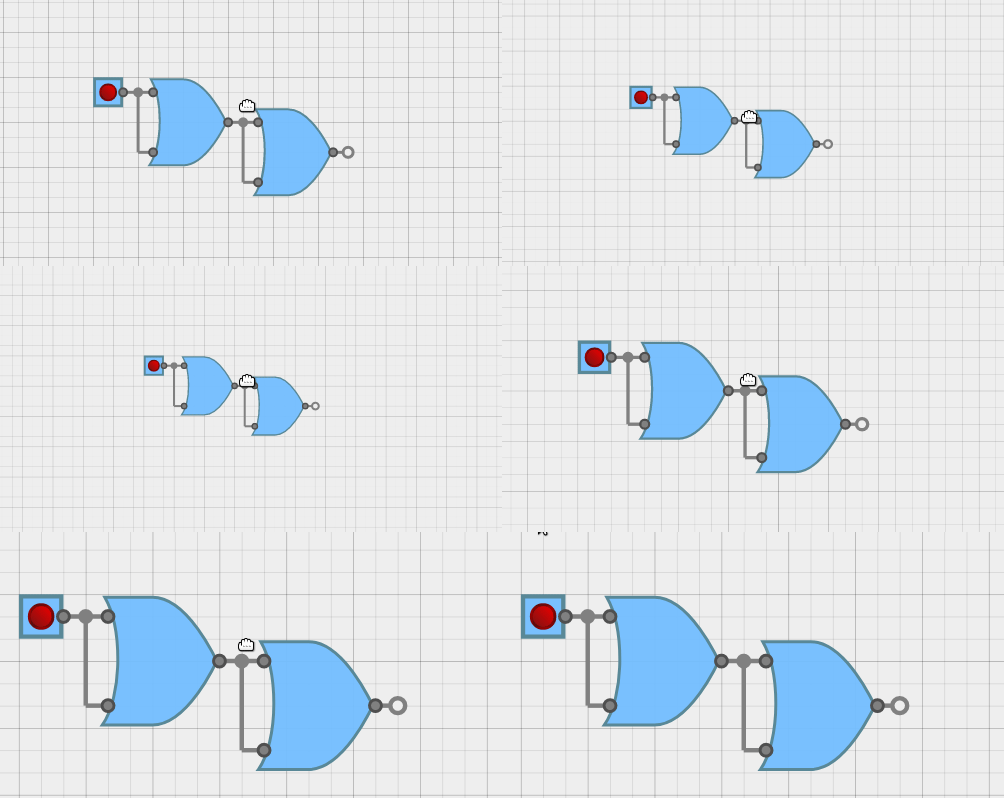
This is the result:
renato-bohler
on 22 Mar 2020
@renato-bohler thank you so much for your quick response and effort about this problem. I understand the logic of the idea that you are suggesting. I can not wait to try this idea. Again thank you so much...
latifuluman
on 22 Mar 2020
Related issues
 CarlousF
·
3Comments
CarlousF
·
3Comments
 gugaevkirill
·
3Comments
gugaevkirill
·
3Comments
 maxbasque
·
3Comments
maxbasque
·
3Comments
 ganesh-sankey
·
4Comments
ganesh-sankey
·
4Comments
 Naveenraj006
·
3Comments
Naveenraj006
·
3Comments