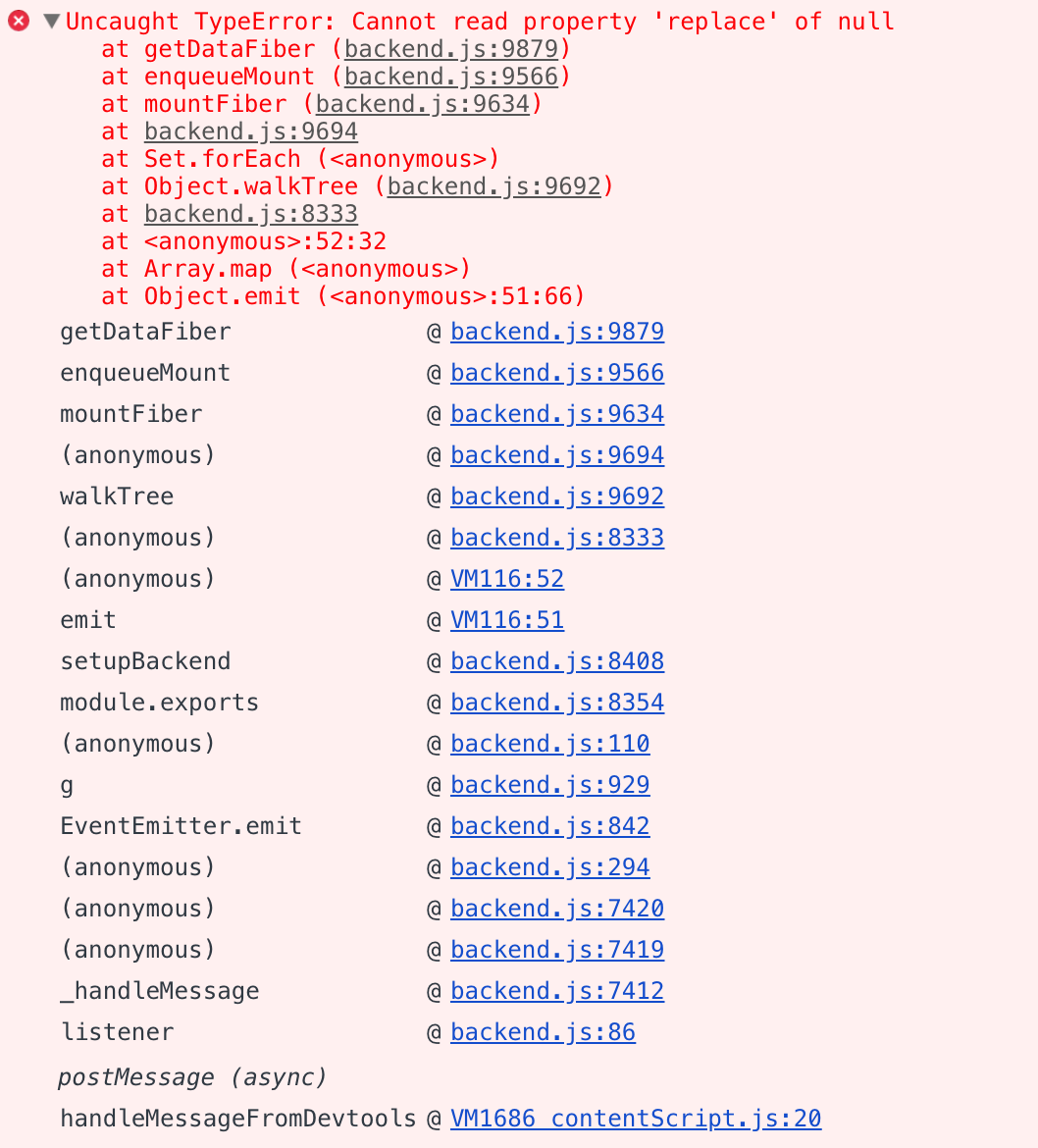
React-devtools: Started to crash quite recently with a "Uncaught TypeError: Cannot read property 'replace' of null" error
This is happening to me in Electron when devtools 3.4.0 open. (UI is "Waiting for roots to load").

 dperetti
All 12 comments
"topsecret", huh ? 😆
dperetti
on 13 Oct 2018
Same issue here..
 VladimirMilov
on 16 Oct 2018
VladimirMilov
on 16 Oct 2018
Same issue here after I added chrome redux plugin.
 wufeng87
on 23 Oct 2018
wufeng87
on 23 Oct 2018
Same issue...
 happier2
on 23 Oct 2018
happier2
on 23 Oct 2018
Got this in the Chrome extension initially after upgrading to [email protected] from 16.3, but resolved by disabling the extension and re-enabling. ¯\_(ツ)_/¯
 andrewbranch
on 24 Oct 2018
andrewbranch
on 24 Oct 2018
I had this bug on my macbook but not on windows pc. Then I updated React to 16.6 and got the same bug on win too :(
 Kelin2025
on 25 Oct 2018
Kelin2025
on 25 Oct 2018
I fixed this issue removing the electron-react-devtools. I was using both electron-react-devtools and react-developer-tools.
Edit: I also removed the extensions folder and DevTools Extensions file from ~/.config/Electron.
 AlexanderArce
on 12 Nov 2018
AlexanderArce
on 12 Nov 2018
I am getting the same issue in React Native with React 16.6
 dolsem
on 15 Dec 2018
dolsem
on 15 Dec 2018
I had the same issue. I was able to fix it only by deleting the extensions folder. In my case (Windows):
C:\Users\{USERNAME}\AppData\Roaming\Electron
Other platforms:
$XDG_CONFIG_HOMEor~/.configon Linux~/Library/Application Supporton macOS
 madcat23
on 19 Dec 2018
madcat23
on 19 Dec 2018
Same error here.
 pronebird
on 6 Feb 2019
pronebird
on 6 Feb 2019
I solved this issue on React Native by updating react-devtools-core to 3.6.1, steps:
- navigate to
./node_modules/react-native - open package.json and update
react-devtools-coreto3.6.1 - run
yarn installornpm install
it should work 👍
 gorhom
on 12 Mar 2019
gorhom
on 12 Mar 2019
React DevTools has been rewritten and recently launched a new version 4 UI. The source code for this rewrite was done in a separate repository and now lives in the main React repo (github.com/facebook/react).
Because version 4 was a total rewrite, and all issues in this repository are related to the old version 3 of the extension, I am closing all issues in this repository. If you can still reproduce this issue, or believe this feature request is still relevant, please open a new issue in the React repo: https://github.com/facebook/react/issues/new?labels=Component:%20Developer%20Tools
 bvaughn
on 20 Aug 2019
bvaughn
on 20 Aug 2019
Related issues
 prasannavl
·
3Comments
prasannavl
·
3Comments
 mmahalwy
·
3Comments
mmahalwy
·
3Comments
 arghasarkar
·
4Comments
bvaughn
·
4Comments
arghasarkar
·
4Comments
bvaughn
·
4Comments
 txiaocao
·
5Comments
txiaocao
·
5Comments
Most helpful comment
Got this in the Chrome extension initially after upgrading to [email protected] from 16.3, but resolved by disabling the extension and re-enabling. ¯\_(ツ)_/¯