React-devtools: devtools cannot connect
Why doesn't it connect
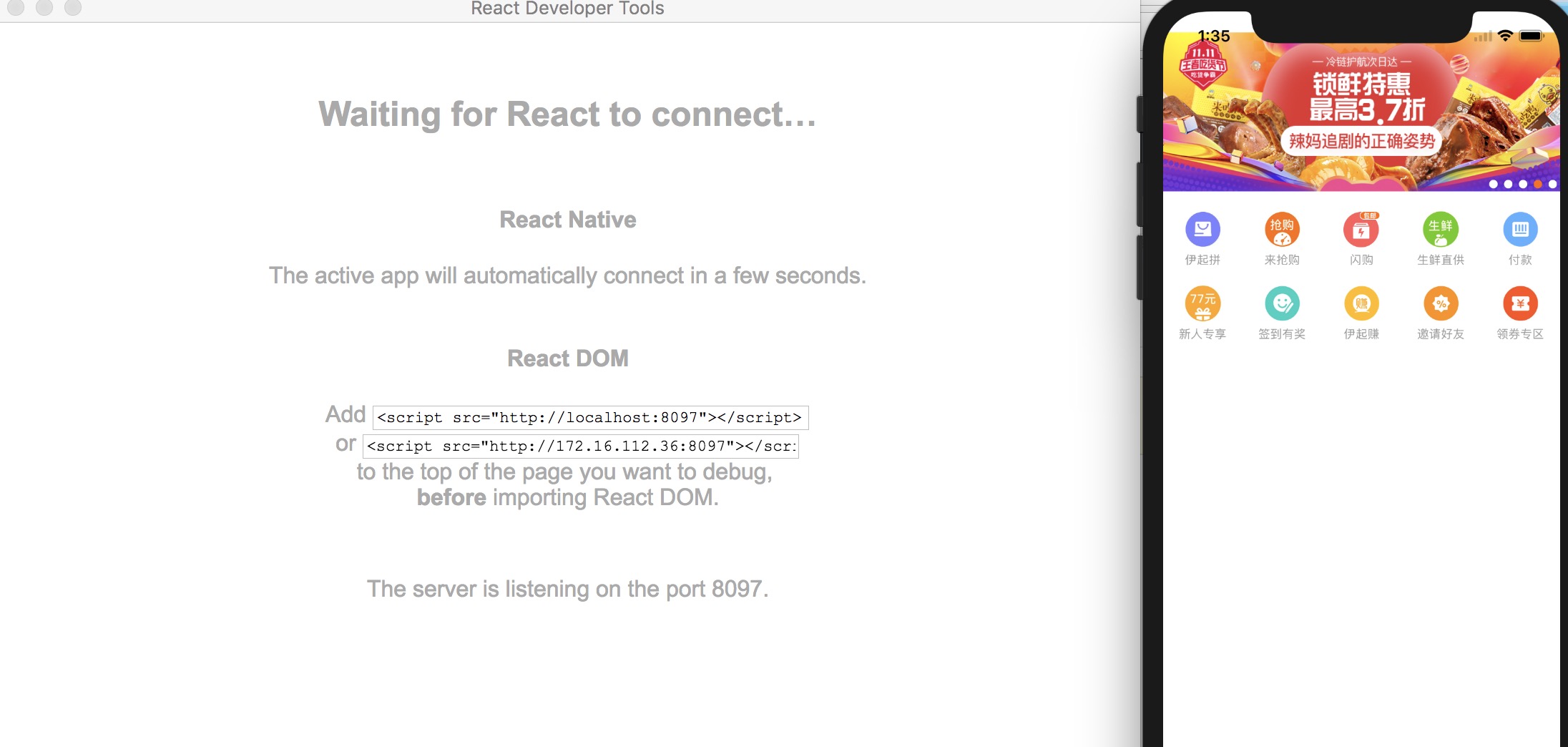
 Char-set
All 7 comments
I Also can't get it to connect to react native app. Could not find any information about it.
Using react native 0.50.1 and react 16.0.0 on linux. Tried with local and global installation of react-devtools 2.5.2. Tried with device plugged through USB and over Wifi. Also changed the port in the In-app dev settings to 8097 but it didn't work. I guess that's only for packager.
 fmorato
on 8 Nov 2017
fmorato
on 8 Nov 2017
Running adb reverse tcp:8097 tcp:8097 made it to work with connected device. :) probably works for simulator as well.
fmorato
on 10 Nov 2017
Is this a new issue caused by RN update? We'd need more details.
 gaearon
on 14 Nov 2017
gaearon
on 14 Nov 2017
I was having the same issue (in my case running an android virtual device) until I run @fmorato's solution, which should be marked as valid.
Windows 10 Professional
react-native: 0.54.0
react-devtools: 3.1.0
 DiegoBM
on 10 Mar 2018
DiegoBM
on 10 Mar 2018
My issue till not resolved even with adb reverse tcp:8097 tcp:8097
 toan301
on 17 Jan 2019
toan301
on 17 Jan 2019
Running
adb reverse tcp:8097 tcp:8097made it to work with connected device. :) probably works for simulator as well.
Yeah, issue also resolved on simulator | Windows10 OS | android simulator
 shubknit
on 10 May 2019
shubknit
on 10 May 2019
React DevTools has been rewritten and recently launched a new version 4 UI. The source code for this rewrite was done in a separate repository and now lives in the main React repo (github.com/facebook/react).
Because version 4 was a total rewrite, and all issues in this repository are related to the old version 3 of the extension, I am closing all issues in this repository. If you can still reproduce this issue, or believe this feature request is still relevant, please open a new issue in the React repo: https://github.com/facebook/react/issues/new?labels=Component:%20Developer%20Tools
 bvaughn
on 20 Aug 2019
bvaughn
on 20 Aug 2019
Related issues
 dragonza
·
5Comments
dragonza
·
5Comments
 BrandonWade
·
4Comments
BrandonWade
·
4Comments
 zhammer
·
4Comments
zhammer
·
4Comments
 nareshbhatia
·
3Comments
nareshbhatia
·
3Comments
 keyz
·
5Comments
keyz
·
5Comments
Most helpful comment
Running
adb reverse tcp:8097 tcp:8097made it to work with connected device. :) probably works for simulator as well.