React-devtools: Hard to copy part of a component name
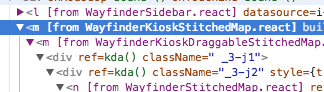
Not showing the component name in the sidebar (changed in #713) makes it much harder to copy "WayfinderKioskStitchedMap" (for example) out of the devtools.
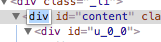
For comparison, Chrome lets you double-click a name to get an editable field:
 sophiebits
All 18 comments
I think the best way to do this would be to allow double-clicking on the name in the React devtools to get a read-only text input that you can copy from. This would make it easy to copy a component name (or part of one) from the tree. I think we can also get rid of the "Copy element name" context menu item then.
If you're interested in working on this, please comment here first so we don't have multiple people working on this. :) Please CC me on the PR once you send it!
sophiebits
on 21 Aug 2017
I think the best way to do this would be to allow double-clicking on the name in the React devtools to get a read-only text input that you can copy from.
At the risk of bike-shedding, two thoughts:
- Our custom context menu makes this a little weird (since I expect a lot of people will right click to "copy" rather than use the keyboard shortcut.
- If it's read-only, maybe we don't need the double-click? We could just use:
    user-select: text;
    cursor: text;
(For the tag names only)
 bvaughn
on 21 Aug 2017
bvaughn
on 21 Aug 2017
@bvaughn Sorry, what keyboard shortcut?
It could be that allowing selecting in the tree could make sense (I'd probably have to try it to see one way or the other), though I'm worried that the selection state would be confusing since a certain component is already selected and then you'd have a text selection inside of that. We could make props also editable by double-clicking and then it would be a consistent UI for all of them (and match Chrome's panel).
sophiebits
on 22 Aug 2017
@bvaughn Sorry, what keyboard shortcut?
Cmd+C (to copy the selected text).
Your concern about it being unintuitive makes sense though. We'd have to try it and see. I suspect a cursor: text style _might_ help with that.
bvaughn
on 22 Aug 2017
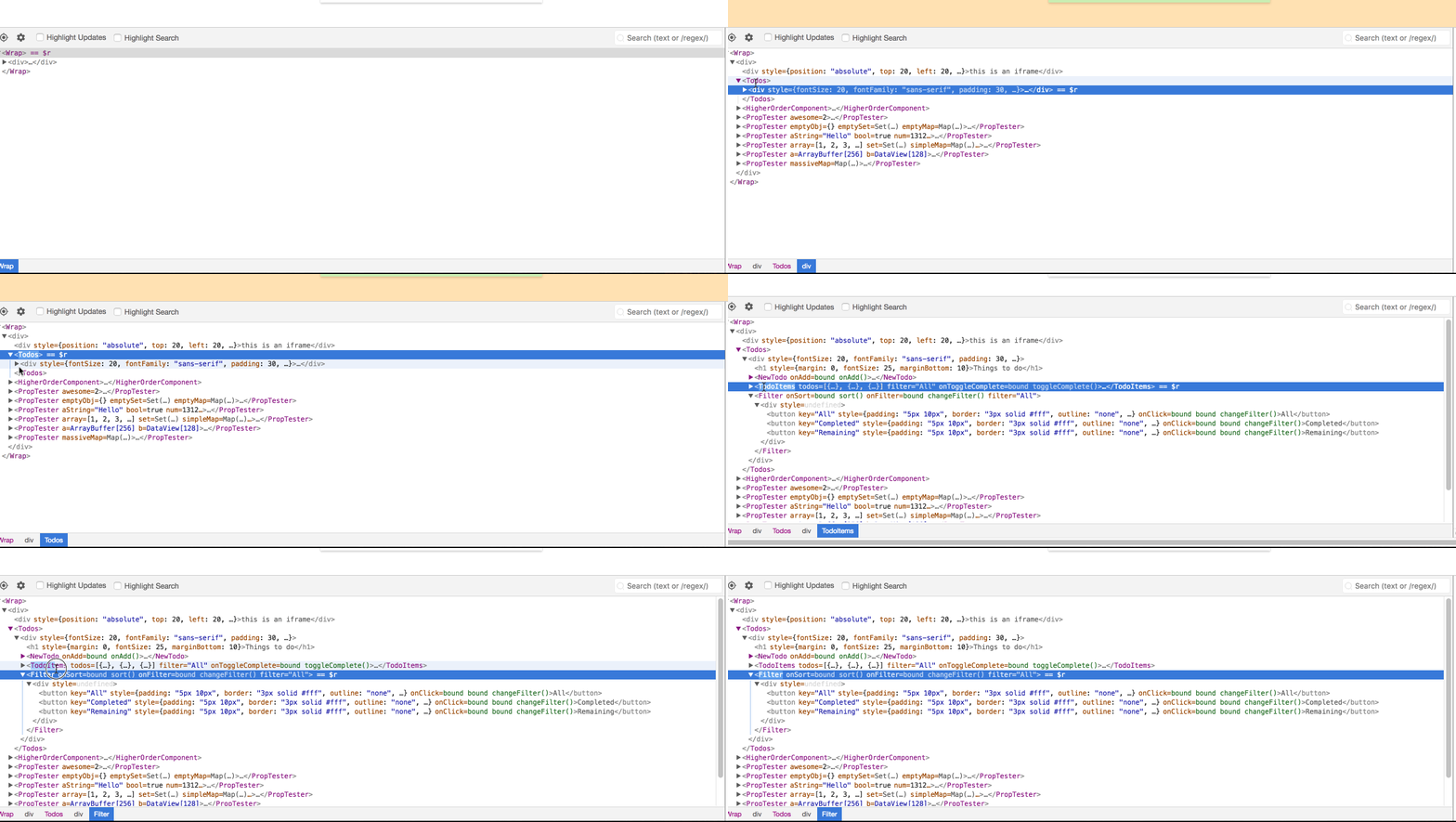
I'd like to try and take this one on! Is this the expected behavior?
 Ronolibert
on 22 Aug 2017
Ronolibert
on 22 Aug 2017
It's yours to take then, @Ronolibert.
That seems reasonable from what I can tell?
bvaughn
on 22 Aug 2017
I'm not sure the behavior in https://github.com/facebook/react-devtools/issues/867#issuecomment-323897577 is great. The double clicking causes the node to expand or collapse, potentially moving it away from the cursor (as seen in the gif). It's also annoying when two different actions compete for the same mouse event (especially spread out in time like double click).
Chrome has a slightly different behavior. It expands on double click but never collapses. I think that’s reasonable. If we do the same then I’m cool with it.
 gaearon
on 14 Sep 2017
gaearon
on 14 Sep 2017
@bvaughn @gaearon Do you think the nested selection is confusing?
sophiebits
on 14 Sep 2017
I agree with the concerns raised by Dan. I think we should mimic Chrome's UX just to be intuitive:
- Clicking the arrow should always toggle expanded/collapsed state
- Single-clicking the tag-name of a collapsed element should:
- Expand the element
- Select the tag name text
- Double-clicking on an expanded tag name should:
- Select the tag name text
bvaughn
on 14 Sep 2017
In chrome, double-clicking gives you an input:
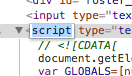
That's my preference too, but different from what you're describing if I understand correctly.
sophiebits
on 14 Sep 2017
Correct, but we can't mimic that behavior so I was suggesting we just select the tag-text instead.
bvaughn
on 14 Sep 2017
Sorry, why can't we? I missed that; I was under the impression we could.
sophiebits
on 14 Sep 2017
Editing the tag-name in Chrome changes the type of DOM element displayed in the browser. This is okay because it's only for DOM elements and it's assumed that the page content is static at the point where you're editing.
But what would it mean to edit the name in React DevTools? If we edited host nodes, we'd be changing markup out from under React. How would it work on native? And what if we edited component names? If you changed "Foo" to "Bar", how would DevTools find "Bar"?
Am I just thinking about this wrong?
bvaughn
on 14 Sep 2017
Oh sorry. I was thinking it could be read-only.
sophiebits
on 14 Sep 2017
Oh. Gotcha. So rather than selectable text, we'd insert a read-only input?
I think that could be ok too, provided the input didn't cause any funky resizing.
bvaughn
on 14 Sep 2017
Read-only selectable input would be nice.
gaearon
on 14 Sep 2017
Yes, that's what I tried to specify in my first comment above.
sophiebits
on 14 Sep 2017
Fixed by #1230
bvaughn
on 27 Nov 2018
Related issues
 lettywiterock
·
3Comments
lettywiterock
·
3Comments
 inoyakaigor
·
4Comments
inoyakaigor
·
4Comments
 CodyReichert
·
5Comments
CodyReichert
·
5Comments
 nareshbhatia
·
3Comments
nareshbhatia
·
3Comments
 Bnaya
·
3Comments
Bnaya
·
3Comments