React-datepicker: onBlur is not called when day is clicked after v2.12.0
Describe the bug
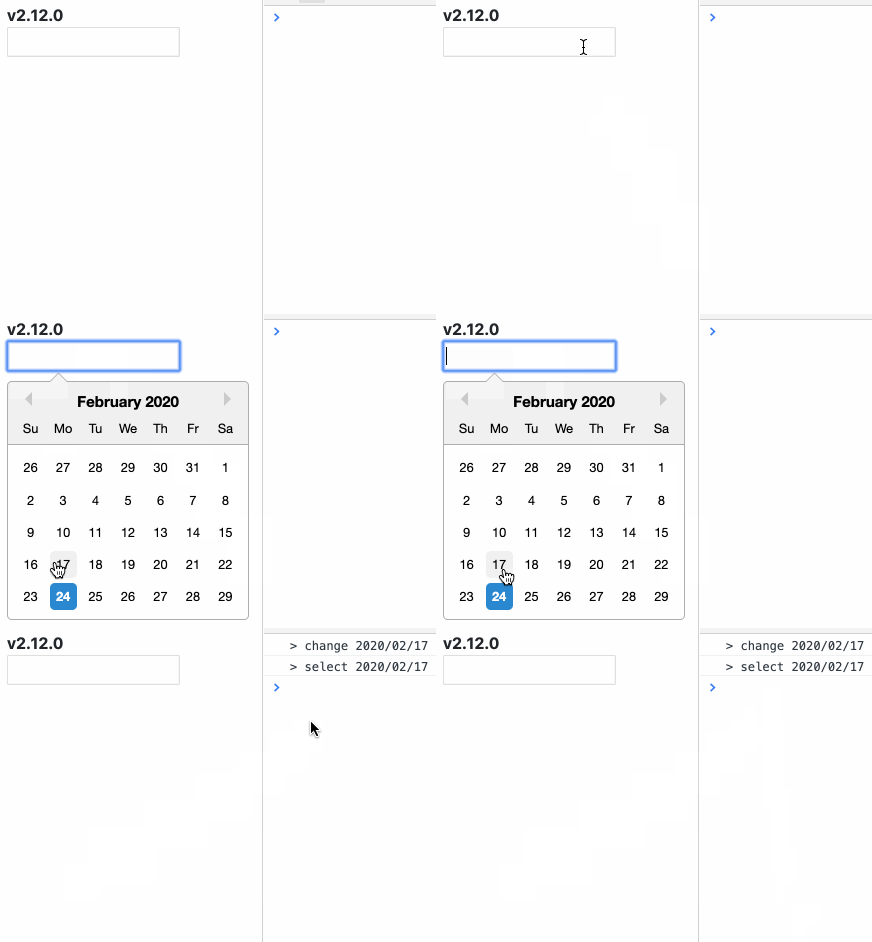
onBlur is not called when day is clicked and closed the calendar after v2.12.0.
To Reproduce
- Click input form and open calendar.
- Click the day.
- Confirm browser debug console.
Sample code
import * as React from 'react';
import DatePicker from 'react-datepicker';
import * as moment from 'moment';

export const SampleDatePicker = () => {
  const handleChange = React.useCallback((next: Date) => {
    console.log('> change', moment(next).format('YYYY/MM/DD'));
  }, []);

  const handleSelect = React.useCallback((next: Date) => {
    console.log('> select', moment(next).format('YYYY/MM/DD'));
  }, []);

  const handleBlur = React.useCallback(() => {
    console.log('> blur');
  }, []);

  return <DatePicker onChange={handleChange} onSelect={handleSelect} onBlur={handleBlur} />;
};
Expected behavior
onBlur is called when day is clicked, it is same behavior as before v2.11.0.
Screenshots
v2.12.0
v2.11.0

Note
- Sorry for using unreleased version, after
v2.12.0. :bow:
- I only checked the latest version with
npm info react-datepicker versions.
- I only checked the latest version with
 bobmk2
All 4 comments
I realized you can use the onCalendarClose handler to workaround this (at least in my case).
 jaredwindover
on 13 Apr 2020
jaredwindover
on 13 Apr 2020
I can reproduce this in my project. However, for me onCalendarClose is never called.
 Naghal
on 7 May 2020
Naghal
on 7 May 2020
Unfortunately also affected by this. This change seems to be the culprit: https://github.com/Hacker0x01/react-datepicker/pull/2027/files#diff-73642d587163f2eb4d72f0fa6ebfba02L386-L392
Reverting those few lines to their old v2.11.0 state results in onBlur being called after the state change. However, with withPortal, onBlur is called _before_ the state change, so I'm not sure how to go about properly fixing this.
 Gluestick
on 18 Sep 2020
Gluestick
on 18 Sep 2020
Duplicate of #2028.
 tu4mo
on 13 Nov 2020
tu4mo
on 13 Nov 2020
Related issues
 sarav1234
·
3Comments
sarav1234
·
3Comments
 flaurida
·
3Comments
flaurida
·
3Comments
 arturictus
·
3Comments
arturictus
·
3Comments
 kkras3
·
3Comments
kkras3
·
3Comments
 ahribori
·
3Comments
ahribori
·
3Comments
Most helpful comment
I realized you can use the
onCalendarClosehandler to workaround this (at least in my case).