React-data-grid: Can't select a cell to copy cell's value
Have you already searched for similar issues? Yes I have.
Also, please don't be that person who deletes this template. It's here for a reason.
Thanks!
Which version of React JS are you using?
✅ Officially supported ✅
- [ ] v15.4.x
⚠️ Not officially supported, expect warnings ⚠️
- [x] v15.5.x
- [ ] v15.6.x
☣️ Not officially supported, expect warnings and errors ☣️
- [ ] v16.x.x
Which browser are you using?
✅ Officially supported ✅
- [ ] IE 9 / IE 10 / IE 11
- [ ] Edge
- [x] Chrome
⚠️ Not officially supported, but "should work" ⚠️
- [ ] Firefox
- [ ] Safari
I'm submitting a ...
- [x] 🐛 Bug Report
- [ ] 💡 Feature Request
👋 Need general support? Not sure about how to use React itself, or how to get started with the Grid?
Please do not submit support request here. Instead see
https://github.com/adazzle/react-data-grid/blob/master/CONTRIBUTING.md
Issue Details
```
Please include:
- What the current behavior is: I can't double on a cell to select the content (just to Cmd+C). It worked before
- What the desired behvaior is: It should work.
- (If Bug) Steps to reproduce the issue:
1. Go to: http://adazzle.github.io/react-data-grid/docs/examples/column-sorting
- Try to click and select someone's last name to copy it.
- Doesn't work.
 lehaininh
All 4 comments
I feel as though is should be default behavior, to select text cells.
It's not , but you may include the CSS property user-select on the selector .react-grid-Cell like so:
.react-grid-Cell {
    -webkit-user-select: text;
    -moz-user-select: text;
    -ms-user-select: text;
    user-select: text;
}
You can also replace text with all if you'd like to select the entire cell automatically.
 ccurtin
on 21 Dec 2018
ccurtin
on 21 Dec 2018
This issue has been automatically marked as stale because it has not had recent activity. It will be closed if no further activity occurs. Please reopen this if you feel it has been incorrectly closed and we will do our best to look into it. Thank you for your contributions.
![stale[bot] picture](https://avatars3.githubusercontent.com/in/1724?v=4&s=40) stale[bot]
on 20 Jan 2019
stale[bot]
on 20 Jan 2019
ccurtin's solution will work if none of the elements in your formatters set/override the user-select attributes.
If you want to override all cell's children's attributes you can use
.react-grid-Cell, .react-grid-Cell * {
    -webkit-user-select: text;
    -moz-user-select: text;
    -ms-user-select: text;
    user-select: text;
}
*Note you may have to use !important to make sure it overrides
 vlthrasher
on 22 Sep 2020
vlthrasher
on 22 Sep 2020
@vlthrasher, does it work for you on FF/Safari correct?
I use your suggestion for .rdg-cell
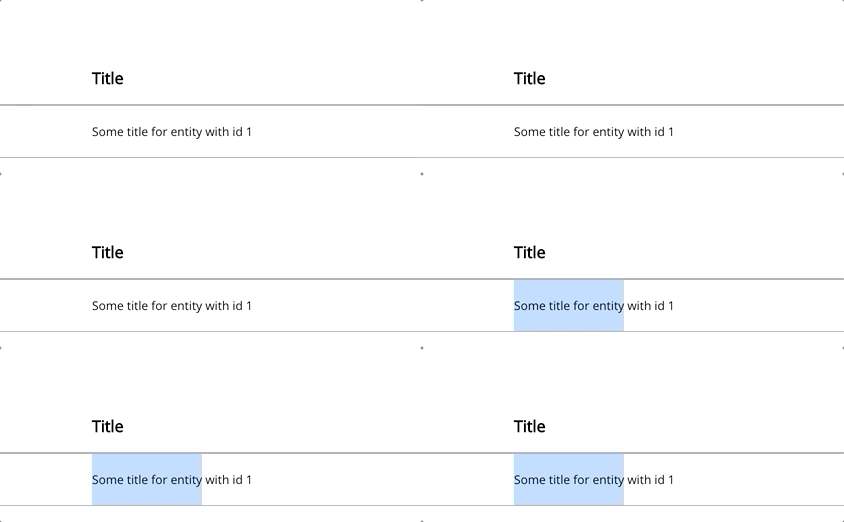
I got strange behavior for FF(81.0.1)/Safai(14) on macos. Selection automatically disappears

Chrome (works correct) :
react-data-grid - 7.0.0-canary.24
 kchupakhin
on 13 Oct 2020
kchupakhin
on 13 Oct 2020
Related issues
 markmus
·
4Comments
markmus
·
4Comments
 SupernaviX
·
3Comments
SupernaviX
·
3Comments
 GenoD
·
3Comments
GenoD
·
3Comments
 soma83
·
4Comments
soma83
·
4Comments
 JordanBonitatis
·
4Comments
JordanBonitatis
·
4Comments
Most helpful comment
I feel as though is should be default behavior, to select text cells.
It's not , but you may include the CSS property
user-selecton the selector.react-grid-Celllike so:You can also replace
textwithallif you'd like to select the entire cell automatically.