React-data-grid: Feature Request: Custom cellRenderer needed
HAVE YOU ALREADY SEARCHED FOR SIMILAR ISSUES? PLEASE HELP US OUT AND DOUBLE-CHECK FIRST!
Yes
ALSO, PLEASE DON'T BE THAT PERSON WHO DELETES THIS TEMPLATE. IT'S HERE FOR A REASON.
THANKS!
WHICH VERSION OF REACT ARE YOU USING?
Officially Supported:
[ x] v0.14.x
Community Supported:
[ ] v15.0.x
WHICH BROWSER ARE YOU USING?
Officially Supported:
[ ] IE 9 / IE 10 / IE 11
[ ] Edge
[ x] Chrome
Should work:
[ ] Firefox
[ ] Safari
I'm submitting a ... (check one with "x")
[ ] bug report
[ x] feature request
[ ] support request => Please do not submit support request here, instead see https://github.com/adazzle/react-data-grid/blob/master/CONTRIBUTING.md
Current behavior
@diogofcunha No option for custom cell rendering with some own component also like checkbox, dropdown etc.
Expected/desired behavior
Let us I want to render my own checkbox to select the row instead of in-built in this example
So in this case I should be able to handle the checkbox events (eg: onChange) and get the checked status and push it to array.
Reproduction of the problem
If the current behavior is a bug or you can illustrate your feature request better with an example, please provide the steps to reproduce and if possible a minimal demo of the problem.
What is the expected behavior?
What is the motivation / use case for changing the behavior?
By this way we will be able to customize each cell individually. I think that will be great enhancement.
 anil1712
All 4 comments
It is already possible to do this. Have a look at the custom formatters example
http://adazzle.github.io/react-data-grid/examples.html#/custom-formatters
Just pass your custom component as formatter property of a column and it will be displayed in each cell of that column
var columns = [
{
  key: 'complete',
  name: '% Complete',
  formatter : PercentCompleteFormatter
},
 malonecj
on 13 Jan 2017
malonecj
on 13 Jan 2017
unfortunately this always leaves an 8 pixel padding around the formatter div. Is there a way to not have this padding? I would like to completely have my cell with a particular background color, no bits of white around it.
 oliverwatkins
on 18 May 2017
oliverwatkins
on 18 May 2017
Is there a way to use our own checkbox instead of the default checkbox? Using formatter can get me a checkbox on my rows, but is there a way to define its property with same as the default checkbox?
 sjain-mi9
on 29 May 2017
sjain-mi9
on 29 May 2017
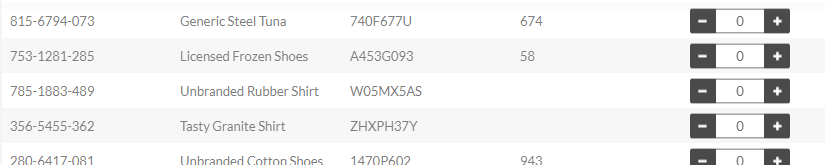
@malonecj the problem with formatter is I want to render a component with custom buttons and behaviour as well as connecting it to a redux store. In that case formatter seems not working. I also tried adding an editor as well, still no hope. I can render my component as shown below with formatter, but when I wrap it in a container and pass it to formatter similarly it does not render.
 milkers
on 8 Jun 2018
milkers
on 8 Jun 2018
Related issues
 Suprit-S-M
·
4Comments
oliverwatkins
·
4Comments
Suprit-S-M
·
4Comments
oliverwatkins
·
4Comments
 ryanwtyler
·
3Comments
ryanwtyler
·
3Comments
 jmahony
·
4Comments
jmahony
·
4Comments
 SupernaviX
·
3Comments
SupernaviX
·
3Comments
Most helpful comment
unfortunately this always leaves an 8 pixel padding around the formatter div. Is there a way to not have this padding? I would like to completely have my cell with a particular background color, no bits of white around it.