React-chartjs-2: Scatter Graph with Line
I'm trying to have a scatter {x,y} graph with a line connecting the points but i couldn't make the line show like the example in the website (as showed bellow) .
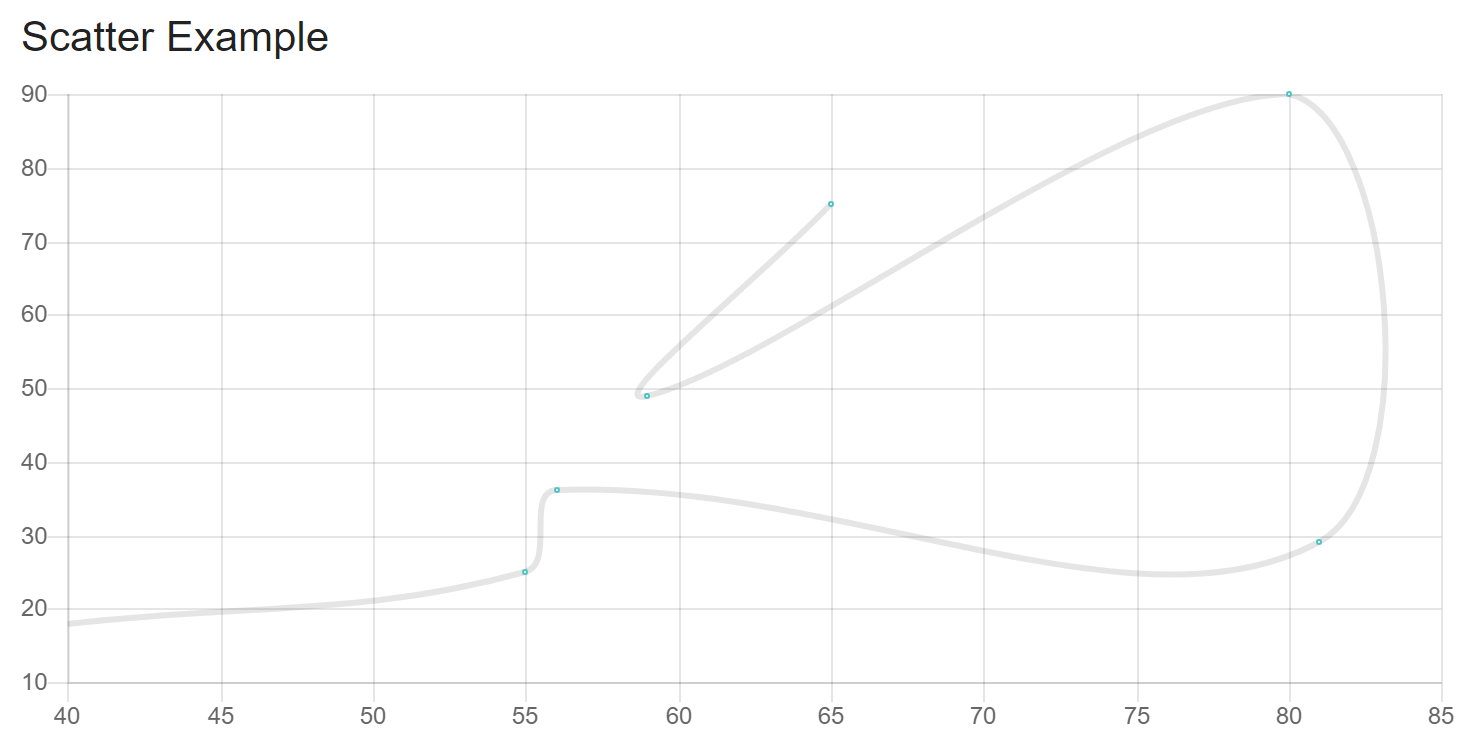
Here is my code:
<Scatter
                data={this.chartData}
                options={this.chartOptions}
            />
    chartData = {
        datasets:[
            {
                label: "S11 Polar Graph",
                fill: false,
                backgroundColor: this.props.color,
                pointBorderColor: this.props.color,
                pointBackgroundColor: '#ffffff',
                pointBorderWidth: 1,
                pointHoverRadius: 5,
                pointRadius: 3,
                pointHitRadius: 10,
                data: this.state.data
            }
        ]
    }
    chartOptions = {
        maintainAspectRatio: false,
        showLine: true,
        scales: {
            xAxes: [{
                display: true,
                labelString: "Frequency (Hz)"
            }],
            yAxes: [{
                display: true,
                labelString: "Frequency (Hz)"
            }]
        }
    }
 dvcorreia
>All comments
same for me
but is work with this : showLine: true,
 const data = {
            labels: ['Scatter'],
            datasets: [
              {
                label: 'My First dataset',
                fill: false,
                showLine: true,  //!\\ Add this line
                backgroundColor: 'rgba(75,192,192,0.4)',
                pointBorderColor: 'rgba(75,192,192,1)',
                pointBackgroundColor: '#fff',
                pointBorderWidth: 1,
                pointHoverRadius: 5,
                pointHoverBackgroundColor: 'rgba(75,192,192,1)',
                pointHoverBorderColor: 'rgba(220,220,220,1)',
                pointHoverBorderWidth: 2,
                pointRadius: 1,
                pointHitRadius: 10,
                data: [
                  { x: 65, y: 75 },
                  { x: 59, y: 49 },
                  { x: 80, y: 90 },
                  { x: 81, y: 29 },
                  { x: 56, y: 36 },
                  { x: 55, y: 25 },
                  { x: 40, y: 18 },
                ]
              }
            ]
          };

<Scatter data={data} />
 btbensoft
on 31 May 2018
btbensoft
on 31 May 2018
👍4
Was this page helpful?
0 / 5 - 0 ratings
Related issues
 alphakennyn
·
3Comments
alphakennyn
·
3Comments
 flxwu
·
3Comments
flxwu
·
3Comments
 DavidSongzw
·
5Comments
DavidSongzw
·
5Comments
 cbroberg
·
5Comments
cbroberg
·
5Comments
 LuizMoreira
·
3Comments
LuizMoreira
·
3Comments
Most helpful comment
same for me
but is work with this : showLine: true,