React-chartjs-2: How to remove the vertical grid ?
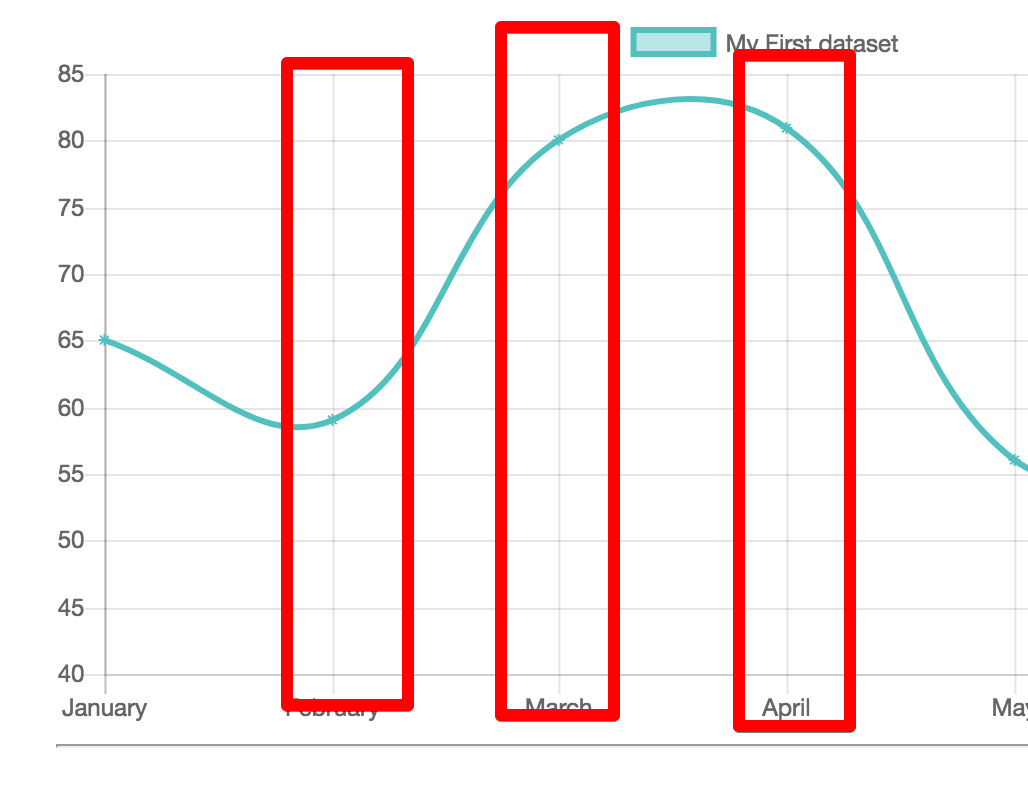
Hi, I try to remove the vertical line with this code but didn't work. Anyone have some suggestion ? Thanks
Code:
<LineExample options={{
         scaleShowGridLines : false,
                  scaleShowVerticalLines: false,
    }}/>
 ekobayu
All 5 comments
you can remove the vertical lines by setting display: false in inside xAxes property.
options={
  scales: {
    yAxes: [
      { ... },
    ],
    xAxes: [
      {
        gridLines: {
          color: '#aaa',
          borderDash: [1, 3],
        },
        display: false, // this will hide vertical lines
      },
    ],
  },
}
I hope this helps.
 jmariomejiap
on 2 Mar 2018
jmariomejiap
on 2 Mar 2018
👍7
Awesome, thankss it worked @jmariomejiap
ekobayu
on 5 Mar 2018
Perfect, Thanks a lot
 BertrandBreton
on 3 May 2018
BertrandBreton
on 3 May 2018
Can anybody provide a solution to hide the horizontal lines as well. Thanks in advance!
 utkarsh1510
on 15 Nov 2019
utkarsh1510
on 15 Nov 2019
@utkarsh1510 You can hide the horizontal lines by adding the following to the yAxes property:
gridLines: {
drawOnChartArea: false
}
 timwsuccess81
on 21 Nov 2019
timwsuccess81
on 21 Nov 2019
👍1
Was this page helpful?
0 / 5 - 0 ratings
Related issues
 LuizMoreira
·
3Comments
LuizMoreira
·
3Comments
 souuu
·
4Comments
souuu
·
4Comments
 flavz27
·
5Comments
flavz27
·
5Comments
 Holychung
·
4Comments
Holychung
·
4Comments
 DavidSongzw
·
5Comments
DavidSongzw
·
5Comments
Most helpful comment
you can remove the vertical lines by setting display: false in inside xAxes property.
I hope this helps.