React-bootstrap-table2: Controlled <input> components lose focus on re-render inside expanded rows
When you add a controlled input field component inside an expanded row, this happens:

Looks like the entire <tbody> DOM node gets re-created by React on every render of the BootstrapTable component.
Tried to look into it and my best guess is it has something to do with the Context api causing unnecessary re-renders due to https://reactjs.org/docs/context.html#caveats, but couldn't figure it out in reasonable time.
As far as I can see, nothing in the DOM tree should actually cause the React reconciliation algorithm to re-create <tbody>

 anttiviljami
All 13 comments
I will look into on it. Anyway, thanks!
 AllenFang
on 24 Nov 2018
AllenFang
on 24 Nov 2018
I have similar issue. But mine is in not in expanded rows but normal cell column. When I add control component with the selectRow property. it works. When I add selectRow it, it shows similar behavior as above.
 Mujaddadi
on 11 Dec 2018
Mujaddadi
on 11 Dec 2018
Demo of this behavior: https://codesandbox.io/s/github/amsterdamharu/bootstrap-table-extend-bug
Problem is that when the expandRow.renderer dispatches an action that will cause bootstrap-table to re render the bootstrap-table will unmount the expandRow.renderer and re mount it.
 amsterdamharu
on 11 Dec 2018
amsterdamharu
on 11 Dec 2018
Hi Allen,
in react bootstrap table, i am unmounting and mounting the table. But once i mount it again i am unable to select any checkbox. if i do display none it works fine. But if i remount it, checkboxes r not working. I have an urgent requirement. pls help
 meghnaraju
on 23 Jan 2019
meghnaraju
on 23 Jan 2019
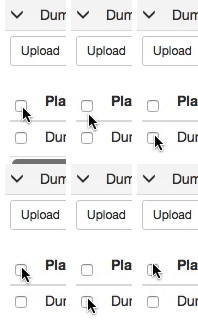
I'm wondering if I am running into this same issue - I have a table with checkbox select that is viewable in 2 places, one place is inside an expandable row of another table, the other place it is not. It works fine outside of the expandable table, but inside the click event is registering (I can console.log("click")) but the checkbox does not check.
Gif of issue:
 mkwenzel
on 23 Jan 2019
mkwenzel
on 23 Jan 2019
@anttiviljami @amsterdamharu Did either of you find a solution for this?
mkwenzel
on 23 Jan 2019
No resolution. I just ended up implementing the table myself instead of using react-bootstrap-table. Couldn’t fix this issue within reasonable time.
anttiviljami
on 24 Jan 2019
@mkwenzel i think your issue might be different with this, please open another issue, I will check it, thanks
AllenFang
on 6 Feb 2019
Sorry I missed this issue for a long time, my bad, I will fix this issue in next version, thanks
AllenFang
on 6 Feb 2019
Fixed, please check RELEASE NOTE, please remember to upgrade the packages which mention in RELEASE NOTE to make sure you have correct patch.
AllenFang
on 9 Feb 2019
Again, sorry for lately fixing this issue. Please let me know if this issue still remain. thanks
AllenFang
on 9 Feb 2019
Hi Allen, first of all, thank you for this awesome library, great work! I tried the latest update v2.1.1 and am still having problems with the re-rendering of the expanded row and losing focus on controlled components inside the expanded row. https://codesandbox.io/s/1olom8kk9l
Is this an issue or am I using the expanded row feature in an unintended way?
best regards, cheers!
 joecrismolina
on 11 Feb 2019
joecrismolina
on 11 Feb 2019
Hi Allen, I have the same problem if I don't use editCell. I add the input field directly in formatted column function because I want display all inputs without click.
 apausepi
on 26 Aug 2019
apausepi
on 26 Aug 2019
Related issues
 Randore
·
3Comments
Randore
·
3Comments
 ethannkschneider
·
3Comments
ethannkschneider
·
3Comments
 harishkumarreddy12
·
3Comments
harishkumarreddy12
·
3Comments
 josefheld
·
3Comments
josefheld
·
3Comments
 kamarajuPrathi
·
4Comments
kamarajuPrathi
·
4Comments
Most helpful comment
Hi Allen, first of all, thank you for this awesome library, great work! I tried the latest update v2.1.1 and am still having problems with the re-rendering of the expanded row and losing focus on controlled components inside the expanded row. https://codesandbox.io/s/1olom8kk9l
Is this an issue or am I using the expanded row feature in an unintended way?
best regards, cheers!