React-big-calendar: Multiple events at the same time
If multiple events are in the same time slot, only the top most one shows, and the others are rendered under it on the day view.
 zackify
All 16 comments
That sounds like a bug, but the examples page seems to be working. Can you post a screenshot, along with the events data?
 tobiasandersen
on 18 Dec 2017
tobiasandersen
on 18 Dec 2017
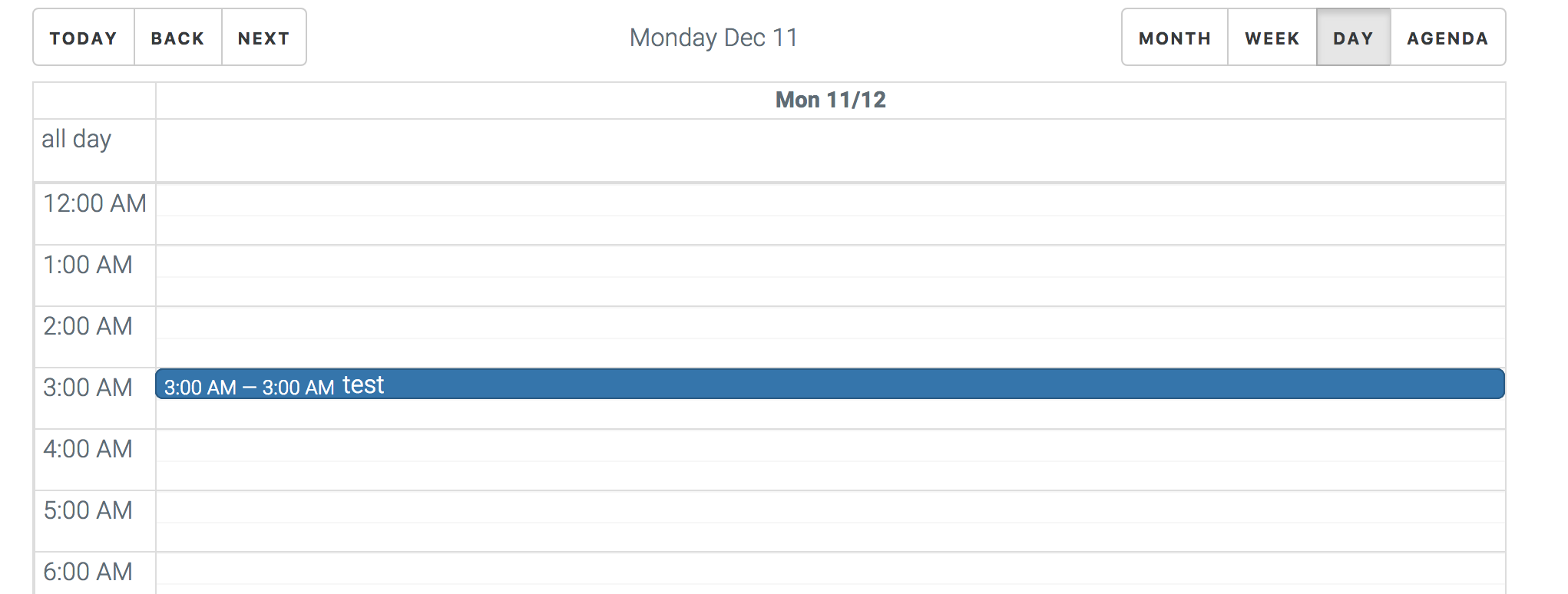
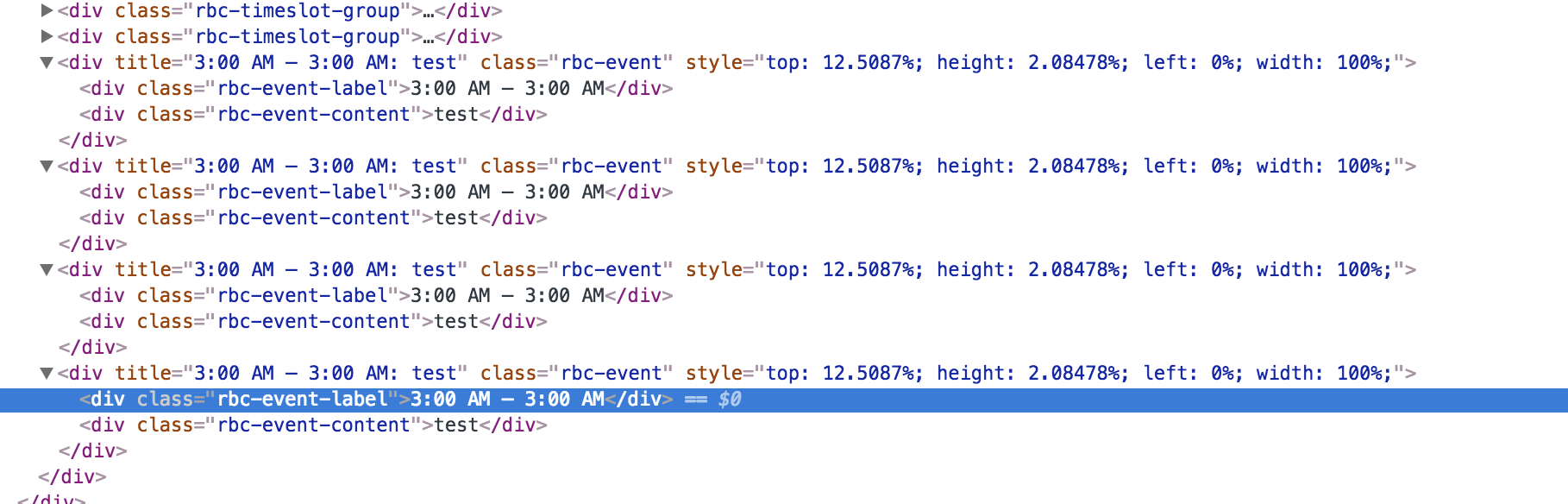
I was thinking maybe its a css issue, but the percentages are all the same
zackify
on 18 Dec 2017
I also encountered the same issue that the events overlap when the time slots are the same. Awaiting for reply from the developers.
 sandysandajan
on 21 Dec 2017
sandysandajan
on 21 Dec 2017
@zackify can use actually paste the cleaned events that cause the issue so we can copy it here? Or just put something together we can run
 jquense
on 21 Dec 2017
jquense
on 21 Dec 2017
yeah ill try to make a little CRA demo soon
zackify
on 21 Dec 2017
Thanks!
jquense
on 21 Dec 2017
create-react-app calnpm install react-big-calendar moment- Paste code below into App.js
npm start
```import React, { Component } from 'react';
import moment from 'moment';
import BigCalendar from 'react-big-calendar';
import 'react-big-calendar/lib/css/react-big-calendar.css';
BigCalendar.momentLocalizer(moment);
class App extends Component {
render() {
return (
events={[
{
end: new Date('2017-12-27T21:45:00.000Z'),
patient_id: 1,
selectable: true,
start: new Date('2017-12-27T21:45:00.000Z'),
title: 'test',
},
{
end: new Date('2017-12-27T21:45:00.000Z'),
patient_id: 2,
selectable: true,
start: new Date('2017-12-27T21:45:00.000Z'),
title: 'test 2',
},
{
end: new Date('2017-12-27T21:45:00.000Z'),
patient_id: 3,
selectable: true,
start: new Date('2017-12-27T21:45:00.000Z'),
title: 'test 3',
},
]}
defaultView="agenda"
onSelectEvent={({ patient_id }) => console.log(patient_id)}
startAccessor="start"
/>
);
}
}
export default App;
```
Go to the day view for december 27. All events are right on top of each other.
@jquense
zackify
on 21 Dec 2017
Oh by the way awesome work on this component, you all are great :)
zackify
on 21 Dec 2017
Do you have any update regarding this issue?
sandysandajan
on 27 Dec 2017
Nope I'm on vacation
jquense
on 27 Dec 2017
I've fixed this on my local branch (along with some other stuff). I'll let you know once the PR is ready!
tobiasandersen
on 5 Jan 2018
@tobiasandersen what is the fix for this bug?
sandysandajan
on 5 Jan 2018
@tobiasandersen I'm dying to know what 'more google-like' means. Any chance you could post a before-after of day view so we could get a preview?
 smandell
on 7 Jan 2018
smandell
on 7 Jan 2018
@smandell I think the visual changes should be quite subtle, but you can try for yourself now with https://github.com/intljusticemission/react-big-calendar/pull/677. It'd be really helpful if people could help testing with their own data and report back!
tobiasandersen
on 7 Jan 2018
should be fix on master, gonna try and get a release out
jquense
on 5 Feb 2018
Anyway you could post back here when it's released since it's fixed but not out?
zackify
on 5 Feb 2018
Related issues
 The-Oracle
·
3Comments
The-Oracle
·
3Comments
 martinnov92
·
3Comments
martinnov92
·
3Comments
 tiaaaa123
·
4Comments
tiaaaa123
·
4Comments
 connercms
·
3Comments
connercms
·
3Comments
 crashspringfield
·
4Comments
crashspringfield
·
4Comments
Most helpful comment
@smandell I think the visual changes should be quite subtle, but you can try for yourself now with https://github.com/intljusticemission/react-big-calendar/pull/677. It'd be really helpful if people could help testing with their own data and report back!