React-beautiful-dnd: Adding nested droppables dynamically does not register them
Bug or feature request?
Feature? I tried reading through the issues to see if this was supported, but I didn't see anything about dynamic item addition. Especially with nested lists.
Expected behavior
When adding a new nested droppable to a list, that you are able to drag draggables in right away.
Actual behavior
The droppables don't do anything.
Steps to reproduce
What version of React are you using?
16.5
What version of react-beautiful-dnd are you running?
9.0.2
What browser are you using?
Chrome 69
Demo
https://codesandbox.io/s/2z3m0pklzy
Sorry this demo is so ugly, basically, if you add a couple of droppables by clicking the button at the top, you'll see that dragging over them has no interaction.
 YurkaninRyan
All 10 comments
Let me know if the demo isn't adequate or if I can provide any more information!
Also if you could point me in the direction of where this problem might be occuring i'd love to investigate myself!
YurkaninRyan
on 22 Oct 2018
I just ran into this issue when trying to build a layout builder widget with this library. @YurkaninRyan please let me know if you find a solution!
 abecks
on 23 Oct 2018
abecks
on 23 Oct 2018
I am finding the demo a little hard to follow. This is strange to me as we support nested droppables..
 alexreardon
on 24 Oct 2018
alexreardon
on 24 Oct 2018
@alexreardon I think the issue is best highlighted where he is adding Droppable's with map inside the main Droppable:
              {this.state.droppables.length &&
                this.state.droppables.map(e => (
                  <Droppable key={e.id} droppableId={e.id}>
                    {(p, s) => (
                      <div style={{ height: "48px" }} ref={p.innerRef}>
                        {e.id}
                      </div>
                    )}
                  </Droppable>
                ))}
If you compose the nested droppables like this, they do nothing when you hover a Draggable over them. If you click "add dynamic droppable" in his demo a few times, you'll notice you can't actually drop onto any of them.
abecks
on 24 Oct 2018
Here is a fixed example: https://codesandbox.io/s/6v3532zzwr
The core issue is that we do not support nested droppables. The fact that you could drop into the first child droppable is a happy accident.
To get around this, to do not have a wrapping droppable, but rather, make the list a series of droppables
alexreardon
on 24 Oct 2018
For anyone else with this issue later on. I was confused because the gif in the readme shows nested droppables. The quotes are being dragged vertically, and then the lists themselves are dragged horizontally.
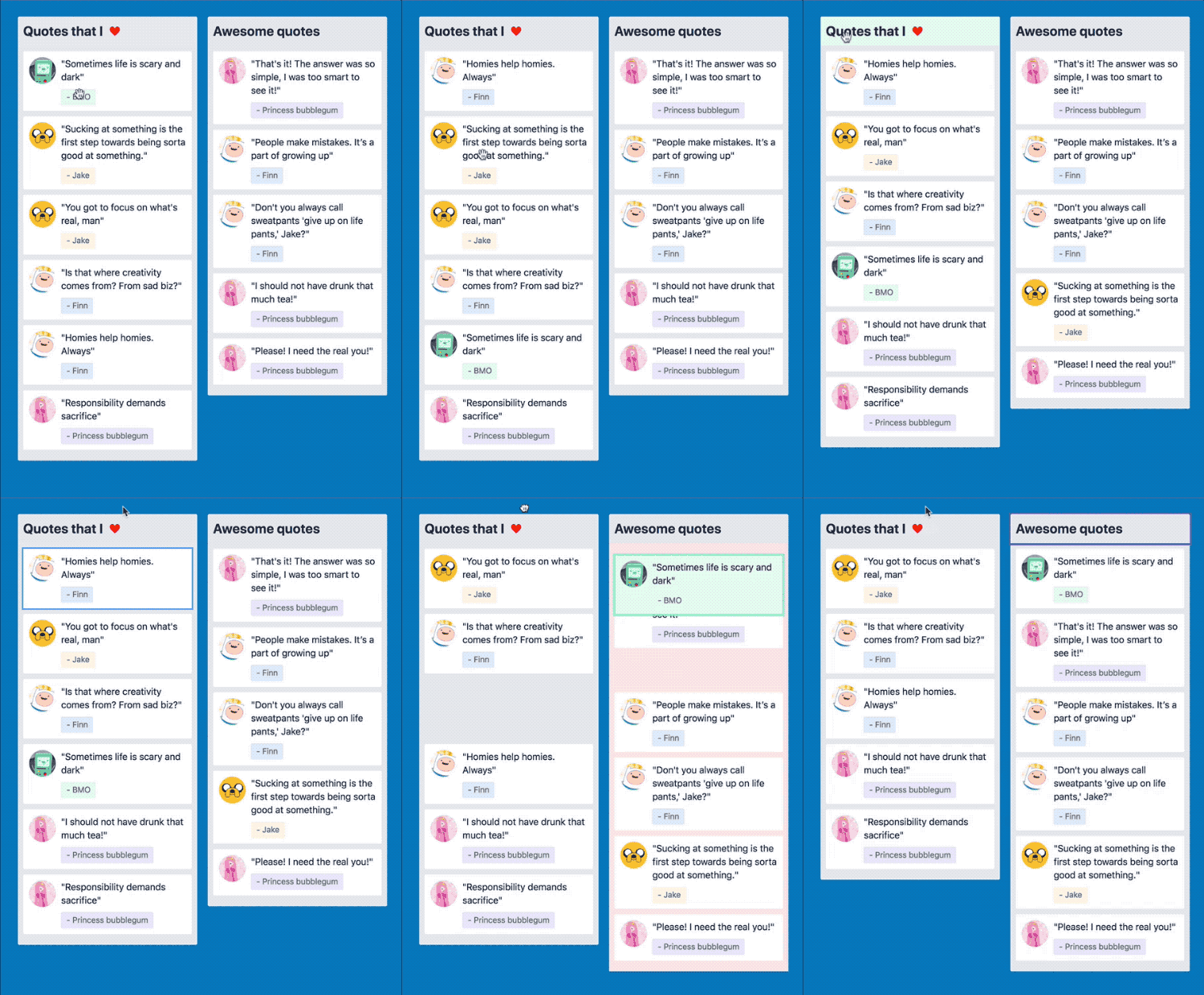
Looking at the source they do in fact use nested Droppables. The droppable on Board and the one on QuoteList. HOWEVER, they are assigned different type properties: the outer droppable allows type BOARD while the each column's droppable accepts QUOTE.
I tested this with my project and it does appear that you can nest droppables as long as they have different types.
It would be really cool to see nested behavior similar to react-dnd as seen here in the future.
abecks
on 24 Oct 2018
Thank you for the clarification @abecks.
Nested Droppables are supported, as long as they are of different types ;)
I think this would be worth calling out in the docs to prevent other people stumbling into the same issue
alexreardon
on 24 Oct 2018
Hi @alexreardon, thanks for all your work on this amazing library and for taking the time to look at my issue.
I had a similar experience as @abecks, the gif combined with the fact that there is a "nested vertical list" example is what lead me to think this was supported. Looking back on the example now, I failed to realize that you can't drag items from the outer list to the inner list.
Glad to see nesting is supported unless you have my specific use case. For example if we look at this gif.
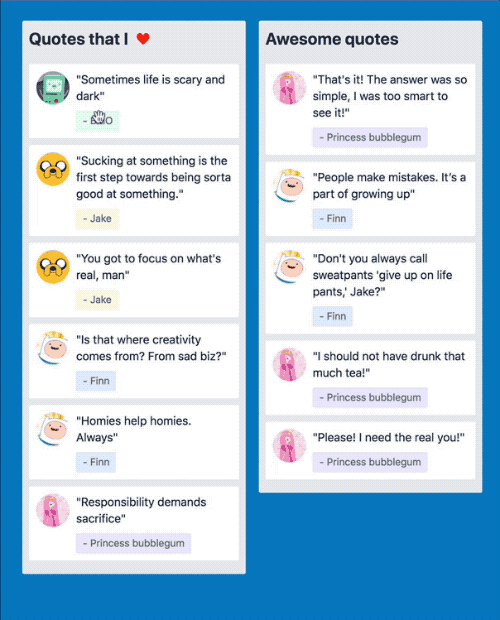
If you wanted to let the inner cards live "among" the horizontal lists, you would hit the issue i'm facing.
Do you have any hunches as to what might be causing the new droppables to not be interactive? Is there a way for me to force the whole tree to recalculate, and make that droppable interactive? (I would guess just unmounting and remounting the component)
YurkaninRyan
on 24 Oct 2018
Here is my solution:
https://codesandbox.io/s/qkn0o6ywm6
I'm going to put this up front for anyone that has a similar issue and is looking to solve this problem. You will be giving up a lot of the amazing builtins that this library gives.
- Placeholder logic is a bit screwy. Since it has no idea where the outside placeholder when you are inside a nested droppable. It just defaults to going back to where the original item came from.
- This messed with keyboard shortcuts. Making accessibility much worse. You can not move an item into a nested droppable using the keyboard.
- The solution involves changing the top level droppables key based on the number of nested droppables you have. This feels not only brittle, BUT, a lot of work has been done for performance. You are effectively remounting the whole tree every time you add a new nested item. This can cause noticeable delay in a huge list.
YurkaninRyan
on 24 Oct 2018
Here is my solution:
https://codesandbox.io/s/qkn0o6ywm6I'm going to put this up front for anyone that has a similar issue and is looking to solve this problem. You will be giving up a lot of the amazing builtins that this library gives.
- Placeholder logic is a bit screwy. Since it has no idea where the outside placeholder when you are inside a nested droppable. It just defaults to going back to where the original item came from.
- This messed with keyboard shortcuts. Making accessibility much worse. You can not move an item into a nested droppable using the keyboard.
- The solution involves changing the top level droppables key based on the number of nested droppables you have. This feels not only brittle, BUT, a lot of work has been done for performance. You are effectively remounting the whole tree every time you add a new nested item. This can cause noticeable delay in a huge list.
Thank you for this solution @YurkaninRyan
 RinatRezyapov
on 30 Jan 2019
RinatRezyapov
on 30 Jan 2019
Related issues
 khurram-wasim
·
3Comments
khurram-wasim
·
3Comments
 vrg-success
·
3Comments
vrg-success
·
3Comments
 h182032
·
3Comments
h182032
·
3Comments
 shalkam
·
3Comments
shalkam
·
3Comments
 screenmeet
·
3Comments
screenmeet
·
3Comments