React-beautiful-dnd: Allow dynamic additions / removals of dimensions during a drag
This would need to work for both Draggable and Droppable dimensions
Needed to facilitate virtualisation #68.
It would also be useful as its own thing. By supporting this we then unlock lazy loading lists during a drag
 alexreardon
All 50 comments
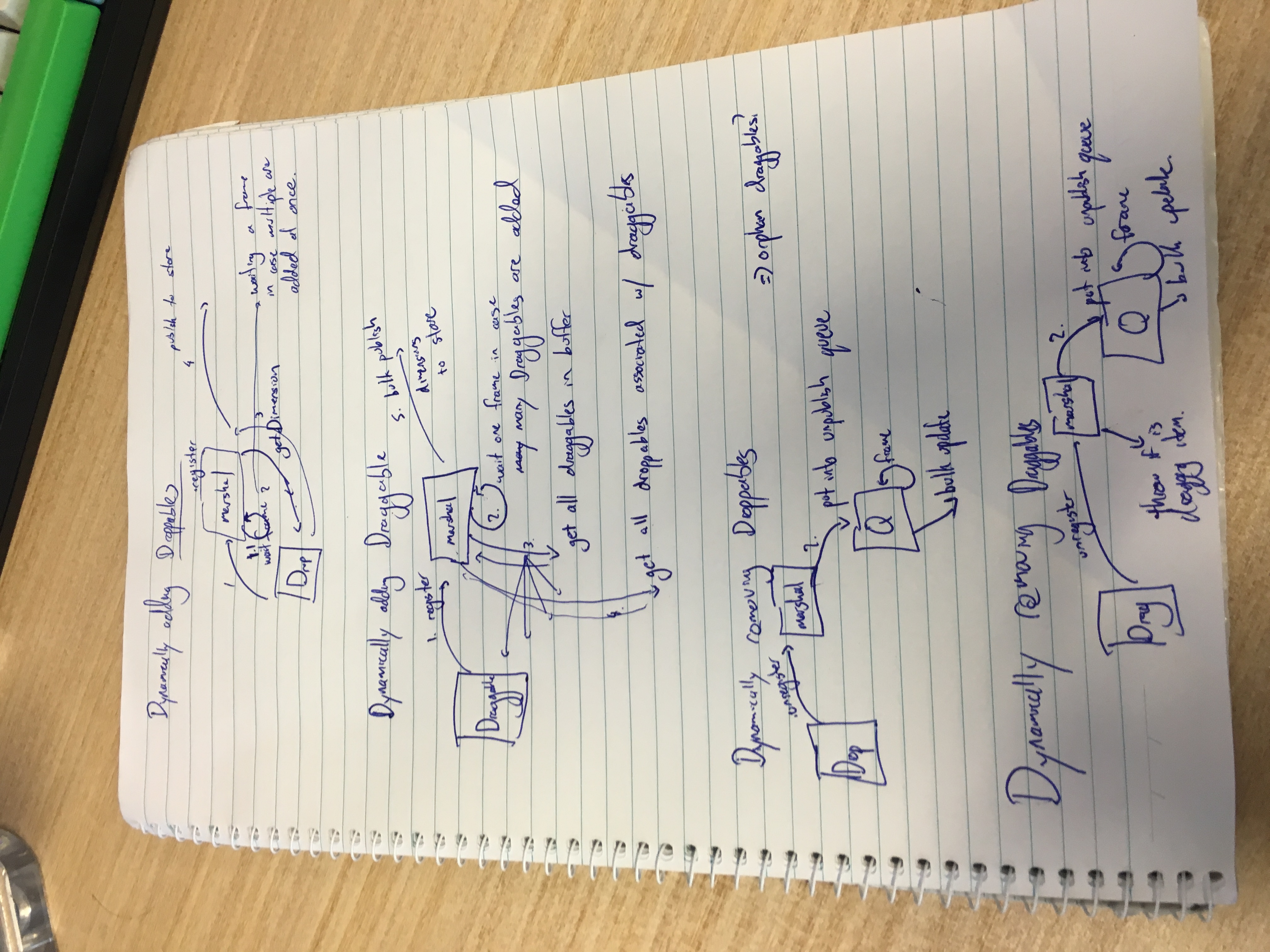
On paper:
alexreardon
on 1 May 2018
Removals is actually a bit more complicated. If we remove a Draggable from a list then we really need to capture the dimensions for everything after the removed item as well as the list itself. Good times
alexreardon
on 1 May 2018
(outdated)
Here I am thinking things would be easy. I was wrong.
My troubles
As soon as you introduce dimension changing there are a few things that can happen:
Adding anything can push other items around
- Adding a Draggable to a Droppable can move other Draggables down
- Adding a Draggable to a Droppable can change the size of the Droppable
- Adding a Draggable to a Droppable can push other Droppables and its children Draggables around
- Adding a Droppable can push other Droppable's around, and its children Draggables
Removing anything can push other items around for similar reasons
Option 1: Safety
I am leaning towards this option
The only safe option is to recapture all dimensions when anything is added or removed. This feels super heavy. Thankfully we already have an optimised pipeline for this. We can also batch many updates into a single collection phase: eg if you add 5 Draggable's at a time then this would be just one recapture phase.
Additionally, we would need to improve how we handle cancel animations. Currently this is done by animating back to the original position. However, that may no longer be the actual position. Therefore we will need to use our exisiting getHomeOffset function to calculate the drop location. This is not that bad as we already do this when dropping in any other location.
Light limitations
- Cannot remove the dragging item during a drag
- Cannot remove the home droppable during a drag
Option 2: Restrictions
We could have a more optimised solution if we enforce a number of limitations on the experience. I am not totally sure what they would all be yet.
- Can add Draggable and Droppable's as long as they do not shift the dimension of any mounted Draggable or Droppable.
- Exception: adding a Draggable can cause a Droppable to grow, but this Droppable growth cannot shift any other Droppable or Draggable components on the page
Option 3: Safety (but only within a list)
Trying to get the flexibility of Option 1: without needing to request every dimension again: just the changing list
- You are allowed to add Draggables to any position in your own list
- You are allowed to remove Draggables from any position in your own list (need to think about this more)
- You are allowed to have a Droppable grow or shrink in response to a child Draggable change
- Droppable growth / shinking is not allowed to impact other Droppable's or Draggables
alexreardon
on 1 May 2018
Another pickle:
If we recapture the dimensions of a foreign droppable while a draggable is over it - it's dimensions will include the placeholder size which is incorrect. It will be difficult to remove this without considerable caclulations
alexreardon
on 3 May 2018
What we need for virtualisation:
- to capture elements as they are added
- allow dimensions to be removed
- We might need to account for the change in droppable scroll at the time of the mount of a draggable
What we do not need to do:
- recompute the dimensions of the list
- recompute any other dimensions of captured draggables
- assume that anything about a draggable changes during a drag (index, etc)
What need to account for with dynamic additions and removals to lists:
- changing draggable index's
- changing draggable starting coordinates
- growing / shrinking droppables incl foreigns with placeholders...
alexreardon
on 3 May 2018
WIP thoughts (outdated)
Going deep into this problem we are starting to run into limitations of using a virtualised dimension model. At some point there we will need to draw a line around what we will allow to change during a drag. To not to so is to introduce a world of complexity that I do not think we should be adopting.
Not permitted
The big idea is that we want to avoid updates shifting the dimensions of any other list
- Removing Droppables during a drag (we cannot truely detect if this would impact the placement of other Droppables and Draggables during a drag. Although I guess the same could be said for adding Droppables. Is it best to allow it and just call it out as not supported? Adding Droppables is generally less risky though...)
- Changing the size of a Draggable during a drag
- Animating in Draggable or Droppables - their appearance must be instant
Permitted
We allow changes that do not shift lists relationships to one another
- Adding Droppables during a drag
- Adding and removing Draggables during a drag
Limitations:
Adding Droppables
- You can only add Droppable's that do not impact the placement of any other Draggable or Droppable components
Adding Draggables
- You can only add / remove Draggable's in a Droppable that is a scroll container (it cannot change the dimensions of the scroll container and therefore not push or pull anything else)
- The Droppable needs to be the only Droppable within the scroll container, or a scroll container itself (This is actually an application of the rule "You can only add Droppable's that do not impact the placement of any other Draggable or Droppable components")
alexreardon
on 4 May 2018
We might not need as much restrictions as first thought. I am investigating a technique that is looking very promising!
alexreardon
on 7 May 2018
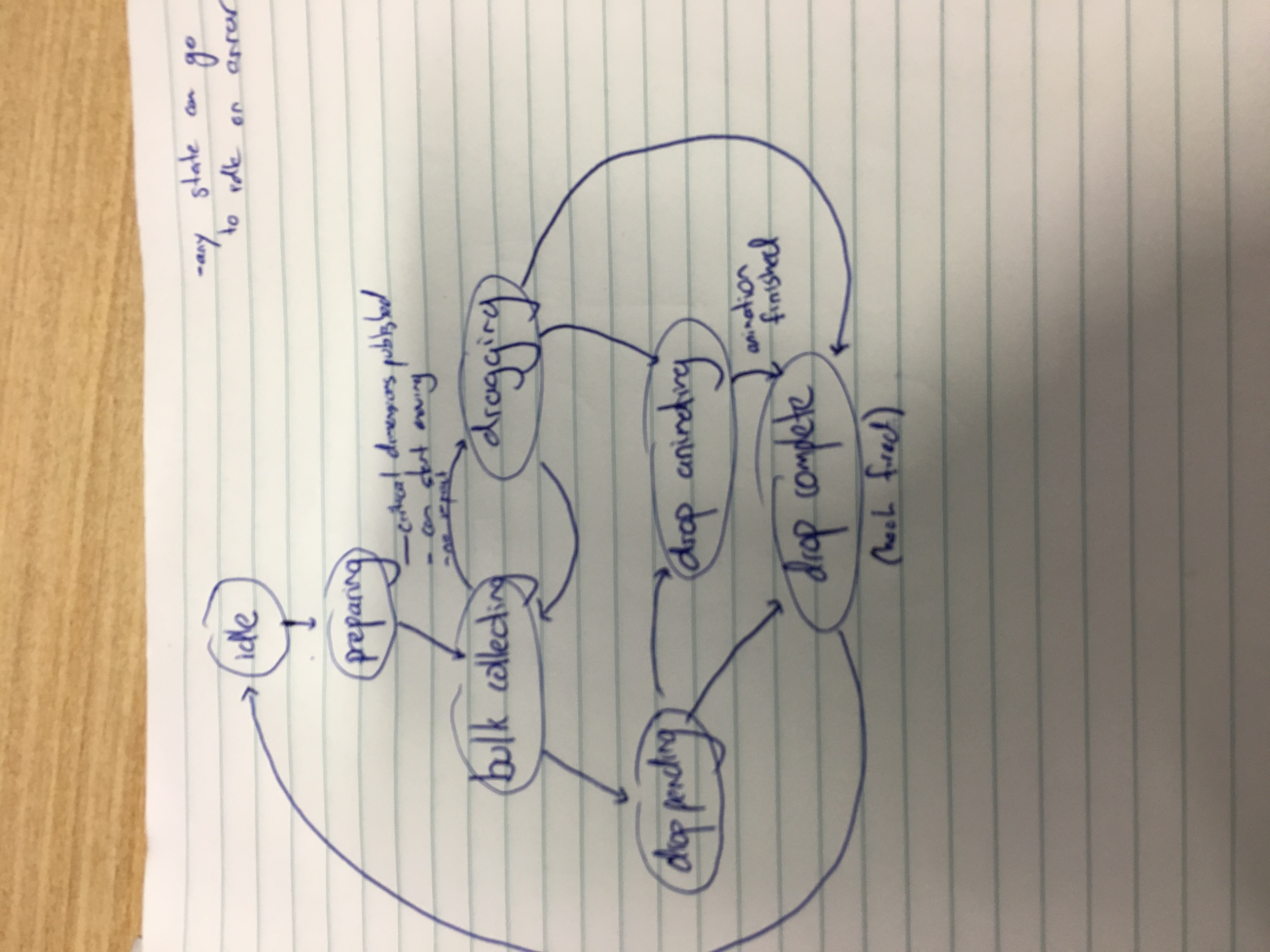
A new internal state model to power these changes
alexreardon
on 8 May 2018
The approach I am looking into should allow an extreme amount of flexibility. I'll post details as it firms up
Early signs are positive

alexreardon
on 8 May 2018
 alexreardon
on 18 May 2018
alexreardon
on 18 May 2018
Current dynamic ruleset:
- Don't change the visible dimensions of any draggable / droppable during a drag (width, height, margin, padding, border width). A Droppable can change size based on removals and additions of Draggables
- You are welcome to add draggables and droppables during a drag
- You cannot remove the dragging draggable or the droppable that it started in (critical components)
- Except for critical components, you are free to remove any other droppable or draggables
alexreardon
on 7 Jun 2018
I am getting really far with this in #493.
However, I am not happy with it because:
- the performance is not good. It requires a number of heavy operations on all Draggable and Droppable's whenever anything is added or removed. This is batched, but it is still a lameo hit
- It is crazy complicated and I need to implement a lot of logic needed for the proposed solution anyway.
I think if I impose some reasonable limitations we will have a faster experience for users, and a simpler implementation - and one that is more ready for virtual lists #68
Proposed limitations
for speed 🚀 and simplicity 🦅
- Cannot change dimensions of a Draggable or Droppable after mounting (to facilitate no recollecting).
- Can add new Droppables *1
- Can add new Draggables *2
*1 You can add a new Droppable as long as it does not impact the visual placement of any existing Droppable. Eg a Droppable cannot be added above another one that would push it down. This addition cannot change the length of the body.
*2 You can add a new Draggable as long as:
- It is added to a Droppable that is a scroll container. This change can also not change the dimensions of the scroll parent.
- It does not change the length of the
body
Body length restrictions are still be investigated
alexreardon
on 13 Jun 2018
Thanks to @Noviny for his help bike shedding this
alexreardon
on 13 Jun 2018
hey, @alexreardon do you have an ET for this new awesome feature? ^_^
 nicubarbaros
on 11 Jul 2018
nicubarbaros
on 11 Jul 2018

alexreardon
on 12 Jul 2018

nicubarbaros
on 12 Jul 2018
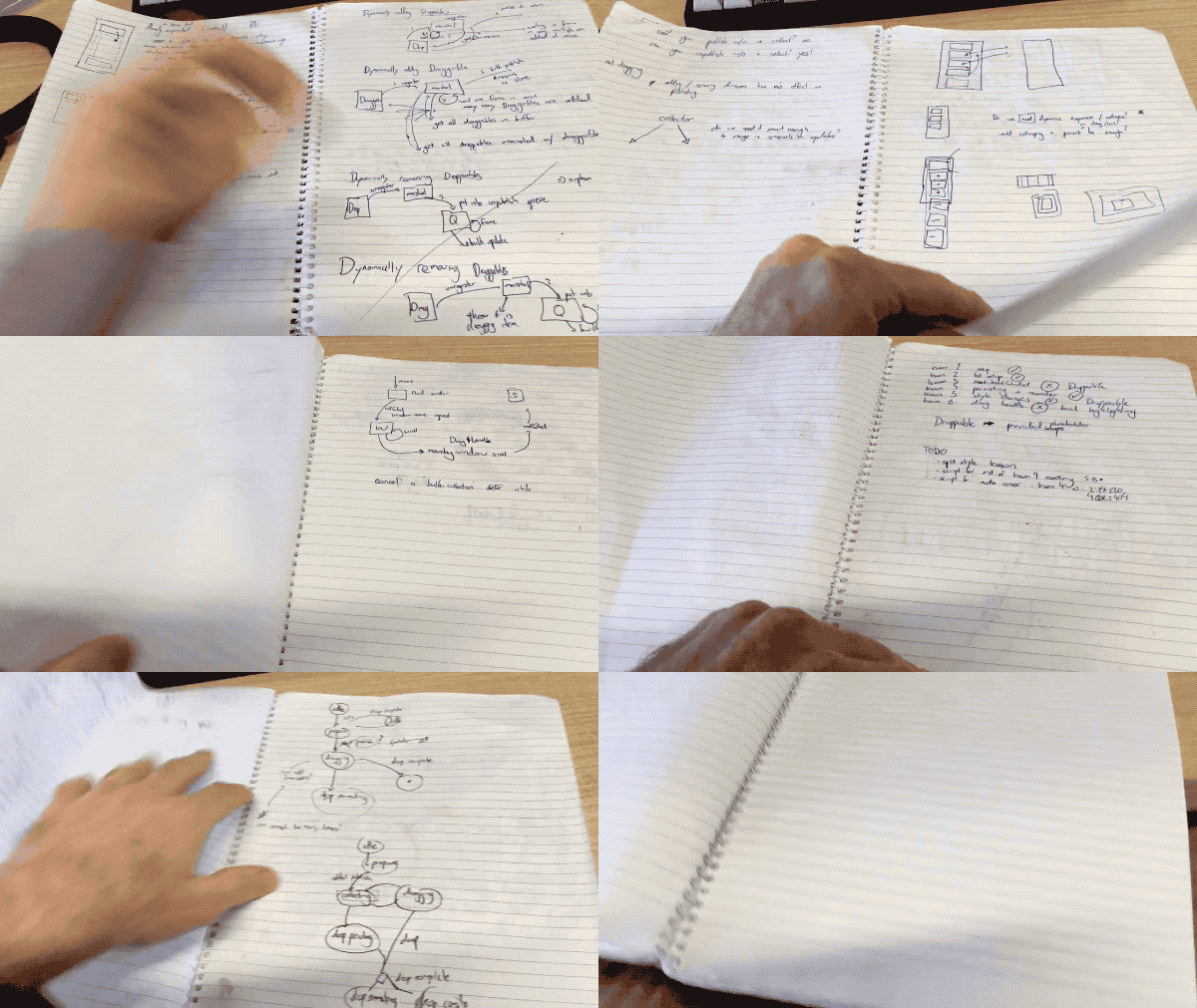
34 pages of paper (and growing) to figure this one out. That is a record for me
alexreardon
on 13 Jul 2018
Not to mention white boarding 😲
alexreardon
on 13 Jul 2018
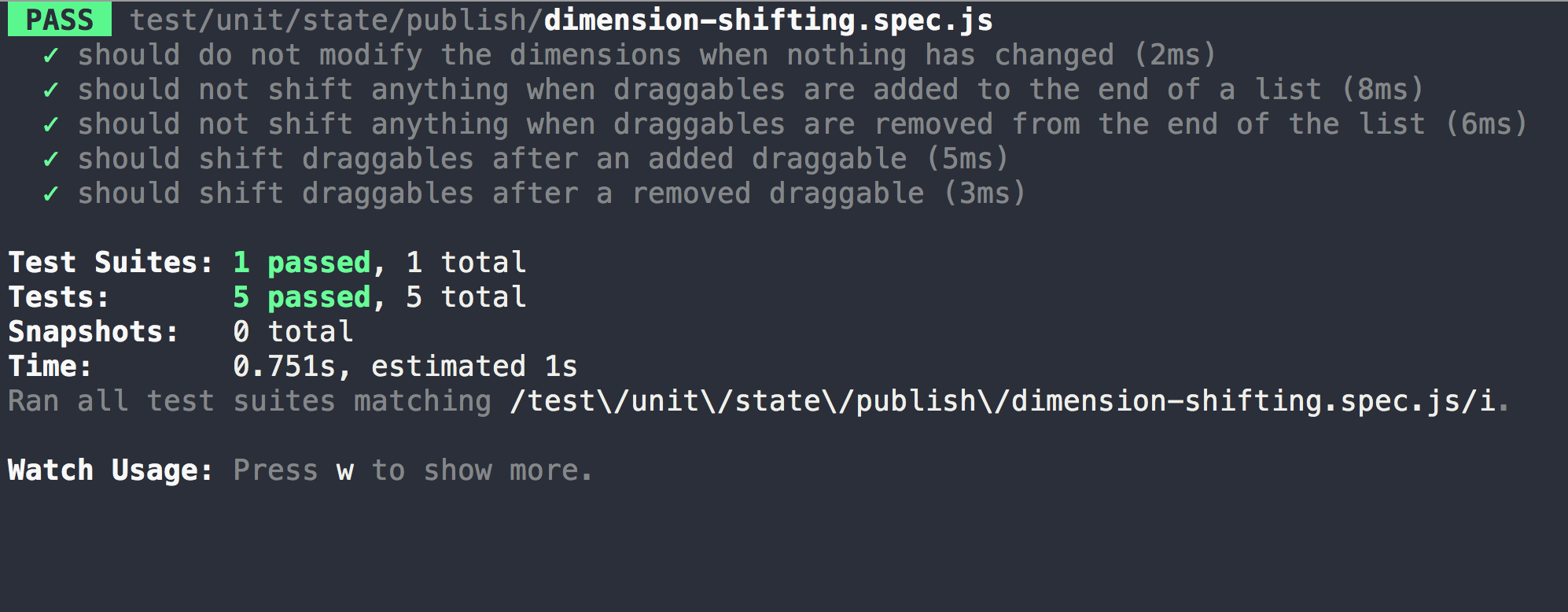
It might not seem that impressive, but getting these tests passing almost broke me
alexreardon
on 13 Jul 2018
NEED
 justinjdickow
on 14 Jul 2018
justinjdickow
on 14 Jul 2018
@alexreardon Will this also include the ability to dynamically add Droppables as well?
justinjdickow
on 14 Jul 2018
Yes
On Sun, 15 Jul 2018 at 4:34 am, Justin Dickow notifications@github.com
wrote:
@alexreardon https://github.com/alexreardon Will this also include the
ability to dynamically add Droppables as well?—
You are receiving this because you were mentioned.
Reply to this email directly, view it on GitHub
https://github.com/atlassian/react-beautiful-dnd/issues/484#issuecomment-405041789,
or mute the thread
https://github.com/notifications/unsubscribe-auth/ACFN7RO1OklxBOzRa6-EHVauw_6FVA3jks5uGjmzgaJpZM4TtbeK
.
alexreardon
on 14 Jul 2018
Well, that is the plan right now! 😊
On Sun, 15 Jul 2018 at 5:25 am, Alex Reardon alexreardon@gmail.com wrote:
Yes
On Sun, 15 Jul 2018 at 4:34 am, Justin Dickow notifications@github.com
wrote:@alexreardon https://github.com/alexreardon Will this also include the
ability to dynamically add Droppables as well?—
You are receiving this because you were mentioned.
Reply to this email directly, view it on GitHub
https://github.com/atlassian/react-beautiful-dnd/issues/484#issuecomment-405041789,
or mute the thread
https://github.com/notifications/unsubscribe-auth/ACFN7RO1OklxBOzRa6-EHVauw_6FVA3jks5uGjmzgaJpZM4TtbeK
.
alexreardon
on 14 Jul 2018
Following this closely. Thanks!
 afcastano
on 16 Jul 2018
afcastano
on 16 Jul 2018
The challenge is avoiding shifting other Droppables with additions / removals.
What we have almost working: adding and removing draggables within a droppable that has a scroll container. The rule is that these changes cannot shift other draggable / droppable components.
Allowing adding / removing of droppables is a bit tricker because it is super easy to make changes that shift the placement of other draggables / droppables. Adding could be a bit safer - but it would need to only be additive and not impact the placement of others.
My current thinking is that in order to improve stability we only allow the addition / removals of draggables within a droppable that has a scroll container. This is the safest
I could make it more flexible and give a warning about not shifting other draggable / droppables but I feel like that might cause friction with consumers.
Thoughts @afcastano, @justinjdickow, @nicubarbaros ?
alexreardon
on 16 Jul 2018
I personally wouldn't mind either way. Warning or scroll container in droppables works for me since my use case would be to add elements at the end of the list.
=)
afcastano
on 16 Jul 2018
@alexreardon
My use case is to add a droppable when the drag starts and if it's not used then remove it when the drag ends. The droppable would be placed in such a way that the other droppable are not shifted or resized. Like a shortcut for adding a new column to a board when dragging an item. If this was natively supported by beautiful-dnd it would be amazing, but I think I can also hide the extra column with styling and unhide it during drag start without changing it's size or position as a workaround.
justinjdickow
on 16 Jul 2018
I’ll see what I can do
On Mon, 16 Jul 2018 at 11:45 pm, Justin Dickow notifications@github.com
wrote:
@alexreardon https://github.com/alexreardon
My use case is to add a droppable when the drag starts and if it's not
used then remove it when the drag ends. Like a shortcut for adding a new
column to a board when dragging an item. If this was natively supported by
beautiful-dnd it would be amazing, but I think I can also hide the extra
column with styling and unhide it during drag start without changing it's
size or position as a workaround.—
You are receiving this because you were mentioned.
Reply to this email directly, view it on GitHub
https://github.com/atlassian/react-beautiful-dnd/issues/484#issuecomment-405252155,
or mute the thread
https://github.com/notifications/unsubscribe-auth/ACFN7RpvdJeUyGsyIIA2ixGIKeFFmnBWks5uHJjfgaJpZM4TtbeK
.
alexreardon
on 16 Jul 2018
I think is better to block (not give a warning), cuz you know people like to experiment :D.
My case is fairly complicated, I'm building a calendar where I have a DragDropContext as a scrollable and multiple draggable and droppable inside. Each day has multiple draggable and droppable. To save performance I am rendering the current, previous, and next month. And if the user drags and scrolls to the bottom of the calendar I am loading the next + 1 month. (with plenty of draggable and droppable inside).
Now the ideal for me would be to always have like 3 months (rendered) (no matter how much the user will scroll). This will mean to drop some droppable and add newly droppable into the context.
nicubarbaros
on 17 Jul 2018
@alexreardon What about allowing draggables/droppables to be shifted but provide a callback to the DragDropContext which causes it to recalculate, rather than continuously monitoring? In the case of a Draggable/Droppable being added to the scroll container, that callback could be made automatically assuming the user passes the correct prop.
This rule sounds like a dealbreaker for @nicubarbaros
You cannot remove the dragging draggable or the droppable that it started in (critical components)
justinjdickow
on 17 Jul 2018
A little lazy loading example

alexreardon
on 23 Jul 2018
Nice work, @alexreardon! Will this allow us to _change existing dimensions_ of draggables too? A common use case of our app is to shrink the draggables on drag start so that it's easier to reposition...
 tjramage
on 17 Aug 2018
tjramage
on 17 Aug 2018
At this stage readjusting the sizes of existing draggables will not be allowed.
We are trying to keep the performance good, as well as the complexity manageable.
You could achieve the effect you are after by
- removing all other draggables
- readding the new ones with different sizes.
But this would not be advised as you will probably get some strange browser snapping going on
alexreardon
on 17 Aug 2018
can't wait for this. thanks for all your work @alexreardon
 IsenrichO
on 21 Aug 2018
IsenrichO
on 21 Aug 2018
any news? we need it for auto-expand a droppable tree, and resize draggable items while dragging.
thanks for your great work!
 salvoravida
on 24 Sep 2018
salvoravida
on 24 Sep 2018
I have a app that has the need that maybe is similar to what some guys have here: I have draggable elements with nested draggables (Modules with pages inside the modules). So, when the user starts dragging the Module, I needed to shrink it. So I made a custom onMouseDown handler. This event is called before the onDragStart, so I could shrink the elements before the react-beautiful-dnd could get the dimensions of the elements.
<Draggable type={ type } draggableId={id} id={ id } index={ index }>
        {(provided, snapshot) => {
          const onMouseDown = (() => {
            // dragHandleProps might be null
            if (!provided.dragHandleProps) {
              return onMouseDown;
            }
            // creating a new onMouseDown function that calls my dragOnMouseDown as well as the drag handle one.
            return event => {
              dragOnMouseDown && snapshot
                ? dragOnMouseDown(event, this.closeModule, provided.dragHandleProps.onMouseDown)
                : provided.dragHandleProps.onMouseDown(event);
            };
          })();
          {...}
</Draggable>
Maybe this helps somebody, or lights up a little bit until the new version is released. =)
 philliperodrigues-hotmart
on 24 Sep 2018
philliperodrigues-hotmart
on 24 Sep 2018
@philliperodrigues-hotmart ok thanks, but what happens if user click on draggable item, so mousedown event is not related to future drag event ?
salvoravida
on 24 Sep 2018
@salvoravida I'm using an element as the dragHandler so I could avoid that kind of problem using a onMouseUp handler.
philliperodrigues-hotmart
on 24 Sep 2018
@salvoravida I'm using an element as the dragHandler so I could avoid that kind of problem using a onMouseUp handler.
@philliperodrigues-hotmart i do not understand how you differentiate from onClick event and onStartDrag event. if the user just take mouse down for 2 second you will resize the item, and if then he just do the mouseUp without dragging, you will have a ugly 2 seconds resizing effect.
Am i wrong?
salvoravida
on 25 Sep 2018
@salvoravida I'm using an element as the dragHandler so I could avoid that kind of problem using a onMouseUp handler.
@philliperodrigues-hotmart i do not understand how you differentiate from onClick event and onStartDrag event. if the user just take mouse down for 2 second you will resize the item, and if then he just do the mouseUp without dragging, you will have a ugly 2 seconds resizing effect.
Am i wrong?
Well, maybe I didn't expressed myself right... I have a button to be the dragHandler inside the draggable (https://egghead.io/lessons/react-designate-control-of-dragging-for-a-react-beautiful-dnd-draggable-with-draghandleprops). So, the drag would only be triggered if the user interacts with this specific element. The others elements inside of the draggable component (like a input text) would not trigger the onMouseDown/onMouseUp. So, if the user triggers the mouseDown event of the dragHandler, it would work as a toggle for the accordion (draggable element) and closes it. About the effect being ugly, it depends on how you implement it.... lol
But, yeah, you can't predict if the user will drag or just click, but if he/she interacts with the only element that is meant to trigger the drag event, you could assume that he/she wants to drag.
And again, this is a solution that I found that resolved my specific problem... To resolve yours, would have to analise the UI and the design that was thought for your draggable component. =)
philliperodrigues-hotmart
on 25 Sep 2018
@philliperodrigues-hotmart i have founded a workaround for dispatch an event justBeforStartDragging -> if you subscribe on internal Store and listen for a "PREPARE" action -> justBeforeStartDragging -> this.setState in your component for changing drop/drag dimension items.
there is only one problem, the draggable item is in the new position correctly, but mouse pointer is not corrected update. so i lost mouse pointer on it.
My use case is:
a VerticaDropContainer with 10 elements, when user start dragging the number 9, we have to hide [3-4-5-6] items for example.
any ideas?
salvoravida
on 25 Sep 2018
Well, that would be harder because the browser will resize it's viewport and that is probably what is causing this behavior. You could create a wrapper that keeps the height as it is before the drag to prevent that, but, I think the visual result would not be cool...
philliperodrigues-hotmart
on 25 Sep 2018
here is my workaround with this HOC that add 2 more events:
beforeDragging and afterDragging. use beforeDragging for Hide/Resize UI Items.
Could be usefull while waiting for full official support!
Tested on v.6.0.2
currently support only vertical !
import React from 'react';
import PropTypes from 'prop-types';
import { Draggable } from 'react-beautiful-dnd';

export function withDraggable(WrappedComponent) {
  return class extends React.Component {
    static propTypes ={
      draggableId: PropTypes.string,
      dragIndex: PropTypes.number,
      dragType: PropTypes.string,
      isDragDisabled: PropTypes.bool,
      beforeDragging: PropTypes.func,
      afterDragging: PropTypes.func,
    };

    constructor(props) {
      super(props);
      this.state = {};
      this.lastState = null;
      this.dndStore = null;
      this.newEvents = !!props.beforeDragging || !!props.afterDragging;
    }

    onWindowMouseMove= (e) => {
      if (this.mounted) this.setState({ pageY: e.pageY });
    };

    componentDidMount=() => {
      this.mounted = true;
      //no custom events - no need to hack move transform and store subscribe.
      if (!this.newEvents) return;

      window.addEventListener('mousemove', this.onWindowMouseMove);

      if (this.myDraggable && this.myDraggable.store) {
        this.dndStore = this.myDraggable.store;
        this.unsubscribe = this.myDraggable.store.subscribe(() => {
          //execute only if it is current Dragg Item!
          if (!this.state.maybeDrag) return;

          const state = this.dndStore.getState();
          console.log('dndState', this.props.draggableId, state);
          if (state.phase === 'PREPARING' && this.lastState !== 'PREPARING') {
            if (this.props.beforeDragging) {
              this.props.beforeDragging();
            }
          }
          if ((state.phase === 'DROP_COMPLETE' && this.lastState !== 'DROP_COMPLETE') || (state.phase === 'IDLE' && this.lastState !== 'IDLE')) {
            if (this.mounted) this.setState({ maybeDrag: false });
            if (this.props.afterDragging) {
              this.props.afterDragging();
            }
          }
          this.lastState = state.phase;
        });
      }
    };

    onMouseDown =(e) => {
      if (!this.newEvents) return;
      if (this.mounted) this.setState({ maybeDrag: true, offsetY: e.nativeEvent.offsetY });
    };

    componentWillUnmount() {
      this.mounted = false;
      if (!this.newEvents) return;
      this.unsubscribe && this.unsubscribe();
      window.removeEventListener('mousemove', this.onWindowMouseMove);
    }

    render() {
      const { draggableId, dragIndex, dragType, isDragDisabled, beforeDragging, afterDragging, ...rest } = this.props;
      if (!draggableId) return <WrappedComponent {...rest} />;
      return (
        <Draggable ref={ref => this.myDraggable = ref} draggableId={draggableId} index={dragIndex} type={dragType} isDragDisabled={isDragDisabled}>
          {(p, s) => {
            let divProp = p.draggableProps;
            if (s.isDragging && this.newEvents) {
              const fixedTop = ((this.state.pageY || 0) - window.scrollY - (this.state.offsetY || 0));
              const dragTop = p.draggableProps.style.top || 0;
              let t = p.draggableProps.style.transform;

              if (t) {
                const x = parseFloat(((t.split(', ')[0]).split('px')[0]).split('(')[1]);
                //const y = parseFloat((t.split(', ')[1]).split('px')[0]);
                t = `translate(${x}px, ${fixedTop - dragTop}px)`;
              } else t = `translate(${0}px, ${fixedTop - dragTop}px)`;

              divProp = { ...p.draggableProps, style: { ...p.draggableProps.style, transform: t } };
            }
            return (
              <div onMouseDown={this.onMouseDown}>
                <div
                  ref={p.innerRef}
                  {...divProp}
                  {...p.dragHandleProps}
                >
                  <WrappedComponent {...rest} isDragging={s.isDragging} draggingOver={s.draggingOver} />
                </div>
                {p.placeholder}
              </div>);
          } }
        </Draggable>
      );
    }
  };
}
@salvoravida @philliperodrigues-hotmart
May I suggest to move your discussion on another issue or maybe into a Gist?
This issue is mainly for waiting @alexreardon update on dynamic additions and removals and it is not such a good thing receive a lot of notifications on a particular problem you are facing.
Thank you!
 torre76
on 26 Sep 2018
torre76
on 26 Sep 2018
I have been thinking of starting a community on slack / something else. That would have been a good place for that discussion.
Thanks @torre76 for pulling this issue back
alexreardon
on 26 Sep 2018
@alexreardon @torre76 sorry for off-topic.
salvoravida
on 26 Sep 2018
It was good to have this talk here, because it's easier to find this workarounds when searching for this problem. At least, I had some troubles to get to the final result because I didn't have nothing close to what I needed. But yeah, I recognize that we shouldn't talked that much.
Sorry @alexreardon and @torre76 .
And @alexreardon , that would be a great!
philliperodrigues-hotmart
on 26 Sep 2018
Closed by #838
alexreardon
on 12 Nov 2018
Feature request?
Hey, @alexreardon do you guys plan to work on this feature in the nearest feature?
You cannot add or remove a Droppable during a drag. We did this to avoid accidental shifting of other Droppables.
At least on adding/removing droppable at the top/bottom of the list. Any ETA?
nicubarbaros
on 14 Nov 2018
I have a app that has the need that maybe is similar to what some guys have here: I have draggable elements with nested draggables (Modules with pages inside the modules). So, when the user starts dragging the Module, I needed to shrink it. So I made a custom onMouseDown handler. This event is called before the onDragStart, so I could shrink the elements before the react-beautiful-dnd could get the dimensions of the elements.
<Draggable type={ type } draggableId={id} id={ id } index={ index }>
        {(provided, snapshot) => {
          const onMouseDown = (() => {
            // dragHandleProps might be null
            if (!provided.dragHandleProps) {
              return onMouseDown;
            }
            // creating a new onMouseDown function that calls my dragOnMouseDown as well as the drag handle one.
            return event => {
              dragOnMouseDown && snapshot
                ? dragOnMouseDown(event, this.closeModule, provided.dragHandleProps.onMouseDown)
                : provided.dragHandleProps.onMouseDown(event);
            };
          })();
          {...}
</Draggable>
Maybe this helps somebody, or lights up a little bit until the new version is released. =)
Hi, Can you send full source where you use this func, it would rly help me
 nyshchota0999
on 31 Oct 2019
nyshchota0999
on 31 Oct 2019
Related issues
alexreardon
·
3Comments
 khurram-wasim
·
3Comments
khurram-wasim
·
3Comments
 shalkam
·
3Comments
shalkam
·
3Comments
 gitleet
·
3Comments
gitleet
·
3Comments
 jasonlewicki
·
3Comments
jasonlewicki
·
3Comments
Most helpful comment
34 pages of paper (and growing) to figure this one out. That is a record for me