React-apollo: no-cache query data removed when followed by default fetch policy query
Intended outcome:
Data on the first <Query fetchPolicy='no-cache'> component - which is always mounted - to be available even after a second <Query> component with the default fetchPolicy is mounted and unmounted.
Actual outcome:
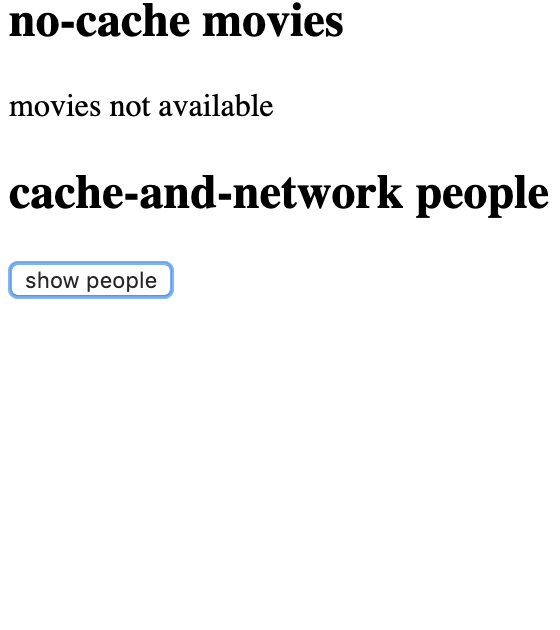
As the second component is unmounted, the data on the first component is removed.
How to reproduce the issue:
- Render one
<Query>component withfetchPolicy='no-cache', wait for data to be loaded and rendered; - Without unmounting the first component, render a second
<Query>with the defaultfetchPolicy, wait for data to be loaded and rendered; - Unmount the second component. Data on the first component will be removed.
From https://codesandbox.io/s/0qlqn80m3l :
import gql from "graphql-tag";
import React from "react";
import { render } from "react-dom";
import { ApolloClient } from "apollo-client";
import { InMemoryCache } from "apollo-cache-inmemory";
import { HttpLink } from "apollo-link-http";
import { ApolloProvider, Query } from "react-apollo";

const cache = new InMemoryCache();

const link = new HttpLink({
  uri: "https://swapi.graph.cool/"
});

const client = new ApolloClient({
  cache,
  link
});

const moviesQuery = gql`
  query MoviesQuery {
    allFilms {
      title
    }
  }
`;

const peopleQuery = gql`
  query PeopleQuery {
    allPersons(first: 3) {
      name
    }
  }
`;

class App extends React.Component {
  state = {
    showPeople: false
  };

  render() {
    const showPeople = this.state.showPeople;
    return (
      <ApolloProvider client={client}>
        <h2>no-cache movies</h2>
        <Query query={moviesQuery} fetchPolicy="no-cache">
          {({ data, error, loading }) =>
            error ? (
              <div>{JSON.stringify(error)}</div>
            ) : loading ? (
              <div>loading movies</div>
            ) : !data.allFilms ? (
              <div>movies not available</div>
            ) : (
              data.allFilms.map(film => <div>{film.title}</div>)
            )
          }
        </Query>
        <h2>cache-and-network people</h2>
        <button onClick={() => this.setState({ showPeople: !showPeople })}>
          {showPeople ? "hide people" : "show people"}
        </button>
        {showPeople && (
          <Query query={peopleQuery}>
            {({ data, error, loading }) =>
              error ? (
                <div>{JSON.stringify(error)}</div>
              ) : loading ? (
                <div>loading people</div>
              ) : !data.allPersons ? (
                <div>people not available</div>
              ) : (
                data.allPersons.map(person => <div>{person.name}</div>)
              )
            }
          </Query>
        )}
      </ApolloProvider>
    );
  }
}

render(<App />, document.getElementById("root"));
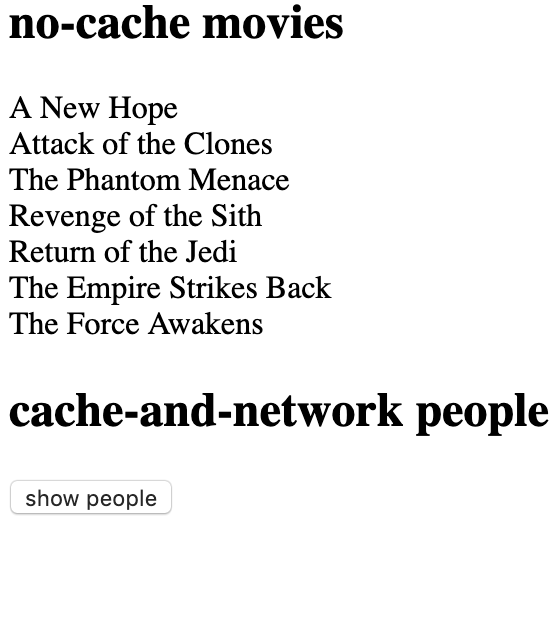
One component mounted:
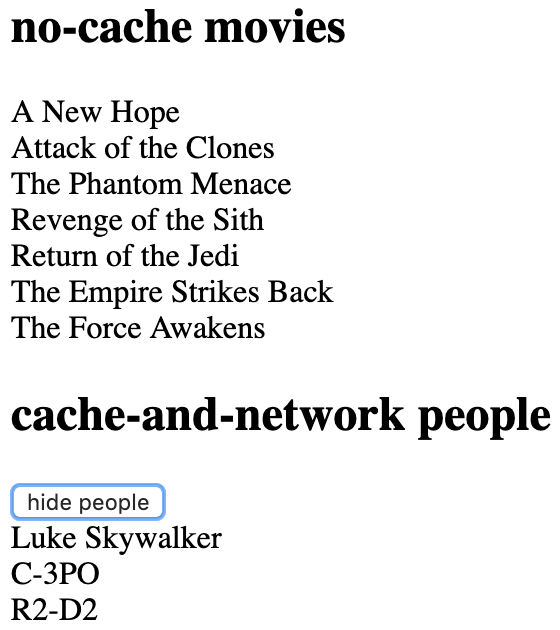
Two components mounted:
Second component unmounted, data on the first component gone:
Version
 moret
moret
All 2 comments
Thanks very much for the runnable reproduction @moret! Labelling as a bug, but if you're looking for a quick workaround, you can manually refetch the affected Query to make sure data is pulled back in. For example, if you change your query a bit to make a refetch call like this, it will work:
<Query query={moviesQuery} fetchPolicy="no-cache">
  {({ data, error, loading, refetch }) => {
    if (showPeople) refetch();
    return error ? (
      <div>{JSON.stringify(error)}</div>
    ) : loading ? (
      <div>loading movies</div>
    ) : !data.allFilms ? (
      <div>movies not available</div>
    ) : (
      data.allFilms.map(film => <div>{film.title}</div>)
    );
  }}
</Query>
 hwillson
on 28 Mar 2019
hwillson
on 28 Mar 2019
Thank you for the suggestion. I ended up doing something a bit different as a workaround, once data contents were available I stored them on a backup variable, and used them once data contents were removed. But refetch would probably work just as well.
moret
on 28 Mar 2019
Related issues
 Acentelles
·
3Comments
Acentelles
·
3Comments
 johhansantana
·
3Comments
johhansantana
·
3Comments
 reggi
·
3Comments
reggi
·
3Comments
 tuananhtd
·
3Comments
tuananhtd
·
3Comments
 dmitryyankowski
·
3Comments
dmitryyankowski
·
3Comments
Most helpful comment
Thanks very much for the runnable reproduction @moret! Labelling as a bug, but if you're looking for a quick workaround, you can manually refetch the affected
Queryto make sure data is pulled back in. For example, if you change your query a bit to make arefetchcall like this, it will work: