Razzle: Content Security Policy is breaking razzle locally
🐛 Bug report
Current Behavior
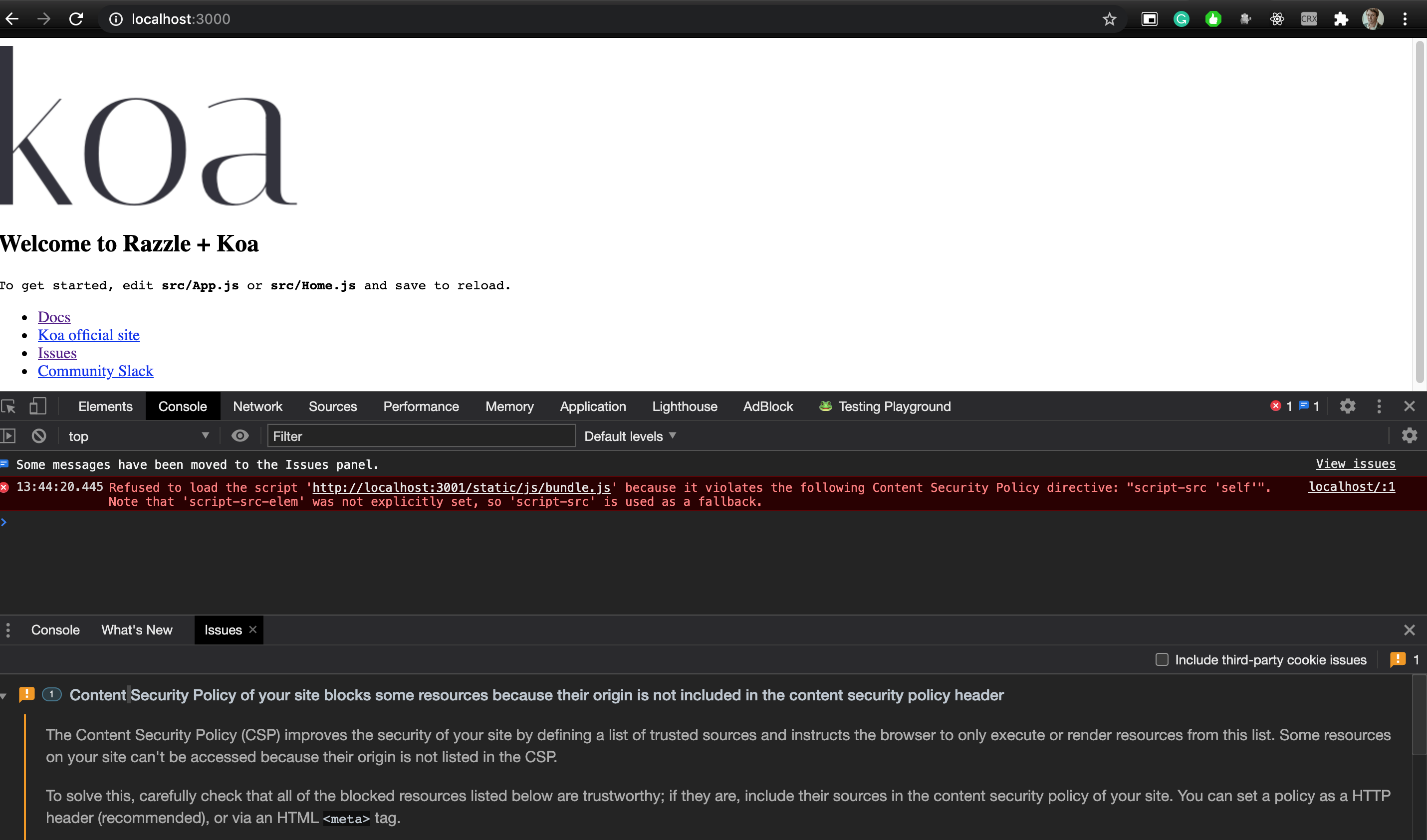
Refused to load the script 'http://localhost:3001/static/js/bundle.js' because it violates the following Content Security Policy directive: "script-src 'self'". Note that 'script-src-elem' was not explicitly set, so 'script-src' is used as a fallback.
it shows this error when running with-koa examples from master
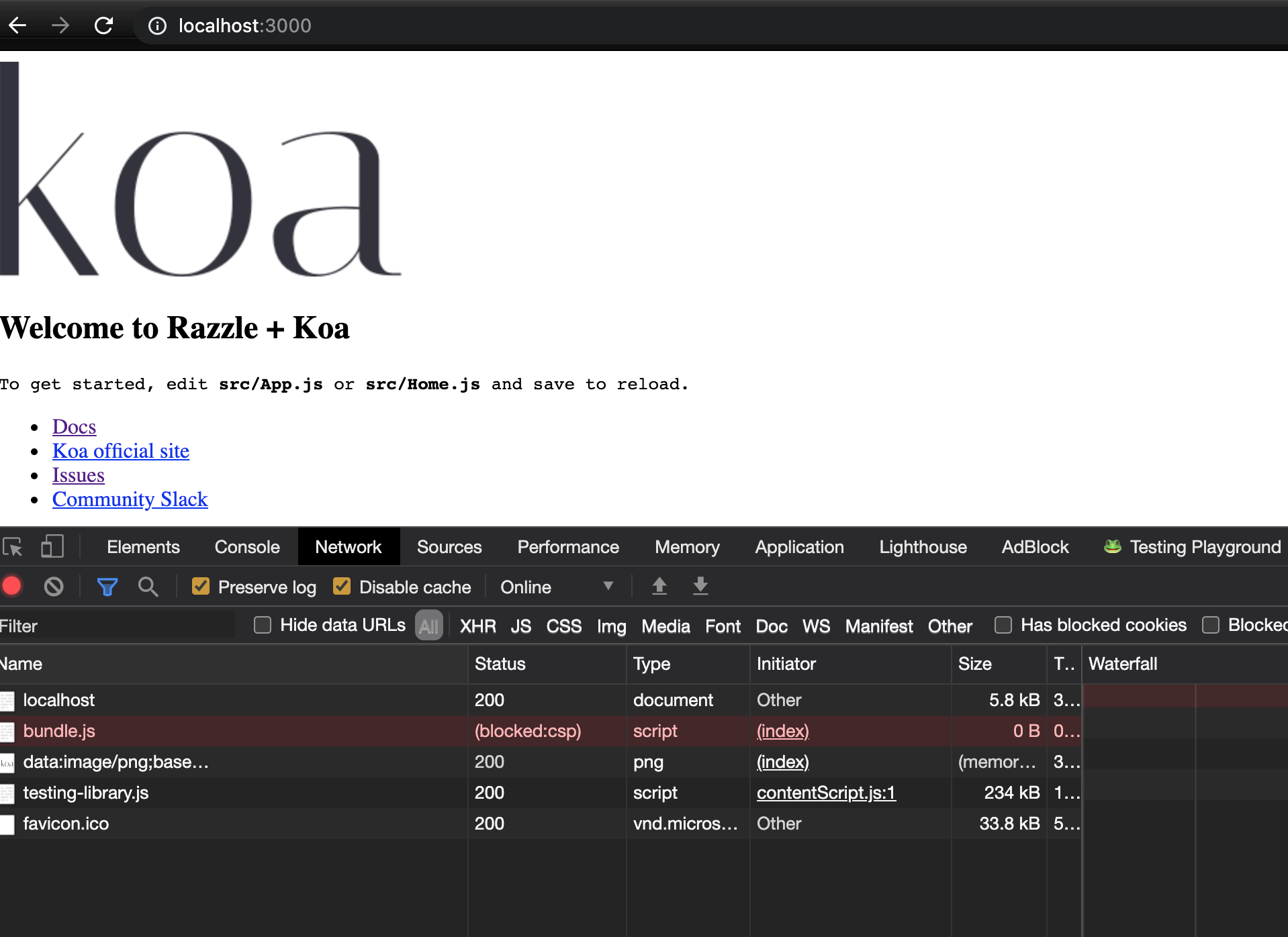
it also blocks to load bundle.js because server is on localhost:3000 and client assets are on localhost:30001
Expected behavior
it should not show the error/warning and also load the bundle.js
Reproducible example
with-koa example
Suggested solution(s)
let the server also serve the build folder instead of using a devServer for client
Additional context
Your environment
| Software | Version(s) |
| ---------------- | ---------- |
| Razzle | master
| Razzle Plugins | with-koa plugins
| Node | node 12
| Browser | chrome
| npm/Yarn | 1.22.10
| Operating System | mac os x
| TypeScript | 4
| React | 16
 sibelius
All 12 comments
@sibelius: This really depends on how your server is setting the security policy headers, so it's not really linked to razzle in my opinion.
 therealgilles
on 6 Jan 2021
therealgilles
on 6 Jan 2021
this is breaking in dev mode
can you give it a try
cd examples/with-koa
yarn
yarn start
it will show this error
sibelius
on 6 Jan 2021
localhost:3000 as in the screenshot
sibelius
on 6 Jan 2021
I just ran the example without issue on Chrome, Safari, and Firefox on a mac. Do you have additional setting in your environment? Is the script added with 'crossorigin' in the html? I also see a testing-library.js file in your screenshot.
therealgilles
on 6 Jan 2021
this is my chrome version
Version 87.0.4280.88 (Official Build) (x86_64)
I will investigate more, and reopen if I figure it out why
sibelius
on 6 Jan 2021
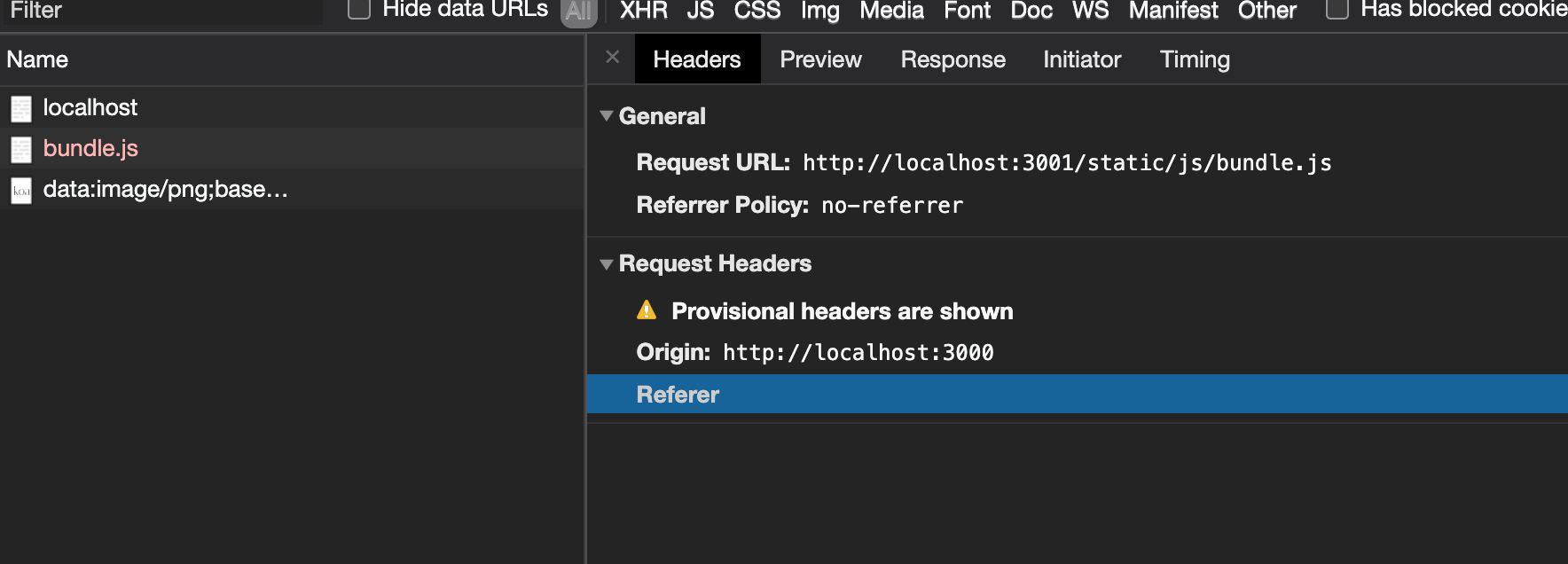
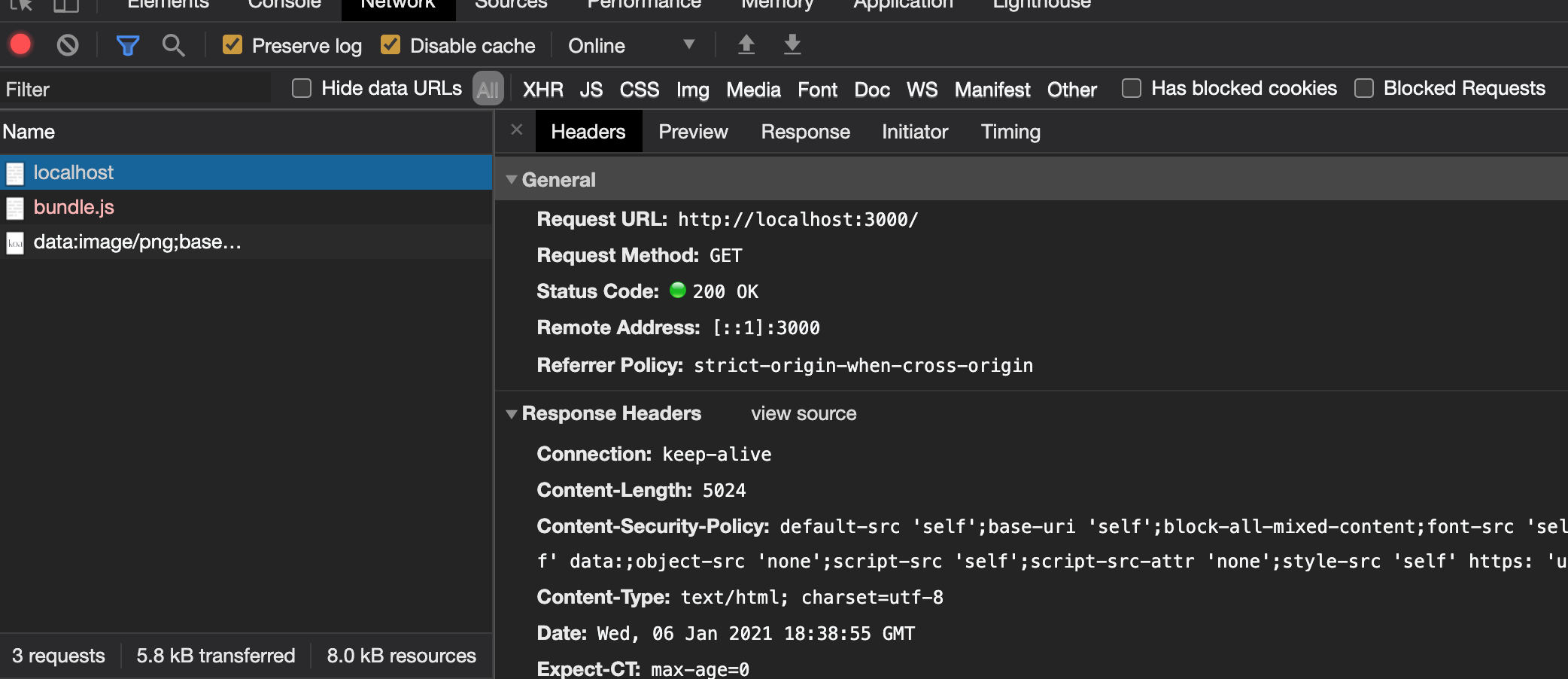
I have the same Chrome version. You will want to check the request Referrer Policy under Network, pick localhost, and look at Headers. It should say: "Referrer Policy: strict-origin-when-cross-origin".
therealgilles
on 6 Jan 2021
bundle has the Referrer Policy: no-referrer
localhost has Referrer Policy: strict-origin-when-cross-origin
sibelius
on 6 Jan 2021
I think I've found the "bug"
I've upgraded all packages
https://github.com/helmetjs/helmet/wiki/Helmet-4-upgrade-guide#which-middlewares-were-added-by-default
so there is a breaking change on helmet 4 that adds the Referrer Policy
thanks
sibelius
on 6 Jan 2021
Ah yes that's correct. You will need to configure helmet. My express server config looks something like this:
// crypto
expressServer.use((req, res, next) => {
  res.locals.scriptNonce = crypto.randomBytes(16).toString('base64')
  res.locals.styleNonce = crypto.randomBytes(16).toString('base64')
  next()
})

// helmet
expressServer.use(
  helmet({
    frameguard: { action: 'SAMEORIGIN' },
    referrerPolicy: { policy: 'strict-origin-when-cross-origin' },
    hsts: { maxAge: 31536000, includeSubDomains: false },
    contentSecurityPolicy: {
      directives: {
        ...helmet.contentSecurityPolicy.getDefaultDirectives(),
        'default-src': [
          "'self'",
          'https://*.googleapis.com https://*.cloudflare.com',
        ],
        'script-src': [
          "'self'",
          "'unsafe-inline'",
          'https',
          (req, res) => `'nonce-${res.locals.scriptNonce}'`,
          "'strict-dynamic'",
          'https://*.googleapis.com https://*.google.com https://*.gstatic.com https://*.cloudflare.com data:',
        ],
        'style-src': [
          "'self'",
          'https',
          "'unsafe-inline' https://fonts.googleapis.com",
        ],
        'font-src': ["'self'", 'https://fonts.gstatic.com data:'],
        'img-src': [
          "'self'",
          ' https://*.gstatic.com https://*.googleapis.com https://*.google.com https://*.cloudflare.com data:',
        ],
        'frame-src': ["'self'"],
        // FIXME: add wss url for Safari for now
        'connect-src': [
          "'self'",
          `wss://${config.host}${
            config.host_port ? `:${config.host_port}` : ''
          }`,
        ],
        // FIXME: 'require-trusted-types-for': ["'script'"],
      },
    },
  })
)

// add permissions-policy header
expressServer.use((req, res, next) => {
  res.setHeader(
    'Permissions-Policy',
    'geolocation=(self), midi=(self), camera=(self), usb=(self), magnetometer=(self), accelerometer=(self),' +
      ' vr=(self), speaker=(self), ambient-light-sensor=(self), gyroscope=(self), microphone=(self)'
  )
  next()
})
Adapt list of https servers based on your needs. I also have nonce="${res.locals.scriptNonce}" on the script tags when generating the page html for improved security. The wss is only necessary if you use websockets (you will need to put the adequate host/port).
therealgilles
on 6 Jan 2021
this is awesome
is there a write up (article) about all these options?
sibelius
on 6 Jan 2021
You can consult helmet documentation: https://github.com/helmetjs/helmet
Here is a general article on CSP: https://developer.mozilla.org/en-US/docs/Web/HTTP/CSP
Here is a general article on Permissions-Policy (renamed from Feature-Policy): https://developer.mozilla.org/en-US/docs/Web/HTTP/Headers/Feature-Policy
therealgilles
on 6 Jan 2021
Here are a few more resources:
https://dev.to/shostarsson/security-headers-to-use-on-your-webserver-3id5
https://ponyfoo.com/articles/content-security-policy-in-express-apps
https://www.veracode.com/blog/2014/03/guidelines-for-setting-security-headers
https://www.veracode.com/blog/secure-development/fasten-your-helmetjs-part-1-securing-your-express-http-headers
https://www.veracode.com/blog/secure-development/fasten-your-helmetjs-part-2-locking-down-your-content-security-policy
therealgilles
on 6 Jan 2021
Related issues
 ewolfe
·
4Comments
ewolfe
·
4Comments
 MaxGoh
·
4Comments
MaxGoh
·
4Comments
 gabimor
·
3Comments
gabimor
·
3Comments
 pseudo-su
·
3Comments
pseudo-su
·
3Comments
 piersolenski
·
4Comments
piersolenski
·
4Comments
Most helpful comment
Ah yes that's correct. You will need to configure helmet. My express server config looks something like this:
Adapt list of https servers based on your needs. I also have
nonce="${res.locals.scriptNonce}"on the script tags when generating the page html for improved security. The wss is only necessary if you use websockets (you will need to put the adequate host/port).