Razorlight: I get RazorLightException when trying to call lib that contains razor templates from console application
Exception text:
RazorLight.RazorLightException: 'Can't load metadata reference from the entry assembly. Make sure preserveCompilationContext is set to true in buildOptions section of project.json or in *.csproj file'
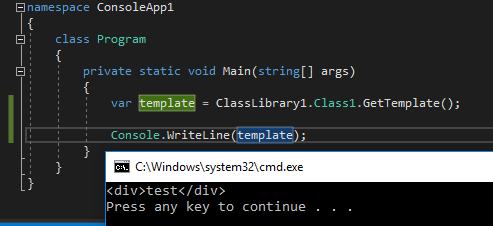
Here is the solution with isolated case:
https://1drv.ms/u/s!AuXjDEud3Cas10ihf9jpraKC316w
 ossaltu
All 6 comments
I downloaded your project, did not change anything and it runs just fine
 toddams
on 5 Apr 2017
toddams
on 5 Apr 2017
I've updated the example:
https://1drv.ms/u/s!AuXjDEud3Cas11GysXD1m7XJR-Sv
changing
<TargetFramework>netcoreapp1.1</TargetFramework>
to
<TargetFramework>netstandard1.6</TargetFramework>
in class lib was the key
ossaltu
on 6 Apr 2017
@ossaltu, I suspect that you didn't clean the project before rebuilding and trying that again. It was an issue for myself. I've just created the PR to add this warning to README.
 ForNeVeR
on 16 Apr 2017
ForNeVeR
on 16 Apr 2017
Add <PreserveCompilationContext>true</PreserveCompilationContext> to the csproj, worked for me!
 mcintyre321
on 21 Apr 2017
mcintyre321
on 21 Apr 2017
Yes, clean rebuild seems to be working
ossaltu
on 25 Apr 2017
@ossaltu and @toddams I got a same problem.
As @ForNeVeR was mentioned, is really important.
If someone is using Visual Studio Code for development, delete bin and obj folder and then dotnet restore and dotnet build the solution and after dotnet run.
 alexsandro-xpt
on 29 Jun 2017
alexsandro-xpt
on 29 Jun 2017
Related issues
 IInvocation
·
6Comments
IInvocation
·
6Comments
 diegobrum
·
5Comments
diegobrum
·
5Comments
 xxeasterxx
·
5Comments
xxeasterxx
·
5Comments
 shobman
·
4Comments
shobman
·
4Comments
 WaltDaniels
·
6Comments
WaltDaniels
·
6Comments
Most helpful comment
Add
<PreserveCompilationContext>true</PreserveCompilationContext>to the csproj, worked for me!