Rawtherapee: Allow usage of camera (or even user defined) white balance in raw preprocessing and demosaic
With the raw from here
automatic raw ca correction leads to green artifacts caused by auto white balance failing on this file.
Using camera white balance instead of auto white balance works fine.
Left without raw ca correction, middle with auto whitebalanced data and raw ca correction, right with camera whitebalanced data and raw ca correction (top left corner of the image):
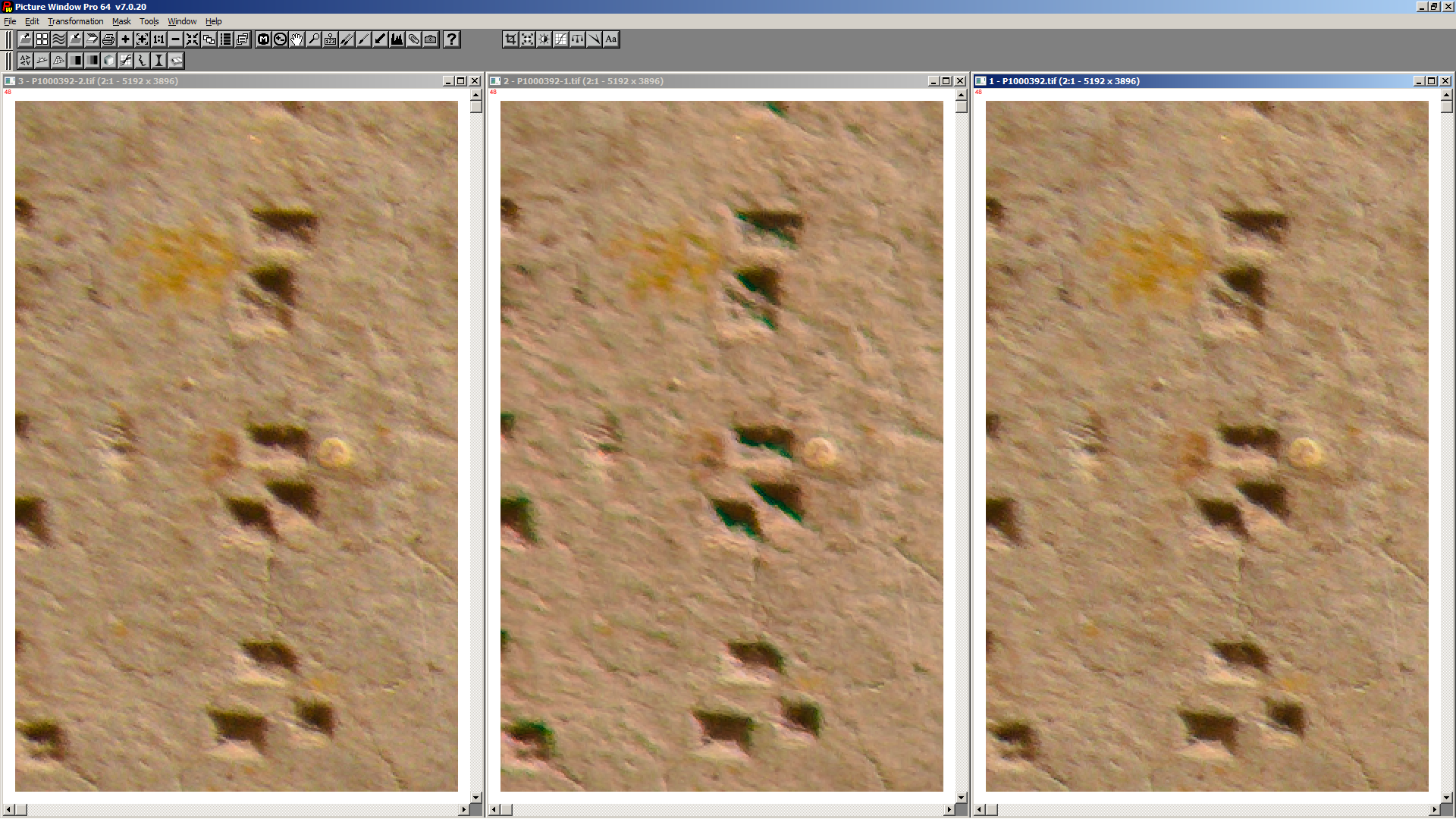
Based on the first screenshot one could assume that raw ca correction is not needed for this image.
Top right corner of the image (same order as first screenshot) shows the difference:
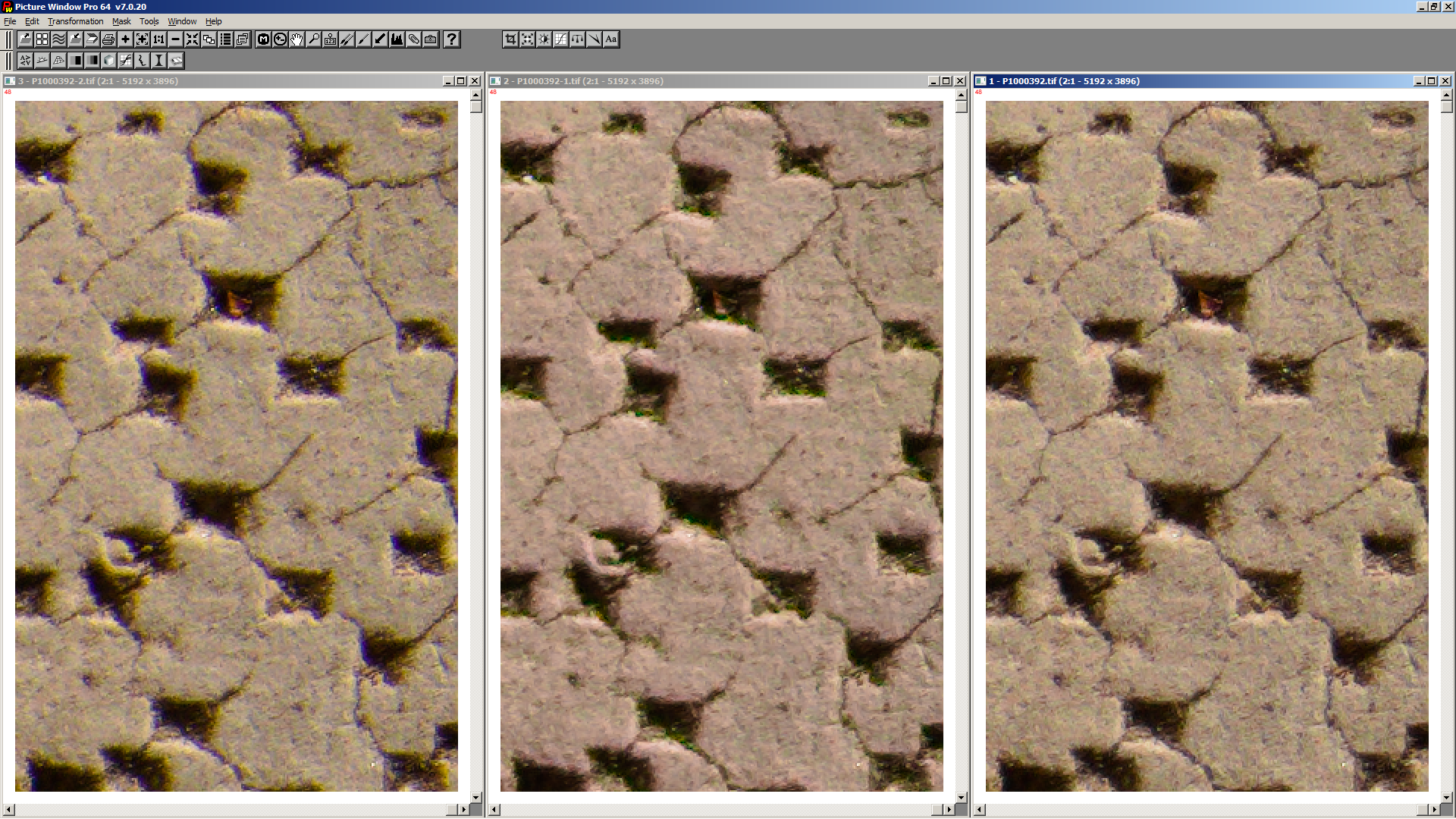
Additionally the colour shift is much less in right image.
I propose to add an option to allow different than auto white balance for raw preprocessing and demosaic.
 heckflosse
All 6 comments
Hmm, wouldn't this approach also solve some of the recent issues @rom9 encountered when working on filmneg?
 Entropy512
on 22 Jan 2020
Entropy512
on 22 Jan 2020
Yep, something like this ? ;-)
Still a draft, no PR yet. This implementation has the disadvantage that when forceAutoWB is true, the image average is re-computed on every preprocess, instead of just once on load.
Maybe we should compute and store both awb and camera multipliers in separate instance variables during load, and then select which one to use in preprocess.
Something like ref_pre_mul vs. cam_pre_mul ... what do you think? I can try implementing it if you think this can be a valid approach.
ps.: anyway, i don't strictly need it anymore for filmneg. I've found an easier way to get stable multipliers, without mutating the global scale_mul. But maybe i could simplify it even more with an option like this.
 rom9
on 22 Jan 2020
rom9
on 22 Jan 2020
@rom9
This implementation has the disadvantage that when forceAutoWB is true, the image average is re-computed on every preprocess, instead of just once on load
I would not call this a disadvantage, just a consequence ;-)
heckflosse
on 22 Jan 2020
@heckflosse : by "add an option", you mean adding a user-accessible processing parameter in the Raw toolpanel?
Or rather, you mean adding an internal flag in the code, that will be switched on or off based on some hard-coded conditions? (for example: when filmneg is enabled, or camera model is XYZ, or this weird metadata is present, etc.)
rom9
on 23 Jan 2020
@rom9
by "add an option", you mean adding a user-accessible processing parameter in the Raw toolpanel?
Yes
heckflosse
on 23 Jan 2020
Sorry for the delay! Here's the PR :-)
I've also added two sliders to be able to customize the R/G and B/G factors, but frankly, they might be a bit overkill.
Let me know your opinions, if you think the sliders are not useful or confusing, i'll blow them away real quick ;-)
rom9
on 24 Feb 2020
Related issues
heckflosse
·
296Comments
 daicehawk
·
76Comments
daicehawk
·
76Comments
 Desmis
·
140Comments
Desmis
·
140Comments
 Floessie
·
94Comments
heckflosse
·
88Comments
Floessie
·
94Comments
heckflosse
·
88Comments