Rawtherapee: Improve crop alignment with locked ratios
I think it would be great if the crop area would be centered automatically. I often set my camera to shoot in 1:1, 3:2, ... to help with framing. I then select the same crop ratio in RT. For 3:2 (and 16:9) the crop is correctly centered. 1:1 (and as it seems any crop smaller than 4:3 which is the aspect ratio of mFT - 5:4, 7:6, ...) is aligned top-left. It would help a lot if those also would be centered.
Setting crop ratio to 3:2:

Setting ratio to 1:1:
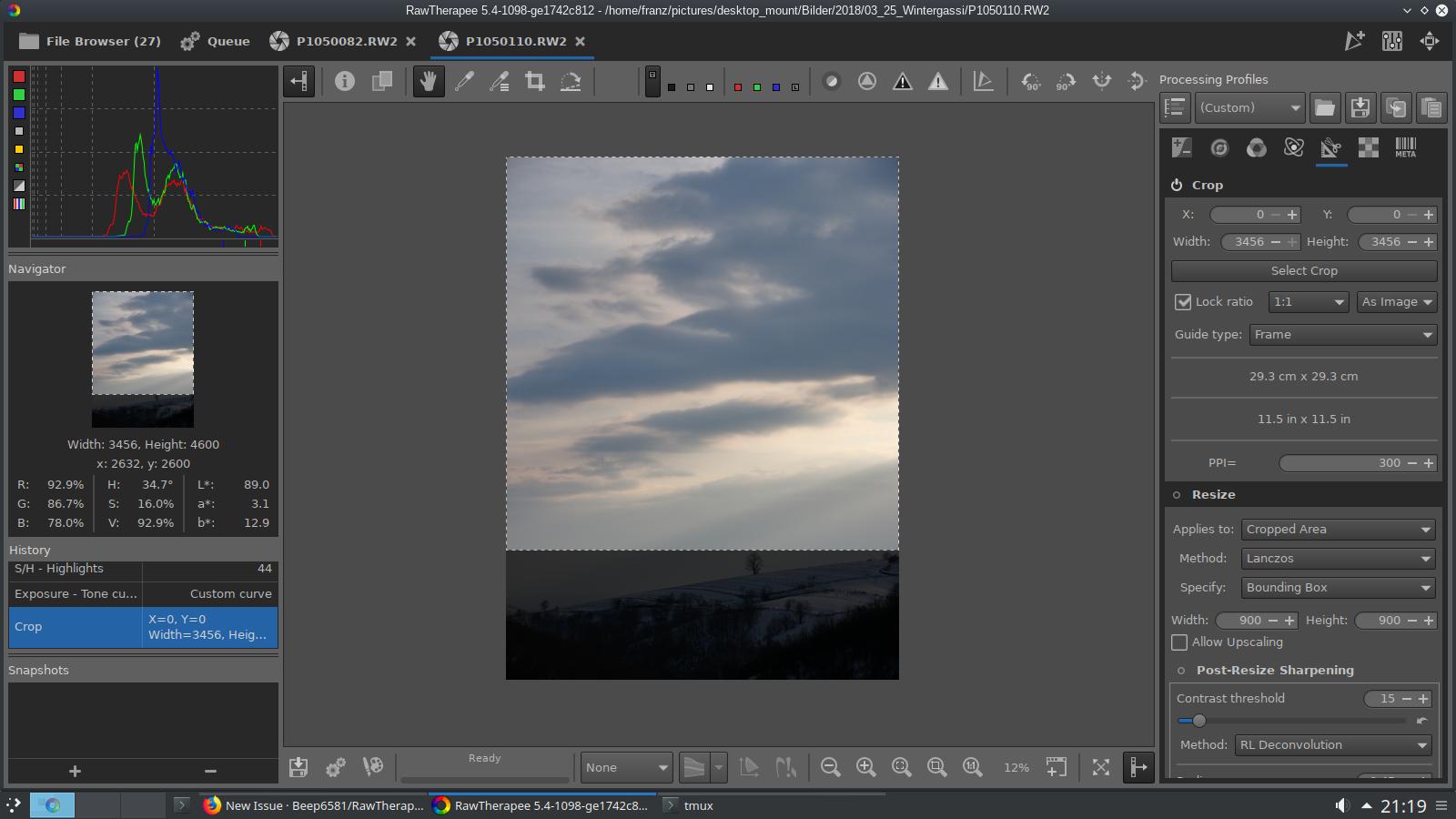
Another IMO weird behaviour is when you have already selected a ratio different than your cameras native aspect ratio and change the ratio. Here I had already locked the ratio to 3:2 and then changed it to 1:1:
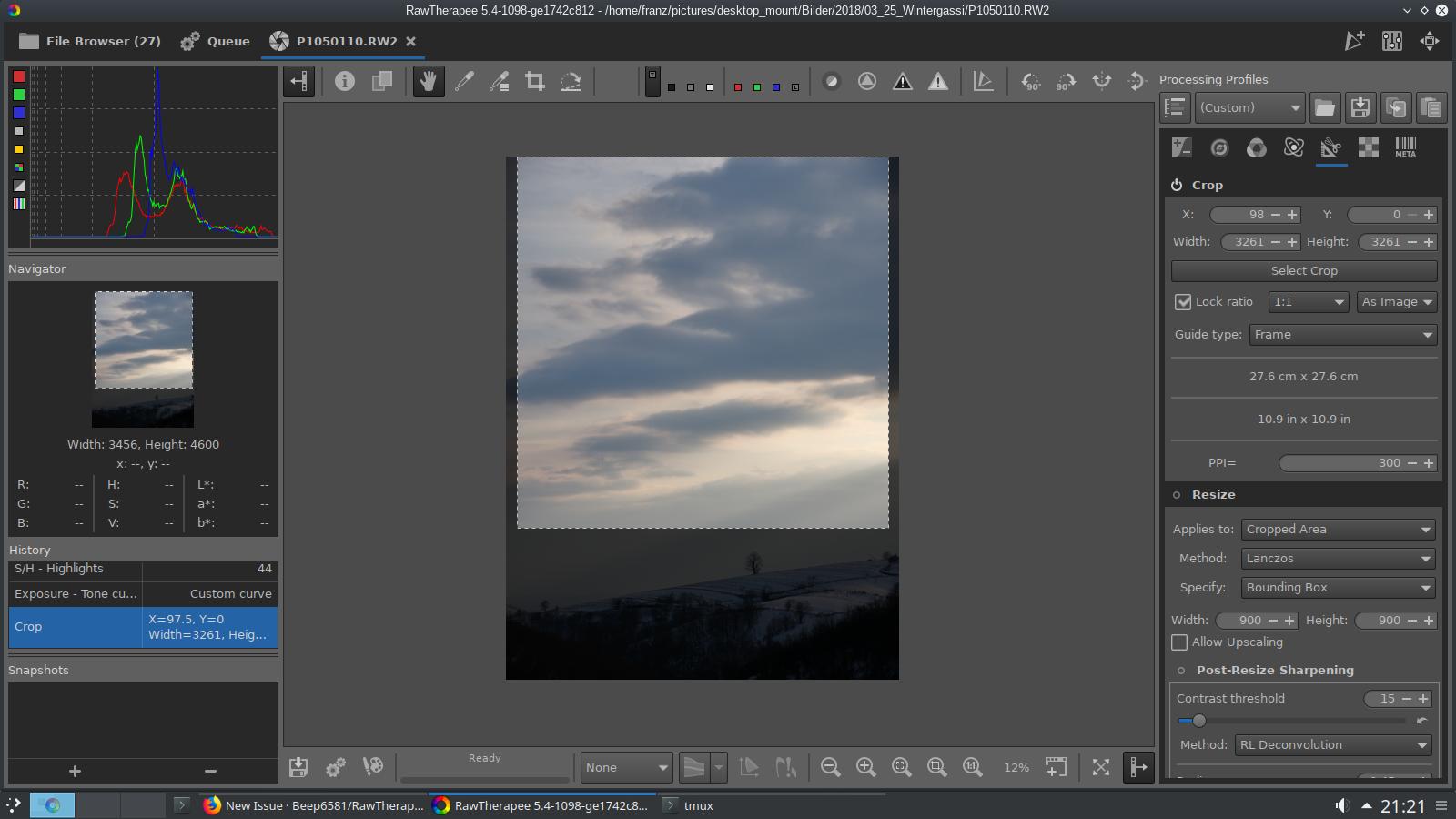
I would have expected the crop being applied to the whole image. The new crop also isn't applied to the currently selected crop but somewhat wider (X=98 while 3:2 had X=196).
 ff2000
All 7 comments
Hi @ff2000, can you test this patch please?
diff --git a/rtgui/crop.cc b/rtgui/crop.cc
--- a/rtgui/crop.cc
+++ b/rtgui/crop.cc
@@ -640,18 +640,51 @@
 void Crop::adjustCropToRatio()
 {
     if (fixr->get_active() && !fixr->get_inconsistent()) {
+        int W1 = nw, W2 = nw;
+        int H1 = nh, H2 = nh;
+        int X1 = nx, X2 = nx;
+        int Y1 = ny, Y2 = ny;

-//        int W = w->get_value ();
-//        int H = h->get_value ();
-        int W = nw;
-        int H = nh;
-        int X = nx;
-        int Y = ny;
+        float r = getRatio();
+
+        H1 = round(W1 / r);
+        Y1 = ny + (nh - H1)/2.0;
+        if (Y1 < 0) {
+            Y1 = 0;
+        }
+        if (H1 > maxh) {
+            H1 = maxh;
+            W1 = round(H1 * r);
+            X1 = nx + (nw - W1)/2.0;
+        }
+        if (Y1+H1 > maxh) {
+            Y1 = maxh - H1;
+        }

-        if (W >= H) {
-            cropWidth2Resized (X, Y, W, H);
+        W2 = round(H2 * r);
+        X2 = nx + (nw - W2)/2.0;
+        if (X2 < 0) {
+            X2 = 0;
+        }
+        if (W2 > maxw) {
+            W2 = maxw;
+            H2 = round(W2 / r);
+            Y2 = ny + (nh - H2)/2.0;
+        }
+        if (X2+W2 > maxw) {
+            X2 = maxw - W2;
+        }
+
+        if (W1 * H1 >= W2 * H2) {
+            nx = X1;
+            ny = Y1;
+            nw = W1;
+            nh = H1;
         } else {
-            cropHeight2Resized (X, Y, W, H);
+            nx = X2;
+            ny = Y2;
+            nw = W2;
+            nh = H2;
         }
     }
 agriggio
on 14 Nov 2018
agriggio
on 14 Nov 2018
Thank you @agriggio , that fixes the alignment issue.
There are still some smaller issues I am not entirely sure about...
E.g. I initially use a 4:5 crop that doesn't touch the borders. I want to check if 6:7 works better. Then go back to 4:5. The second 4:5 is not the same as the first. But to change that might get complicated.
ff2000
on 15 Nov 2018
Then go back to 4:5. The second 4:5 is not the same as the first. But to change that might get complicated.
I agree, it might get complicated :-) Fortunately, you can use the history to go back in this case...
agriggio
on 15 Nov 2018
Am Do., 15. Nov. 2018 um 16:03 Uhr schrieb Alberto Griggio <
[email protected]>:
Then go back to 4:5. The second 4:5 is not the same as the first. But to
change that might get complicated.I agree, it might get complicated :-) Fortunately, you can use the history
to go back in this case...No, it only works if you change a different tool in between the aspect
ratio changes. Which is my workaround for several tools that do not store
intermediate steps in the history - change a nearby tool to add a new entry
in the history. basically covered in #4881.
ff2000
on 15 Nov 2018
Here's how to have an "append-only" history that allows duplicates:
diff --git a/rtgui/history.cc b/rtgui/history.cc
--- a/rtgui/history.cc
+++ b/rtgui/history.cc
@@ -253,7 +253,7 @@
     }

     // if there is no last item or its chev!=ev, create a new one
-    if (size == 0 || !row || row[historyColumns.chev] != ev || ev == EvProfileChanged) {
+    if (1) {//size == 0 || !row || /*row[historyColumns.chev] != ev ||*/ ev == EvProfileChanged) {
         Gtk::TreeModel::Row newrow = *(historyModel->append());
         newrow[historyColumns.text] = text;
         newrow[historyColumns.value] = g_markup_escape_text(descr.c_str(), -1);
Shouldn't be hard to make this optional (with a custom setting in preferences controlling it) -- hint :wink:
agriggio
on 15 Nov 2018
any objections to pushing the first patch? that behaviour makes more sense to me, fwiw
agriggio
on 25 Nov 2018
Seems everybody is happy with the patch, so push please! THX!
ff2000
on 27 Nov 2018
Related issues
agriggio
·
4Comments
 heckflosse
·
3Comments
heckflosse
·
3Comments
 JIPG2
·
3Comments
JIPG2
·
3Comments
 LordPhoenixfr
·
4Comments
heckflosse
·
5Comments
LordPhoenixfr
·
4Comments
heckflosse
·
5Comments
Most helpful comment
any objections to pushing the first patch? that behaviour makes more sense to me, fwiw