Rawtherapee: Avoid desaturation and colour tint caused by RAW-CA correction
The RAW-CA correction tool desaturates images. See https://github.com/Beep6581/RawTherapee/issues/4774#issuecomment-418732568
It would be great if the desaturation can be reduced. Ping @heckflosse
CA off
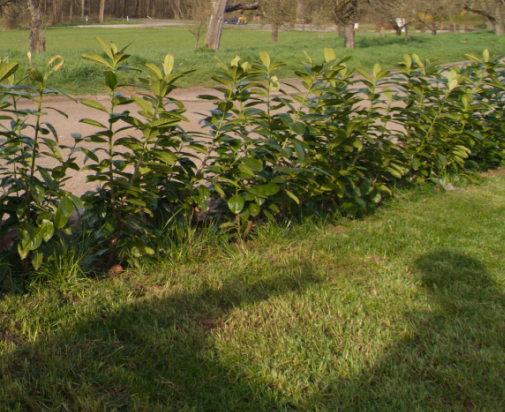
CA on
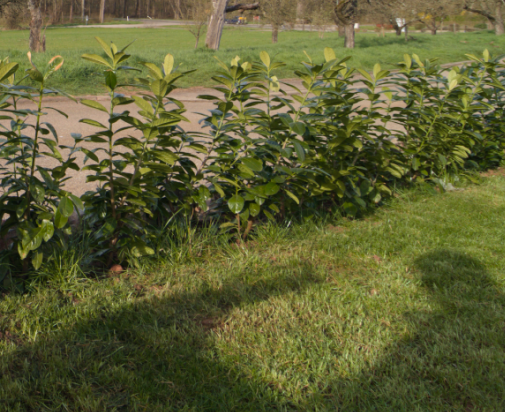
CA off
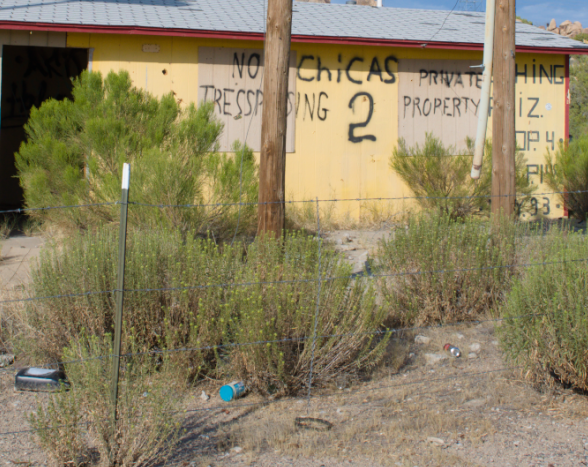
CA on
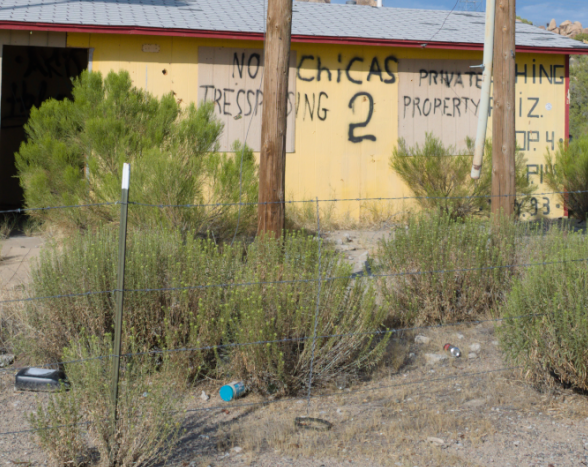
Upload the files later
Filebin is currently unavailable (503) due to maintenance. Please retry later.
 TooWaBoo
All 31 comments
@heckflosse
https://filebin.net/grdfzgriwg8tbsqy
TooWaBoo
on 6 Sep 2018
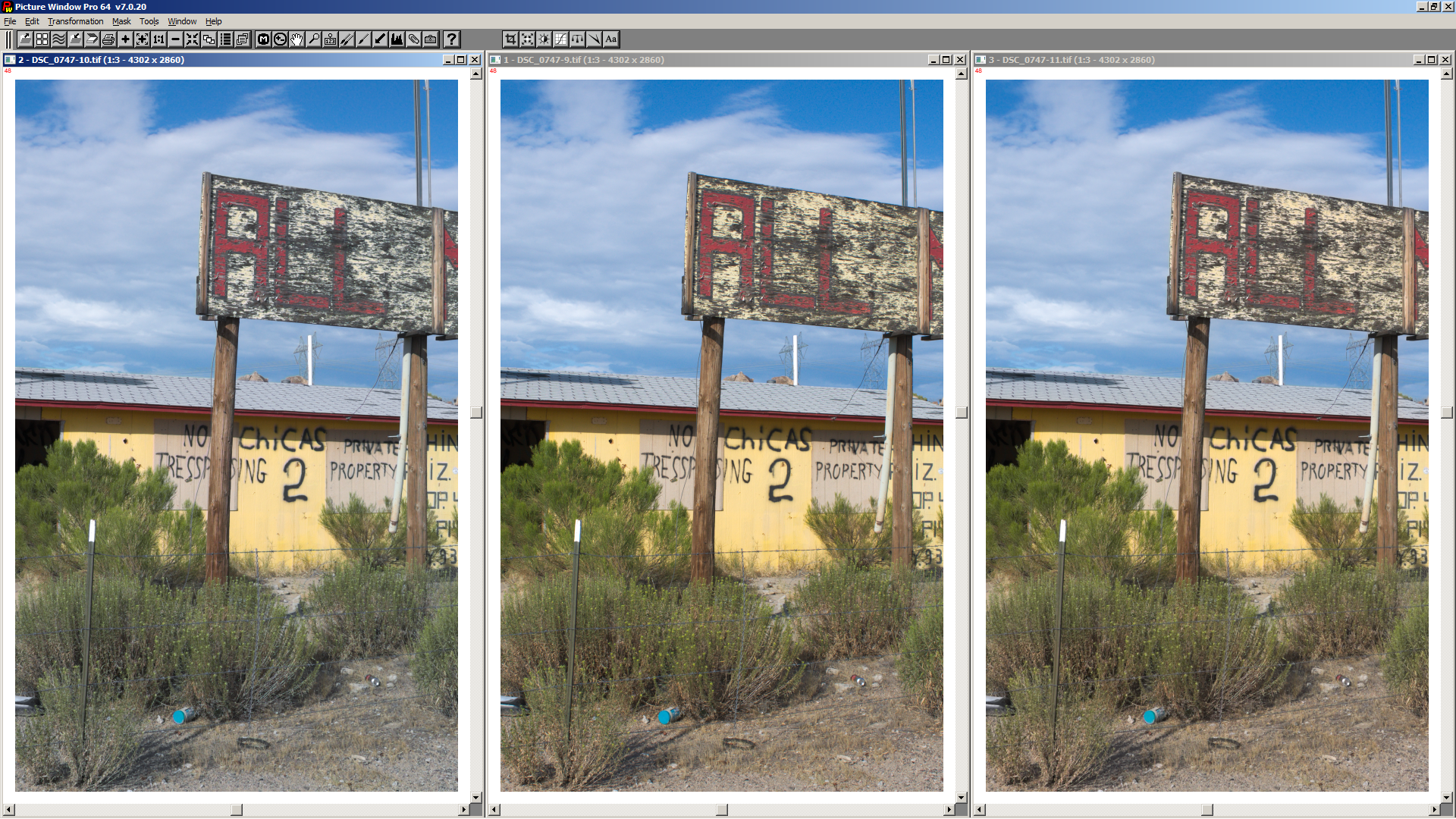
@TooWaBoo first result:
left is old code, middle is without ca correction, right is new code with avoid desaturation
 heckflosse
on 6 Sep 2018
heckflosse
on 6 Sep 2018
This looks awesome, Great job. 👍
TooWaBoo
on 6 Sep 2018
@heckflosse Ingo, do we really need an option for this? Who could possibly want the colour shift introduced by the "old" behaviour?
 agriggio
on 6 Sep 2018
agriggio
on 6 Sep 2018
@agriggio Alberto, I'm also fine without an option for this. @Beep6581 @Floessie @TooWaBoo @Hombre57 @Desmis @Thanatomanic @iliasg ?
heckflosse
on 6 Sep 2018
Agreed with @agriggio to avoid colour shift by default.
 Thanatomanic
on 6 Sep 2018
Thanatomanic
on 6 Sep 2018
@Thanatomanic It is default, but currently only for new files.
heckflosse
on 6 Sep 2018
To me the colour shift is a bug, so it seems strage that we have a checkbox that says "do you want to apply the bug fix?" :-)
agriggio
on 6 Sep 2018
Found a bug in Avoid color shift. I get a green circle in this picture .
Iteration = 2 and Avoid color shift = on.
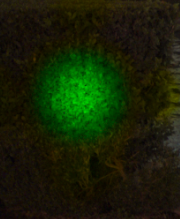
https://filebin.net/kxo1638t5mzfl1qz
TooWaBoo
on 6 Sep 2018
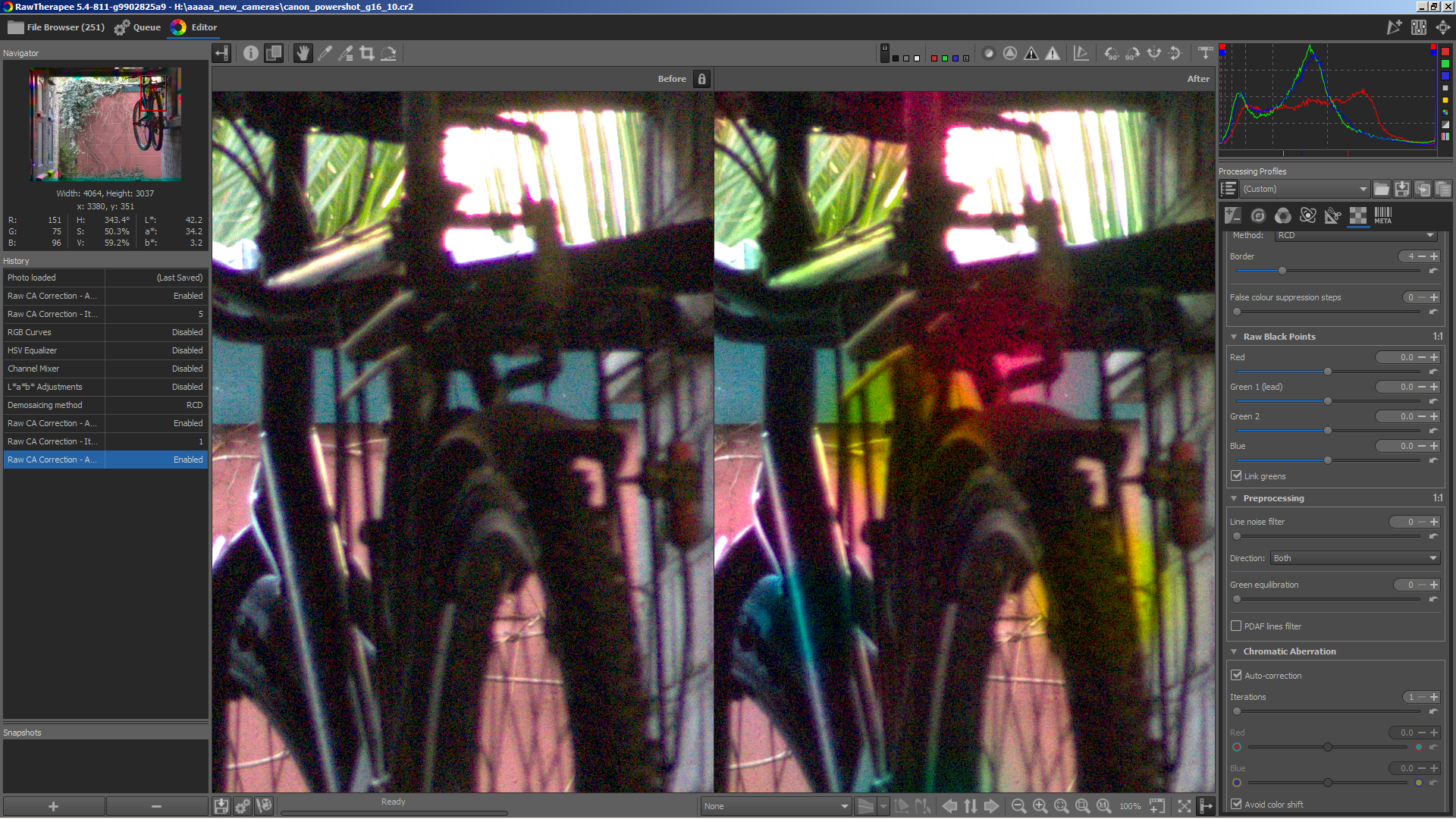
Let's complete the work on it first. It still has some bugs. Until they are solved it's very nice to have the option in gui to disable avoid colour shift. For example this file, right is with avoid colour shift, ouch
heckflosse
on 6 Sep 2018
@TooWaBoo Thanks for the example. That should be easy to fix
heckflosse
on 6 Sep 2018
@heckflosse fair enough, that answers my question :)
agriggio
on 6 Sep 2018
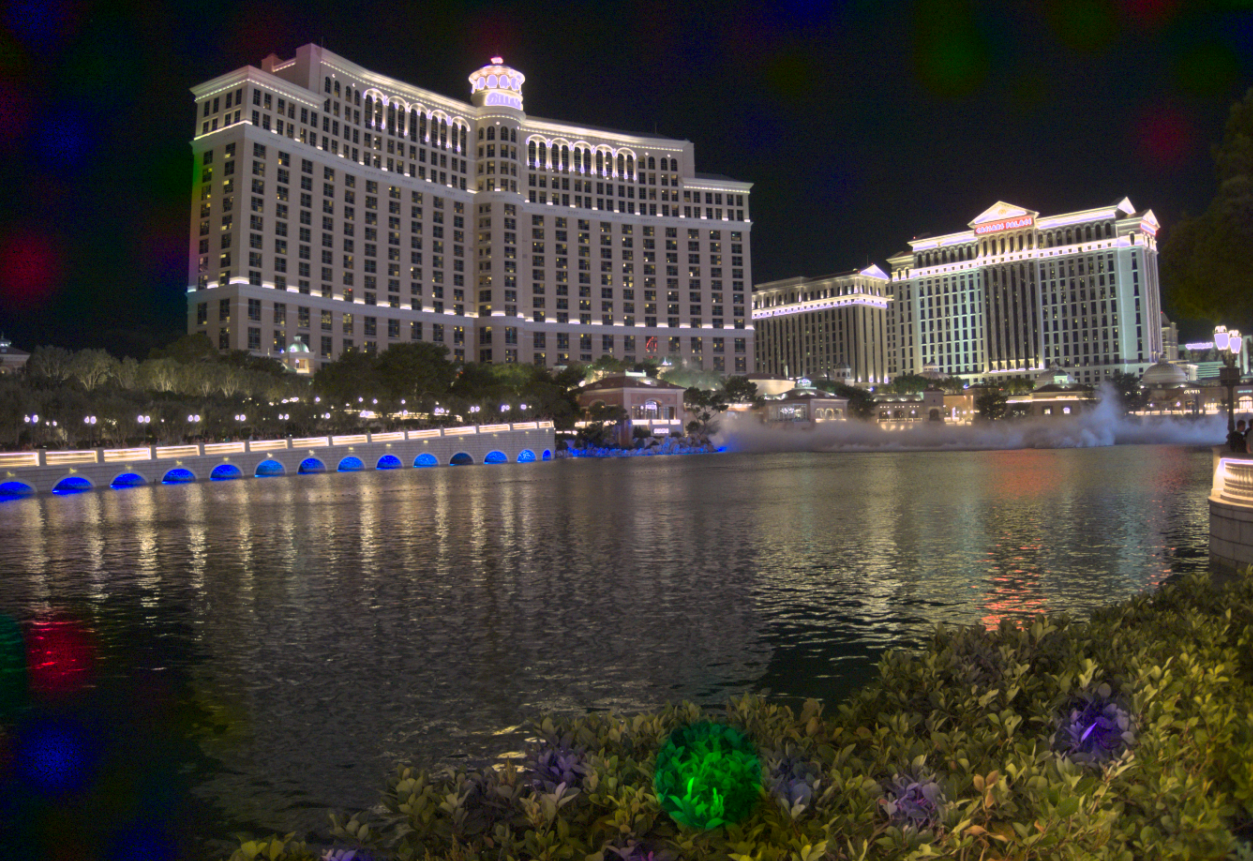
...and another one.
https://filebin.net/rdjs84o0wwjehtc3
TooWaBoo
on 6 Sep 2018
Fix follows soon
heckflosse
on 6 Sep 2018
Fixed.
heckflosse
on 6 Sep 2018
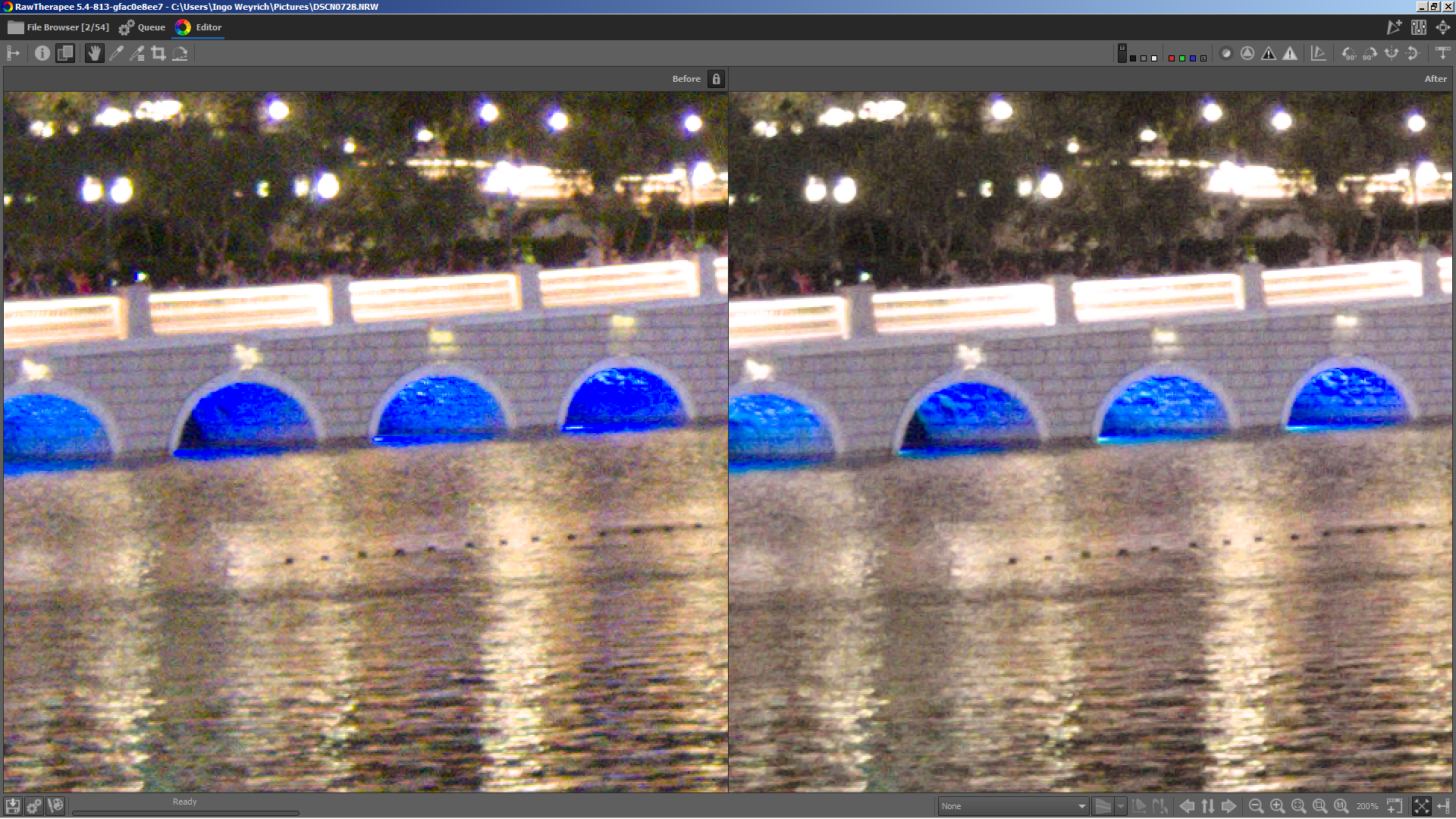
I just detected a nice side effect from using large number (e.g. 5) of raw ca correction iterations:
It brings out some details in LED blue regions:
Left without raw ca correction, right with raw auto ca correction 5 iterations
heckflosse
on 6 Sep 2018
Tested, works fine. Merge it. 😄
TooWaBoo
on 6 Sep 2018
@TooWaBoo Let's wait a day or two :laughing:
heckflosse
on 6 Sep 2018
I'm still :-1: on merging with the parameter, fwiw. I'd rather wait a bit more, make sure that there are no side effects, and get rid of the parameter when it's ready. just my 2c of course
agriggio
on 6 Sep 2018
@agriggio I agree if there are no side effects. For example we have to test with high ISO files too.
heckflosse
on 6 Sep 2018
I'll give it a try when I have the chance
agriggio
on 7 Sep 2018
I agree with Ingo, and test if there are no side effects :)
 Desmis
on 7 Sep 2018
Desmis
on 7 Sep 2018
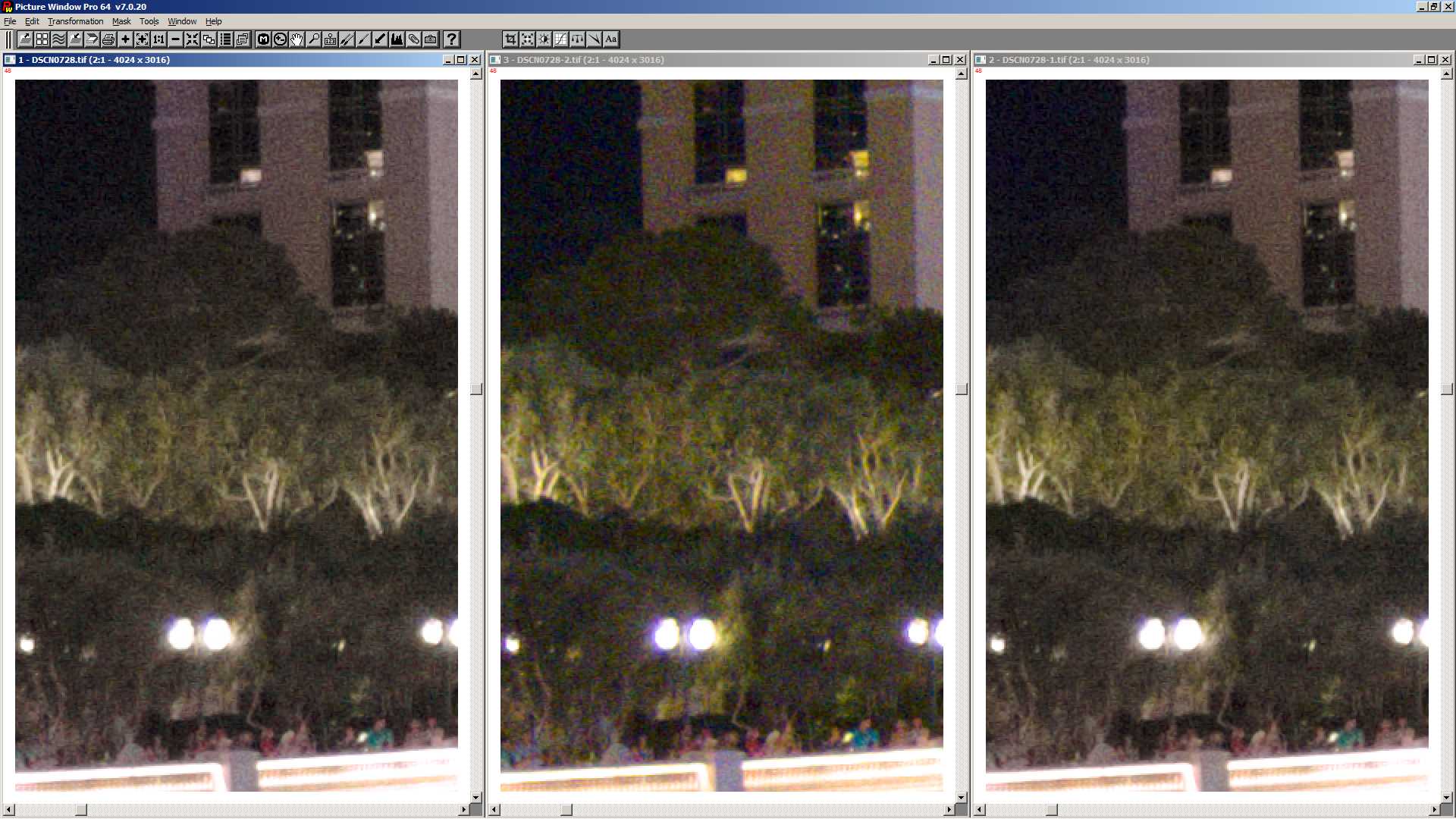
I just pushed new code which executes avoid colour shift per iteration instead of once after all iterations.
This improves the correction of the colour shift a bit when using a large number of iterations though there is still some desaturation when using large number of iterations.
Left is old code with 10 iterations, middle is without raw ca correction, right is new code with 10 iterations.
heckflosse
on 9 Sep 2018
@heckflosse I tested a little bit, and in general I like the "avoid colour shift" feature! :+1:
I don't know if this is a known problem, but I got some serious artifacts when pushing the number of iterations too high. This happens regardless of the "avoid colour shift" setting. Here is a raw file and a couple of renderings (neutral profile, just raw CA correction enabled with 10 iterations):
https://filebin.net/8jj8czw7ab1n9x50
agriggio
on 11 Sep 2018
@agriggio Alberto, thanks for testing. I set the max. number of iterations to 10 only for testing. We should reduce it to 5 or less imho.
heckflosse
on 11 Sep 2018
I tested the new ca correction code with a lot of files. My findings:
1.) I detected no case, where avoid colour shift gave a worse output
2.) for images with moderate ca, 2 iterations almost always gives the best result
3.) for images wit really heavy ca, more than 2 iterations are needed but also can lead to artifacts
4.) for images without or with very low ca even 1 iteration (default before my changes) can lead to artifacts
heckflosse
on 11 Sep 2018
I tested ~50 raw photos mostly from Pentax and Sony but also from a bunch of other cameras.
- A default of 2 iterations worked very well in most cases.
- The more iterations, the more red/blue detail would be altered which should not be altered. Not all photos have such detail.
- Using more than 3 iterations in most cases was a sign that I was trying to fight something which was not normal CA, in which case using a different tool would lead to a better result, e.g. purple fringing caused by extreme contrast is better fixed using the Defringe tool. https://i.imgur.com/Z7cDJjw.jpg
- I agree about hard-coding "avoid color shift" to be always enabled even for old PP3 files.
 Beep6581
on 11 Sep 2018
Beep6581
on 11 Sep 2018
Ok, I will reduce the max. number of iterations to 5 then and hard code 'avoid colour shift'. In first step I will remove 'avoid colour shift' from gui only and keep the procparams/paramsedited stuff for some weeks.
That will allow easier testing of cases, where avoid colour shift could be a culprit.
heckflosse
on 11 Sep 2018
With my usual raws, 1 or 2 iterations are enough :)
Desmis
on 12 Sep 2018
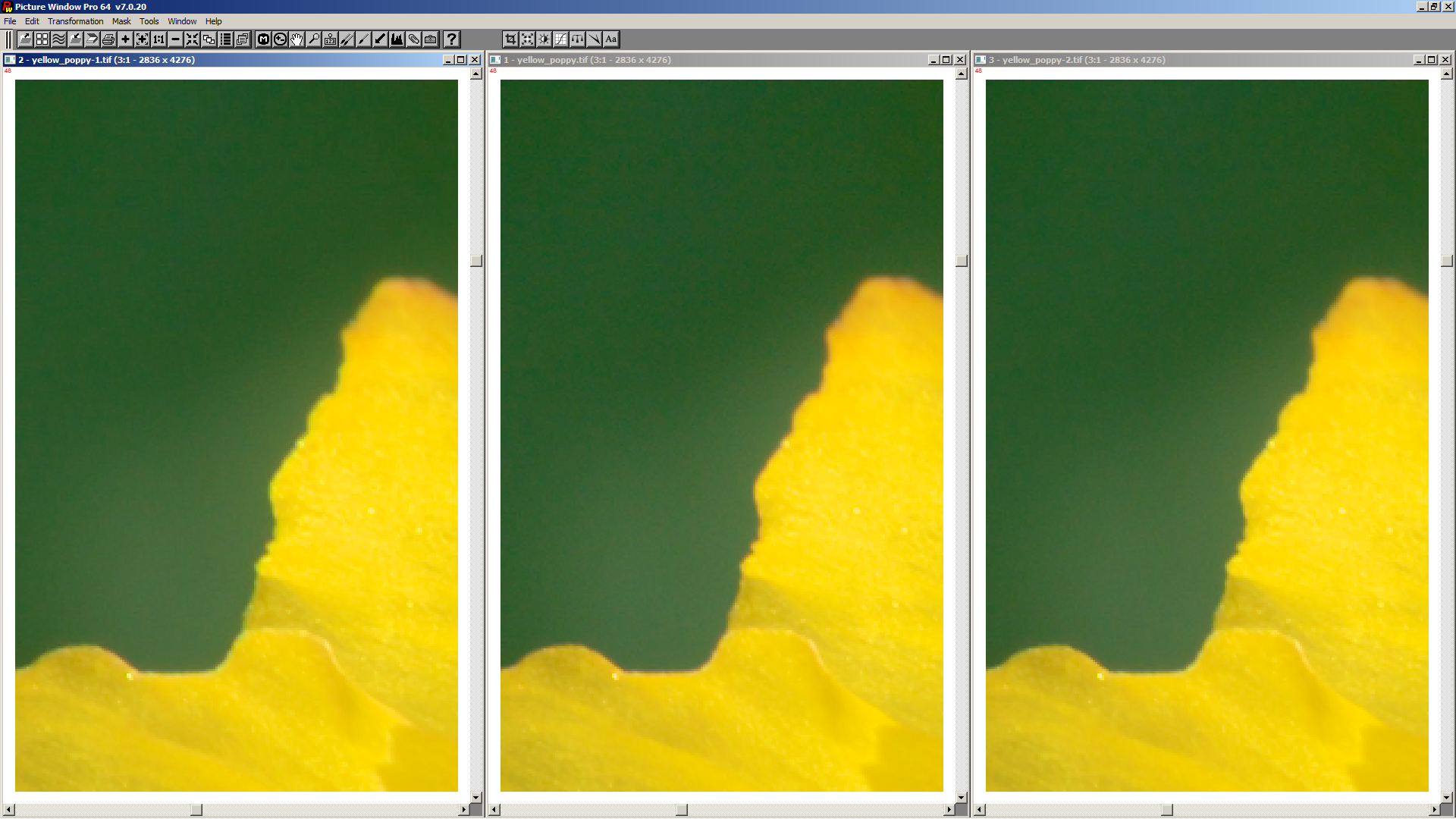
Here's an example (very littel ca) to show the effect of the last fix:
left is 2 iterations without last fix (small greenish border caused by wrong interpolation)
middle is without ca correction (small reddish border)
right is 2 iterations with last fix (perfect)
heckflosse
on 12 Sep 2018
merged with f940490
heckflosse
on 15 Sep 2018
Related issues
agriggio
·
74Comments
 srjacob999
·
98Comments
srjacob999
·
98Comments
 luisfl
·
75Comments
Desmis
·
167Comments
Beep6581
·
77Comments
luisfl
·
75Comments
Desmis
·
167Comments
Beep6581
·
77Comments
Most helpful comment
I just detected a nice side effect from using large number (e.g. 5) of raw ca correction iterations:
It brings out some details in LED blue regions:
Left without raw ca correction, right with raw auto ca correction 5 iterations
