Rawtherapee: increase lateral-CA correction range
Some lenses (e.g. the Nikon 35 1.8 af-s dx) can (depending on focuse distance, aperture and sample variation) have such strong lateral CA that even if you set the CA correction-sliders in RawTherapee to the most extreme value available it is still a tiny bit too little. The same might go for the automatic CA-correction tool, which sometimes appears as if it might have a hardcoded limit to how much CA it is allowed to maximally correct.
For owners of such lenses It would be quite helpful if these limits could either be increased, or be made user-changeable via the RawTherapee preferences menu.
In addition I also have a special application (taking images with my camera throuh a telescope, a technique known as digiscoping and very commong amongst birdwatchers) in which there can be very strong assymmetric CA due to misalignments between camera and telescope. (one of the most common techniques is to just hold the camera to the telescope eyepiece, using adapters is usually impractical in the field). This can often not be corrected with RawTherapee due to the limited correction range.
There is also currently no option to correct assymmetric CA in non-RAW images, as only the automatic CA-correction can correct assymmetrically, which is only availabe for RAW-images.
 Raoul-Kima
All 22 comments
@Raoul-Kima Please upload example raw files to filebin.net and post the link here
 heckflosse
on 3 Sep 2018
heckflosse
on 3 Sep 2018
It's a bit difficult to find good examples RAW-files, because I usually delete the raws after carefully converting them. Nonetheless I found some which might suffice. If not, please say so and I'll try to make new and better ones.
Here are the example images:
https://filebin.net/dr8c0mubb95zixtp
While trying to find suitable examples it became clear to me that the issue with the auto-CA removal is in some cases clearly not a restriction of the corection range, but an underestimation of the present CA. Maybe this is actually always the case? Solving this is of course a much harder problem than just increasing the allowed correction range.
One image shows a piece of newspaper at the minimum focal distance., It was shot with the Nikon 35 1.8 dx on a D7200 (crop-factor 1.5).
In this image the manual CA-Correction almost, but not completely eliminates the CA. The remaining CA shows a clear directionality in radial direction, so increasing the slider ringe slightly would reduce this problem.
In this image the auto-CA correction clearly failed for me, but it was also clear that this is not beacause of hitting some fixed maximum correction value as the algorithm worked admirably on another image (which I can't post publicly, sorry) that had almost exactly the same amount of CA (as measured by the manual ca-correction slider).
Then there is an image of a curtain, which I took because it's not totally at the minimum focus distance, it is at about 0.6 meters. Same Camera and Lens. Same story as for the newspaper photo. I can't shoot at further distances without showing images of my or my neighbourhoodss houses right now, sorry.
The other three photos were shot through a telescope using my DSLR and some +-short lens. I don't have a good RAW example on my drive, but found a not-so-good-example RAW. In this photo the lateral CA isn't nearly removed by the AUTO ca removal, but as in the newspaper image the issue might be the detection of the right correction parameters rather than some fix correction-limit.
The other two images are only a jpeg file unfortunately. Its purpose is to demonstrate how such telescope pictures usually look like. The gull-image should be an out-of-camera jpg and the used camera doesn't have auto-ca removal. The other image is a shot of some shorebirds which I carefully hand processed to by best ability in RT including cropping and resizing. In general these telscope-images often have all sorts of abberrations, and this is probably not what RAWTherapee is mainly beeing developed for. So it's totally clear to me that supporting such an application likely has low priority for the devs.
Raoul-Kima
on 3 Sep 2018
@Raoul-Kima I tried some modifications to ca-correction algorithm but without success.
The best result I got for your raw shot through a telescope uses auto-ca correction + defringe.
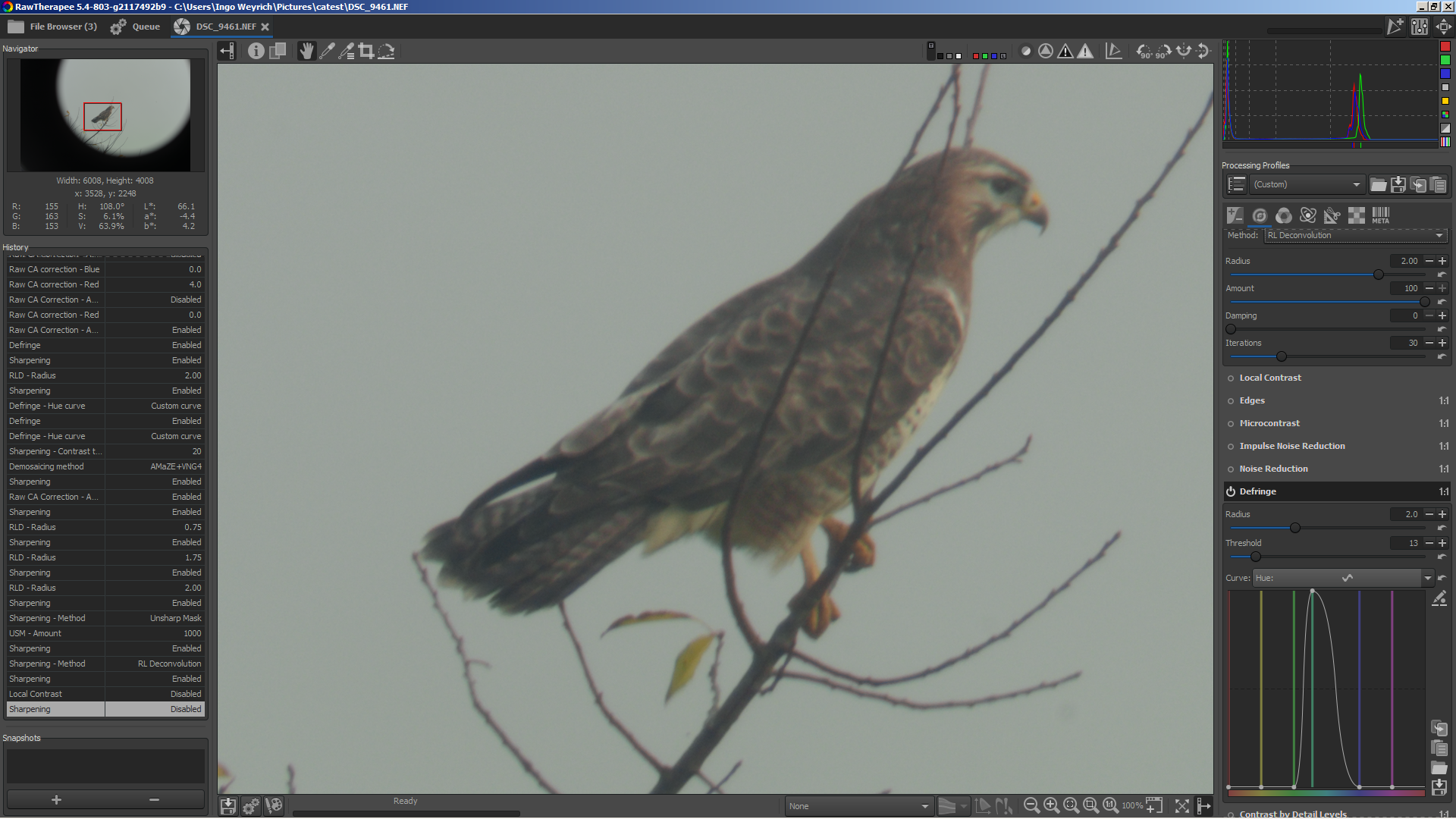
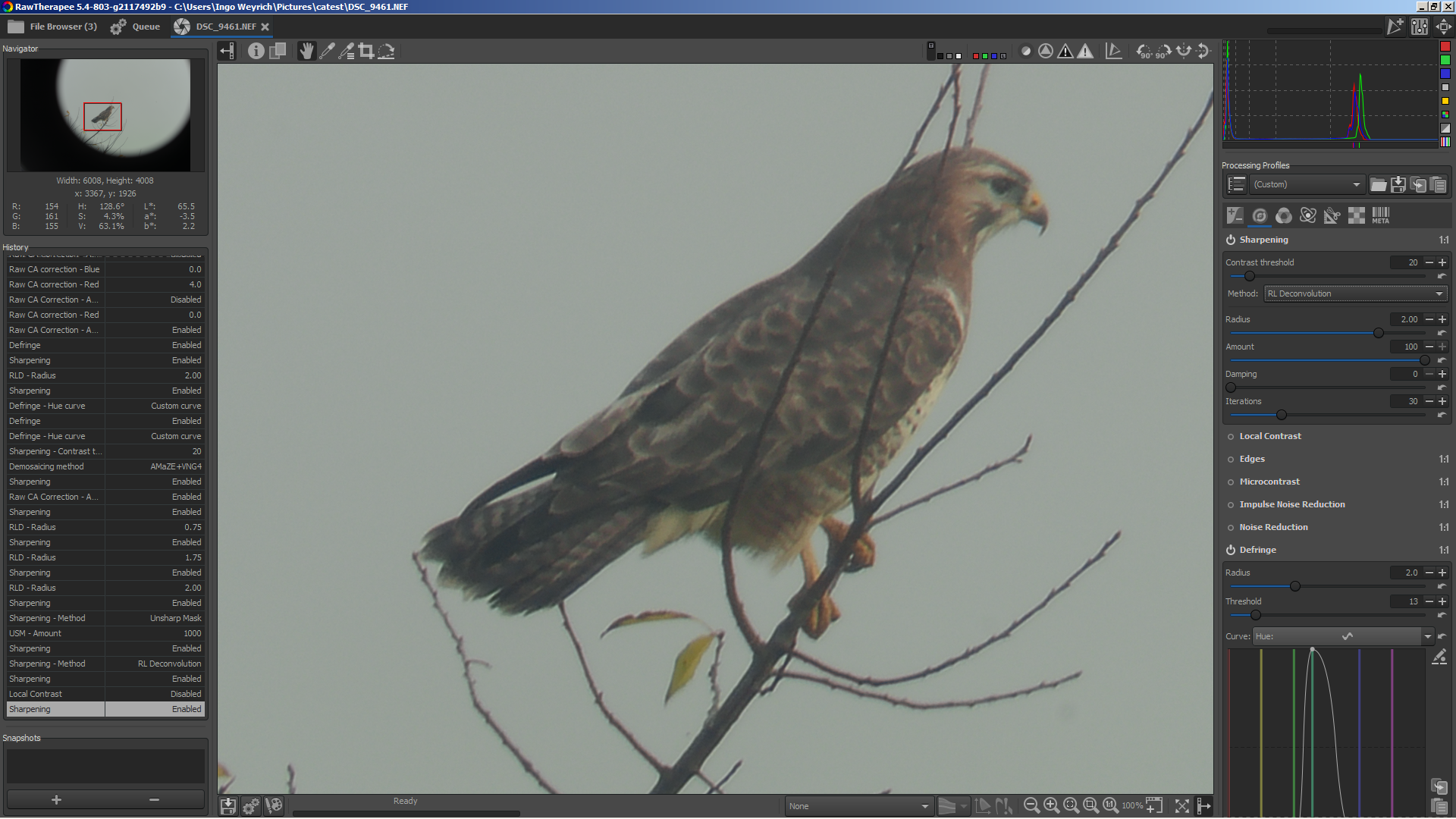
Off topic: RL-deconvolution with the values you can see in screenshots works quite good on that image (aside from some halos)
heckflosse
on 3 Sep 2018
Thanks for the tips. But i'm using these images for scientific (bird identification) purposes, so I have concerns about using algorithms/setting that produce halos, or whose effect on other image details is complex and hard to understand (defringe).
But anyway, the main reason why I opened this issue was just to encourage increasing the maximum allowed correction values of the CA-Correction tool.
The thing with the telescope images is really just a side topic.
Raoul-Kima
on 4 Sep 2018
@Raoul-Kima Increasing the range for manual raw ca correction from [-4;4] to e.g. [-8;8] is easy and I have no objections to do that. In my tests that already gives better results for your files.
Any objections from other devs?
heckflosse
on 4 Sep 2018
How about this improvement for auto ca correction?
left is new code, right is old code,
heckflosse
on 5 Sep 2018
Here's the diff:
diff --git a/rtengine/rawimagesource.cc b/rtengine/rawimagesource.cc
index 85a02c85e..fd186d6e3 100644
--- a/rtengine/rawimagesource.cc
+++ b/rtengine/rawimagesource.cc
@@ -2016,6 +2016,7 @@ void RawImageSource::preprocess  (const RAWParams &raw, const LensProfParams &le
             CA_correct_RT(raw.ca_autocorrect, raw.cared, raw.cablue, 8.0, *rawDataFrames[3], fitParams, true, false, buffer, true);
         } else {
             CA_correct_RT(raw.ca_autocorrect, raw.cared, raw.cablue, 8.0, rawData, nullptr, false, false, nullptr, true);
+            CA_correct_RT(raw.ca_autocorrect, raw.cared, raw.cablue, 8.0, rawData, nullptr, false, false, nullptr, true);
         }
     }
Of course we would need an iterations adjuster to control that...
heckflosse
on 5 Sep 2018
here are some screenshots from new auto ca correction code
left without ca correction, right with 1 iteration of auto ca correction (old behaviour)
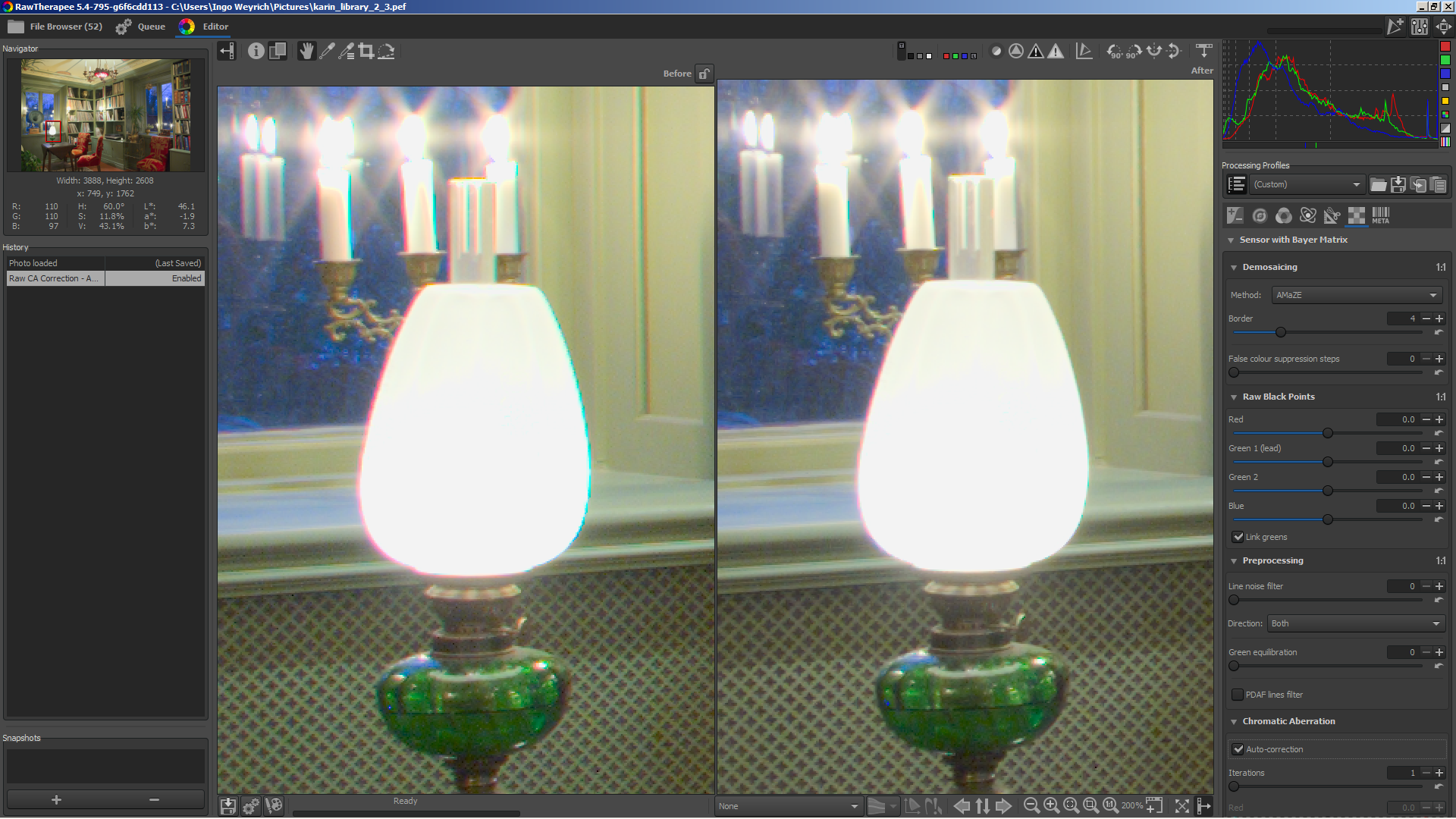
left with 1 iteration of auto ca correction (old behaviour), right with 2 iterations
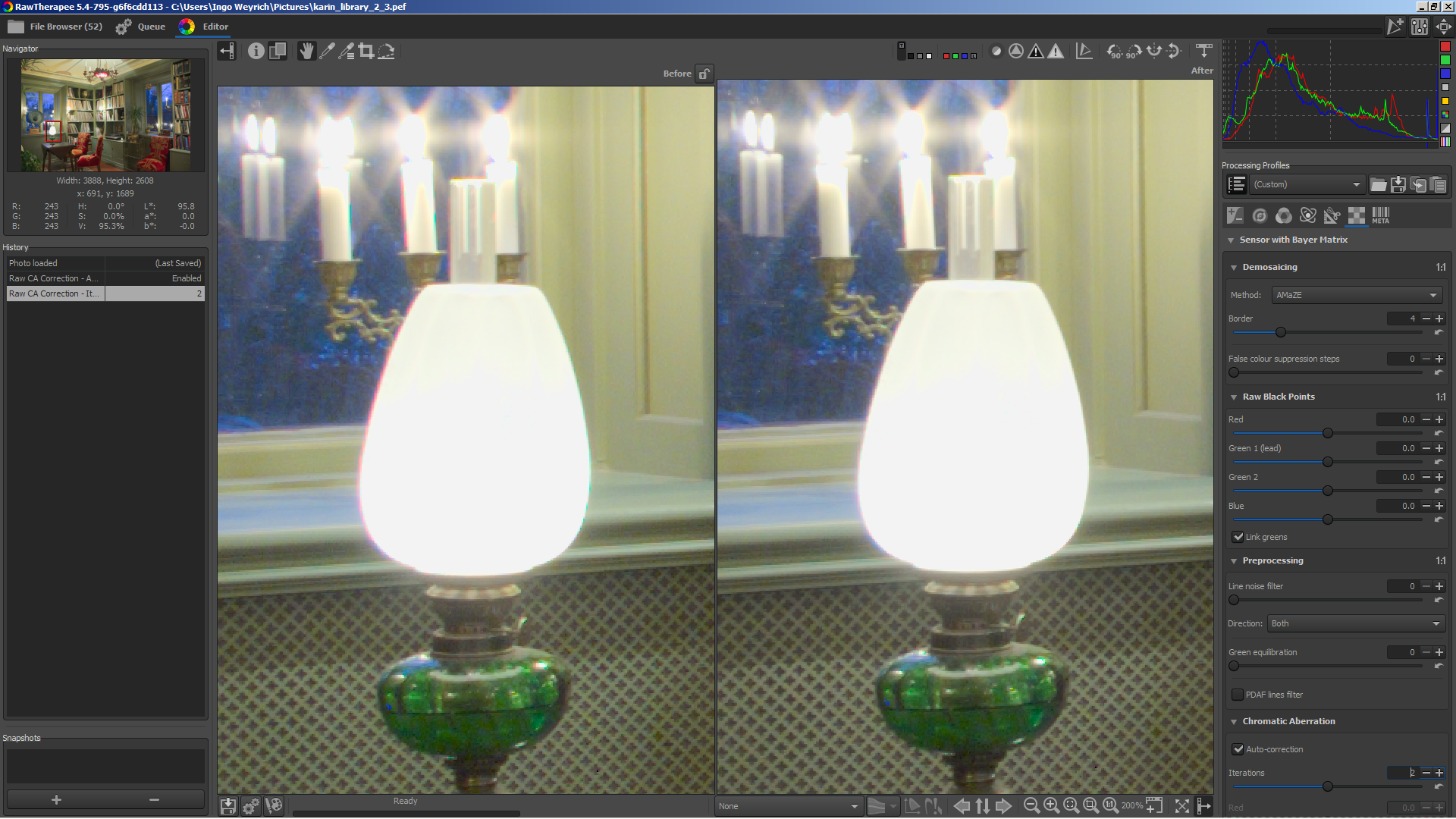
left with 2 iterations of auto ca correction, right with 3 iterations
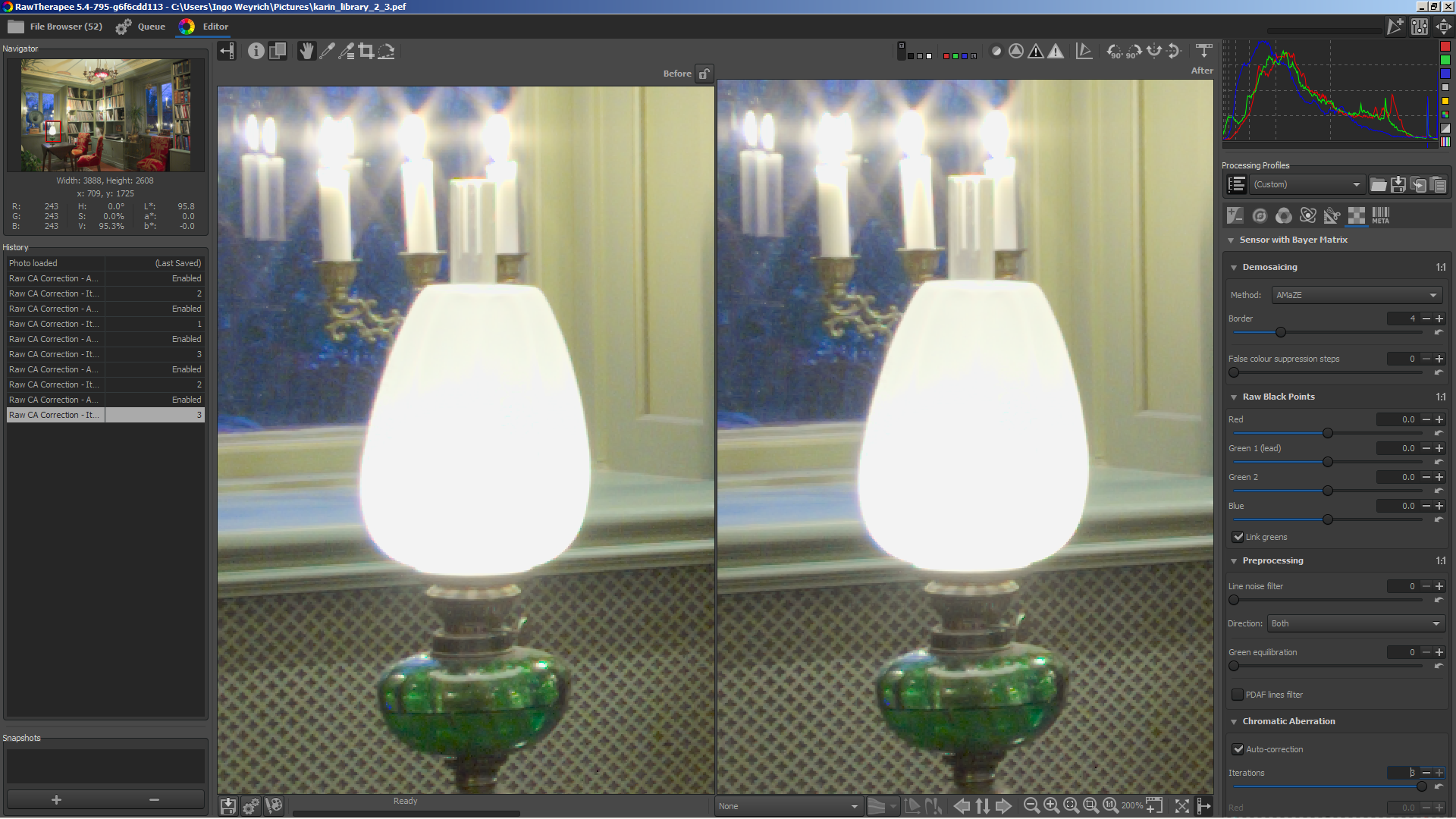
heckflosse
on 5 Sep 2018
I created rawcacorrection_iterate branch in case someone wants to try the new code
heckflosse
on 5 Sep 2018
Looks really good.
When you are working on RAW-CA-Tool, can check if it's possible to prevent the desaturation when the tool is active, please?
 TooWaBoo
on 5 Sep 2018
TooWaBoo
on 5 Sep 2018
@TooWaBoo I will check that
heckflosse
on 5 Sep 2018
Preventing desaturation or other colour changes would be great! I actually sometimes keep two versions of my images for this very issue, one with and one without CA-Correction. (Bird identification studies where tiny colour differences can be very important).
I'll try to have a look at your branch later today or tomorrow. Many Thanks!
Raoul-Kima
on 5 Sep 2018
@TooWaBoo It should be possible to reduce (not to prevent) the desaturation of raw ca correction.
Could you please open an issue for that and post example files, so we can test using the same files?
heckflosse
on 5 Sep 2018
Okidoki 😄
TooWaBoo
on 5 Sep 2018
About processing time of iterative raw auto ca correction:
On first thought one could assume that n iterations take n times of the processing time of one iteration.
Fortunately it's a bit better (not much) because one large memory allocation/deallocation is outside the iterations.
The processing time for n iterations is roughly the processing time of the first iteration + (n-1) times the processing time of the second iteration.
Example, measured using a D800 36MP file:
One iteration: ~235 ms
Two iterations: ~400 ms
Three iterations: ~565 ms
heckflosse
on 5 Sep 2018
Reminder to myself:
It should be possible to further reduce processing time for second to nth iteration.
The current memory transfer is:
one iteration       io => t => io                                               2
two iterations      io => t => io => t => io                                    4
three iterations    io => t => io => t => io => t => io                         6
four iterations     io => t => io => t => io => t => io => t => io              8
while an optimized code could reduce that to:
one iteration       io => t => io                                               2
two iterations      io => t => io                                               2
three iterations    io => t => io => t => io                                    4
four iterations     io => t => io => t => io                                    4
@heckflosse
I now finally could check out this branch myself as I found out that there is a compiled (but not totally recent) version of if available. (didn't manage to learn and setup for compiling myself yet). As far as I can tell from the commit history nothing that I'm writing about below was changed since then, but I might be wrong as I'm unfamiliar with github and the rawTherapee source.
I'm not sure how exactly the CA correction works internally, but I guess it must somehow shift (colour-)information in the image by fractional pixel values. As far as I know shifting image content by fractional pixel values tends to make the image less sharp or introduce artefacts. Repeatedly recursively applying shifts would then stack such errors, and probably also other ones such as the desaturation currently discussed in issue #4777 .
Therefore, I wondered if the following procedure would be possible and whether it could help to reduce Artefacts:
Step1: apply iterative ca-correction as now, but in each iteration store the correction values for later reference.
Step2: sum up all the correction values gathered during the iterative procedure to get a new set of correction values.
Step3: go back to the original uncorrected image and correct it in a single iteration using the new correction values.
Step4: if this is not sufficient possibly iterate again from the result of step 3 to further refine the correction values, with the goal to find a set of correction values that optimally corrects CA in a single step from the uncorrected image.
Here's a comparison with ca corrected manually on the left and automatically with 5 iterations on the right.
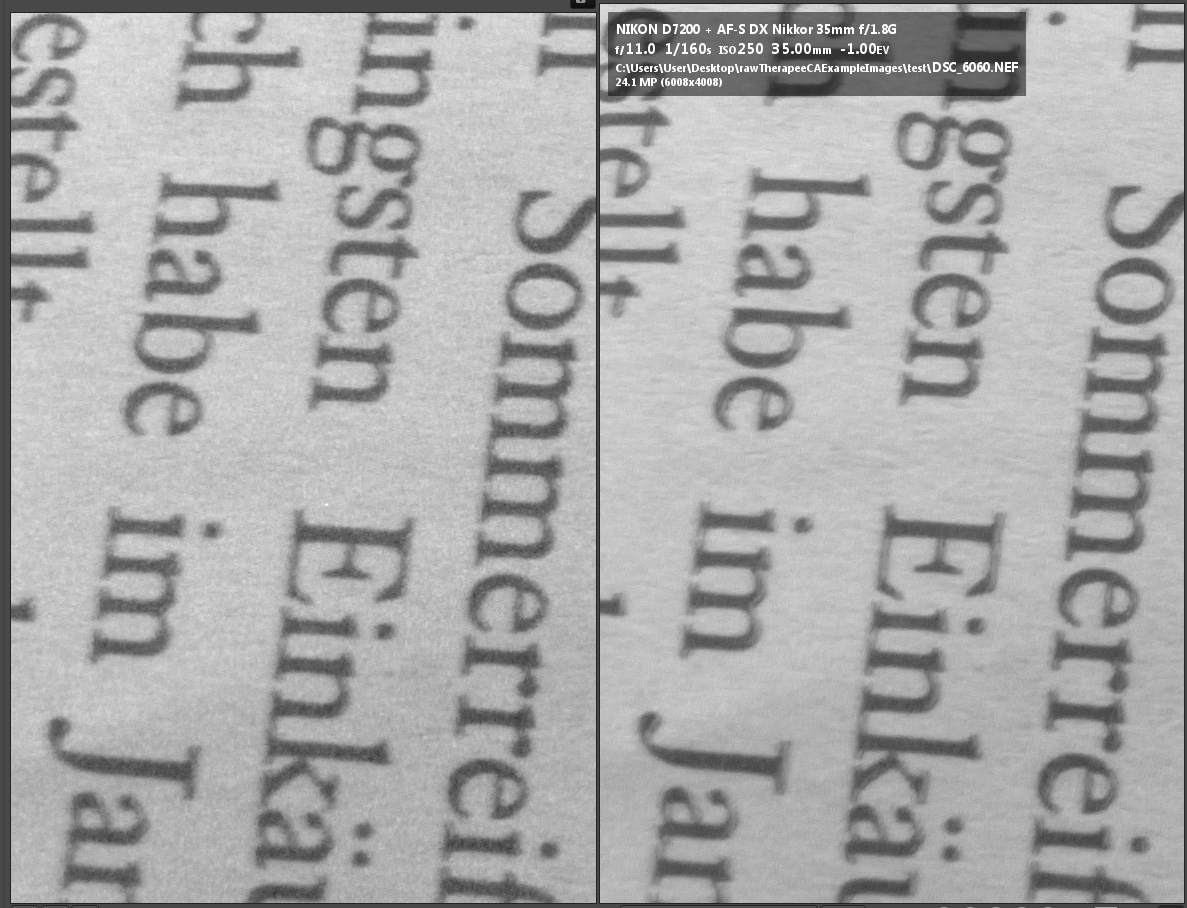
The crop is the red channel from the left edge of the image so the correction direction is left-right. In both cases there's some unsharpness in this direction, but it looks different and less natural in the automatic version, with some double-image like artefacts. But at the same time the edge acuity looks better in the automatic image, which I don't understand.
I also noticed that on the following image, even when using just 1 iteration, the red-channel of the manually corrected version looks sharper and less artefacty. Manual correction on the left, 1-iteration automatic correction on the right:

raw file is here:
https://filebin.net/gw0fg7ttvhelhu1x
Something else:
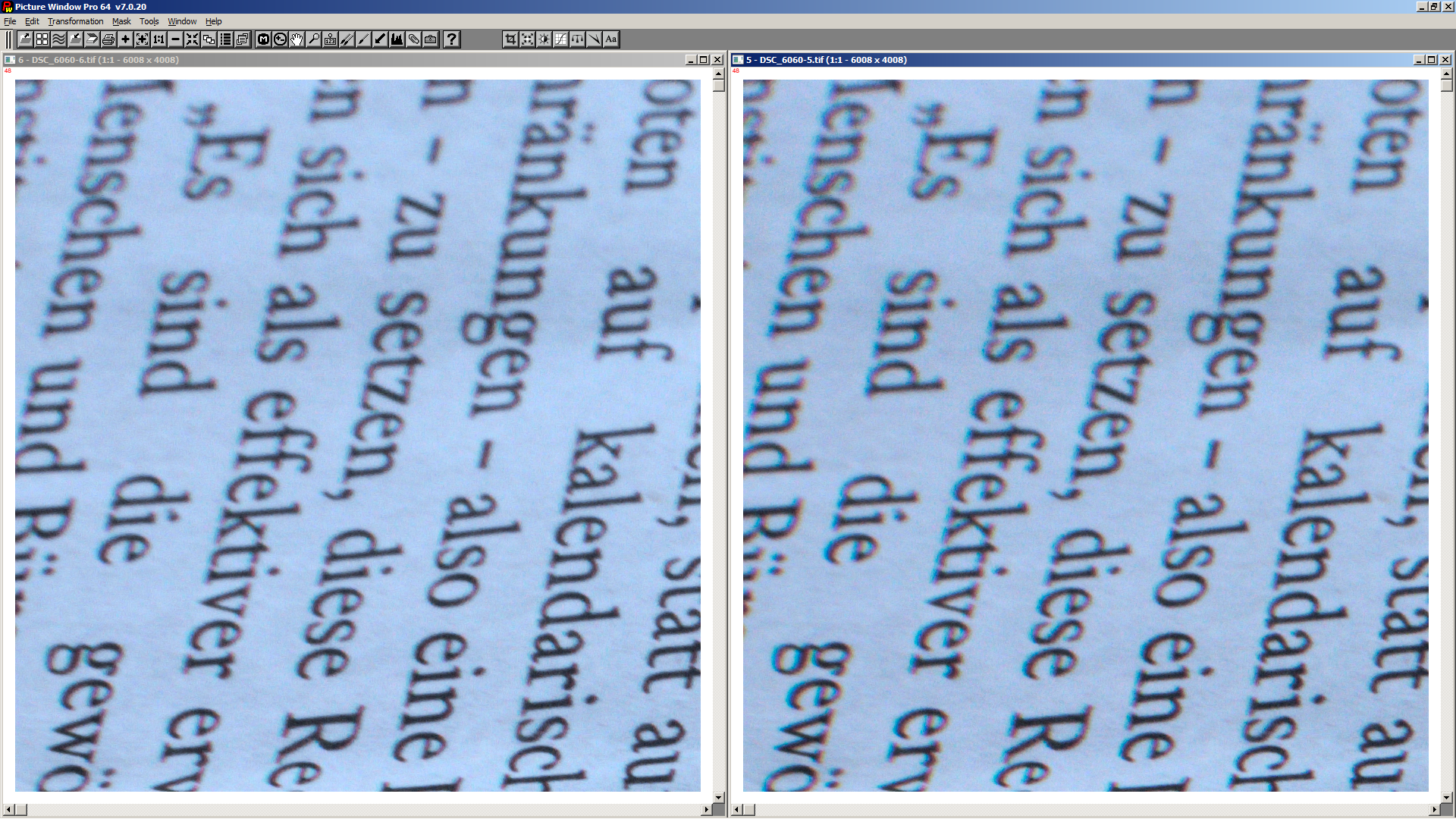
When setting the manual CA correction to high values I get vertical lines at the edges of the frame. The following image shows only the red channel, no ca correction on the right, manual ca correction on the left. It's the raw file 6060 which I posted further up.

This image also shows the unsharpness created by the ca-correction compared to the uncorrected image. I wonder if this can be prevented somehow?
Raoul-Kima
on 11 Sep 2018
@Raoul-Kima
When setting the manual CA correction to high values I get vertical lines at the edges of the frame.
That clearly looks like a bug. Though I think it's an old bug...
heckflosse
on 11 Sep 2018
@Raoul-Kima
This image also shows the unsharpness created by the ca-correction compared to the uncorrected image. I wonder if this can be prevented somehow?
I didn't test manual CA correction for a while. Lets's discuss this in a different issue (please create one)
heckflosse
on 11 Sep 2018
@Raoul-Kima about the red-channel images. raw ca-correction changes red and blue raw data. The amount of change is not equal (there wouldn't be a correction if the amound would be equal). Greens are kept unchanged.
heckflosse
on 12 Sep 2018
I opened issue #4798 for the discussion of unsharpness caused by CA-correction.
Raoul-Kima
on 12 Sep 2018
merged with f940490
heckflosse
on 15 Sep 2018
Related issues
heckflosse
·
76Comments
 Beep6581
·
89Comments
Beep6581
·
89Comments
 Hombre57
·
91Comments
Hombre57
·
91Comments
 luisfl
·
75Comments
heckflosse
·
88Comments
luisfl
·
75Comments
heckflosse
·
88Comments
Most helpful comment
How about this improvement for auto ca correction?
left is new code, right is old code,
