Raspiblitz: Research: Alternative cooling solution to ShimFan
Some reports came in that ShimFans make problems - Blitzs not starting, Fan is too loud, fan mechanics break to fast, single vendor dependency. So there should be investigated for alternatives.
Like testing https://shop.pimoroni.de/products/raspberry-pi-4-heatsink again and see if there are alternative ways to power a fan while having the LCD hat on --> 3 combined GPIO data pins could deliver 3,3V with max. 0.05A or check what the display/camaera port can deliver, etc.
Goals should be: Should fint into 3D printed basic case and not melt ist.
 rootzoll
All 24 comments
Unfortunately 0.05A on 3.3V is a very low energy.
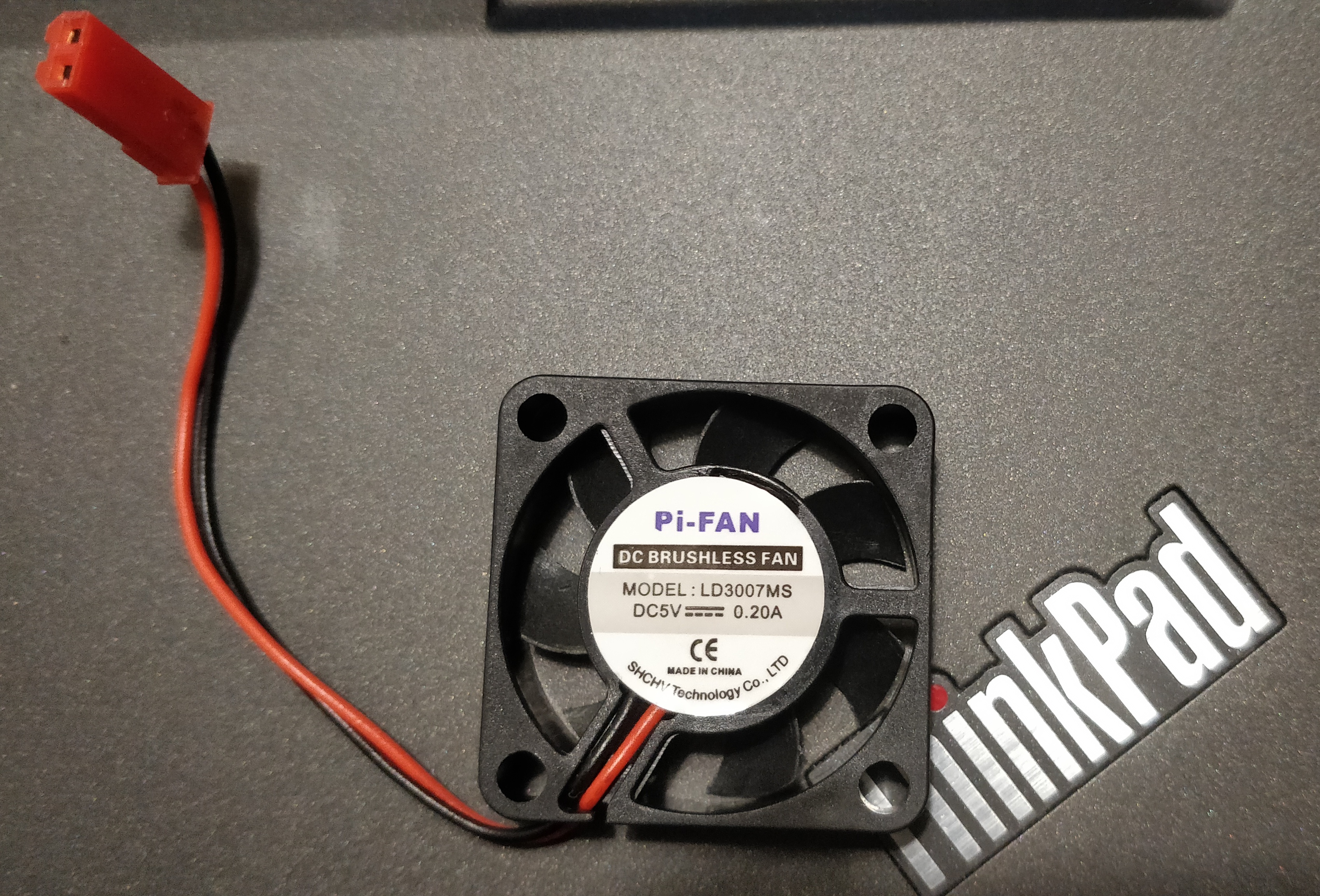
Here is a fan I have as an extra taking 0.20A at 5V (that is even more at 3.3V):
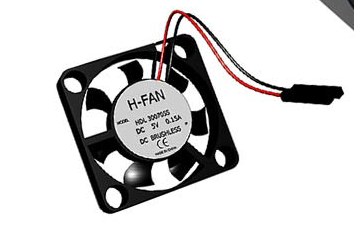
Minimal viable fan coming with LCD+fan setup take 0.15A at 5V:
 openoms
on 3 Feb 2020
openoms
on 3 Feb 2020
There have been two related issues:
- heatsink test: https://github.com/rootzoll/raspiblitz/issues/862
- X825 SATA-USB board allowing an extra 5V fan: https://github.com/rootzoll/raspiblitz/issues/905 - I think this board and cheap fan combination could be a part of the Maximal package.
Overall the RPi4 generates much more heat than the RPi3, but it also does not throttle the CPU that early.
I have run the RPi4 at ~80 C during IBD without a significant slowdown (vs the RPi3 was starting to at 60C). 80 is not too bad temporarily, desktop CPU-s and GPU-s are generally fine until 90-100 C and did not hear about a fried RPi4 yet either. At those temperatures the biggest worry is a 3D printed case.
openoms
on 3 Feb 2020
We will definitely need to change the ShimFan recommendation to be able to keep using the LCD.
Listing the problems and related issues for future reference in this comment.
https://forums.pimoroni.com/t/3-5-lcd-wont-work-with-fan-shim/11687/39
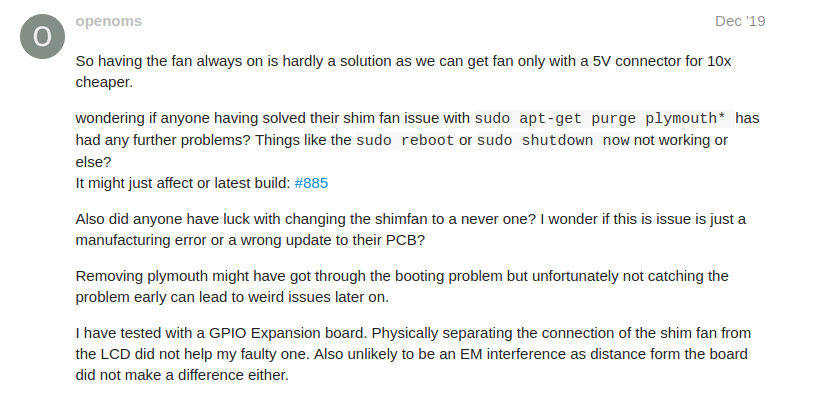
https://github.com/rootzoll/raspiblitz/issues/898
https://github.com/rootzoll/raspiblitz/issues/796
https://github.com/rootzoll/raspiblitz/issues/885
https://github.com/rootzoll/raspiblitz/issues/1065
There are more, similar issues were reported on the Telegram channel.
openoms
on 13 Feb 2020
The best alternatives are:
LCD with power pins + fan (was rare, but appeared widely) - the fan is quite fragile and slightly noisy, but the power pins allow connecting other fans, like the heatsink fan below (tried method).
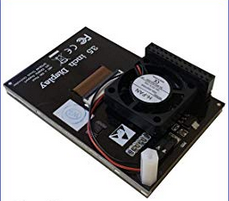
https://www.amazon.com/Raspberry-Touchscreen-320x480-Monitor-Display/dp/B07WQW6H9S/
Plenty of sources if searching fortouchscreen, fan, raspberryhttps://www.amazon.co.uk/s?k=touch+screen+fan+raspberryheatsink fan - very silent and efficient
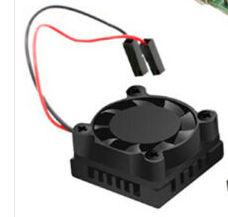
https://www.ebay.co.uk/itm/Fan-Square-Cooling-Fan-with-Heatsink-Cooler-Kit-For-Raspberry-Pi-4-3-PTV/133369754393?hash=item1f0d74f319:g:fWAAAOSwGN5dK9u0
https://www.aliexpress.com/item/4000478685394.htmlX825 board allows to connect extra fans - maybe for the maximal/premium package (details here https://github.com/rootzoll/raspiblitz/issues/905)
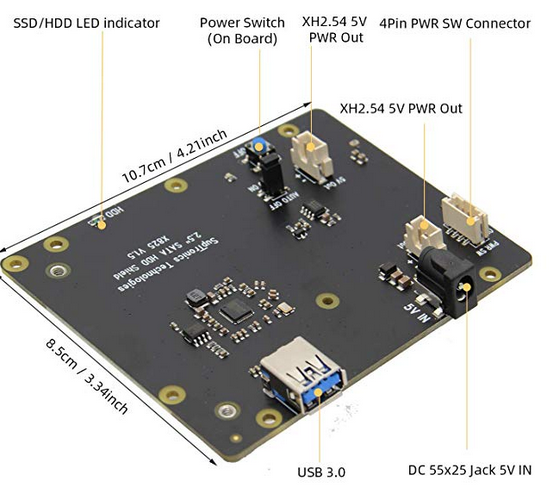
https://www.amazon.com/Geekworm-Raspberry-Storage-Expansion-Compatible/dp/B07VXF2HJG
https://diynodes.com/product/sata-usb-expansion-board-and-usb-bridge/
openoms
on 13 Feb 2020
The touchscreen with FAN looks really prommissing :D . will buy one and test!
rootzoll
on 17 Feb 2020
@rootzoll
I have tried a touchscreen + fan + case (https://www.amazon.com/dp/B07WRV48ZW)
- can attest that the fan is very noisy + did not seem particularly effective since the inflow is obstructed by the screen! In fact, the temperature as reported by raspiblitz is lower with the fan disconnected!
 hermanlim
on 22 Feb 2020
hermanlim
on 22 Feb 2020
@hermanlim, running the RPi4 in a closed, insulating plastic case is a non-starter with or without any kind of fan.
The valuable part of this package is the power pin on the back of the screen where you can attach the heatsink fan linked above if the one in the package seems insufficient.
openoms
on 22 Feb 2020
There is now a user every day on Telegram coming with the issues caused by the shimfan:
- bitcoind not starting, timing out
- restart, shutdown not working. They need to pull the power.
I wonder if this can be solved with software at all. Should test at least if we can demonstrate the problem with other operating system.
Most obvious is to test DietPi, but limited scope as it is based on Raspbian.
Ubuntu server edition might be a good alternative: https://ubuntu.com/download/raspberry-pi
openoms
on 23 Feb 2020
Yeah, even in 1.4 the shimfan is causing an issue.
And the screens with the fans have terrible fans. I am thinking of ditching the recommended case and using one the the dedicated heatsink / fan cases and figuring out how to attach the screen another way.
 miningdave
on 1 Mar 2020
miningdave
on 1 Mar 2020
And the screens with the fans have terrible fans.
If you manage to get a screen with a fan, the flimsy fan coming with it is easily detachable and you can attach any other fan to the power pins on the back of the screen. I have good experience with the heatsink fans described in the comment above: https://github.com/rootzoll/raspiblitz/issues/1006#issuecomment-585778441
One of those costs less than 5EUR, worth a try.
openoms
on 1 Mar 2020
I found this LCD-Hat with fan on the back and open case that seems to work quite well (noise is less then shim fan) on the German Amazon: https://www.amazon.de/gp/product/B07Y19QQK8
Can anybody find this new LCD-Hats on their local Amazon and can share links and help testing?
rootzoll
on 2 Mar 2020
I got this one (case and screen) and just used the screen. It was on sale for and cost less then just the screen.
https://www.amazon.com/gp/product/B07WRV48ZW/ref=ppx_yo_dt_b_asin_title_o02_s00?ie=UTF8&psc=1
Fan lasted from ~ Jan 10th till middle of last week when it died. Which was when I put the shimfan back in and then posted here that the issue still existed. So, it did work but the fan did not last.
Waiting to hear back from them about a replacement.
miningdave
on 3 Mar 2020
although not as compact if you put this under the raspi it stays <40C and is silent
Infinity MULTIFAN S4, Quiet 140mm USB Fan https://www.amazon.com/dp/B00MWH4FL4/ref=cm_sw_r_cp_api_i_3p8zEbKDTNA1Y
 ostermayer
on 10 Mar 2020
ostermayer
on 10 Mar 2020
The LCD+FAN option seems now also availably in the USA: https://www.amazon.com/dp/B07XQ5B18J .. can anybody from the US test this and recommend?
rootzoll
on 11 Mar 2020
Ordered. Should be here middle of the week.
miningdave
on 13 Mar 2020
I tested the new Heatcase-WITHOUT-FAN for RaspberryPi4:
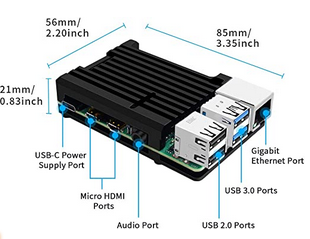
It was able to sync the Blockchain in under 3 days and got to a maximum temp of 79.8 Celsius .. avarage was around 73 Celsius. After syncing it operates around 54 Celsius what is compared with the LCD-with-integrated-Fan just 6 degrees more.
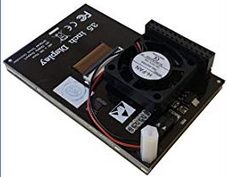
In my longer running tests of the LCD-with-integrated-Fan it works OK, but somtimes the display show grafik errors that go away after restart or screen refreshs. Also the LCD-with-integrated-Fan seems not be available without a complete case set (some with that closed case, what is not suitable).
@openoms I am bit unsure what to recommend for the next v1.5 release. But both are at least a replacement option for the shimfan.
rootzoll
on 18 Mar 2020
@rootzoll did you have the LCD sitting on top of the heatsink? 70-80 C for 3 days is ok for the RPi, but I am a bit worried about the screen. Also did you get a good fit with the thermal pads?
Did not see these graphic glitches from the LCD-with-power-pins from others, mine is ok too. It is likely to be a unique fault. Agree that the limited availability and price is is still against this.
openoms
on 18 Mar 2020
Sharing this from the Telegram chat:
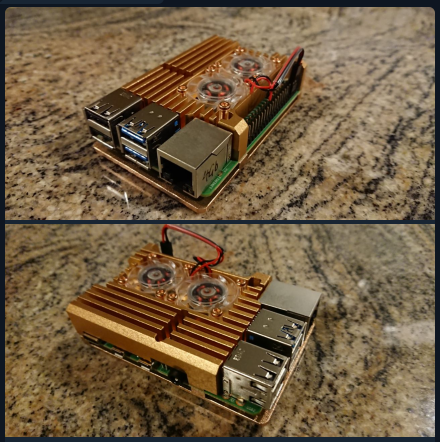
" I had the same case already but in matt black which I've repurposed for another pi now. I'm in a tropical climate and my blitz runs at 48°c. It peaks to ~53°c on boot.
There is no noticeable noise resulting from airflow through the case. There is the slightest whisper from the fan bearings as with the other similar cases that I've had. The fans in this one are the quietest ones I've had so far though..
I would also like to add something else. For all cases of this design, the heatsink spacing for contact with the relevant chips is a bit off. I've found that I needed to add 1x heasink pad for the CPU, 2x pads for the RAM and 2x pads for the network chip (I think that's what it is, the smallest one next to the USBs) this provides adequate contact between the case and the hardware, which is obviously what we're after. It's quite surprising actually that if you use the heatsink pads provided, there is no contact between the case and the RAM or the network chip.
I guess there is some standard CAD file that these manufacturers are using to make these...
By 2x pads I mean one stacked directly on top of the other"
The heatsink and fan could be used with the LCD-with-power-PIN or the X825-SATA-USB-board.
Not a first recommendation, but seems to be a good option.
openoms
on 18 Mar 2020
did you have the LCD sitting on top of the heatsink? 70-80 C for 3 days is ok for the RPi, but I am a bit worried about the screen. Also did you get a good fit with the thermal pads?
The LCD screen was on the whole time and seemed no problem taking the heat.
Thermal pads had different thickness but applyed correct its working fine.
Did not see these graphic glitches from the LCD-with-power-pins from others, mine is ok too. It is likely to be a unique fault. Agree that the limited availability and price is is still against this.
I had theese errors on 2 out of 5
rootzoll
on 19 Mar 2020
@rootzoll we seem to settle on this heatsink case again as it looks.
Please comment if anyone has opposition, but I think we best take off the shimfan from the shopping list in favour of the heatsink case.
openoms
on 19 Mar 2020
Just check for v1.5 release: The heat-stress-test is showing OK when wunning with the passive heat-sink case.
rootzoll
on 20 Mar 2020
The HeatSinkCase link is not working: https://geni.us/heatsink-raspi4
Can't change/PR because of the geni.us ref links used.
Should link to: https://www.amazon.de/dp/B07VD5L1VY
 bavarianledger
on 31 Mar 2020
bavarianledger
on 31 Mar 2020
The HeatSinkCase link is not working: https://geni.us/heatsink-raspi4
Can't change/PR because of the geni.us ref links used.
Should link to: https://www.amazon.de/dp/B07VD5L1VY
UK link is ok: https://www.amazon.co.uk/dp/B07VD5L1VY?tag=raspiblitz05-21
openoms
on 31 Mar 2020
Closing this issue for the v1.5 release ... but please exchanging on the topic.
rootzoll
on 15 Apr 2020
Related issues
 ChuckNorrison
·
4Comments
ChuckNorrison
·
4Comments
 philbertw4
·
5Comments
philbertw4
·
5Comments
 cedricwalter
·
5Comments
cedricwalter
·
5Comments
 Kixunil
·
3Comments
Kixunil
·
3Comments
 intorid
·
3Comments
intorid
·
3Comments