Raspiblitz: error code: -28 error message: Verifying blocks...
I try to setup my first Raspiblitz V0.99 RC3 and get in the initial setup these errors:
Linux RaspiBlitz 4.14.79-v7+ #1159 SMP Sun Nov 4 17:50:20 GMT 2018 armv7l
The programs included with the Debian GNU/Linux system are free software;
the exact distribution terms for each program are described in the
individual files in /usr/share/doc/*/copyright.Debian GNU/Linux comes with ABSOLUTELY NO WARRANTY, to the extent
permitted by applicable law.
Last login: Fri Jan 25 21:31:23 2019 from 192.168.178.39
Starting the main menu ...
ls: cannot access '/mnt/hdd/raspiblitz.conf': No such file or directory
setup still in progress - setupStep(60)
checking bitcoind - please wait ..
can take longer if device was off or first time./80scanLND.sh: line 1: /mnt/hdd/raspiblitz.conf: No such file or directory
usage: sudo -h | -K | -k | -V
usage: sudo -v [-AknS] [-g group] [-h host] [-p prompt] [-u user]
usage: sudo -l [-AknS] [-g group] [-h host] [-p prompt] [-U user] [-u user] [command]
usage: sudo [-AbEHknPS] [-r role] [-t type] [-C num] [-g group] [-h host] [-p prompt] [-u user] [VAR=value] [-i|-s] []
usage: sudo -e [-AknS] [-r role] [-t type] [-C num] [-g group] [-h host] [-p prompt] [-u user] file ...
tail: cannot open '/mnt/hdd/lnd/logs//net/lnd.log' for reading: No such file or directory
tail: cannot open '/mnt/hdd/lnd/logs//net/lnd.log' for reading: No such file or directory
tail: cannot open '/mnt/hdd/lnd/logs//net/lnd.log' for reading: No such file or directory
(standard_in) 1: syntax error
tail: cannot open '/mnt/hdd/lnd/logs//net/lnd.log' for reading: No such file or directory│ Lightning Filtering Blockchain │
│ Progress: ?/ │
│ Please wait - this can take some long time. │
│ Its OK to close terminal and ssh back in later.│
and this is the error log:
275258 tx=376354398 date='2019-01-25T05:32:07Z' progress=0.999624 cache=28.7MiB(251960txo)
2019-01-25T21:55:58Z UpdateTip: new best=0000000000000000000151c058f378dbeb404128f1a6ff42ff48a26983338c0a height=560009 version=0x20800000 log2_work=90.275282 tx=376357033 date='2019-01-25T05:46:04Z' progress=0.999629 cache=29.1MiB(255692txo)
2019-01-25T21:56:03Z UpdateTip: new best=00000000000000000013c0e71833d36470b534426b14d9a8515f6b239589f274 height=560010 version=0x20000000 log2_work=90.275307 tx=376357569 date='2019-01-25T05:47:03Z' progress=0.999629 cache=29.1MiB(256473txo)
2019-01-25T21:56:09Z UpdateTip: new best=000000000000000000215433f785712219fafec623ff47e51d727a9c7105474d height=560011 version=0x20000000 log2_work=90.275331 tx=376357831 date='2019-01-25T05:47:53Z' progress=0.999630 cache=29.2MiB(257321txo)
2019-01-25T21:56:23Z UpdateTip: new best=00000000000000000012417a471016ac78528db9bdc40ddd8cdb28404cd822a4 height=560012 version=0x2fffc000 log2_work=90.275355 tx=376360260 date='2019-01-25T06:13:30Z' progress=0.999639 cache=29.6MiB(260477txo)
2019-01-25T21:56:40Z UpdateTip: new best=00000000000000000011edbaf5b9a5938f13d118c15a4ce609f8c448fd6cb353 height=560013 version=0x20000000 log2_work=90.27538 tx=376362844 date='2019-01-25T06:32:41Z' progress=0.999647 cache=30.4MiB(268461txo)
2019-01-25T21:56:40Z Syncing txindex with block chain from height 559899
2019-01-25T21:56:58Z UpdateTip: new best=0000000000000000000bbf7009ae95e503b2da886bec815fb53f43eb3db28364 height=560014 version=0x20000000 log2_work=90.275404 tx=376365757 date='2019-01-25T06:37:38Z' progress=0.999648 cache=30.7MiB(271132txo)
2019-01-25T21:57:07Z UpdateTip: new best=0000000000000000002cef360991fef60f3ff63fb57b912bc6a28567ff11cef0 height=560015 version=0x20000000 log2_work=90.275428 tx=376367200 date='2019-01-25T06:38:11Z' progress=0.999649 cache=30.9MiB(272507txo)
2019-01-25T21:57:20Z UpdateTip: new best=00000000000000000010b4273b4e4dbcb09ba06977d6243e70847694c7689f29 height=560016 version=0x20000000 log2_work=90.275453 tx=376370133 date='2019-01-25T06:54:45Z' progress=0.999655 cache=31.2MiB(275909txo)
2019-01-25T21:57:26Z UpdateTip: new best=0000000000000000001b82a50c54dd6a38d6184afd710cbde95bf6d8b6735a37 height=560017 version=0x20400000 log2_work=90.275477 tx=376370859 date='2019-01-25T06:55:03Z' progress=0.999655 cache=31.3MiB(276493txo)
2019-01-25T21:57:44Z UpdateTip: new best=0000000000000000002c80dbf4b948b537ffba28e76086145d487e8003e5dd3f height=560018 version=0x3fff0000 log2_work=90.275501 tx=376373798 date='2019-01-25T07:21:18Z' progress=0.999665 cache=31.9MiB(281881txo)
2019-01-25T21:58:04Z UpdateTip: new best=00000000000000000015be549b1572212b19b31526cc8063e6bb178a6aef42ec height=560019 version=0x20000000 log2_work=90.275526 tx=376376824 date='2019-01-25T07:53:22Z' progress=0.999677 cache=32.5MiB(287858txo)
2019-01-25T21:58:18Z UpdateTip: new best=00000000000000000022518ee30d70ca6d6956fdec1ee6c6eb5a338902a7723b height=560020 version=0x2323c000 log2_work=90.27555 tx=376379821 date='2019-01-25T07:59:35Z' progress=0.999679 cache=32.8MiB(291093txo)
2019-01-25T21:58:35Z UpdateTip: new best=00000000000000000001fdfb3d465d4fecc96c2d0880c54a85f36e8e6db09f86 height=560021 version=0x20c00000 log2_work=90.275574 tx=376382751 date='2019-01-25T08:10:55Z' progress=0.999683 cache=33.3MiB(295136txo)
2019-01-25T21:58:52Z UpdateTip: new best=0000000000000000001dfdb76805898d368d3fbb3a099b8f447423c1880d2baa height=560022 version=0x20000000 log2_work=90.275599 tx=376385628 date='2019-01-25T08:26:09Z' progress=0.999689 cache=33.8MiB(299776txo)
2019-01-25T21:59:16Z UpdateTip: new best=00000000000000000020da230946a85b561e1f5e9f04e4de2561e8ae53617b4a height=560023 version=0x20000000 log2_work=90.275623 tx=376387997 date='2019-01-25T08:30:18Z' progress=0.999691 cache=34.2MiB(303449txo)* LND SYSTEMD STATUS *
● lnd.service - LND Lightning Daemon
Loaded: loaded (/etc/systemd/system/lnd.service; enabled; vendor preset: enabled)
Active: active (running) since Fri 2019-01-25 21:31:18 GMT; 28min ago
Main PID: 725 (lnd)
CGroup: /system.slice/lnd.service
└─725 /usr/local/bin/lnd --externalip=Jan 25 21:31:19 RaspiBlitz lnd[725]: 2019-01-25 21:31:19.826 [INF] RPCS: password gRPC proxy started at [::]:8080
Jan 25 21:31:19 RaspiBlitz lnd[725]: 2019-01-25 21:31:19.831 [INF] LTND: Waiting for wallet encryption password. Uselncli createto creat… unlock it.
Hint: Some lines were ellipsized, use -l to show in full.* LAST 20 LND LOGS *
-- Logs begin at Fri 2019-01-25 21:31:06 GMT, end at Fri 2019-01-25 21:59:27 GMT. --
Jan 25 21:31:18 RaspiBlitz systemd[1]: Started LND Lightning Daemon.
Jan 25 21:31:19 RaspiBlitz lnd[725]: 2019-01-25 21:31:19.719 [INF] LTND: Version: 0.5.1-beta commit=, build=production, logging=default
Jan 25 21:31:19 RaspiBlitz lnd[725]: 2019-01-25 21:31:19.720 [INF] LTND: Active chain: Bitcoin (network=mainnet)
Jan 25 21:31:19 RaspiBlitz lnd[725]: 2019-01-25 21:31:19.750 [INF] CHDB: Checking for schema update: latest_version=7, db_version=7
Jan 25 21:31:19 RaspiBlitz lnd[725]: 2019-01-25 21:31:19.826 [INF] RPCS: password RPC server listening on [::]:10009
Jan 25 21:31:19 RaspiBlitz lnd[725]: 2019-01-25 21:31:19.826 [INF] RPCS: password gRPC proxy started at [::]:8080
Jan 25 21:31:19 RaspiBlitz lnd[725]: 2019-01-25 21:31:19.831 [INF] LTND: Waiting for wallet encryption password. Uselncli createto create a wallet,lncli unlockto unlock an existing wallet, orlncli changepasswordto change the password of an existing wallet and unlock it.
- RTL is OFF by config
Is there something false with the hdd not getting hocked up to the sd card? Or is there some conection problem to the internet, maybe coused by ipv6?
 MrH1de1337
All 64 comments
What were the steps you performed before this problem happened?
from SSH show your output from running:
lsblk && ls -al /mnt/hdd && cat /mnt/hdd/raspiblitz.conf
 fluidvoice
on 26 Jan 2019
fluidvoice
on 26 Jan 2019
@rootzoll it seems since setupStep=60 it must have been reached here in 50torrentHDD.sh:
https://github.com/rootzoll/raspiblitz/blob/5c77e141b57c915510c1fdaec8c900a721ac9e83/home.admin/50torrentHDD.sh#L275
And at this time raspiblitz.conf does not exist yet.
fluidvoice
on 26 Jan 2019
I gave some scripts a quickfix, that they should be able handel situations where the raspiblitz.conf is missing. To test these use on the terminal: ./XXsyncScripts.sh dev -clean
Why the scripts run into this situation I have still to find out ... in my test runs, this never happens.
 rootzoll
on 26 Jan 2019
rootzoll
on 26 Jan 2019
I gave some scripts a quickfix, that they should be able handel situations where the raspiblitz.conf is missing. To test these use on the terminal:
./XXsyncScripts.sh dev -cleanWhy the scripts run into this situation I have still to find out ... in my test runs, this never happens.
When is raspiblitz.conf created? Is it here at the end in 95finalSetup.sh or the SD card already has a default one?
https://github.com/rootzoll/raspiblitz/blob/e9b3ba85d74a08b60f36e53d9e863dbf2d5bc174/home.admin/95finalSetup.sh#L23
Maybe they had an invalid one and it was removed/moved?...
https://github.com/rootzoll/raspiblitz/blob/03d4d20fa50e5e80dd0c2d2c79d370adecad186f/home.admin/_bootstrap.sh#L185
fluidvoice
on 26 Jan 2019
The idea was that during setup selections/data will be written in the SD card /home/admin/raspiblitz.info first (because HDD might not exist in the beginning) and at the end of the setup the final raspiblitz.conf gets written to the HDD. Maybe I have to rethink this idea.
Why the raspiblitz.conf is missing .. I can see three scenarios I will check for:
- the raspiblitz.conf gets never created (somehow the line 23 never gets reached or fails)
- the raspiblitz.conf gets created but not on the HDD (some mounting prob)
- the raspiblitz.conf gets deleted (like bootstrap is messing up stuff)
rootzoll
on 26 Jan 2019
The idea was that during setup selections/data will be written in the SD card /home/admin/raspiblitz.info first (because HDD might not exist in the beginning) and at the end of the setup the final
raspiblitz.confgets written to the HDD. Maybe I have to rethink this idea.Why the
raspiblitz.confis missing .. I can see three scenarios I will check for:
- the raspiblitz.conf gets never created (somehow the line 23 never gets reached or fails)
- the raspiblitz.conf gets created but not on the HDD (some mounting prob)
- the raspiblitz.conf gets deleted (like bootstrap is messing up stuff)
You might also have to look at which scripts are depending on the existence of it (sourcing the values in it) before it exists, and maybe those values should be put/pulled from raspiblitz.info instead of the .conf file.
fluidvoice
on 26 Jan 2019
I'm getting this error now and it was a direct result of running XXupdatescript.sh which i executed to solve the following problem as mentioned in Issue#175:
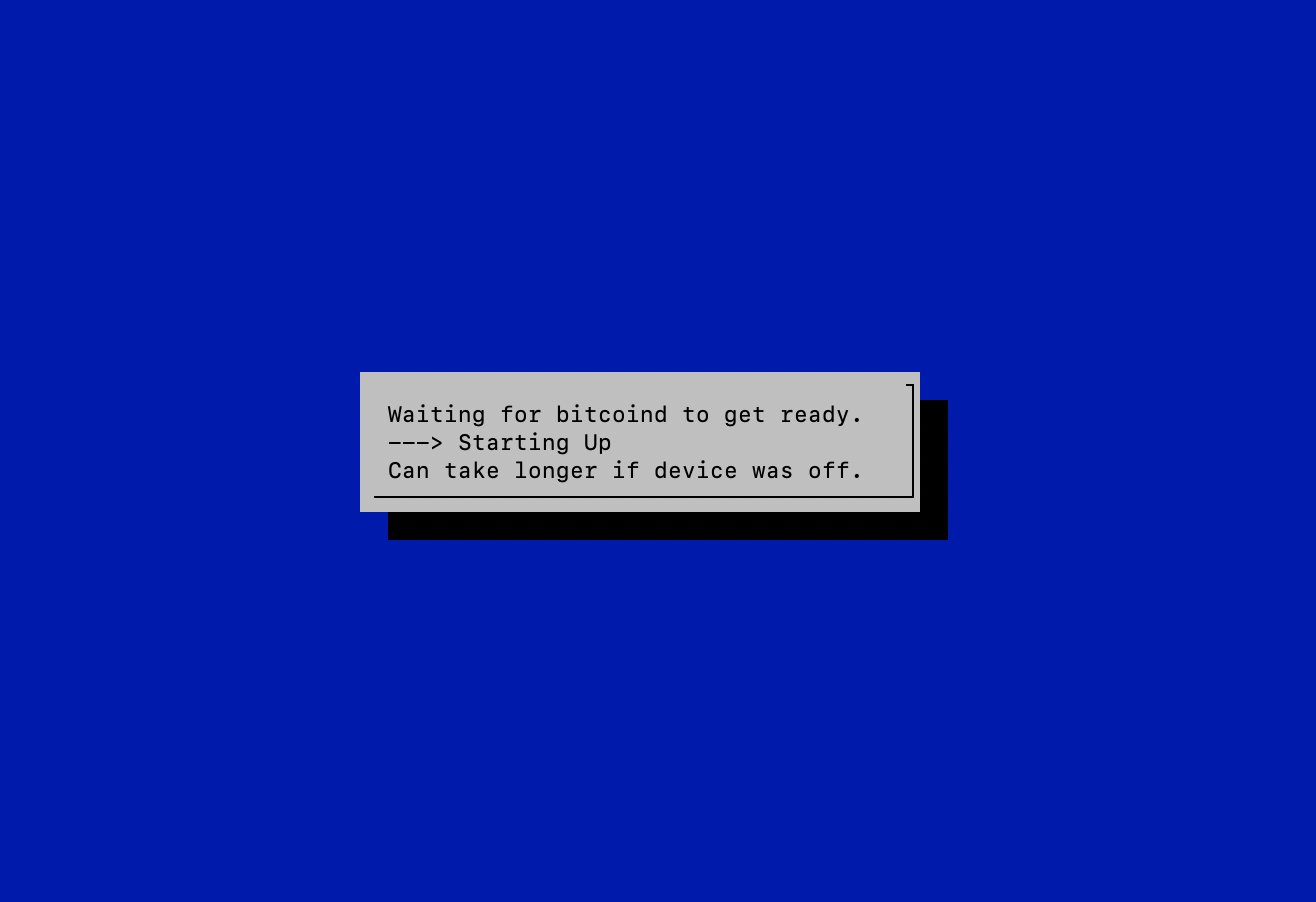
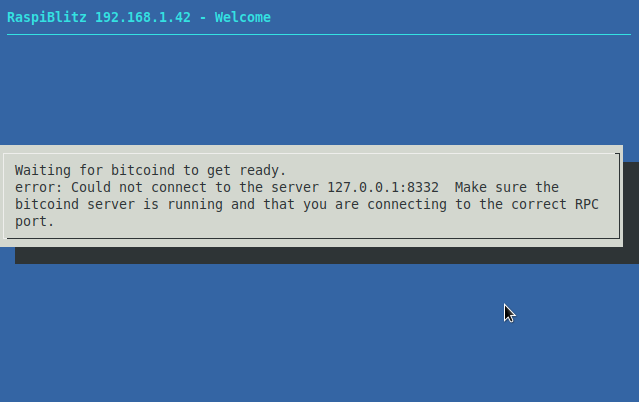
Chronological events:
- Fully running node with multiple channels - no problem for weeks.
- I come back from work and find my
Pistuck on the screen as in the image above. - I let it be over night thinking it'd resolve. No change after 24 hrs.
- I take a copy of my debug logs attached below as
BEFORE. - I try to reboot, it asks me to force reboot as the user
piis logged in. - I run
./XXupdatescripts.shthen reboot. - I get
error code: -28as in the image below. I've also attached logs from the current reboot asAFTER.
Logs BEFORE ./XXupdatescript.sh:
*** RASPIBLITZ LOGS ***
blitzversion: 0.99
chainnetwork: bitcoin / main
 20:10:10 up 20 days, 1 min,  2 users,  load average: 0.47, 0.62, 0.77

*** CHAINNETWORK SYSTEMD STATUS ***
● bitcoind.service - Bitcoin daemon
   Loaded: loaded (/etc/systemd/system/bitcoind.service; enabled; vendor preset: enabled)
   Active: active (running) since Sun 2019-01-27 20:10:05 GMT; 5s ago
  Process: 16790 ExecStart=/usr/local/bin/bitcoind -daemon -conf=/home/bitcoin/.bitcoin/bitcoin.conf -pid=/home/bitcoin/.bitcoin/bitcoind.pid (code=exited, status=0/SUCCESS)
 Main PID: 16791 (bitcoind)
   CGroup: /system.slice/bitcoind.service
           └─16791 /usr/local/bin/bitcoind -daemon -conf=/home/bitcoin/.bitco…id

Jan 27 20:10:05 RaspiBlitz systemd[1]: Starting Bitcoin daemon...
Jan 27 20:10:05 RaspiBlitz systemd[1]: Started Bitcoin daemon.

*** LAST 20 CHAINNETWORK LOGS ***
2019-01-27T20:10:05Z Default data directory /home/bitcoin/.bitcoin
2019-01-27T20:10:05Z Using data directory /mnt/hdd/bitcoin
2019-01-27T20:10:05Z Using config file /home/bitcoin/.bitcoin/bitcoin.conf
2019-01-27T20:10:05Z Using at most 40 automatic connections (1024 file descriptors available)
2019-01-27T20:10:05Z Using 16 MiB out of 32/2 requested for signature cache, able to store 524288 elements
2019-01-27T20:10:05Z Using 16 MiB out of 32/2 requested for script execution cache, able to store 524288 elements
2019-01-27T20:10:05Z Using 4 threads for script verification
2019-01-27T20:10:05Z scheduler thread start
2019-01-27T20:10:05Z HTTP: creating work queue of depth 16
2019-01-27T20:10:05Z Config options rpcuser and rpcpassword will soon be deprecated. Locally-run instances may remove rpcuser to use cookie-based auth, or may be replaced with rpcauth. Please see share/rpcauth for rpcauth auth generation.
2019-01-27T20:10:05Z HTTP: starting 4 worker threads
2019-01-27T20:10:05Z Cache configuration:
2019-01-27T20:10:05Z * Using 2.0MiB for block index database
2019-01-27T20:10:05Z * Using 12.2MiB for transaction index database
2019-01-27T20:10:05Z * Using 8.0MiB for chain state database
2019-01-27T20:10:05Z * Using 77.8MiB for in-memory UTXO set (plus up to 47.7MiB of unused mempool space)
2019-01-27T20:10:05Z init message: Loading block index...
2019-01-27T20:10:05Z Opening LevelDB in /mnt/hdd/bitcoin/blocks/index
2019-01-27T20:10:05Z Opened LevelDB successfully
2019-01-27T20:10:05Z Using obfuscation key for /mnt/hdd/bitcoin/blocks/index: 0000000000000000

*** LND SYSTEMD STATUS ***
● lnd.service - LND Lightning Daemon
   Loaded: loaded (/etc/systemd/system/lnd.service; enabled; vendor preset: enabled)
   Active: activating (auto-restart) (Result: exit-code) since Sun 2019-01-27 20:10:10 GMT; 652ms ago
  Process: 16860 ExecStart=/usr/local/bin/lnd --externalip=${publicIP} (code=exited, status=1/FAILURE)
 Main PID: 16860 (code=exited, status=1/FAILURE)

Jan 27 20:10:10 RaspiBlitz systemd[1]: lnd.service: Failed with result 'exi…de'.
Hint: Some lines were ellipsized, use -l to show in full.

*** LAST 20 LND LOGS ***
-- Logs begin at Sun 2019-01-27 19:22:42 GMT, end at Sun 2019-01-27 20:10:10 GMT. --
Jan 27 20:06:42 RaspiBlitz systemd[1]: lnd.service: Unit entered failed state.
Jan 27 20:06:42 RaspiBlitz systemd[1]: lnd.service: Failed with result 'exit-code'.
Jan 27 20:07:42 RaspiBlitz systemd[1]: lnd.service: Service hold-off time over, scheduling restart.
Jan 27 20:07:42 RaspiBlitz systemd[1]: Stopped LND Lightning Daemon.
Jan 27 20:07:42 RaspiBlitz systemd[1]: Started LND Lightning Daemon.
Jan 27 20:07:43 RaspiBlitz systemd[1]: lnd.service: Main process exited, code=exited, status=1/FAILURE
Jan 27 20:07:43 RaspiBlitz systemd[1]: lnd.service: Unit entered failed state.
Jan 27 20:07:43 RaspiBlitz systemd[1]: lnd.service: Failed with result 'exit-code'.
Jan 27 20:08:43 RaspiBlitz systemd[1]: lnd.service: Service hold-off time over, scheduling restart.
Jan 27 20:08:43 RaspiBlitz systemd[1]: Stopped LND Lightning Daemon.
Jan 27 20:09:09 RaspiBlitz systemd[1]: Started LND Lightning Daemon.
Jan 27 20:09:09 RaspiBlitz systemd[1]: lnd.service: Main process exited, code=exited, status=1/FAILURE
Jan 27 20:09:09 RaspiBlitz systemd[1]: lnd.service: Unit entered failed state.
Jan 27 20:09:09 RaspiBlitz systemd[1]: lnd.service: Failed with result 'exit-code'.
Jan 27 20:10:10 RaspiBlitz systemd[1]: lnd.service: Service hold-off time over, scheduling restart.
Jan 27 20:10:10 RaspiBlitz systemd[1]: Stopped LND Lightning Daemon.
Jan 27 20:10:10 RaspiBlitz systemd[1]: Started LND Lightning Daemon.
Jan 27 20:10:10 RaspiBlitz systemd[1]: lnd.service: Main process exited, code=exited, status=1/FAILURE
Jan 27 20:10:10 RaspiBlitz systemd[1]: lnd.service: Unit entered failed state.
Jan 27 20:10:10 RaspiBlitz systemd[1]: lnd.service: Failed with result 'exit-code'.

- RTL is OFF by config
Logs AFTER running XXupdatescript.sh and reboot:
*** RASPIBLITZ LOGS ***
blitzversion: 0.99
chainnetwork: bitcoin / main
 21:28:00 up  1:03,  2 users,  load average: 0.48, 0.66, 0.69

*** CHAINNETWORK SYSTEMD STATUS ***
● bitcoind.service - Bitcoin daemon
   Loaded: loaded (/etc/systemd/system/bitcoind.service; enabled; vendor preset: enabled)
   Active: activating (auto-restart) (Result: exit-code) since Sun 2019-01-27 21:27:36 GMT; 24s ago
  Process: 9252 ExecStart=/usr/local/bin/bitcoind -daemon -conf=/home/bitcoin/.bitcoin/bitcoin.conf -pid=/home/bitcoin/.bitcoin/bitcoind.pid (code=exited, status=0/SUCCESS)
 Main PID: 9253 (code=exited, status=1/FAILURE)

Jan 27 21:27:36 RaspiBlitz systemd[1]: bitcoind.service: Unit entered faile…ate.
Jan 27 21:27:36 RaspiBlitz systemd[1]: bitcoind.service: Failed with result…de'.
Hint: Some lines were ellipsized, use -l to show in full.

*** LAST 20 CHAINNETWORK LOGS ***
2019-01-27T21:27:12Z HTTP: starting 4 worker threads
2019-01-27T21:27:12Z Cache configuration:
2019-01-27T21:27:12Z * Using 2.0MiB for block index database
2019-01-27T21:27:12Z * Using 12.2MiB for transaction index database
2019-01-27T21:27:12Z * Using 8.0MiB for chain state database
2019-01-27T21:27:12Z * Using 77.8MiB for in-memory UTXO set (plus up to 47.7MiB of unused mempool space)
2019-01-27T21:27:12Z init message: Loading block index...
2019-01-27T21:27:12Z Opening LevelDB in /mnt/hdd/bitcoin/blocks/index
2019-01-27T21:27:12Z Opened LevelDB successfully
2019-01-27T21:27:12Z Using obfuscation key for /mnt/hdd/bitcoin/blocks/index: 0000000000000000
2019-01-27T21:27:34Z LoadBlockIndexDB: last block file = 1507
2019-01-27T21:27:34Z LoadBlockIndexDB: last block file info: CBlockFileInfo(blocks=51, size=59449700, heights=560185...560235, time=2019-01-26...2019-01-26)
2019-01-27T21:27:34Z Checking all blk files are present...
2019-01-27T21:27:35Z Unable to open file /mnt/hdd/bitcoin/blocks/blk01482.dat
2019-01-27T21:27:35Z : Error loading block database.
Please restart with -reindex or -reindex-chainstate to recover.
2019-01-27T21:27:35Z Aborted block database rebuild. Exiting.
2019-01-27T21:27:35Z Shutdown: In progress...
2019-01-27T21:27:35Z scheduler thread interrupt
2019-01-27T21:27:35Z Shutdown: done

*** LND SYSTEMD STATUS ***
● lnd.service - LND Lightning Daemon
   Loaded: loaded (/etc/systemd/system/lnd.service; enabled; vendor preset: enabled)
   Active: inactive (dead) (Result: exit-code) since Sun 2019-01-27 21:27:49 GMT; 11s ago
  Process: 8800 ExecStart=/usr/local/bin/lnd --externalip=${publicIP} (code=exited, status=1/FAILURE)
 Main PID: 8800 (code=exited, status=1/FAILURE)

Jan 27 21:27:49 RaspiBlitz systemd[1]: lnd.service: Service hold-off time o…art.
Jan 27 21:27:49 RaspiBlitz systemd[1]: Stopped LND Lightning Daemon.
Hint: Some lines were ellipsized, use -l to show in full.

*** LAST 20 LND LOGS ***
-- Logs begin at Sun 2019-01-27 20:24:27 GMT, end at Sun 2019-01-27 21:28:00 GMT. --
Jan 27 21:25:39 RaspiBlitz lnd[7801]: unable to connect to bitcoind: -28: Loading block index...
Jan 27 21:25:39 RaspiBlitz systemd[1]: lnd.service: Main process exited, code=exited, status=1/FAILURE
Jan 27 21:25:39 RaspiBlitz systemd[1]: lnd.service: Unit entered failed state.
Jan 27 21:25:39 RaspiBlitz systemd[1]: lnd.service: Failed with result 'exit-code'.
Jan 27 21:26:39 RaspiBlitz systemd[1]: lnd.service: Service hold-off time over, scheduling restart.
Jan 27 21:26:39 RaspiBlitz systemd[1]: Stopped LND Lightning Daemon.
Jan 27 21:26:39 RaspiBlitz systemd[1]: Started LND Lightning Daemon.
Jan 27 21:26:39 RaspiBlitz lnd[8800]: 2019-01-27 21:26:39.726 [INF] LTND: Version: 0.5.1-beta commit=, build=production, logging=default
Jan 27 21:26:39 RaspiBlitz lnd[8800]: 2019-01-27 21:26:39.727 [INF] LTND: Active chain: Bitcoin (network=mainnet)
Jan 27 21:26:39 RaspiBlitz lnd[8800]: 2019-01-27 21:26:39.728 [INF] CHDB: Checking for schema update: latest_version=7, db_version=7
Jan 27 21:26:39 RaspiBlitz lnd[8800]: 2019-01-27 21:26:39.733 [INF] RPCS: password gRPC proxy started at [::]:8080
Jan 27 21:26:39 RaspiBlitz lnd[8800]: 2019-01-27 21:26:39.733 [INF] RPCS: password RPC server listening on [::]:10009
Jan 27 21:26:39 RaspiBlitz lnd[8800]: 2019-01-27 21:26:39.734 [INF] LTND: Waiting for wallet encryption password. Use `lncli create` to create a wallet, `lncli unlock` to unlock an existing wallet, or `lncli changepassword` to change the password of an existing wallet and unlock it.
Jan 27 21:26:48 RaspiBlitz lnd[8800]: 2019-01-27 21:26:48.451 [INF] LNWL: Opened wallet
Jan 27 21:26:48 RaspiBlitz lnd[8800]: 2019-01-27 21:26:48.929 [INF] LTND: Primary chain is set to: bitcoin
Jan 27 21:26:48 RaspiBlitz systemd[1]: lnd.service: Main process exited, code=exited, status=1/FAILURE
Jan 27 21:26:48 RaspiBlitz systemd[1]: lnd.service: Unit entered failed state.
Jan 27 21:26:48 RaspiBlitz systemd[1]: lnd.service: Failed with result 'exit-code'.
Jan 27 21:27:49 RaspiBlitz systemd[1]: lnd.service: Service hold-off time over, scheduling restart.
Jan 27 21:27:49 RaspiBlitz systemd[1]: Stopped LND Lightning Daemon.

- RTL is OFF by config
I had open channels on it but there's RPC error.
What might have caused a perfectly fine node to get into such a state and how can this be resolved?
And kudos to @rootzoll and the team you guys rock!
 jodobear
on 27 Jan 2019
jodobear
on 27 Jan 2019
Your blockchain DB got corrupted somehow, perhaps by a HDD error...
2019-01-27T21:27:34Z Checking all blk files are present...
2019-01-27T21:27:35Z Unable to open file /mnt/hdd/bitcoin/blocks/blk01482.dat
2019-01-27T21:27:35Z : Error loading block database.
Please restart with -reindex or -reindex-chainstate to recover.
To repair it, from SSH terminal try:
sudo systemctl stop bitcoind.service
sudo systemctl stop lnd.service
sudo /usr/local/bin/bitcoind -daemon -reindex -conf=/home/bitcoin/.bitcoin/bitcoin.conf
then after it completes reindexing:
sudo reboot
fluidvoice
on 28 Jan 2019
@rootzoll this DB corruption has happened to two people in the past few days (https://github.com/rootzoll/raspiblitz/issues/294#issuecomment-457893539). I'm wondering if the scripts can detect when bitcoind is not running, look for the following string in the bitcoind debug log and then prompt the user if they want to reindex the DB and reboot:
"restart with -reindex"
Basically a XXdbReindex.sh script gets run upon corruption detection.
Here are some other issues where people got the "error code: -28" and potentially a DB corruption:
https://github.com/rootzoll/raspiblitz/issues/91#issuecomment-421733204
https://github.com/rootzoll/raspiblitz/issues/112#issue-362838801
https://github.com/rootzoll/raspiblitz/issues/118#issue-363267869
fluidvoice
on 28 Jan 2019
@fluidvoice I committed on dev-branch a script under config.scripts called network.reindex.sh
It should start a reindex and monitor progress ... its not finished yet:
- whats the best way to monitor progress on a reindex?
- what is the best way to detect when reindex is finished?
I already added that the 00mainMenu.sh on client error would check the debug.log for the "Please restart with -reindex or -reindex-chainstate to recover" string and then would start reindex script automatically and LCD should display that a reindex is running.
rootzoll
on 28 Jan 2019
Hi, I have been trying to run on an Odroid HC1 and Dietpi, but interestingly getting the same error as it is mentioned by @MrH1de1337 in the first comment. https://github.com/rootzoll/raspiblitz/issues/244#issuecomment-456573152
I am getting the error during the initial setup. Copyed the blockchain data successfully, bitcoind is running, but LND gets stuck first with this:
```Failed to connect to bus: No such file or directory
1548192239
LND not ready yet ... waiting another 60 seconds.
If this takes too long (more then 10min total) --> CTRL+c and report Problem
and then with logging in again to admin or reboot brings this:
Starting the main menu ...
ls: cannot access '/mnt/hdd/raspiblitz.conf': No such file or directory
setup still in progress - setupStep(60)
checking bitcoind - please wait ..
can take longer if device was off or first time
./80scanLND.sh: line 1: /mnt/hdd/raspiblitz.conf: No such file or directory
usage: sudo -h | -K | -k | -V
usage: sudo -v [-AknS] [-g group] [-h host] [-p prompt] [-u user]
usage: sudo -l [-AknS] [-g group] [-h host] [-p prompt] [-U user] [-u user] [command]
usage: sudo [-AbEHknPS] [-r role] [-t type] [-C num] [-g group] [-h host] [-p prompt] [-u user]
[VAR=value] [-i|-s] [
usage: sudo -e [-AknS] [-r role] [-t type] [-C num] [-g group] [-h host] [-p prompt] [-u user] file
...
tail: cannot open '/mnt/hdd/lnd/logs//net/lnd.log' for reading: No such file or directory
tail: cannot open '/mnt/hdd/lnd/logs//net/lnd.log' for reading: No such file or directory
tail: cannot open '/mnt/hdd/lnd/logs//net/lnd.log' for reading: No such file or directory
(standard_in) 1: syntax error
tail: cannot open '/mnt/hdd/lnd/logs//net/lnd.log' for reading: No such file or directory
RaspiBlitz ()
───────────────────────────────────────────────────────────────────────────────────────────────
                   ┌──────────────────────  /  ────────────────────────┐
                   │  Lightning Filtering Blockchain                   │
                   │  Progress: ?/                                     │
                   │  Please wait - this can take some long time.      │
                   │  Its OK to close terminal and ssh back in later.  │
                   └───────────────────────────────────────────────────┘
````
Tried the ./XXsyncScripts.sh dev -clean as well,but ended the same.
Is it sorted now for @MrH1de1337 ?
It must be permission related as systemctl throws the same bus error without sudo. It works well on my functional RaspiBlitz (pictured on the right which is ver 0.92)

Need to find a way to install systemd in a way that admin does not need sudo to use it.
 openoms
on 28 Jan 2019
openoms
on 28 Jan 2019
@fluidvoice I committed on dev-branch a script under
config.scriptscallednetwork.reindex.shIt should start a reindex and monitor progress ... its not finished yet:
- whats the best way to monitor progress on a reindex?
- what is the best way to detect when reindex is finished?
I already added that the
00mainMenu.shon client error would check the debug.log for the "Please restart with -reindex or -reindex-chainstate to recover" string and then would start reindex script automatically and LCD should display that a reindex is running.
I have not re-written my SD card in a while, but I did sync my scripts to the dev release. It came up showing "REINDEXING BLOCKCHAIN" but didn't actually do it (a good thing) since the reindex script is not present on my system. The reason for this is I had the "-reindex" lines in my debug log from a long time ago - back in December. So this needs to be taken into account. Probably the debug log should not be kept around forever. Perhaps it should be deleted or renamed after the DB reindex is completed.
Note: My Raspi and SD card is inside a case that has no hole/access to the card so I need to figure out how to write/burn it using the Raspbian OS and prob cannot until I can boot another copy of Raspbian from my partitioned HDD. It's a CryptoCloaks LightningShell. Their new BTCPi case does have an SD card access hole.
fluidvoice
on 28 Jan 2019
sorry, didn't read your post and questions completely. Do have it. Will reply later.
~/config.scripts $ ls -al network.reindex.sh
-rwxr-xr-x 1 admin admin 2288 Jan 28 09:15 network.reindex.sh
fluidvoice
on 28 Jan 2019
Hi, I have been trying to run on an Odroid HC1 and Dietpi, but interestingly getting the same error as it is mentioned by @MrH1de1337 in the first comment. #244 (comment)
I am getting the error during the initial setup. Copyed the blockchain data successfully, bitcoind is running, but LND gets stuck first with this:
Tried the
./XXsyncScripts.sh dev -cleanas well,but ended the same.
Is it sorted now for @MrH1de1337 ?
try rewrite of the SD card. You cannot just run XXsyncScripts as it won't get all the latest code.
fluidvoice
on 29 Jan 2019
try rewrite of the SD card. You cannot just run XXsyncScripts as it won't get all the latest code.
I have started from scratch multiple times.
I think I will need to somehow edit the targets of systemd to make it run without sudo for admin. Not exactly clear yet, but will have a look tomorrow.
openoms
on 29 Jan 2019
Your blockchain DB got corrupted somehow, perhaps by a HDD error...
2019-01-27T21:27:34Z Checking all blk files are present...
2019-01-27T21:27:35Z Unable to open file /mnt/hdd/bitcoin/blocks/blk01482.dat
2019-01-27T21:27:35Z : Error loading block database.
Please restart with -reindex or -reindex-chainstate to recover.To repair it, from SSH terminal try:
sudo systemctl stop bitcoind.service
sudo systemctl stop lnd.service
sudo /usr/local/bin/bitcoind -daemon -reindex -conf=/home/bitcoin/.bitcoin/bitcoin.conf
then after it completes reindexing:
sudo reboot
Thanks @fluidvoice . Before i do this, i would like to know what happens to my channels and funds? Can i take a backup or something or have i lost my funds from channels?
jodobear
on 29 Jan 2019
Making progress:
needed to use sudo in line 78 and 94 of 70initLND.sh
https://github.com/rootzoll/raspiblitz/issues/244#issuecomment-458526780
openoms
on 29 Jan 2019
Your blockchain DB got corrupted somehow, perhaps by a HDD error...
2019-01-27T21:27:34Z Checking all blk files are present...
2019-01-27T21:27:35Z Unable to open file /mnt/hdd/bitcoin/blocks/blk01482.dat
2019-01-27T21:27:35Z : Error loading block database.
Please restart with -reindex or -reindex-chainstate to recover.To repair it, from SSH terminal try:
sudo systemctl stop bitcoind.service
sudo systemctl stop lnd.service
sudo /usr/local/bin/bitcoind -daemon -reindex -conf=/home/bitcoin/.bitcoin/bitcoin.conf
then after it completes reindexing:
sudo rebootThanks @fluidvoice . Before i do this, i would like to know what happens to my channels and funds? Can i take a backup or something or have i lost my funds from channels?
If you database is not corrupted (and maybe even if) I don't think your funds will be lost by reindexing since it's not re-writing any of the transaction data, it's just trying to rebuild the database.
That said, see this for more info on funds recovery you may need to do if your DB reindex fails: https://github.com/rootzoll/raspiblitz#recover-your-coins-from-a-failing-raspiblitz
fluidvoice
on 30 Jan 2019
Making progress:
needed to use sudo in line 78 and 94 of 70initLND.sh
#244 (comment)
@rootzoll FYI he's using Odroid/Dietpi in this case.
fluidvoice
on 30 Jan 2019
Your blockchain DB got corrupted somehow, perhaps by a HDD error...
2019-01-27T21:27:34Z Checking all blk files are present...
2019-01-27T21:27:35Z Unable to open file /mnt/hdd/bitcoin/blocks/blk01482.dat
2019-01-27T21:27:35Z : Error loading block database.
Please restart with -reindex or -reindex-chainstate to recover.To repair it, from SSH terminal try:
sudo systemctl stop bitcoind.service
sudo systemctl stop lnd.service
sudo /usr/local/bin/bitcoind -daemon -reindex -conf=/home/bitcoin/.bitcoin/bitcoin.conf
then after it completes reindexing:
sudo rebootThanks @fluidvoice . Before i do this, i would like to know what happens to my channels and funds? Can i take a backup or something or have i lost my funds from channels?
If you database is not corrupted (and maybe even if) I don't think your funds will be lost by reindexing since it's not re-writing any of the transaction data, it's just trying to rebuild the database.
That said, see this for more info on funds recovery you may need to do if your DB reindex fails: https://github.com/rootzoll/raspiblitz#recover-your-coins-from-a-failing-raspiblitz
I followed with the commands, but i'm not sure if it's working because the only response i get is Bitcoin server starting and when i check the screen after an hour, it displays the same message as before:
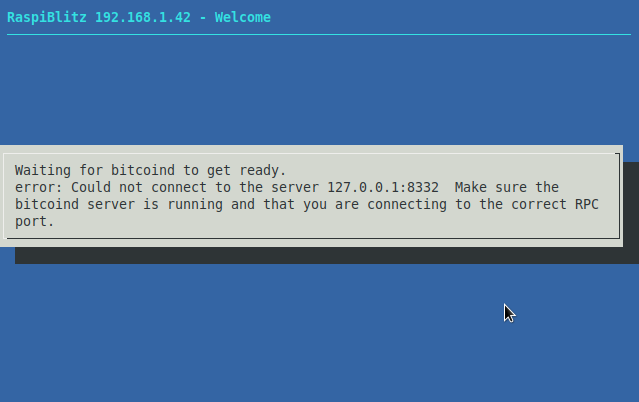
Isn't this supposed to act differently?
jodobear
on 30 Jan 2019
Yes. Please send the output of running:
./XXdebugLogs.sh
and
sudo tail -n 100 /mnt/hdd/bitcoin/debug.log
sudo ls -al /mnt/hdd/bitcoin/chainstate | grep "admin admin" -c
sudo ls -al /mnt/hdd/bitcoin/blocks | grep "admin admin" -c
fluidvoice
on 30 Jan 2019
Here's ./XXdebuglog.sh output:
`
* RASPIBLITZ LOGS *
blitzversion: 0.99
chainnetwork: bitcoin / main
22:06:50 up 3 days, 1:42, 2 users, load average: 0.13, 0.09, 0.09
* CHAINNETWORK SYSTEMD STATUS *
● bitcoind.service - Bitcoin daemon
Loaded: loaded (/etc/systemd/system/bitcoind.service; enabled; vendor preset: enabled)
Active: failed (Result: exit-code) since Wed 2019-01-30 18:50:16 GMT; 3h 16min ago
Process: 9854 ExecStart=/usr/local/bin/bitcoind -daemon -conf=/home/bitcoin/.bitcoin/bitcoin.conf -pid=/home/bitcoin/.bitcoin/bitcoind.pid (code=exited, status=0/SUCCESS)
Main PID: 9855 (code=exited, status=1/FAILURE)
Jan 30 18:50:16 RaspiBlitz systemd[1]: bitcoind.service: Unit entered faile…ate.
Jan 30 18:50:16 RaspiBlitz systemd[1]: bitcoind.service: Failed with result…de'.
Hint: Some lines were ellipsized, use -l to show in full.
* LAST 20 CHAINNETWORK LOGS *
2019-01-30T18:50:49Z HTTP: starting 4 worker threads
2019-01-30T18:50:49Z Cache configuration:
2019-01-30T18:50:49Z * Using 2.0MiB for block index database
2019-01-30T18:50:49Z * Using 12.2MiB for transaction index database
2019-01-30T18:50:49Z * Using 8.0MiB for chain state database
2019-01-30T18:50:49Z * Using 77.8MiB for in-memory UTXO set (plus up to 47.7MiB of unused mempool space)
2019-01-30T18:50:49Z init message: Loading block index...
2019-01-30T18:50:49Z Wiping LevelDB in /mnt/hdd/bitcoin/blocks/index
2019-01-30T18:50:49Z Opening LevelDB in /mnt/hdd/bitcoin/blocks/index
2019-01-30T18:50:49Z Opened LevelDB successfully
2019-01-30T18:50:49Z Using obfuscation key for /mnt/hdd/bitcoin/blocks/index: 0000000000000000
2019-01-30T18:50:49Z Initializing databases...
2019-01-30T18:50:49Z Wiping LevelDB in /mnt/hdd/bitcoin/chainstate
2019-01-30T18:50:49Z Fatal LevelDB error: IO error: /mnt/hdd/bitcoin/chainstate/476193.ldb: No such file or directory
2019-01-30T18:50:49Z You can use -debug=leveldb to get more complete diagnostic messages
2019-01-30T18:50:49Z Fatal LevelDB error: IO error: /mnt/hdd/bitcoin/chainstate/476193.ldb: No such file or directory
2019-01-30T18:50:49Z Error: Error opening block database
2019-01-30T18:50:49Z Shutdown: In progress...
2019-01-30T18:50:49Z scheduler thread interrupt
2019-01-30T18:50:49Z Shutdown: done
* LND SYSTEMD STATUS *
● lnd.service - LND Lightning Daemon
Loaded: loaded (/etc/systemd/system/lnd.service; enabled; vendor preset: enabled)
Active: inactive (dead) (Result: exit-code) since Wed 2019-01-30 18:50:31 GMT; 3h 16min ago
Process: 9856 ExecStart=/usr/local/bin/lnd --externalip=${publicIP} (code=exited, status=1/FAILURE)
Main PID: 9856 (code=exited, status=1/FAILURE)
Jan 30 18:50:06 RaspiBlitz systemd[1]: lnd.service: Failed with result 'exi…de'.
Jan 30 18:50:31 RaspiBlitz systemd[1]: Stopped LND Lightning Daemon.
Hint: Some lines were ellipsized, use -l to show in full.
* LAST 20 LND LOGS *
-- Logs begin at Wed 2019-01-30 12:20:20 GMT, end at Wed 2019-01-30 22:06:50 GMT. --
Jan 30 18:48:25 RaspiBlitz lnd[8729]: 2019-01-30 18:48:25.780 [INF] LNWL: Opened wallet
Jan 30 18:48:26 RaspiBlitz lnd[8729]: 2019-01-30 18:48:26.303 [INF] LTND: Primary chain is set to: bitcoin
Jan 30 18:48:26 RaspiBlitz systemd[1]: lnd.service: Main process exited, code=exited, status=1/FAILURE
Jan 30 18:48:26 RaspiBlitz systemd[1]: lnd.service: Unit entered failed state.
Jan 30 18:48:26 RaspiBlitz systemd[1]: lnd.service: Failed with result 'exit-code'.
Jan 30 18:49:26 RaspiBlitz systemd[1]: lnd.service: Service hold-off time over, scheduling restart.
Jan 30 18:49:26 RaspiBlitz systemd[1]: Stopped LND Lightning Daemon.
Jan 30 18:49:51 RaspiBlitz systemd[1]: Started LND Lightning Daemon.
Jan 30 18:49:51 RaspiBlitz lnd[9856]: 2019-01-30 18:49:51.467 [INF] LTND: Version: 0.5.1-beta commit=, build=production, logging=default
Jan 30 18:49:51 RaspiBlitz lnd[9856]: 2019-01-30 18:49:51.467 [INF] LTND: Active chain: Bitcoin (network=mainnet)
Jan 30 18:49:51 RaspiBlitz lnd[9856]: 2019-01-30 18:49:51.468 [INF] CHDB: Checking for schema update: latest_version=7, db_version=7
Jan 30 18:49:51 RaspiBlitz lnd[9856]: 2019-01-30 18:49:51.474 [INF] RPCS: password RPC server listening on [::]:10009
Jan 30 18:49:51 RaspiBlitz lnd[9856]: 2019-01-30 18:49:51.474 [INF] RPCS: password gRPC proxy started at [::]:8080
Jan 30 18:49:51 RaspiBlitz lnd[9856]: 2019-01-30 18:49:51.476 [INF] LTND: Waiting for wallet encryption password. Use lncli create to create a wallet, lncli unlock to unlock an existing wallet, or lncli changepassword to change the password of an existing wallet and unlock it.
Jan 30 18:50:06 RaspiBlitz lnd[9856]: 2019-01-30 18:50:06.228 [INF] LNWL: Opened wallet
Jan 30 18:50:06 RaspiBlitz lnd[9856]: 2019-01-30 18:50:06.751 [INF] LTND: Primary chain is set to: bitcoin
Jan 30 18:50:06 RaspiBlitz systemd[1]: lnd.service: Main process exited, code=exited, status=1/FAILURE
Jan 30 18:50:06 RaspiBlitz systemd[1]: lnd.service: Unit entered failed state.
Jan 30 18:50:06 RaspiBlitz systemd[1]: lnd.service: Failed with result 'exit-code'.
Jan 30 18:50:31 RaspiBlitz systemd[1]: Stopped LND Lightning Daemon.
- RTL is OFF by config
Here'ssudo tail -n 100 /mnt/hdd/bitcoin/debug.logoutput:
2019-01-30T18:48:56Z HTTP: creating work queue of depth 16
2019-01-30T18:48:56Z Config options rpcuser and rpcpassword will soon be deprecated. Locally-run instances may remove rpcuser to use cookie-based auth, or may be replaced with rpcauth. Please see share/rpcauth for rpcauth auth generation.
2019-01-30T18:48:56Z HTTP: starting 4 worker threads
2019-01-30T18:48:56Z Cache configuration:
2019-01-30T18:48:56Z * Using 2.0MiB for block index database
2019-01-30T18:48:56Z * Using 12.2MiB for transaction index database
2019-01-30T18:48:56Z * Using 8.0MiB for chain state database
2019-01-30T18:48:56Z * Using 77.8MiB for in-memory UTXO set (plus up to 47.7MiB of unused mempool space)
2019-01-30T18:48:56Z init message: Loading block index...
2019-01-30T18:48:56Z Opening LevelDB in /mnt/hdd/bitcoin/blocks/index
2019-01-30T18:48:56Z Opened LevelDB successfully
2019-01-30T18:48:56Z Using obfuscation key for /mnt/hdd/bitcoin/blocks/index: 0000000000000000
2019-01-30T18:49:19Z LoadBlockIndexDB: last block file = 1507
2019-01-30T18:49:19Z LoadBlockIndexDB: last block file info: CBlockFileInfo(blocks=51, size=59449700, heights=560185...560235, time=2019-01-26...2019-01-26)
2019-01-30T18:49:19Z Checking all blk files are present...
2019-01-30T18:49:19Z Unable to open file /mnt/hdd/bitcoin/blocks/blk01482.dat
2019-01-30T18:49:19Z : Error loading block database.
Please restart with -reindex or -reindex-chainstate to recover.
2019-01-30T18:49:19Z Aborted block database rebuild. Exiting.
2019-01-30T18:49:19Z Shutdown: In progress...
2019-01-30T18:49:19Z scheduler thread interrupt
2019-01-30T18:49:19Z Shutdown: done
2019-01-30T18:49:51Z
2019-01-30T18:49:51Z Bitcoin Core version v0.17.0.1 (release build)
2019-01-30T18:49:51Z InitParameterInteraction: parameter interaction: -whitelistforcerelay=1 -> setting -whitelistrelay=1
2019-01-30T18:49:51Z Assuming ancestors of block 0000000000000000002e63058c023a9a1de233554f28c7b21380b6c9003f36a8 have valid signatures.
2019-01-30T18:49:51Z Setting nMinimumChainWork=0000000000000000000000000000000000000000028822fef1c230963535a90d
2019-01-30T18:49:51Z Using the 'standard' SHA256 implementation
2019-01-30T18:49:51Z Default data directory /home/bitcoin/.bitcoin
2019-01-30T18:49:51Z Using data directory /mnt/hdd/bitcoin
2019-01-30T18:49:51Z Using config file /home/bitcoin/.bitcoin/bitcoin.conf
2019-01-30T18:49:51Z Using at most 40 automatic connections (1024 file descriptors available)
2019-01-30T18:49:51Z Using 16 MiB out of 32/2 requested for signature cache, able to store 524288 elements
2019-01-30T18:49:51Z Using 16 MiB out of 32/2 requested for script execution cache, able to store 524288 elements
2019-01-30T18:49:51Z Using 4 threads for script verification
2019-01-30T18:49:51Z scheduler thread start
2019-01-30T18:49:51Z HTTP: creating work queue of depth 16
2019-01-30T18:49:51Z Config options rpcuser and rpcpassword will soon be deprecated. Locally-run instances may remove rpcuser to use cookie-based auth, or may be replaced with rpcauth. Please see share/rpcauth for rpcauth auth generation.
2019-01-30T18:49:51Z HTTP: starting 4 worker threads
2019-01-30T18:49:51Z Cache configuration:
2019-01-30T18:49:51Z * Using 2.0MiB for block index database
2019-01-30T18:49:51Z * Using 12.2MiB for transaction index database
2019-01-30T18:49:51Z * Using 8.0MiB for chain state database
2019-01-30T18:49:51Z * Using 77.8MiB for in-memory UTXO set (plus up to 47.7MiB of unused mempool space)
2019-01-30T18:49:51Z init message: Loading block index...
2019-01-30T18:49:51Z Opening LevelDB in /mnt/hdd/bitcoin/blocks/index
2019-01-30T18:49:51Z Opened LevelDB successfully
2019-01-30T18:49:51Z Using obfuscation key for /mnt/hdd/bitcoin/blocks/index: 0000000000000000
2019-01-30T18:50:14Z LoadBlockIndexDB: last block file = 1507
2019-01-30T18:50:14Z LoadBlockIndexDB: last block file info: CBlockFileInfo(blocks=51, size=59449700, heights=560185...560235, time=2019-01-26...2019-01-26)
2019-01-30T18:50:14Z Checking all blk files are present...
2019-01-30T18:50:14Z Unable to open file /mnt/hdd/bitcoin/blocks/blk01482.dat
2019-01-30T18:50:14Z Shutdown requested. Exiting.
2019-01-30T18:50:14Z Shutdown: In progress...
2019-01-30T18:50:14Z scheduler thread interrupt
2019-01-30T18:50:14Z Shutdown: done
2019-01-30T18:50:48Z
2019-01-30T18:50:48Z Bitcoin Core version v0.17.0.1 (release build)
2019-01-30T18:50:48Z InitParameterInteraction: parameter interaction: -whitelistforcerelay=1 -> setting -whitelistrelay=1
2019-01-30T18:50:48Z Assuming ancestors of block 0000000000000000002e63058c023a9a1de233554f28c7b21380b6c9003f36a8 have valid signatures.
2019-01-30T18:50:48Z Setting nMinimumChainWork=0000000000000000000000000000000000000000028822fef1c230963535a90d
2019-01-30T18:50:48Z Using the 'standard' SHA256 implementation
2019-01-30T18:50:49Z Default data directory /root/.bitcoin
2019-01-30T18:50:49Z Using data directory /mnt/hdd/bitcoin
2019-01-30T18:50:49Z Using config file /home/bitcoin/.bitcoin/bitcoin.conf
2019-01-30T18:50:49Z Using at most 40 automatic connections (128000 file descriptors available)
2019-01-30T18:50:49Z Using 16 MiB out of 32/2 requested for signature cache, able to store 524288 elements
2019-01-30T18:50:49Z Using 16 MiB out of 32/2 requested for script execution cache, able to store 524288 elements
2019-01-30T18:50:49Z Using 4 threads for script verification
2019-01-30T18:50:49Z scheduler thread start
2019-01-30T18:50:49Z HTTP: creating work queue of depth 16
2019-01-30T18:50:49Z Config options rpcuser and rpcpassword will soon be deprecated. Locally-run instances may remove rpcuser to use cookie-based auth, or may be replaced with rpcauth. Please see share/rpcauth for rpcauth auth generation.
2019-01-30T18:50:49Z HTTP: starting 4 worker threads
2019-01-30T18:50:49Z Cache configuration:
2019-01-30T18:50:49Z * Using 2.0MiB for block index database
2019-01-30T18:50:49Z * Using 12.2MiB for transaction index database
2019-01-30T18:50:49Z * Using 8.0MiB for chain state database
2019-01-30T18:50:49Z * Using 77.8MiB for in-memory UTXO set (plus up to 47.7MiB of unused mempool space)
2019-01-30T18:50:49Z init message: Loading block index...
2019-01-30T18:50:49Z Wiping LevelDB in /mnt/hdd/bitcoin/blocks/index
2019-01-30T18:50:49Z Opening LevelDB in /mnt/hdd/bitcoin/blocks/index
2019-01-30T18:50:49Z Opened LevelDB successfully
2019-01-30T18:50:49Z Using obfuscation key for /mnt/hdd/bitcoin/blocks/index: 0000000000000000
2019-01-30T18:50:49Z Initializing databases...
2019-01-30T18:50:49Z Wiping LevelDB in /mnt/hdd/bitcoin/chainstate
2019-01-30T18:50:49Z Fatal LevelDB error: IO error: /mnt/hdd/bitcoin/chainstate/476193.ldb: No such file or directory
2019-01-30T18:50:49Z You can use -debug=leveldb to get more complete diagnostic messages
2019-01-30T18:50:49Z Fatal LevelDB error: IO error: /mnt/hdd/bitcoin/chainstate/476193.ldb: No such file or directory
2019-01-30T18:50:49Z Error: Error opening block database
2019-01-30T18:50:49Z Shutdown: In progress...
2019-01-30T18:50:49Z scheduler thread interrupt
2019-01-30T18:50:49Z Shutdown: done
`
Here's sudo ls -al /mnt/hdd/bitcoin/chainstate | grep "admin admin" -c output:
ls: cannot access '/mnt/hdd/bitcoin/chainstate/476225.ldb': No such file or directory
ls: cannot access '/mnt/hdd/bitcoin/chainstate/476171.ldb': No such file or directory
ls: cannot access '/mnt/hdd/bitcoin/chainstate/475022.ldb': No such file or directory
ls: cannot access '/mnt/hdd/bitcoin/chainstate/476305.ldb': No such file or directory
ls: cannot access '/mnt/hdd/bitcoin/chainstate/475232.ldb': No such file or directory
ls: cannot access '/mnt/hdd/bitcoin/chainstate/476138.ldb': No such file or directory
ls: cannot access '/mnt/hdd/bitcoin/chainstate/475377.ldb': No such file or directory
ls: cannot access '/mnt/hdd/bitcoin/chainstate/475793.ldb': No such file or directory
ls: cannot access '/mnt/hdd/bitcoin/chainstate/475896.ldb': No such file or directory
ls: cannot access '/mnt/hdd/bitcoin/chainstate/476040.ldb': No such file or directory
ls: cannot access '/mnt/hdd/bitcoin/chainstate/475531.ldb': No such file or directory
ls: cannot access '/mnt/hdd/bitcoin/chainstate/476193.ldb': No such file or directory
ls: cannot access '/mnt/hdd/bitcoin/chainstate/476045.ldb': No such file or directory
ls: cannot access '/mnt/hdd/bitcoin/chainstate/476011.ldb': No such file or directory
ls: cannot access '/mnt/hdd/bitcoin/chainstate/475509.ldb': No such file or directory
ls: cannot access '/mnt/hdd/bitcoin/chainstate/475023.ldb': No such file or directory
ls: cannot access '/mnt/hdd/bitcoin/chainstate/475005.ldb': No such file or directory
ls: cannot access '/mnt/hdd/bitcoin/chainstate/475832.ldb': No such file or directory
ls: cannot access '/mnt/hdd/bitcoin/chainstate/476072.ldb': No such file or directory
ls: cannot access '/mnt/hdd/bitcoin/chainstate/475250.ldb': No such file or directory
ls: cannot access '/mnt/hdd/bitcoin/chainstate/476152.ldb': No such file or directory
ls: cannot access '/mnt/hdd/bitcoin/chainstate/475389.ldb': No such file or directory
ls: cannot access '/mnt/hdd/bitcoin/chainstate/475307.ldb': No such file or directory
ls: cannot access '/mnt/hdd/bitcoin/chainstate/475151.ldb': No such file or directory
ls: cannot access '/mnt/hdd/bitcoin/chainstate/476026.ldb': No such file or directory
ls: cannot access '/mnt/hdd/bitcoin/chainstate/476369.ldb': No such file or directory
ls: cannot access '/mnt/hdd/bitcoin/chainstate/476281.ldb': No such file or directory
ls: cannot access '/mnt/hdd/bitcoin/chainstate/475965.ldb': No such file or directory
ls: cannot access '/mnt/hdd/bitcoin/chainstate/475690.ldb': No such file or directory
ls: cannot access '/mnt/hdd/bitcoin/chainstate/475162.ldb': No such file or directory
ls: cannot access '/mnt/hdd/bitcoin/chainstate/475386.ldb': No such file or directory
ls: cannot access '/mnt/hdd/bitcoin/chainstate/475141.ldb': No such file or directory
ls: cannot access '/mnt/hdd/bitcoin/chainstate/476346.ldb': No such file or directory
ls: cannot access '/mnt/hdd/bitcoin/chainstate/475344.ldb': No such file or directory
ls: cannot access '/mnt/hdd/bitcoin/chainstate/476336.ldb': No such file or directory
ls: cannot access '/mnt/hdd/bitcoin/chainstate/475159.ldb': No such file or directory
ls: cannot access '/mnt/hdd/bitcoin/chainstate/476148.ldb': No such file or directory
ls: cannot access '/mnt/hdd/bitcoin/chainstate/476115.ldb': No such file or directory
ls: cannot access '/mnt/hdd/bitcoin/chainstate/475930.ldb': No such file or directory
ls: cannot access '/mnt/hdd/bitcoin/chainstate/475282.ldb': No such file or directory
ls: cannot access '/mnt/hdd/bitcoin/chainstate/475576.ldb': No such file or directory
ls: cannot access '/mnt/hdd/bitcoin/chainstate/475385.ldb': No such file or directory
ls: cannot access '/mnt/hdd/bitcoin/chainstate/476218.ldb': No such file or directory
ls: cannot access '/mnt/hdd/bitcoin/chainstate/475632.ldb': No such file or directory
ls: cannot access '/mnt/hdd/bitcoin/chainstate/475804.ldb': No such file or directory
ls: cannot access '/mnt/hdd/bitcoin/chainstate/476325.ldb': No such file or directory
ls: cannot access '/mnt/hdd/bitcoin/chainstate/476022.ldb': No such file or directory
ls: cannot access '/mnt/hdd/bitcoin/chainstate/476173.ldb': No such file or directory
ls: cannot access '/mnt/hdd/bitcoin/chainstate/475173.ldb': No such file or directory
ls: cannot access '/mnt/hdd/bitcoin/chainstate/476032.ldb': No such file or directory
ls: cannot access '/mnt/hdd/bitcoin/chainstate/475436.ldb': No such file or directory
ls: cannot access '/mnt/hdd/bitcoin/chainstate/476297.ldb': No such file or directory
ls: cannot access '/mnt/hdd/bitcoin/chainstate/475627.ldb': No such file or directory
ls: cannot access '/mnt/hdd/bitcoin/chainstate/475729.ldb': No such file or directory
ls: cannot access '/mnt/hdd/bitcoin/chainstate/475744.ldb': No such file or directory
ls: cannot access '/mnt/hdd/bitcoin/chainstate/475362.ldb': No such file or directory
ls: cannot access '/mnt/hdd/bitcoin/chainstate/476097.ldb': No such file or directory
ls: cannot access '/mnt/hdd/bitcoin/chainstate/475910.ldb': No such file or directory
ls: cannot access '/mnt/hdd/bitcoin/chainstate/475518.ldb': No such file or directory
ls: cannot access '/mnt/hdd/bitcoin/chainstate/476209.ldb': No such file or directory
ls: cannot access '/mnt/hdd/bitcoin/chainstate/475962.ldb': No such file or directory
ls: cannot access '/mnt/hdd/bitcoin/chainstate/475797.ldb': No such file or directory
ls: cannot access '/mnt/hdd/bitcoin/chainstate/475593.ldb': No such file or directory
ls: cannot access '/mnt/hdd/bitcoin/chainstate/475738.ldb': No such file or directory
ls: cannot access '/mnt/hdd/bitcoin/chainstate/475266.ldb': No such file or directory
ls: cannot access '/mnt/hdd/bitcoin/chainstate/475673.ldb': No such file or directory
ls: cannot access '/mnt/hdd/bitcoin/chainstate/475490.ldb': No such file or directory
ls: cannot access '/mnt/hdd/bitcoin/chainstate/476017.ldb': No such file or directory
ls: cannot access '/mnt/hdd/bitcoin/chainstate/475210.ldb': No such file or directory
ls: cannot access '/mnt/hdd/bitcoin/chainstate/475364.ldb': No such file or directory
ls: cannot access '/mnt/hdd/bitcoin/chainstate/475381.ldb': No such file or directory
ls: cannot access '/mnt/hdd/bitcoin/chainstate/474999.ldb': No such file or directory
ls: cannot access '/mnt/hdd/bitcoin/chainstate/475873.ldb': No such file or directory
ls: cannot access '/mnt/hdd/bitcoin/chainstate/476079.ldb': No such file or directory
ls: cannot access '/mnt/hdd/bitcoin/chainstate/476310.ldb': No such file or directory
ls: cannot access '/mnt/hdd/bitcoin/chainstate/475392.ldb': No such file or directory
ls: cannot access '/mnt/hdd/bitcoin/chainstate/475325.ldb': No such file or directory
ls: cannot access '/mnt/hdd/bitcoin/chainstate/475045.ldb': No such file or directory
ls: cannot access '/mnt/hdd/bitcoin/chainstate/476067.ldb': No such file or directory
ls: cannot access '/mnt/hdd/bitcoin/chainstate/475003.ldb': No such file or directory
ls: cannot access '/mnt/hdd/bitcoin/chainstate/475372.ldb': No such file or directory
ls: cannot access '/mnt/hdd/bitcoin/chainstate/476111.ldb': No such file or directory
ls: cannot access '/mnt/hdd/bitcoin/chainstate/475366.ldb': No such file or directory
ls: cannot access '/mnt/hdd/bitcoin/chainstate/475328.ldb': No such file or directory
ls: cannot access '/mnt/hdd/bitcoin/chainstate/475864.ldb': No such file or directory
ls: cannot access '/mnt/hdd/bitcoin/chainstate/476255.ldb': No such file or directory
ls: cannot access '/mnt/hdd/bitcoin/chainstate/475204.ldb': No such file or directory
ls: cannot access '/mnt/hdd/bitcoin/chainstate/475437.ldb': No such file or directory
ls: cannot access '/mnt/hdd/bitcoin/chainstate/475086.ldb': No such file or directory
ls: cannot access '/mnt/hdd/bitcoin/chainstate/475235.ldb': No such file or directory
ls: cannot access '/mnt/hdd/bitcoin/chainstate/475457.ldb': No such file or directory
ls: cannot access '/mnt/hdd/bitcoin/chainstate/475912.ldb': No such file or directory
ls: cannot access '/mnt/hdd/bitcoin/chainstate/475900.ldb': No such file or directory
ls: cannot access '/mnt/hdd/bitcoin/chainstate/476208.ldb': No such file or directory
ls: cannot access '/mnt/hdd/bitcoin/chainstate/476130.ldb': No such file or directory
ls: cannot access '/mnt/hdd/bitcoin/chainstate/475247.ldb': No such file or directory
ls: cannot access '/mnt/hdd/bitcoin/chainstate/475031.ldb': No such file or directory
ls: cannot access '/mnt/hdd/bitcoin/chainstate/475532.ldb': No such file or directory
ls: cannot access '/mnt/hdd/bitcoin/chainstate/475810.ldb': No such file or directory
ls: cannot access '/mnt/hdd/bitcoin/chainstate/475529.ldb': No such file or directory
ls: cannot access '/mnt/hdd/bitcoin/chainstate/476052.ldb': No such file or directory
0
And here's sudo ls -al /mnt/hdd/bitcoin/blocks | grep "admin admin" -c output:
ls: cannot access '/mnt/hdd/bitcoin/blocks/rev00798.dat': Bad message
ls: cannot access '/mnt/hdd/bitcoin/blocks/rev01481.dat': Bad message
ls: cannot access '/mnt/hdd/bitcoin/blocks/rev01482.dat': Bad message
ls: cannot access '/mnt/hdd/bitcoin/blocks/blk01483.dat': Bad message
ls: cannot access '/mnt/hdd/bitcoin/blocks/rev00794.dat': Bad message
ls: cannot access '/mnt/hdd/bitcoin/blocks/rev01488.dat': Bad message
ls: cannot access '/mnt/hdd/bitcoin/blocks/rev00538.dat': Bad message
ls: cannot access '/mnt/hdd/bitcoin/blocks/rev00793.dat': Bad message
ls: cannot access '/mnt/hdd/bitcoin/blocks/rev00801.dat': Bad message
ls: cannot access '/mnt/hdd/bitcoin/blocks/blk01488.dat': Bad message
ls: cannot access '/mnt/hdd/bitcoin/blocks/rev00539.dat': Bad message
ls: cannot access '/mnt/hdd/bitcoin/blocks/blk01489.dat': Bad message
ls: cannot access '/mnt/hdd/bitcoin/blocks/rev01483.dat': Bad message
ls: cannot access '/mnt/hdd/bitcoin/blocks/rev00804.dat': Bad message
ls: cannot access '/mnt/hdd/bitcoin/blocks/rev00803.dat': Bad message
ls: cannot access '/mnt/hdd/bitcoin/blocks/blk01482.dat': Bad message
0
What could be the possible reasons for a stable running pi get to this state?
jodobear
on 30 Jan 2019
Unfortunately your bockchain DB (the chainstate) is still corrupt. You will need to try to rebuild again but with the following:
sudo systemctl stop bitcoind.service
sudo systemctl stop lnd.service
sudo /usr/local/bin/bitcoind -daemon -reindex-chainstate -conf=/home/bitcoin/.bitcoin/bitcoin.conf
then reboot.
Why this happened I don't know. There are a few people experiencing errors/corruption of their hard drives. But most people are not having this problem. cc: @rootzoll
fluidvoice
on 31 Jan 2019
Unfortunately your bockchain DB (the chainstate) is still corrupt. You will need to try to rebuild again but with the following:
sudo systemctl stop bitcoind.service
sudo systemctl stop lnd.service
sudo /usr/local/bin/bitcoind -daemon -reindex-chainstate -conf=/home/bitcoin/.bitcoin/bitcoin.conf
then reboot.Why this happened I don't know. There are a few people experiencing errors/corruption of their hard drives. But most people are not having this problem. cc: @rootzoll
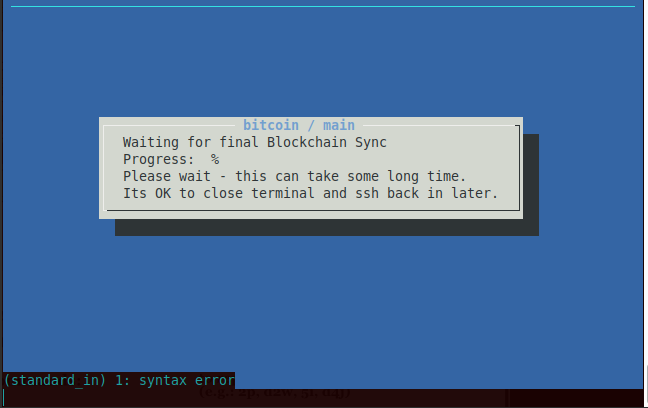
I have rebooted as above and the blockchain sync is happening but i get (standard_in) 1: syntax error as you can see in the following image, not sure if it's an issue, will wait for the sync to finish.
jodobear
on 31 Jan 2019
One question for @rootzoll is when reindexing should people be doing sudo or sudo -u bitcoin ?
If it's not working you can try again with the latter.
fluidvoice
on 1 Feb 2019
Also there's no way to see what's going on without the logs you sent before
fluidvoice
on 1 Feb 2019
I finished the "auto-renidex" feature in dev branch - it seems to work OK with the sudo -u bitcoin. The blockchain data is owned by user bitcoin - so the reindex is best started as that user.
rootzoll
on 1 Feb 2019
You might also have to look at which scripts are depending on the existence of it (sourcing the values in it) before it exists, and maybe those values should be put/pulled from raspiblitz.info instead of the .conf file.
I added to almost every script that before loading the raspiblitz.conf the raspiblitz.info is loaded. So if the second one does not exist the values from the first will be used - other wise .conf will overule .info
rootzoll
on 2 Feb 2019
TODO-REMINDER:
Why the raspiblitz.conf is missing in the first place .. I can see three scenarios I will check for:
- the raspiblitz.conf gets never created (somehow the line 23 never gets reached or fails)
- the raspiblitz.conf gets created but not on the HDD (some mounting prob)
- the raspiblitz.conf gets deleted (like bootstrap is messing up stuff)
Transfere data from .info to .conf as soon as HDD is available.
rootzoll
on 2 Feb 2019
Also there's no way to see what's going on without the logs you sent before
Just an update on the process:
The re-indexing has been on since about 3 days now. I still get the (standard_in) 1: syntax error in the console but on the logs it is re-indexing. I hope it is working, following are the logs:
*** RASPIBLITZ LOGS ***
blitzversion: 0.99
chainnetwork: bitcoin / main
 18:15:12 up 2 days, 18:23,  2 users,  load average: 1.51, 1.36, 1.36

*** CHAINNETWORK SYSTEMD STATUS ***
● bitcoind.service - Bitcoin daemon
   Loaded: loaded (/etc/systemd/system/bitcoind.service; enabled; vendor preset: enabled)
   Active: active (running) since Mon 2019-02-04 17:48:06 GMT; 27min ago
  Process: 26814 ExecStart=/usr/local/bin/bitcoind -daemon -conf=/home/bitcoin/.bitcoin/bitcoin.conf -pid=/home/bitcoin/.bitcoin/bitcoind.pid (code=exited, status=0/SUCCESS)
 Main PID: 26842 (bitcoind)
   CGroup: /system.slice/bitcoind.service
           └─26842 /usr/local/bin/bitcoind -daemon -conf=/home/bitcoin/.bitco…id

Feb 04 17:48:06 RaspiBlitz systemd[1]: Starting Bitcoin daemon...
Feb 04 17:48:06 RaspiBlitz systemd[1]: Started Bitcoin daemon.

*** LAST 20 CHAINNETWORK LOGS ***
2019-02-04T18:11:08Z Loaded 795 blocks from external file in 26297ms
2019-02-04T18:11:08Z Reindexing block file blk00054.dat...
2019-02-04T18:11:36Z Loaded 956 blocks from external file in 27792ms
2019-02-04T18:11:36Z Reindexing block file blk00055.dat...
2019-02-04T18:12:01Z Loaded 869 blocks from external file in 25444ms
2019-02-04T18:12:01Z Reindexing block file blk00056.dat...
2019-02-04T18:12:26Z Loaded 820 blocks from external file in 25176ms
2019-02-04T18:12:26Z Reindexing block file blk00057.dat...
2019-02-04T18:12:50Z Loaded 758 blocks from external file in 23780ms
2019-02-04T18:12:50Z Reindexing block file blk00058.dat...
2019-02-04T18:13:15Z Loaded 849 blocks from external file in 24914ms
2019-02-04T18:13:15Z Reindexing block file blk00059.dat...
2019-02-04T18:13:39Z Loaded 702 blocks from external file in 24099ms
2019-02-04T18:13:39Z Reindexing block file blk00060.dat...
2019-02-04T18:14:04Z Loaded 696 blocks from external file in 24742ms
2019-02-04T18:14:04Z Reindexing block file blk00061.dat...
2019-02-04T18:14:29Z Loaded 826 blocks from external file in 24744ms
2019-02-04T18:14:29Z Reindexing block file blk00062.dat...
2019-02-04T18:14:52Z Loaded 892 blocks from external file in 23472ms
2019-02-04T18:14:52Z Reindexing block file blk00063.dat...

*** LND SYSTEMD STATUS ***
● lnd.service - LND Lightning Daemon
   Loaded: loaded (/etc/systemd/system/lnd.service; enabled; vendor preset: enabled)
   Active: active (running) since Mon 2019-02-04 17:48:36 GMT; 26min ago
 Main PID: 27311 (lnd)
   CGroup: /system.slice/lnd.service
           └─27311 /usr/local/bin/lnd --externalip=81.184.40.240

Feb 04 17:48:54 RaspiBlitz lnd[27311]: 2019-02-04 17:48:54.819 [INF] RPCS: …8080
Feb 04 17:48:54 RaspiBlitz lnd[27311]: 2019-02-04 17:48:54.831 [INF] LTND: …ht=0
Hint: Some lines were ellipsized, use -l to show in full.

*** LAST 20 LND LOGS ***
-- Logs begin at Mon 2019-02-04 08:44:00 GMT, end at Mon 2019-02-04 18:15:13 GMT. --
Feb 04 17:48:47 RaspiBlitz lnd[27311]: 2019-02-04 17:48:47.771 [INF] LTND: Initializing bitcoind backed fee estimator
Feb 04 17:48:47 RaspiBlitz lnd[27311]: 2019-02-04 17:48:47.772 [INF] LNWL: Started listening for bitcoind block notifications via ZMQ on tcp://*:28332
Feb 04 17:48:47 RaspiBlitz lnd[27311]: 2019-02-04 17:48:47.772 [INF] LNWL: Started listening for bitcoind transaction notifications via ZMQ on tcp://*:28333
Feb 04 17:48:47 RaspiBlitz lnd[27311]: 2019-02-04 17:48:47.776 [DBG] LNWL: Using minimum fee rate of 253 sat/kw
Feb 04 17:48:54 RaspiBlitz lnd[27311]: 2019-02-04 17:48:54.216 [INF] LNWL: The wallet has been unlocked without a time limit
Feb 04 17:48:54 RaspiBlitz lnd[27311]: 2019-02-04 17:48:54.225 [INF] LTND: LightningWallet opened
Feb 04 17:48:54 RaspiBlitz lnd[27311]: 2019-02-04 17:48:54.225 [DBG] LNWL: Birthday block has already been verified: height=549953, hash=0000000000000000000c88d5dc16727918f71b76e83f37db95814e84cf2cf547
Feb 04 17:48:54 RaspiBlitz lnd[27311]: 2019-02-04 17:48:54.461 [INF] HSWC: Restoring in-memory circuit state from disk
Feb 04 17:48:54 RaspiBlitz lnd[27311]: 2019-02-04 17:48:54.561 [INF] HSWC: Payment circuits loaded: num_pending=0, num_open=0
Feb 04 17:48:54 RaspiBlitz lnd[27311]: 2019-02-04 17:48:54.635 [INF] HSWC: Trimming open circuits for chan_id=557663:1364:1, start_htlc_id=0
Feb 04 17:48:54 RaspiBlitz lnd[27311]: 2019-02-04 17:48:54.635 [INF] HSWC: Trimming open circuits for chan_id=556418:300:1, start_htlc_id=0
Feb 04 17:48:54 RaspiBlitz lnd[27311]: 2019-02-04 17:48:54.635 [INF] HSWC: Trimming open circuits for chan_id=557672:2231:0, start_htlc_id=0
Feb 04 17:48:54 RaspiBlitz lnd[27311]: 2019-02-04 17:48:54.638 [INF] HSWC: Trimming open circuits for chan_id=558199:853:1, start_htlc_id=0
Feb 04 17:48:54 RaspiBlitz lnd[27311]: 2019-02-04 17:48:54.660 [INF] HSWC: Trimming open circuits for chan_id=556863:2674:1, start_htlc_id=0
Feb 04 17:48:54 RaspiBlitz lnd[27311]: 2019-02-04 17:48:54.660 [INF] HSWC: Trimming open circuits for chan_id=559659:138:0, start_htlc_id=0
Feb 04 17:48:54 RaspiBlitz lnd[27311]: 2019-02-04 17:48:54.660 [INF] HSWC: Trimming open circuits for chan_id=556411:787:0, start_htlc_id=4
Feb 04 17:48:54 RaspiBlitz lnd[27311]: 2019-02-04 17:48:54.680 [WRN] LNWL: Unable to synchronize wallet to chain: -8: Block height out of range
Feb 04 17:48:54 RaspiBlitz lnd[27311]: 2019-02-04 17:48:54.817 [INF] RPCS: RPC server listening on [::]:10009
Feb 04 17:48:54 RaspiBlitz lnd[27311]: 2019-02-04 17:48:54.819 [INF] RPCS: gRPC proxy started at [::]:8080
Feb 04 17:48:54 RaspiBlitz lnd[27311]: 2019-02-04 17:48:54.831 [INF] LTND: Waiting for chain backend to finish sync, start_height=0

- RTL is OFF by config
@jodobear yeah reindexing is a slow job .. on a test run I was at 20% after 2 days, then I stoped because I needed the device for some other tests. So be prepared for a good week of running. Maybe it makes sense in such cases to offer a re-download by torrent/ftp in such cases for the future.
rootzoll
on 5 Feb 2019
Weird behavior detected:
- The clock on the blitz is exactly 1 hour behind. Could this be the problem? How could it get an hour behind? Though, i've never noted the time as i've done now, but i doubt it was already running in a different time zone.
- The screen displayed error that it couldn't read from disk so, i checked logs and i got the following and noticed it's started re-indexing again:
*** RASPIBLITZ LOGS ***
blitzversion: 0.99
chainnetwork: bitcoin / main
 23:37:29 up 2 days, 23:45,  2 users,  load average: 1.54, 1.65, 1.55

*** CHAINNETWORK SYSTEMD STATUS ***
● bitcoind.service - Bitcoin daemon
   Loaded: loaded (/etc/systemd/system/bitcoind.service; enabled; vendor preset: enabled)
   Active: active (running) since Mon 2019-02-04 17:48:06 GMT; 5h 49min ago
  Process: 26814 ExecStart=/usr/local/bin/bitcoind -daemon -conf=/home/bitcoin/.bitcoin/bitcoin.conf -pid=/home/bitcoin/.bitcoin/bitcoind.pid (code=exited, status=0/SUCCESS)
 Main PID: 26842 (bitcoind)
   CGroup: /system.slice/bitcoind.service
           └─26842 /usr/local/bin/bitcoind -daemon -conf=/home/bitcoin/.bitco…id

Feb 04 17:48:06 RaspiBlitz systemd[1]: Starting Bitcoin daemon...
Feb 04 17:48:06 RaspiBlitz systemd[1]: Started Bitcoin daemon.

*** LAST 20 CHAINNETWORK LOGS ***
2019-02-04T23:36:28Z Unable to open file /mnt/hdd/bitcoin/blocks/rev00803.dat
2019-02-04T23:36:28Z Unable to open file /mnt/hdd/bitcoin/blocks/rev00804.dat
2019-02-04T23:36:29Z Unable to open file /mnt/hdd/bitcoin/blocks/rev00804.dat
2019-02-04T23:36:30Z Unable to open file /mnt/hdd/bitcoin/blocks/rev00804.dat
2019-02-04T23:36:32Z Unable to open file /mnt/hdd/bitcoin/blocks/rev00804.dat
2019-02-04T23:36:33Z Unable to open file /mnt/hdd/bitcoin/blocks/rev00804.dat
2019-02-04T23:36:38Z Unable to open file /mnt/hdd/bitcoin/blocks/rev00804.dat
2019-02-04T23:36:39Z Unable to open file /mnt/hdd/bitcoin/blocks/rev00804.dat
2019-02-04T23:36:39Z Unable to open file /mnt/hdd/bitcoin/blocks/rev00804.dat
2019-02-04T23:36:40Z Unable to open file /mnt/hdd/bitcoin/blocks/rev00804.dat
2019-02-04T23:36:40Z Unable to open file /mnt/hdd/bitcoin/blocks/rev00804.dat
2019-02-04T23:36:41Z Unable to open file /mnt/hdd/bitcoin/blocks/rev00804.dat
2019-02-04T23:36:41Z Unable to open file /mnt/hdd/bitcoin/blocks/rev00804.dat
2019-02-04T23:36:42Z Unable to open file /mnt/hdd/bitcoin/blocks/rev00804.dat
2019-02-04T23:36:42Z Unable to open file /mnt/hdd/bitcoin/blocks/rev00804.dat
2019-02-04T23:36:48Z Unable to open file /mnt/hdd/bitcoin/blocks/rev00804.dat
2019-02-04T23:37:06Z Loaded 558 blocks from external file in 75813ms
2019-02-04T23:37:06Z Reindexing block file blk00807.dat...
2019-02-04T23:37:21Z Loaded 10 blocks from external file in 15403ms
2019-02-04T23:37:21Z Reindexing block file blk00808.dat...
Then about 20 mins later i checked the logs again and it was re-indexing again, here's the log:
(i've trimmed the LND logs as it's the same)
*** RASPIBLITZ LOGS ***
blitzversion: 0.99
chainnetwork: bitcoin / main
 23:58:01 up 3 days, 5 min,  2 users,  load average: 1.40, 1.41, 1.42

*** CHAINNETWORK SYSTEMD STATUS ***
● bitcoind.service - Bitcoin daemon
   Loaded: loaded (/etc/systemd/system/bitcoind.service; enabled; vendor preset: enabled)
   Active: active (running) since Mon 2019-02-04 17:48:06 GMT; 6h ago
  Process: 26814 ExecStart=/usr/local/bin/bitcoind -daemon -conf=/home/bitcoin/.bitcoin/bitcoin.conf -pid=/home/bitcoin/.bitcoin/bitcoind.pid (code=exited, status=0/SUCCESS)
 Main PID: 26842 (bitcoind)
   CGroup: /system.slice/bitcoind.service
           └─26842 /usr/local/bin/bitcoind -daemon -conf=/home/bitcoin/.bitco…id

Feb 04 17:48:06 RaspiBlitz systemd[1]: Starting Bitcoin daemon...
Feb 04 17:48:06 RaspiBlitz systemd[1]: Started Bitcoin daemon.

*** LAST 20 CHAINNETWORK LOGS ***
2019-02-04T23:52:09Z Reindexing block file blk00841.dat...
2019-02-04T23:52:24Z Reindexing block file blk00842.dat...
2019-02-04T23:52:39Z Reindexing block file blk00843.dat...
2019-02-04T23:52:54Z Reindexing block file blk00844.dat...
2019-02-04T23:53:08Z Reindexing block file blk00845.dat...
2019-02-04T23:53:23Z Reindexing block file blk00846.dat...
2019-02-04T23:54:11Z Loaded 326 blocks from external file in 47873ms
2019-02-04T23:54:11Z Reindexing block file blk00847.dat...
2019-02-04T23:55:56Z Loaded 927 blocks from external file in 105159ms
2019-02-04T23:55:56Z Reindexing block file blk00848.dat...
2019-02-04T23:56:22Z Loaded 114 blocks from external file in 25360ms
2019-02-04T23:56:22Z Reindexing block file blk00849.dat...
2019-02-04T23:56:22Z Potential stale tip detected, will try using extra outbound peer (last tip update: 22095 seconds ago)
2019-02-04T23:56:23Z New outbound peer connected: version: 70015, blocks=561570, peer=65
2019-02-04T23:56:49Z Loaded 137 blocks from external file in 27100ms
2019-02-04T23:56:49Z Reindexing block file blk00850.dat...
2019-02-04T23:57:17Z Loaded 146 blocks from external file in 28075ms
2019-02-04T23:57:17Z Reindexing block file blk00851.dat...
2019-02-04T23:57:44Z Loaded 147 blocks from external file in 27619ms
2019-02-04T23:57:44Z Reindexing block file blk00852.dat...
Not sure, but this seems quite broken. The re-indexing shouldn't take so long and even then why would it have trouble reading from disk unless the whole db is corrupted or the volume itself (which makes no sense) when it was working fine just before the errors started.
So, in a case like this, is lncli still working for me? Can i close my channels in the least without penalty?
jodobear
on 5 Feb 2019
@jodobear yeah reindexing is a slow job .. on a test run I was at 20% after 2 days, then I stoped because I needed the device for some other tests. So be prepared for a good week of running. Maybe it makes sense in such cases to offer a re-download by torrent/ftp in such cases for the future.
I thought re-indexing wouldn't be that long but it seems Pi ain't that blitzy enough. I think it'd make sense to have the option of re-download of the entire blockchain from the torrent so, at least people with decent speeds and bandwidth can expedite the debugging especially since you don't want your Pi to be down with open channels and risk credibility.
lncli is working but, not sure if i can close channels without penalty. Any recommendations here, quite nervous about his.. it's my first time (insert virgin joke)
jodobear
on 5 Feb 2019
@jodobear Did you find any other solution (other than downloading the blockchain from torrent) for your problem or did you let the pi re-index ?
 wlalele
on 8 Feb 2019
wlalele
on 8 Feb 2019
I’m at like 30% after a week. Is there a command I can use? Or do I delete everything off hdd in order to re download from torrent?
 theotherside
on 9 Feb 2019
theotherside
on 9 Feb 2019
Re-indexing is very slow. Doing the torrent download again can be faster. There is no standard way yet, but you can try the following experimental: https://github.com/rootzoll/raspiblitz/blob/dev/FAQ.md#2-lnd-channel-state-backup
rootzoll
on 9 Feb 2019
Yes that’s how I got where I am now. I actually had one reindxing for over a month and it was at 75%, but then power issue. Do you know if anyone has actually had success doing that experiment on a raspberry pi?
theotherside
on 9 Feb 2019
@theotherside I did the copy of the LND directory to a fresh raspiblitz once - worked. But cannot garantue that this is a fail safe way.
rootzoll
on 9 Feb 2019
OK i moved the creation of the raspiblitz.conf into the 40initHDD.sh script. So it will be created not at the end of the process. Also 70initLND.sh is now checking if the conf-file was created. - if not users should rport back to this issue.
So if on a version 1.0 the file is gone again after 70initLND.sh or on second start (sync+scan), we can be sure that it got deleted/lost somehow and investigate in that direction further.
I will run some test and then close this ticket - but please post further comments if this problem pops up again.
rootzoll
on 12 Feb 2019
@jodobear Did you find any other solution (other than downloading the blockchain from torrent) for your problem or did you let the pi re-index ?
I've let the Pi re-index for now since i was busy with other things and didn't want the stress of losing my channel funds.
I can't continue with the re-indexing if it's gonna take it's sweet time, especially since last night i saw more Ext4 errors and want to set it up fresh. Can i re-download the blockchain from torrent? How do i do that in the current state my Pi is in? Will that resolve the issue?
Before i do that i want to know if i can close my channels even though the blockchain is re-indexing, i doubt it.. and the security of my channel funds.
Please tell me what procedure has the highest probability of recovering my channel funds.
Now, getting quite nervous..
@rootzoll @fluidvoice
jodobear
on 13 Feb 2019
@jodobear check this one in FAQ https://github.com/rootzoll/raspiblitz/blob/master/FAQ.md#how-can-i-recover-my-coins-from-a-failing-raspiblitz
rootzoll
on 13 Feb 2019
Before i do that i want to know if i can close my channels even though the blockchain is re-indexing, i doubt it.. and the security of my channel funds.
Having your node with an open channel not online puts you in the risk, that your channel partner tries to close the channel with an old state (tries to cheat) and you cannot claim justice. If you running a channel that received a lot of satoshi this could be relevant.
If you have more friendly channel partners they will just close the channel (force close) it at some point your node not being online ... so the last state you had in that channel will get funded back to your on-chain wallet. Worst case here: A force close locks the money for some time .. so it could take some time until you can spent the funds again.
rootzoll
on 13 Feb 2019
I can't continue with the re-indexing if it's gonna take it's sweet time
The re-indexing is really slow - there is another maybe faster option to replace a corupted blockchain by indexing/syncing on a faster computer/laptop and then copy it over to the Pi - I described in the FAQ: https://github.com/rootzoll/raspiblitz/blob/master/FAQ.md#i-have-the-full-blockchain-on-another-computer-how-do-i-copy-it-to-the-raspiblitz
last night i saw more
Ext4 errors
Please check your power supply - need to be >=3A and stable .. most causes for data corruption seems to be power outages or weak power supplies so that the HDD drops out shortly.
rootzoll
on 13 Feb 2019
I can't continue with the re-indexing if it's gonna take it's sweet time
The re-indexing is really slow - there is another maybe faster option to replace a corupted blockchain by indexing/syncing on a faster computer/laptop and then copy it over to the Pi - I described in the FAQ: https://github.com/rootzoll/raspiblitz/blob/master/FAQ.md#i-have-the-full-blockchain-on-another-computer-how-do-i-copy-it-to-the-raspiblitz
I tried to copy synced blockchain data from my other fully synced bitcoin core instance using the following steps:
In the Pi:
``` sudo systemctl stop bitcoind
sudo systemctl stop bitcoind
cd /mnt/hdd/
sudo chmod ugo+w ./bitcoin/
cd bitcoin/
sudo rm -r blocks/
Where i got the following output:
```rm: cannot remove 'blocks/rev00798.dat': Bad message
rm: cannot remove 'blocks/rev01481.dat': Bad message
rm: cannot remove 'blocks/rev01482.dat': Bad message
rm: cannot remove 'blocks/blk01483.dat': Bad message
rm: cannot remove 'blocks/rev00794.dat': Bad message
rm: cannot remove 'blocks/rev01488.dat': Bad message
rm: cannot remove 'blocks/rev00538.dat': Bad message
rm: cannot remove 'blocks/rev00793.dat': Bad message
rm: cannot remove 'blocks/rev00801.dat': Bad message
rm: cannot remove 'blocks/blk01488.dat': Bad message
rm: cannot remove 'blocks/rev00539.dat': Bad message
rm: cannot remove 'blocks/blk01489.dat': Bad message
rm: cannot remove 'blocks/rev01483.dat': Bad message
rm: cannot remove 'blocks/rev00804.dat': Bad message
rm: cannot remove 'blocks/rev00803.dat': Bad message
rm: cannot remove 'blocks/blk01482.dat': Bad message
So, i tried to force delete the folder but got the same output.
Then in my synced machine i used the following to copy:
sudo scp -r blocks/ [email protected]:/mnt/hdd/bitcoin
It copied everything properly except the same files i got an error for while deleting:
...
rev00839.dat                                                 100%   18MB   3.4MB/s   00:05
rev00094.dat                                                 100%   19MB   2.8MB/s   00:06
scp: /mnt/hdd/bitcoin/blocks/rev01482.dat: Bad message
blk01091.dat                                                 100%  127MB   3.3MB/s   00:39
blk00455.dat                                                 100%  127MB   3.1MB/s   00:41
rev00578.dat                                                 100%   17MB   3.4MB/s   00:04
blk00700.dat                                                 100%  128MB   3.2MB/s   00:39
blk00853.dat                                                 100%  127MB   3.2MB/s   00:39
blk00021.dat                                                 100%  128MB   2.9MB/s   00:43
rev01447.dat                                                 100%   17MB   3.6MB/s   00:04
rev00844.dat                                                 100%   17MB   3.6MB/s   00:04
rev01063.dat                                                 100%   18MB   3.9MB/s   00:04
scp: /mnt/hdd/bitcoin/blocks/rev00804.dat: Bad message
rev00528.dat                                                 100%   18MB   3.7MB/s   00:04
rev00118.dat                                                 100%   18MB   3.4MB/s   00:05
...
How did the filenames get corrupt? Because even ls gives the same error on those files and google search leads to this explanation. Is this a case of bad HDD sectors? I have a stable 3A supply to my Pi and HDD that is never touched and the HDD is new.
Have i bricked my Pi setup? Can this be resolved?
jodobear
on 14 Feb 2019

I wrote v1.0 over my current raspibliz version 99v3 and now I am running good!
theotherside
on 15 Feb 2019
I wrote v1.0 over my current raspibliz version 99v3 and now I am running good!
you mean your failing Pi resolved itself after the upgrade? Did you have the same issues?
jodobear
on 15 Feb 2019
I was reindexing for over a week and did not get to 40%. I originally got this error in this thread after updateing to one of the v99 images.
theotherside
on 15 Feb 2019
I was reindexing for over a week and did not get to 40%. I originally got this error in this thread after updateing to one of the v99 images.
Did you have open channels? I'm still a bit nervous to wake up the beast and brick the Pi.. if there's still life left in it!
I'd wait on @rootzoll for comment if this should be attempted in this case.
But, you give me hope. Great job on attempting it to upgrade the Pi!
jodobear
on 15 Feb 2019
@jodobear make a copy/backup of the /home/bitcoin/.lnd (SCP with bitcioin user) just in case the HDD drops out completly. When even ls makes error outputs it looks bad.
If you have a uncorrupted copy/backup of the lnd-dir, you can try to setup with a new HDD and fresh sd card image - and then in the end replace the lnd-dir with the old backup. That was the advice that seemed to worked for @theotherside , correct? There is more info on the FAQ about it: https://github.com/rootzoll/raspiblitz/blob/master/FAQ.md#2-lnd-channel-state-backup
rootzoll
on 15 Feb 2019
@jodobear make a copy/backup of the
/home/bitcoin/.lnd(SCP with bitcioin user) just in case the HDD drops out completly. When evenlsmakes error outputs it looks bad.If you have a uncorrupted copy/backup of the lnd-dir, you can try to setup with a new HDD and fresh sd card image - and then in the end replace the lnd-dir with the old backup. That was the advice that seemed to worked for @theotherside , correct? There is more info on the FAQ about it: https://github.com/rootzoll/raspiblitz/blob/master/FAQ.md#2-lnd-channel-state-backup
I think my LND data is uncorrupted. I have the backup of my LND dir.
@theotherside is this what work for you, the LND channel state backup method? It'd be interesting to actually know if it works. Have ordered a new HDD.
jodobear
on 15 Feb 2019
I never save channel backup. I had only one channel open. I did save lnd seed. I got the -28 error message after updating to a 99v image. I overwrote v1.0 over that image. No more -28 error. This was also over a couple weeks and when my pi finally launched fully with 1.0 the other user had closed the channel during so I had the funds in wallet.
theotherside
on 15 Feb 2019
I never save channel backup. I had only one channel open. I did save lnd seed. I got the -28 error message after updating to a 99v image. I overwrote v1.0 over that image. No more -28 error. This was also over a couple weeks and when my pi finally launched fully with 1.0 the other user had closed the channel during so I had the funds in wallet.
Lucky you!
Since my hdd seems bust, it seems i'd have to erase the disk, flash the SD card to the new version and re-setup my node, hence i'd have to use the back-up, but i wonder if i should attempt upgrading to the new version and see if -28 error persists.
@theotherside where did you download v1.0 from, it doesn't exist at Releases.
jodobear
on 16 Feb 2019
the v1.0 image can be downloaded as a preview here: wiki.fulmo.org/downloads/raspiblitz-v1.0-2019-02-14.img.zip ... still preparing some last testing for official release
rootzoll
on 16 Feb 2019
I managed to salvage the situation! So, here's what i did:
I shutdown my Pi, disconnected my HDD, plugged it into my computer, checked for bad blocks. Once, the HDD was checked without any bad blocks, i tried to delete the corrupted blocks folder - it didn't delete. So, i changed the folder name of blocks chainstate and indexes and copied all the folders from a synced db. Then, i plugged the HDD back, powered up the Blitz, let it sync and _Voila!_ It came alive with all the channels.
Will check out the preview of v1.0
jodobear
on 17 Feb 2019
I added more options to fix a corrupted blockchain for v1.0 release today. So can go to terminal and call either "/home/admin/50copyHDD.sh" to replace blockchain with fresh data from another computer by SCP or you can call "/home/admin/50torrentHDD.sh" to download a fresh prepared blockchain by torrent - once torrent is finished it will replace old data.
With taken these measures I think we are good to close this issue for the v1.0 release. If you have further problems, please open a fresh issue. Much thanks to all working thru this.
rootzoll
on 18 Feb 2019
The following issue is open for your reports:
https://github.com/rootzoll/raspiblitz/issues/354
rootzoll
on 24 Feb 2019
I am migrating my blitz to a new hdd and when starting ti tells me the following error:
raspiblitz version: raspiblitz-v1.4-2020-02-20
bitcoin still not running
ls: cannot access '/mnt/hdd/raspiblitz.conf': Permission denied

!!!!!!!!!!!!!!!!!!!!!!!!!!!!!!!!!!!!!!!!!!!!!!!!!!!!!!!!!!!!!!!!!!!!!!!!!!!
FAIL: /mnt/hdd/raspiblitz.conf should exists at this point, but not found!
Please report to: https://github.com/rootzoll/raspiblitz/issues/293
!!!!!!!!!!!!!!!!!!!!!!!!!!!!!!!!!!!!!!!!!!!!!!!!!!!!!!!!!!!!!!!!!!!!!!!!!!!
Press ENTER to EXIT.
but If I manually check the file /mnt/hdd/raspiblitz.conf exists, it looks like a permissions issue
 karliatto
on 17 Apr 2020
karliatto
on 17 Apr 2020
Did you use the migration script? Is this situation after restart after the upload of the migration-zip?
It looks like that there is a permission/owner is not yet correctly. Can you post the output of the following command: ls -la /mnt/hdd/
On my Test-Blitz it looks like this - lets check the differences:
drwxr-xr-x 10 root    root          4096 Apr 16 21:36 .
drwxr-xr-x  4 root    root          4096 Apr 16 15:51 ..
drwxr-xr-x  2 bitcoin bitcoin       4096 Apr 16 15:58 app-data
drwxr-xr-x  2 bitcoin bitcoin       4096 Apr 16 15:58 app-storage
drwxrwxrwx  4 bitcoin bitcoin       4096 Apr 17 12:09 bitcoin
drwxr-xr-x  2 bitcoin bitcoin       4096 Mar 11 19:22 litecoin
drwxr-xr-x  4 bitcoin bitcoin       4096 Apr 17 12:06 lnd
drwx------  2 root    root          4096 Apr 16 16:04 lost+found
-rwxrwxrwx  1 root    root           257 Apr 16 21:36 raspiblitz.conf
drwxr-xr-x  2 root    root          4096 Apr 16 15:58 ssh
-rw-------  1 root    root    2147483648 Apr 16 16:03 swapfile
drwxrwxrwx  2 bitcoin bitcoin       4096 Apr 16 21:38 temp
-rw-r--r--  1 admin   admin        10595 Apr 13 20:42 .tmux.conf.local
@rootzoll I did not use migration scripts I started from scratch because I had some data corruption issues in the one before so I wanted to recover with seed and SCB. So I am using a new fresh sdcard with the new ssd.
when I run the command ls -la /mnt/hdd/ I get the message below
ls: cannot open directory '/mnt/hdd/': Permission denied
But if I run with sudo I get:
admin@raspberrypi:~ $ sudo ls -la /mnt/hdd/
total 56
drwx------ 10 pi      pi       4096 Apr 17 12:47 .
drwxr-xr-x  4 root    root     4096 Apr 17 10:24 ..
drwxr-xr-x  2 bitcoin bitcoin  4096 Apr 17 11:10 app-data
drwxr-xr-x  2 bitcoin bitcoin  4096 Apr 17 11:10 app-storage
drwxr-xr-x  2 bitcoin bitcoin  4096 Apr 17 10:28 bitcoin
drwxr-xr-x  2 bitcoin bitcoin  4096 Apr 17 10:28 litecoin
drwxr-xr-x  2 bitcoin bitcoin  4096 Apr 17 10:28 lnd
drwx------  2 root    root    16384 Apr 17 10:03 lost+found
-rwxrwxrwx  1 root    root      335 Apr 17 11:53 raspiblitz.conf
drwxr-xr-x  2 root    root     4096 Apr 17 11:10 ssh
drwxrw-rw-  2 bitcoin bitcoin  4096 Apr 17 11:23 temp
there is swapfile and .tmux.conf.local.
It looks to me there was an issue when setting up that did not set the right permissions.
karliatto
on 17 Apr 2020
If you want to recover with SEED&SCB I would recommend to just clean the HDD (format as FAT on laptop) and start completly fresh sd card. There will also come some improvement on SEED recovery to find the on-chain funds with the upcomming v1.5 version.
Doing a manual migration is hard to get all the little deatils right - thats why since v1.4 there is a migration script - see details here: https://github.com/rootzoll/raspiblitz/blob/master/README.md#import-a-migration-file
rootzoll
on 17 Apr 2020
I formatted as FAT on laptop and a completly fresh sd card and I am getting this error when formatting:
# --> Formatting HDD/SSD ...
# DATA DRIVE - FORMATTING to new EXT4 layout (old)
# Checking on SWAP
# Unmounting all data drives
# Cleaning /etc/fstab from 4EC6-A3E1
# Wiping all partitions
# Creating the one big partition
# waiting until the partion gets available
# Formatting
mke2fs 1.44.5 (15-Dec-2018)
# waiting until formatted drives gets available
# waiting until formatted drives gets available
# waiting until formatted drives gets available
# waiting until formatted drives gets available
# waiting until formatted drives gets available
# waiting until formatted drives gets available
# waiting until formatted drives gets available
# waiting until formatted drives gets available
# waiting until formatted drives gets available
# waiting until formatted drives gets available
# waiting until formatted drives gets available
# FAIL blitz.datadrive.sh format --> formatting ext4 failed
# Please report issue to the raspiblitz github.
The ssd I am using is https://www.amazon.com/dp/B078DPCY3T/ref=twister_B07P5VF5TL?_encoding=UTF8&psc=1
karliatto
on 17 Apr 2020
Please post the output of the following command: lsblk -o FSTYPE,NAME,TYPE
And also the output of what happens if you format the drive manually: sudo mkfs.ext4 -F -L BLOCKCHAIN /dev/sda1
rootzoll
on 17 Apr 2020
After that error I ran manually the script 30initHDD.sh and now it is working ok, the torrent is downloading and seems to be working ok
karliatto
on 17 Apr 2020
While setting up a new RaspiBlitz 1.6rc3 with a clean HDD I ran into this issue after setting the passwords, requesting to report it here in this issue:
bitcoin still not running
ls: cannot access '/mnt/hdd/raspiblitz.conf': Permission denied!!!!!!!!!!!!!!!!!!!!!!!!!!!!!!!!!!!!!!!!!!!!!!!!!!!!!!!!!!!!!!!!!!!!!!!!!!!
FAIL: /mnt/hdd/raspiblitz.conf should exists at this point, but not found!
Please report to: https://github.com/rootzoll/raspiblitz/issues/293
!!!!!!!!!!!!!!!!!!!!!!!!!!!!!!!!!!!!!!!!!!!!!!!!!!!!!!!!!!!!!!!!!!!!!!!!!!!
Press ENTER to EXIT.
The hdd is mounted and /mnt/hdd/raspiblitz.conf exists, but the permissions are apparently messed up:
admin@raspberrypi:~ $ df -h
Filesystem Size Used Avail Use% Mounted on
/dev/root 7.0G 2.9G 3.8G 44% /
devtmpfs 459M 0 459M 0% /dev
tmpfs 464M 0 464M 0% /dev/shm
tmpfs 464M 6.3M 457M 2% /run
tmpfs 5.0M 4.0K 5.0M 1% /run/lock
tmpfs 464M 0 464M 0% /sys/fs/cgroup
tmpfs 32M 0 32M 0% /var/cache/raspiblitz
/dev/mmcblk0p1 253M 52M 202M 21% /boot
tmpfs 93M 0 93M 0% /run/user/1000
tmpfs 93M 0 93M 0% /run/user/1001
/dev/sda1 459G 71M 435G 1% /mnt/hdd
admin@raspberrypi:~ $
admin@raspberrypi:~ $
admin@raspberrypi:~ $
admin@raspberrypi:~ $ ls -alh /mnt/hdd/
ls: cannot open directory '/mnt/hdd/': Permission denied
admin@raspberrypi:~ $
admin@raspberrypi:~ $
admin@raspberrypi:~ $ sudo su -Wi-Fi is currently blocked by rfkill.
Use raspi-config to set the country before use.root@raspberrypi:~#
root@raspberrypi:~#
root@raspberrypi:~# ls -alh /mnt/hdd/
total 52K
drwx------ 10 pi pi 4.0K Jul 28 18:24 .
drwxr-xr-x 4 root root 4.0K Jul 20 01:15 ..
drwxr-xr-x 2 bitcoin bitcoin 4.0K Jul 28 18:24 app-data
drwxr-xr-x 2 bitcoin bitcoin 4.0K Jul 28 18:24 app-storage
drwxr-xr-x 2 bitcoin bitcoin 4.0K Jul 20 01:16 bitcoin
drwxr-xr-x 2 bitcoin bitcoin 4.0K Jul 20 01:16 litecoin
drwxr-xr-x 2 bitcoin bitcoin 4.0K Jul 20 01:16 lnd
drwx------ 2 root root 16K Jul 28 17:52 lost+found
-rwxrwxrwx 1 root root 0 Jul 28 18:24 raspiblitz.conf
drwxr-xr-x 2 root root 4.0K Jul 28 18:24 ssh
drwxrw-rw- 2 bitcoin bitcoin 4.0K Jul 28 18:24 temp
root@raspberrypi:~#
 freerko
on 28 Jul 2020
freerko
on 28 Jul 2020
Related issues
 cedricwalter
·
5Comments
cedricwalter
·
5Comments
 shawnyeager
·
4Comments
shawnyeager
·
4Comments
 2000jago
·
5Comments
2000jago
·
5Comments
 ChuckNorrison
·
4Comments
fluidvoice
·
3Comments
ChuckNorrison
·
4Comments
fluidvoice
·
3Comments