Ranger: Japanese is not well processed when displaying and searching for file names.
Runtime Environment
- Operating system and version: macOS 10.14.4
- Terminal emulator and version: iTerm2 3.2.8
- Python version: 2.7.16
- Ranger version/commit: 1.9.2
- Locale: ja_JP.UTF-8
Current Behavior
Japanese is not well processed when displaying and searching for file names. This is a macos-specific NFC / NFD issue.
for example
NFC(Normalization Form Canonical Compression)
がぎぐげご
NFD(Normalization Form Canonical Decompression)
か゛き゛く゛け゛こ゛
However, in ranger, it is displayed as "かきくけこ".
Expected Behavior
import unicodedata
s = u"がぎぐげご"
print unicodedata.normalize("NFD", s)
=>がぎぐげご
Context
Possible Solutions
Steps to reproduce
2.
3.
Traceback
 urshle
All 4 comments
Could you expand a bit more on what exactly ranger's doing wrong? Is it the little circles/squares(?) in the top right corners of the kanji that are missing? What's NFC/NFD and when should they be used?
 toonn
on 18 Apr 2019
toonn
on 18 Apr 2019
Thank you very much.
This problem occurs when the macOS file system is HFS+ or for files created with HFS+.
There is no problem with files created on the APFS file system.
Please see here about NFC / NFD
https://stackoverflow.com/questions/16467479/normalizing-unicode
example:(I do not understand well about Python)
python2.7.16
import unicodedata
a="が"
len(a)
3
python3.7.3
import unicodedata
a="が"
len(a)
1
unicodedata.name(a)
'HIRAGANA LETTER GA'
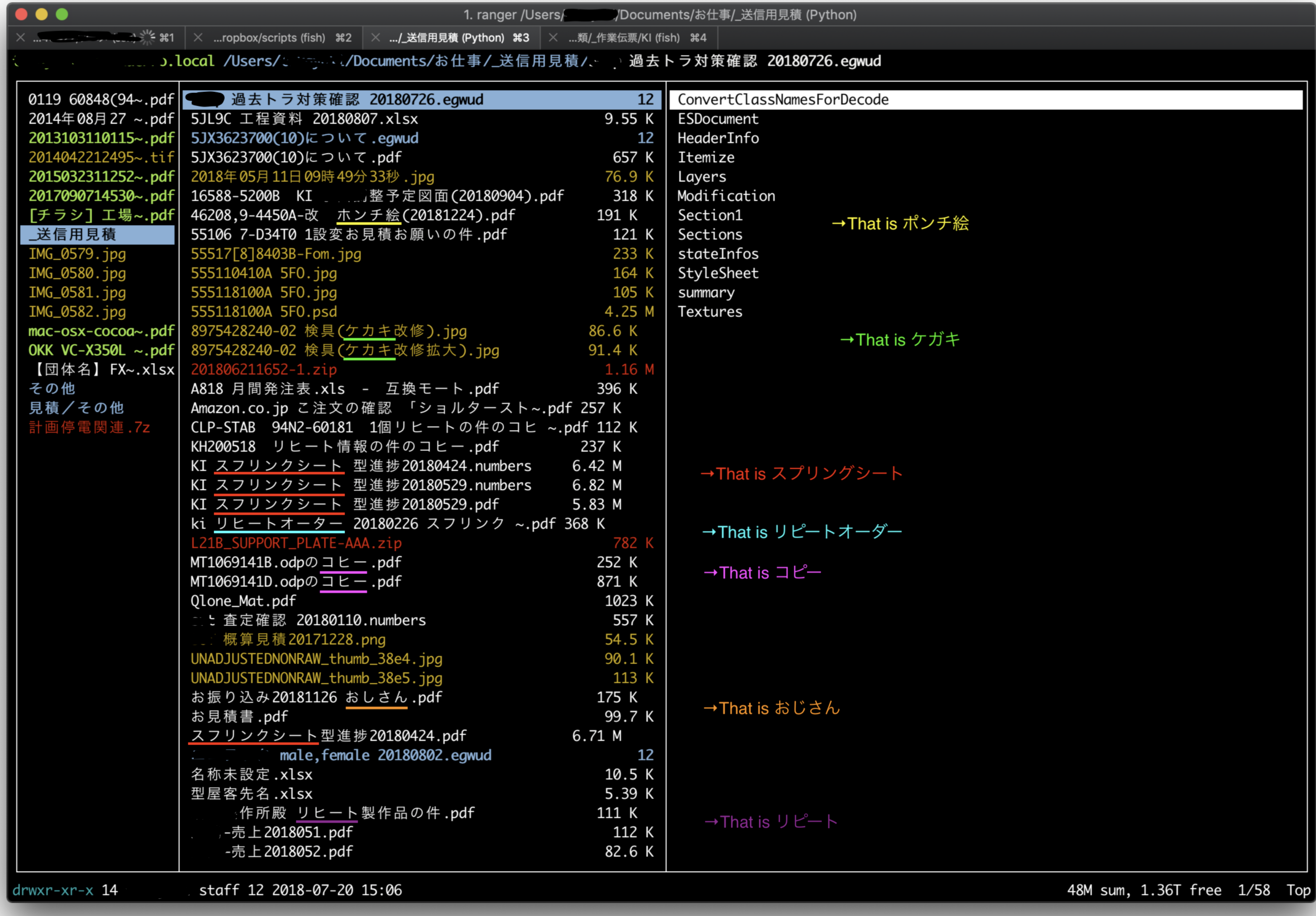
urshle
on 19 Apr 2019
Oh, ok. I think I understand this better now. So there's multiple ways to represent the same character with a different unicode representation. And when you enter some Japanese text to search for a file for example you just happen to enter the text with a different representation than the file name on disk and you can't find that file even though it looks like what you entered?
Or did I misunderstand and is ranger actually displaying the wrong characters?
toonn
on 19 Apr 2019
First of all, Thank you. and sorry for my poor english.
I think your understanding is correct.
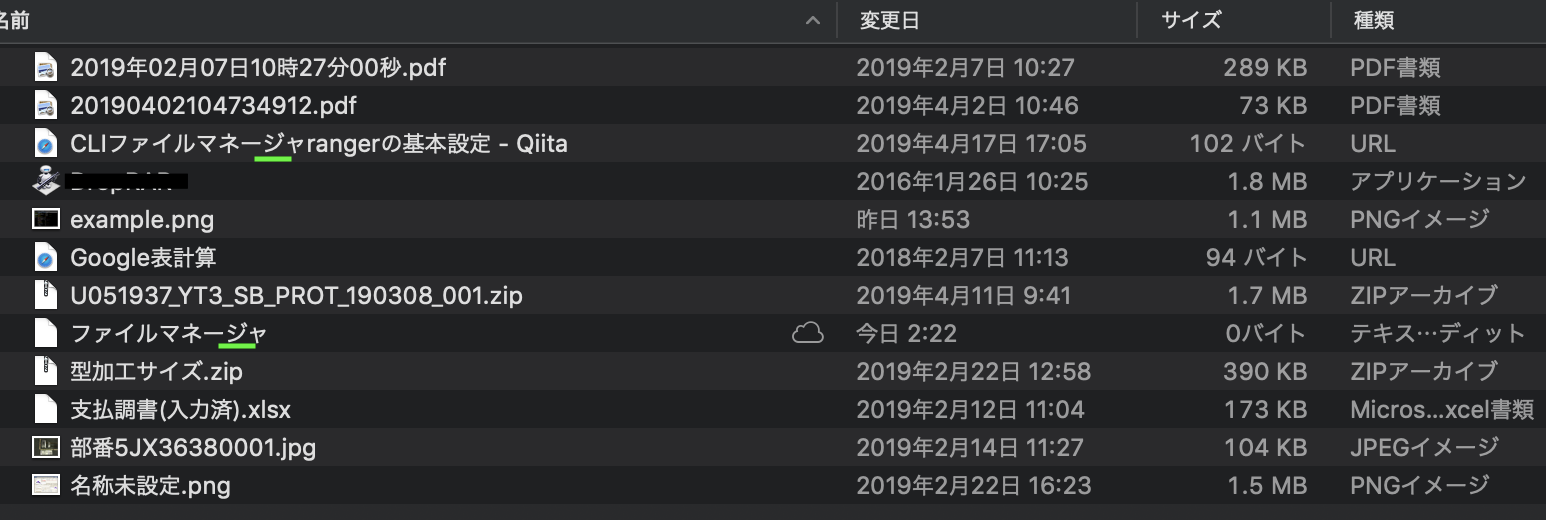
An example of filtering using the “zf” command is shown for reference.
(1)
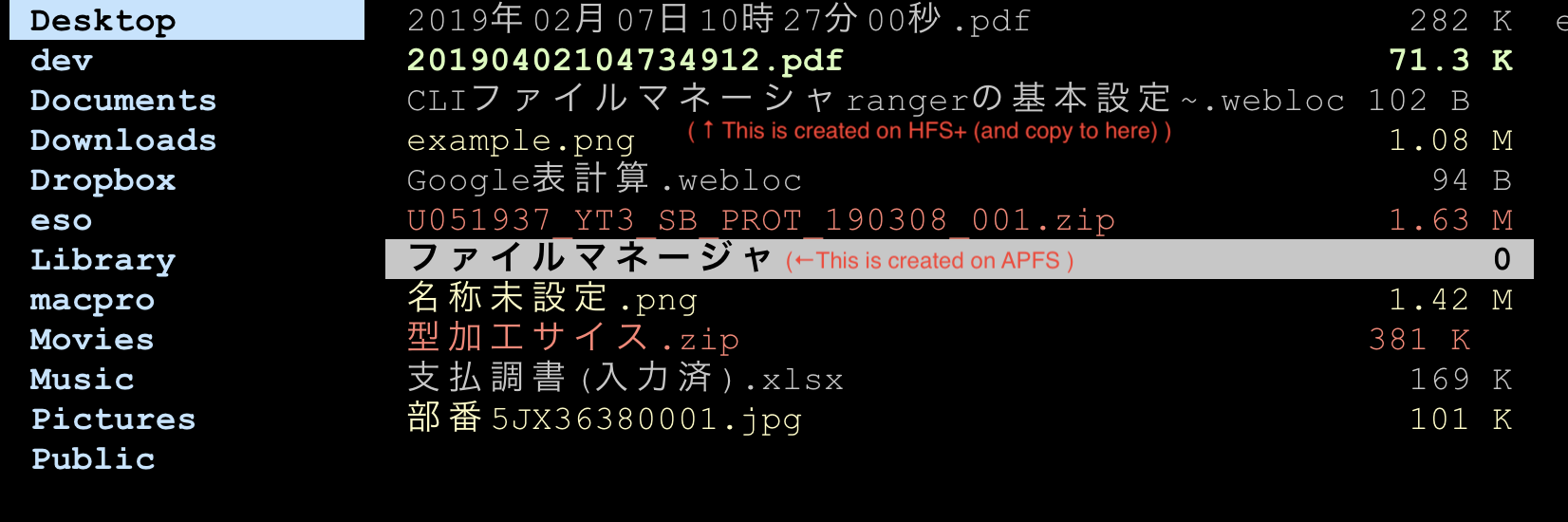
(2)
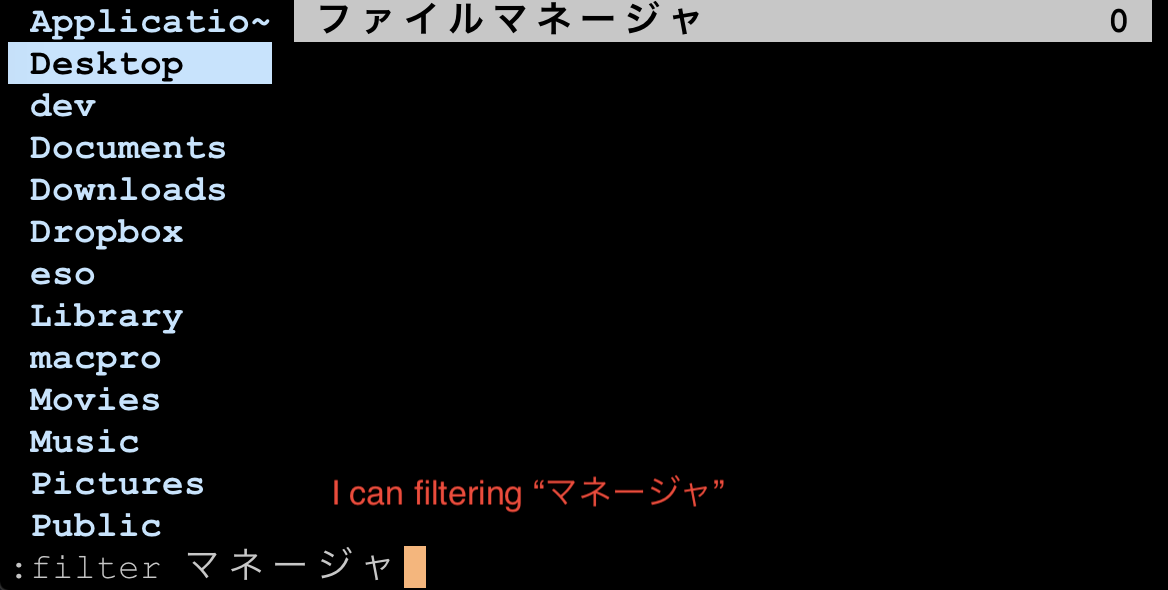
(3)
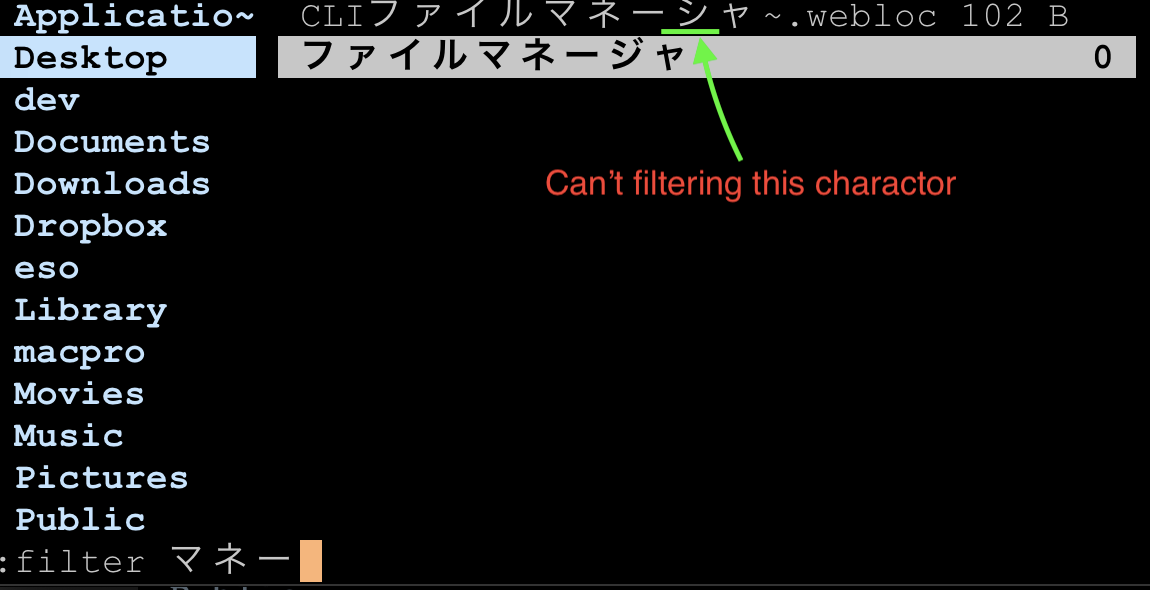
(4)This is screen shor of macOS's Finder
urshle
on 19 Apr 2019
Related issues
toonn
·
5Comments
 Chinggis6
·
4Comments
Chinggis6
·
4Comments
 techtonik
·
5Comments
techtonik
·
5Comments
 noctuid
·
4Comments
noctuid
·
4Comments
 vijaymarupudi
·
5Comments
vijaymarupudi
·
5Comments
Most helpful comment
First of all, Thank you. and sorry for my poor english.




I think your understanding is correct.
An example of filtering using the “zf” command is shown for reference.
(1)
(2)
(3)
(4)This is screen shor of macOS's Finder