Radarr: Library search autosuggest not working on some longer titles
Describe the bug
I noticed when using the internal library search, in one very specific scenario, it wasn't showing a result for a movie with a particularly long title that was definitely a match.
To Reproduce
Steps to reproduce the behavior:
- Add the movie _Dark Phoenix_
- Add the movie _Harry Potter and the Order of the Phoenix_
- Using the library search box, type the word _phoenix_
Expected behavior
The auto-suggest would show both _Dark Phoenix_ and _Harry Potter and the Order of the Phoenix_
Actual behavior
The auto-suggest only shows _Dark Phoenix_, and not _Harry Potter and the Order of the Phoenix_. Note that if you instead search _the phoenix_ - both correctly show.
Screenshots
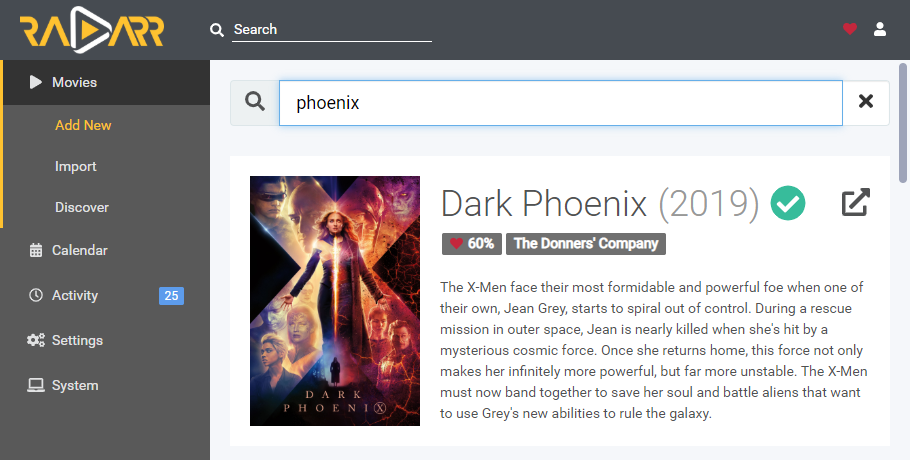
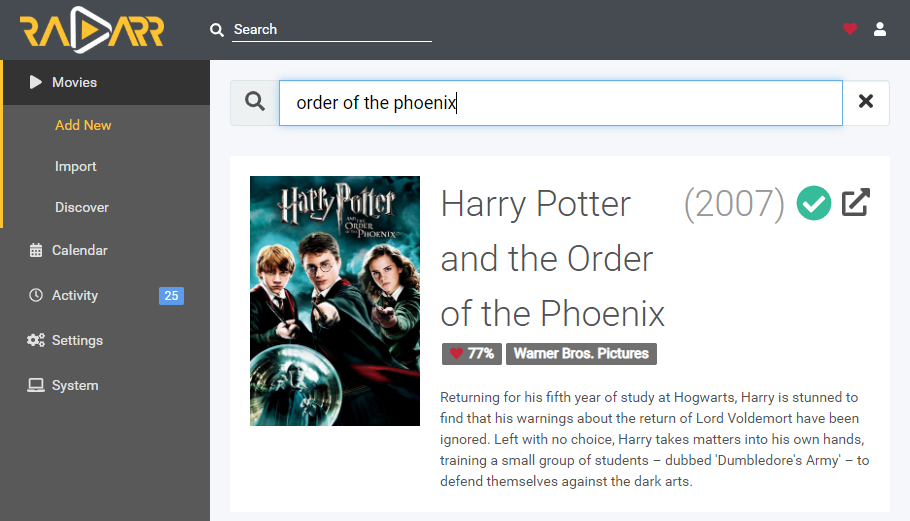


Platform Information (please complete the following information):
- OS: Ubuntu 20.04
- Radarr Version: 3.0.0.3088
- Package Version aphrodite-89e582f-999 by hotio
- .NET Core: Yes
- Docker: Yes
- Browser and Version: Chrome for Win10 v 83.0.4103.116 (Official Build) (64-bit)
Debug Logs
radarr.debug.txt
(I deleted all logs before doing the search, and from what I can tell, it looks like internal library searches don't generate log entries, but I digest :-)
 eriksneff
All 5 comments
Nice bug report! will check it out.
 Qstick
on 1 Jul 2020
Qstick
on 1 Jul 2020
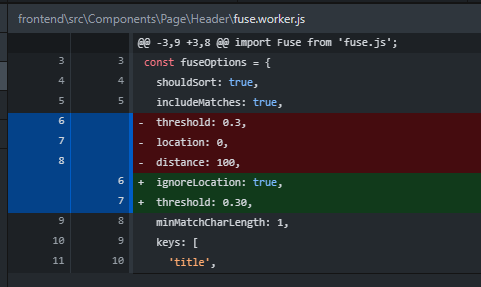
The issue is with our fuse.js settings, their docs explain it well:
location defaults to 0
distance defaults to 100
threshold defaults to 0.6

For example, consider the string "Fuse.js is a powerful, lightweight fuzzy-search library, with zero dependencies". Searching for the pattern "zero" would not match anything, even though it occurs in the string. The reason is that with the above defaults, for it to be considered a match it would have to be within 60 characters away from the expected location 0. However, "zero" appears at index 62.

If you don't care where the pattern appears in the string, and you still want to consider it a match, set ignoreLocation to true.
I really don't think we care about location of the search term in the string that much, so I'm tempted to just say lets set ignoreLocation: true. @ta264 @markus101 thoughts on this (it affects Sonarr as well). Testing it fixes the above case that OP has described.
Qstick
on 1 Jul 2020
That makes sense to me.
 markus101
on 1 Jul 2020
markus101
on 1 Jul 2020
Thank you guys for jumping on this so quickly. FWIW - I too cannot think of a scenario where you'd want to ignore a library search match just because the match was at the end of a long name.
eriksneff
on 1 Jul 2020
Agreed, I think merge ther fix you suggest @Qstick
 ta264
on 1 Jul 2020
ta264
on 1 Jul 2020
Related issues
 kmlucy
·
220Comments
kmlucy
·
220Comments
 ghost
·
36Comments
ghost
·
36Comments
 dejected1
·
52Comments
dejected1
·
52Comments
 luxferro
·
77Comments
luxferro
·
77Comments
 ptr727
·
35Comments
ptr727
·
35Comments