Describe the bug
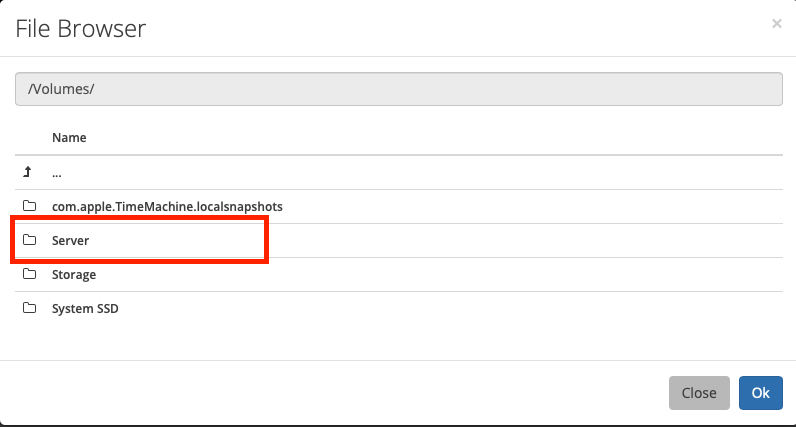
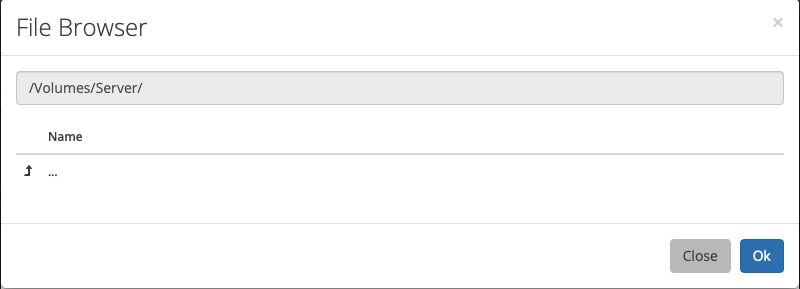
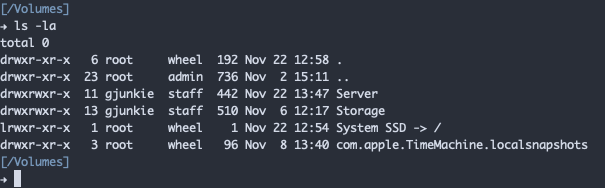
I'm running Radarr as a service on macOS 10.15.1. I am unable to select my external hard drive as my Movie folder. I can confirm that mono and radarr services are both running under the same user, the same user that owns my external volume. The volume is listed under the System section of the app, and Im able to drill into in when attempting to select a movies directory in that drive. However, no folders show up in my Server drive.
As a side note, I had previously been running Radarr in Docker and was able to see these folders no problem. Perhaps docker did something funky?
To Reproduce
Steps to reproduce the behavior:
- Attempt to select an external hard drive as the Movies location.
- No child directories are visible.
Expected behavior
A clear and concise description of what you expected to happen.
Screenshots
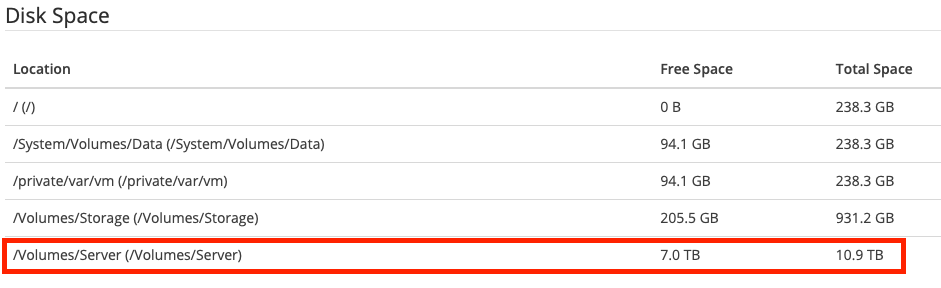

Desktop (please complete the following information):
- OS: macOS 10.15.1
- Mono Version: 6.4.0.198 (2019-06/fe64a4765e6 Wed Sep 18 14:14:51 EDT 2019)
- Browser and Version [e.g. chrome, safari] (Only needed for UI issues)
- Version 0.2.0.1358
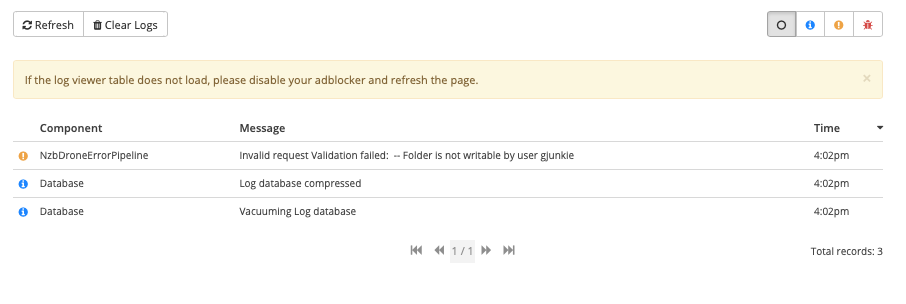
Debug Logs
just lots of this:
 gjunkie
All 4 comments
Issue-Label Bot is automatically applying the label bug to this issue, with a confidence of 0.91. Please mark this comment with :thumbsup: or :thumbsdown: to give our bot feedback!
Links: app homepage, dashboard and code for this bot.
![issue-label-bot[bot] picture](https://avatars2.githubusercontent.com/in/27079?v=4&s=40) issue-label-bot[bot]
on 23 Nov 2019
issue-label-bot[bot]
on 23 Nov 2019
I've found the issue. It is macOS Catalina that is the problem. In order to solve this issue, I had to grant full disk access to /bin/sh:
- Open System Preferences
- Choose Security & Privacy
- Go to Privacy tab
- Select Full Disk Access.
- Click the +
- Browse to your system disk volume and then \binsh (If you don’t see a bin folder you might need to press Shift+Command+. to toggle visibility of hidden files)
- Click Open
Restart Radarr and you should be set.
gjunkie
on 23 Nov 2019
Just wanted to add that I've been having this exact problem since I updated to macOS Catalina 10.15.3. It occurred on Sonarr, but not Radarr. Adding /bin/sh to Full Disk Access fixed it. I tried changing permissions on my drive directly, but had no luck with that.
 omnicr0n
on 19 Mar 2020
omnicr0n
on 19 Mar 2020
Is there a more suitable, more secure way of fixing this? Opening your hard drive up to malicious scripts doesn't seem like an ideal solution
 chrisgmbishop
on 22 Apr 2020
chrisgmbishop
on 22 Apr 2020
Related issues
 feerlessleadr
·
3Comments
feerlessleadr
·
3Comments
 jipjan
·
3Comments
jipjan
·
3Comments
 NewUser9
·
3Comments
NewUser9
·
3Comments
 mattman86
·
3Comments
mattman86
·
3Comments
 Silent-Remux
·
4Comments
Silent-Remux
·
4Comments
Most helpful comment
I've found the issue. It is macOS Catalina that is the problem. In order to solve this issue, I had to grant full disk access to
/bin/sh:Restart Radarr and you should be set.