Racket: Opening Dr. Racket in macOS Catalina 10.15 Beta (19A573a)
When attempting to open Dr. Racket via Toolbar on macOS Catalina it will give me the following error in terminal: Sep 25 15:20:03 ip-168-26-142-208 com.apple.xpc.launchd[1] (org.racket-lang.DrRacket.20568[1417]): Service exited with abnormal code: 1
The workaround for this is to open finder and open the folder "Racket v7.4" > Right click on Dr. Racket Icon > Click "Show Packet Contents" > Click "Contents" > Click "macOS" > Click the Dr. Racket Unix executable and it will run.
Terminal will run the following:
~ % /Applications/Racket\ v7.4/DrRacket.app/Contents/MacOS/DrRacket ; exit;
 mmoore96
All 5 comments
Does double-clicking the DrRacket applicaiton fail in the same way? If so, does it help to drag the "DrRacket" application out of the "Racket" folder (may require Command-drag) and then drag it back? Although that may sound crazy, it can be a signal to the OS that you trust the application, which can fix the problem if it's related to signing.
 mflatt
on 25 Sep 2019
mflatt
on 25 Sep 2019
@mflatt That worked, which I cannot believe. Thank you!
Do other users using macOS Catalina have this same problem? and if so, will this be fixed in a future update?
mmoore96
on 25 Sep 2019
We'll have to investidate more. Maybe Apple is imposing yet another requirement on application signing.
mflatt
on 25 Sep 2019
When I click on the icon, right-click to open, or follow @mmoore96's instructions, i get this window, 5 times:
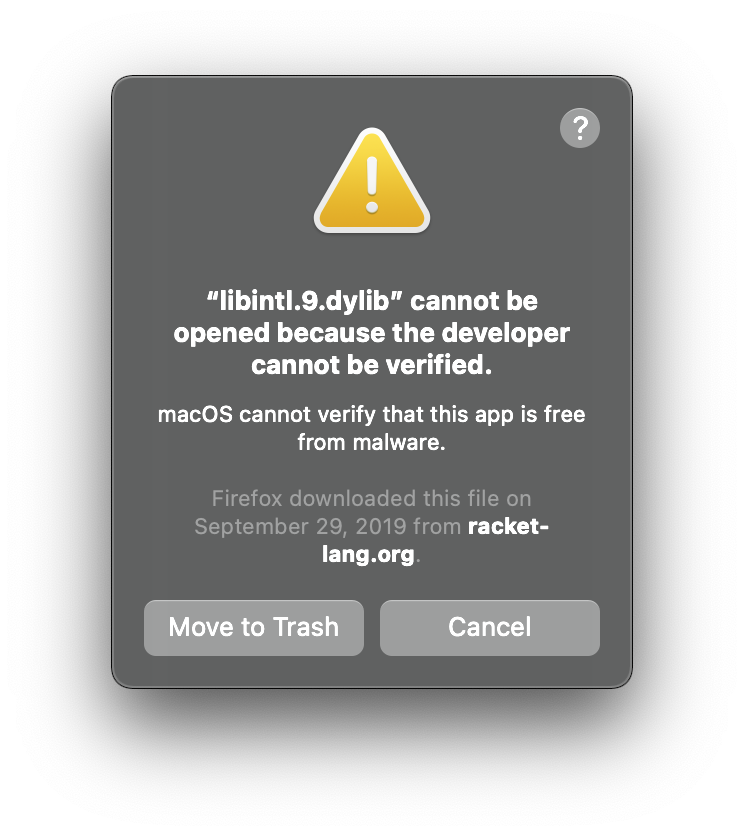
EDIT: oh thank goodness, this was on 7.4. On 7.9 and it's working perfectly
 qubist
on 4 Dec 2020
qubist
on 4 Dec 2020
Thanks for checking v7.9. We forgot to mention that the problem was fixed and close this PR after signing executables in later releases.
mflatt
on 7 Dec 2020
Related issues
 EligiusSantori
·
3Comments
EligiusSantori
·
3Comments
 richlowe
·
6Comments
richlowe
·
6Comments
 corpix
·
7Comments
corpix
·
7Comments
 schackbrian2012
·
4Comments
schackbrian2012
·
4Comments
 sorawee
·
7Comments
sorawee
·
7Comments
Most helpful comment
Does double-clicking the DrRacket applicaiton fail in the same way? If so, does it help to drag the "DrRacket" application out of the "Racket" folder (may require Command-drag) and then drag it back? Although that may sound crazy, it can be a signal to the OS that you trust the application, which can fix the problem if it's related to signing.