Rack: Allow Module Browser to adjust zoom level of screenshots
Summary
The module previews are a great workflow improvement on my second screen but on my main (28in 4k, 125% system scaling) the images are far too small for me to make out with any degree of efficiency. I've tried a few different dpi scaling settings in properties of the Rack shortcut but I've not found any that make the previews big enough so it'd definitely be useful for me if there was some way to change the module preview size
Proposed design
I think a slider in the view menu much like the overall zoom, cable opacity etc would be an ideal implementation, also ctrl scrolling while hovering over the browser (with zoom centered around the module the cursor is hovering over and possibly all others adjusting to keep it under the cursor) would be a very fast way to get around the browser but probably more difficult to implement
 TimUtting
All 22 comments
 Coirt
on 23 Jun 2019
Coirt
on 23 Jun 2019
Maybe @AndrewBelt considers adding a setting in settings-v1.json for that.
modelBrowserZoom.patch.txt
 stoermelder
on 23 Jun 2019
stoermelder
on 23 Jun 2019
Hopefully at some stage.
Coirt
on 24 Jun 2019
1454
 fduhem
on 7 Jul 2019
fduhem
on 7 Jul 2019
@fduhem 75% is perfect on a 32" screen, once set there is no need to change. Might I suggest moving the dropdown out of the way to the left hand side of the module browser. I can imaging others will have their own preference, a slider like in view menu would keep it consistent, would that work?
Coirt
on 7 Jul 2019
@AndrewBelt does not seem to be interested, I close the Pull Request.
fduhem
on 11 Jul 2019
I'd say if you made it consistent with how rack zooms it would probably get a look in. A json option is all that is needed though imo. Once set there is no reason to change it.
Coirt
on 11 Jul 2019
Thanks @Coirt, I added a Slider in the main menu. Do you have any other recommendations before I submit the PR again? https://github.com/fduhem/Rack/commit/4115d361044e9665fdd4e2cd882c6e1de6e0303e
fduhem
on 11 Jul 2019
In the view menu, not sure it makes sense being in there if it is a slider, having to keep going back to view to set. If it was a slider on the module browser, but on the right hand side out of the way it would be better.
Wondering though would an option in the browser to show/hide the slider in the browser make a little more sense. Reason being the option is there if someone has a hard time seeing the browser at regular zooms but for anyone just wanting a set and forget they can hide it so it does not distract. By hide I mean Visible = !Visible; so it still keeps the setting.
Coirt
on 12 Jul 2019
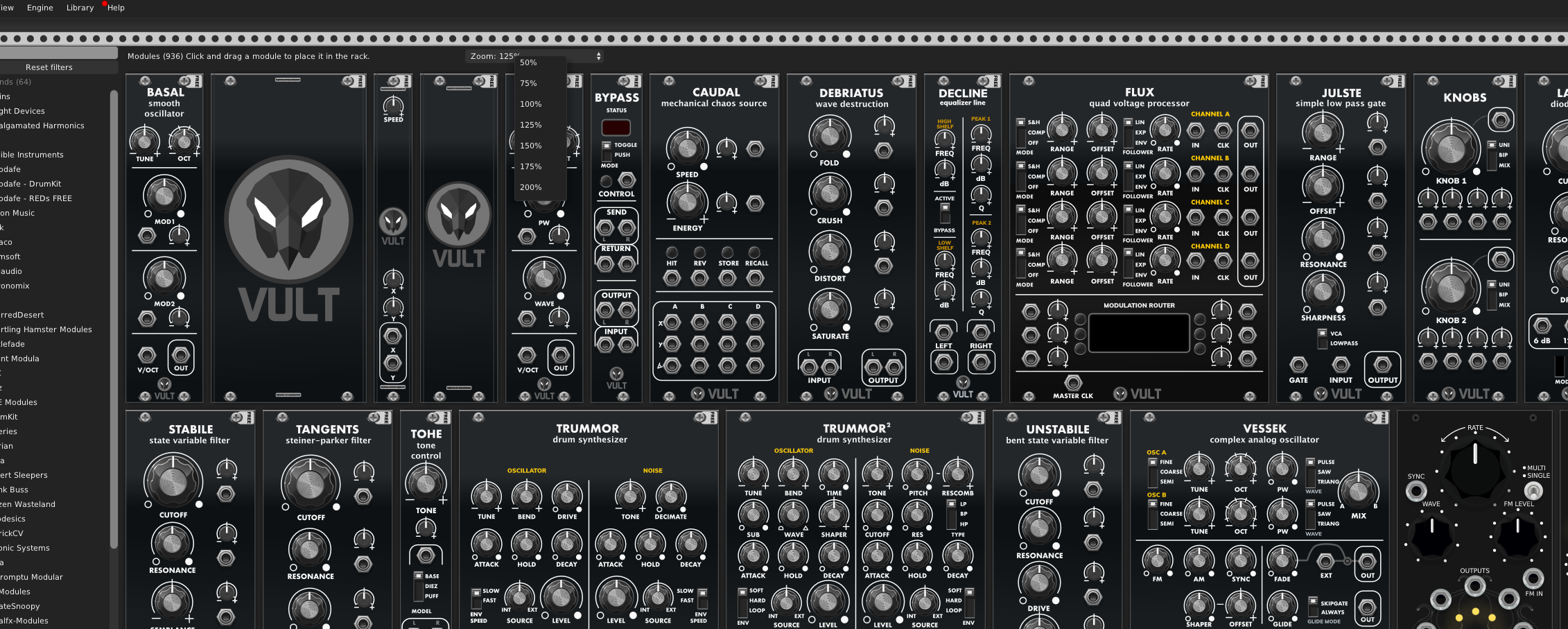
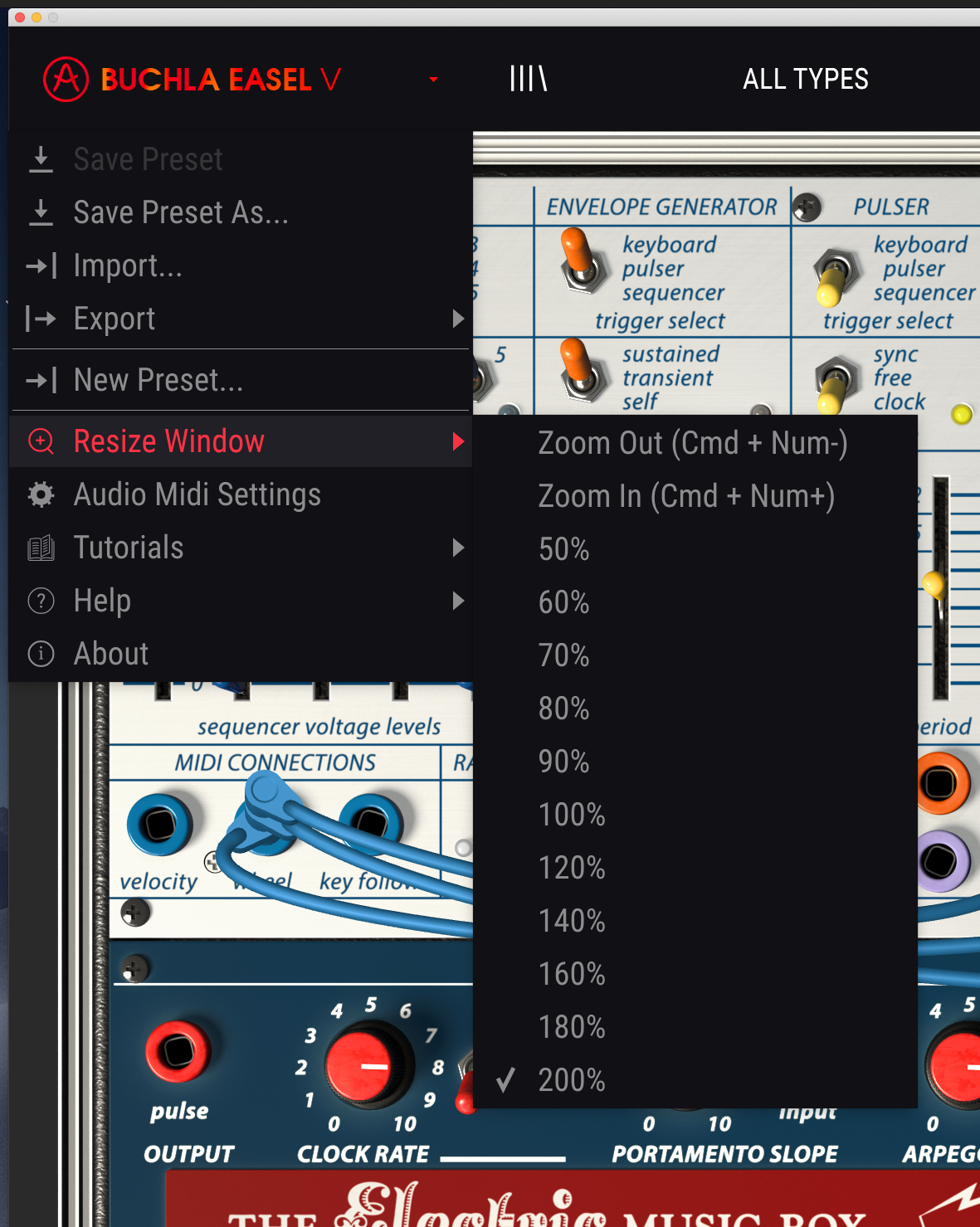
Sorry for the misunderstanding. In my initial PR there was a slider in the Module Browser https://github.com/fduhem/Rack/commit/58c1c6723c38c371e4fda54d8035682025b494c5#diff-618b51aa332d2a7b252152e6f226003eR509. In use I did not find it practical and the performance was impacted, indeed when the value of the slider changed it was necessary to regenerate the previews. It was very slow on my mac. I added the drop-down menu for selecting the zoom level because I found this behavior ergonomic.
fduhem
on 12 Jul 2019
Maybe @AndrewBelt could give us his opinion so that I can do a better PR. This feature is important to properly support hidpi screens.
fduhem
on 12 Jul 2019
@fduhem There is another PR I saw that keeps the module previews in memory wonder would that have better performance.
https://github.com/VCVRack/Rack/pull/1474
Coirt
on 12 Jul 2019
Any way to increase zoom of the module browser would be greatly appreciated.
 jedgarpark
on 29 Sep 2019
jedgarpark
on 29 Sep 2019
Indeed. I have to use the desktop's manual zooming to make sense of the module browser.
 teknico
on 29 Sep 2019
teknico
on 29 Sep 2019
ok, had not found this one, so adding my vote here, more than 125% zoom in windows on a 4K screen makes things like Browser look like a comic strip than a usable piece of GUI, so that is my preferred zoom. So having a setting to embiggen things like tooltips and modules in browser would be super duper
 fractalgee
on 9 Jan 2020
fractalgee
on 9 Jan 2020
Why don't all of you just change your OS's display scaling? What's the point of having such tiny window title bars like in @fduhem's screenshot? If the text of your OS's windows is too small to see, isn't that a more fundamental problem than the text of a certain single application?
 AndrewBelt
on 9 Jan 2020
AndrewBelt
on 9 Jan 2020
zoom over 125% on a 4K screen is defeating having the extra screen
realestate, and OS text is fine, as it is black on white. Grey on grey is a
not very eye friendly combo, so would be nice to be able to make that
higher contrast. or simply bigger and easier to discern, as I tested and
increasing windows scaling does NOT increase tool tip sixe, and not
increase module size in browser and makes everything else comically large,
so no thanks....
On Thu, 9 Jan 2020 at 17:34, Andrew Belt notifications@github.com wrote:
Why don't all of you just change your OS's display scaling? What's the
point of having such tiny window title bars like in @fduhem
https://github.com/fduhem's screenshot? If the text of your OS's
windows is too small to see, isn't that a more fundamental problem than the
text of a certain single application?—
You are receiving this because you commented.
Reply to this email directly, view it on GitHub
https://github.com/VCVRack/Rack/issues/1395?email_source=notifications&email_token=AC7FMABKE5WWW7BX4DROMPLQ45GXVA5CNFSM4H2ZWEQ2YY3PNVWWK3TUL52HS4DFVREXG43VMVBW63LNMVXHJKTDN5WW2ZLOORPWSZGOEIQ5GQY#issuecomment-572642115,
or unsubscribe
https://github.com/notifications/unsubscribe-auth/AC7FMAGHUMDJLSNEE5HWPUTQ45GXVANCNFSM4H2ZWEQQ
.
fractalgee
on 9 Jan 2020
If my dpi scaling was an issue in my daily computer usage I wouldn't have it at that setting. I'm not trying to troubleshoot my entire workflow, just put in a feature suggestion that seems to be a common desire for people with high dpi screens
TimUtting
on 10 Jan 2020
Same for me on Windows. DPI scaling is at 150% and the text is big enough. It's the module image previews that appear too small. The names on the face of most modules appear smaller than the tooltip text and are mostly unreadable without pressing my face against the screen, so with similar-looking modules (for example Audible Instruments) I have to squint or mouse-over each one until I find what I'm looking for. Especially if I don't remember or know what I'm looking for and want to make out the functions of a module visually.


A good size would be to have 1 rail height (where usually there is some blank space on modules with the name on it) to match the tooltip text line height.
 catronomix
on 14 Jan 2020
catronomix
on 14 Jan 2020
@catronomix Oh right, I'm not talking about Module Browser previews. I'm talking about the size of Rack's UI, such as those tooltips, relative to the OS text size.
AndrewBelt
on 14 Jan 2020
Some nifty setting to draw module previews in browser at 125% or 110% or
whatever one wishes would be groovy ! And same with tooltext size, pretty
please, at 125% screen zoom they still seem smaller than the OS text on my
machine, likely due to being light grey on dark background..., let us make
toottext somewhat bigger (2 points bigger) would be super duper!, I dislike
screen zoom of 150%, that is excessive and negates all the extra pixels on
this hi-DPI screen (4K)
On Mon, 13 Jan 2020 at 15:10, Andrew Belt notifications@github.com wrote:
@catronomix https://github.com/catronomix Oh right, I'm not talking
about Module Browser previews. I'm talking about the size of Rack's UI,
such as those tooltips, relative to the OS text size.—
You are receiving this because you commented.
Reply to this email directly, view it on GitHub
https://github.com/VCVRack/Rack/issues/1395?email_source=notifications&email_token=AC7FMAALMVO27TE7R7W44LLQ5TYFNA5CNFSM4H2ZWEQ2YY3PNVWWK3TUL52HS4DFVREXG43VMVBW63LNMVXHJKTDN5WW2ZLOORPWSZGOEI2URBA#issuecomment-573917316,
or unsubscribe
https://github.com/notifications/unsubscribe-auth/AC7FMAE26H4YWAQEGFFBSPLQ5TYFNANCNFSM4H2ZWEQQ
.
fractalgee
on 14 Jan 2020
@catronomix Oh right, I'm not talking about Module Browser previews. I'm talking about the size of Rack's UI, such as those tooltips, relative to the OS text size.
Isn't the title of this issue "browser module preview zooming" ? :)
catronomix
on 14 Jan 2020
Related issues
AndrewBelt
·
7Comments
AndrewBelt
·
4Comments
 polyclash
·
3Comments
polyclash
·
3Comments
 ryan-allen
·
5Comments
ryan-allen
·
5Comments
 ShofB
·
4Comments
ShofB
·
4Comments
Most helpful comment
Maybe @AndrewBelt considers adding a setting in
settings-v1.jsonfor that.modelBrowserZoom.patch.txt