<--
To file a bug report, fill out the form below.
Use a descriptive title that best explains the bug in one sentence.
Attach screenshots if the bug is visual.
Attach your <Rack user folder>/log.txt file if something is crashing or not loading.
Surround terminal output with three tildes
like this.
-->
0.6 always worked fine on my laptop, but when I downloaded 1.0, it simply wouldn't open. I get a notice that says
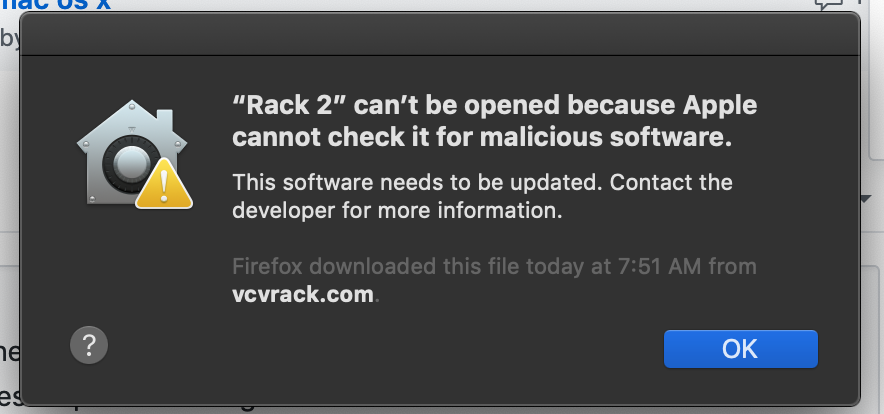
Normally, there would be a way to override stuff like this. But all the notice says to do is get an update
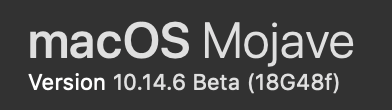
Operating system: Mac OS 10.14 Mojave
Rack version: v1.0
Hardware relevant to your issue (e.g. graphic card model, audio/MIDI device): N/A
I would expect at least an "unidentified developer" notice, which there is an override for
Instead, I get only a prompt to contact the developer for an update. (but this is the update)
 ejarvik
All 15 comments
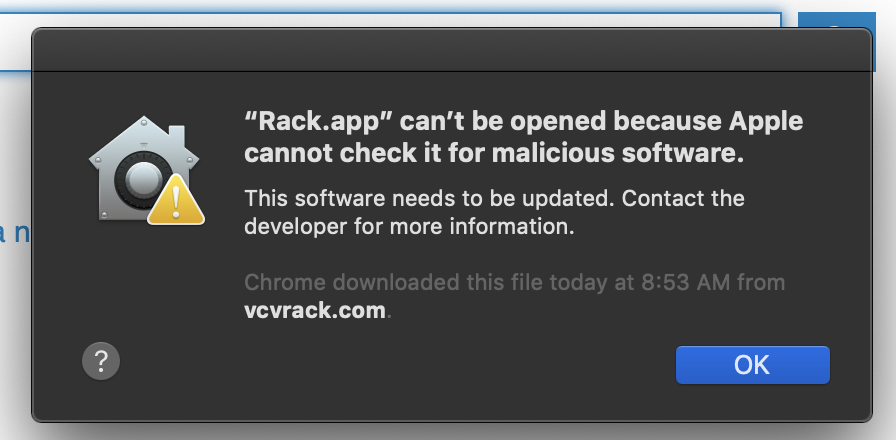
I have the same issue 10.4.5 on a MacBook Pro Late 2016
 witchbutter
on 20 Jun 2019
witchbutter
on 20 Jun 2019
Use a right click on the .app and choose _open_ will do the job.
 nay-seven
on 20 Jun 2019
nay-seven
on 20 Jun 2019
you can run this command in the terminal sudo spctl --master-disable to allow running apps from anywhere, if not automatically working following this command go to preferences -> security -> general and select Anywhere
 LeonFedotov
on 20 Jun 2019
LeonFedotov
on 20 Jun 2019
I get the unidentified dev dialog
spctl -a -t exec -vv Rack.app
Rack.app/: rejected
source=Unnotarized Developer ID
origin=Developer ID Application: Andrew Belt (VRF26934X5)
 kevinsolie
on 21 Jun 2019
kevinsolie
on 21 Jun 2019
@kevinsolie Thanks! What does codesign --verify --deep --strict --verbose=2 Rack.app say?
 AndrewBelt
on 21 Jun 2019
AndrewBelt
on 21 Jun 2019
@AndrewBelt
codesign --verify --deep --strict --verbose=2 Rack.app
Rack.app: valid on disk
Rack.app: satisfies its Designated Requirement
kevinsolie
on 21 Jun 2019
Here's my research. In order to run an app bundle from Mac 10.14.5+, the app must be notarized by Apple, which requires passing --options runtime in the codesign command. This flag forces the app to run in some type of quarantine, which disallows it from dlopen()ing unsigned shared libraries (like plugin.dylib of plugins).
It's of course ridiculous to require plugin developers to sign binaries with a $100+tax/year Apple Developer membership, so Rack should not use --options runtime, and therefore shouldn't be notarized by Apple, and therefore must have the
“Rack.app” can’t be opened because Apple cannot check it for malicious software.
message on first launch. So I believe the best solution is to make an announcement on social media with instructions to bypass Apple's warning message.
AndrewBelt
on 21 Jun 2019
@AndrewBelt may be your only option
kevinsolie
on 21 Jun 2019
Jeeeezus h christ, Apple has really lost their minds here. If the signing was for free maybe I could understand it, but this is greedy and ridiculous beyond the pale.
 rubyglow
on 21 Jun 2019
rubyglow
on 21 Jun 2019
The real fear here is that Mac might soon remove the ability to do the right-click Open trick, which would mean that Apple has full control of what programs you can and cannot run on your computer.
There's another way though, by disabling Gatekeeper with sudo spctl --master-disable. I have no problem at all requiring users to run that in order for Rack to stay un-notarized. I could bundle it in an Applescript for ease-of-use.
AndrewBelt
on 21 Jun 2019
I should probably close this because the "social media" solution above is the best we can get.
AndrewBelt
on 24 Jun 2019
Disabling gatekeeper is not an option for all users. Some people use a computer owned by an employer.
 Skeyelab
on 27 Jun 2019
Skeyelab
on 27 Jun 2019
@Skeyelab Unfortunately they will not be able to use VCV Rack if Apple removes the right-click Open trick.
AndrewBelt
on 27 Jun 2019
Wouldn't the solution be to include the shared binary in Rack.app, you sign it, then plugin developers can access the shared library?
Skeyelab
on 27 Jun 2019
Are you recommending me to sign other people's binaries?
AndrewBelt
on 28 Jun 2019
Related issues
 ShofB
·
4Comments
ShofB
·
4Comments
 PixelBulb
·
4Comments
PixelBulb
·
4Comments
 dilom
·
7Comments
dilom
·
7Comments
 oblivionratula
·
7Comments
oblivionratula
·
7Comments
 gogobanziibaby
·
4Comments
gogobanziibaby
·
4Comments
Most helpful comment
Here's my research. In order to run an app bundle from Mac 10.14.5+, the app must be notarized by Apple, which requires passing
--options runtimein thecodesigncommand. This flag forces the app to run in some type of quarantine, which disallows it fromdlopen()ing unsigned shared libraries (likeplugin.dylibof plugins).It's of course ridiculous to require plugin developers to sign binaries with a $100+tax/year Apple Developer membership, so Rack should not use
--options runtime, and therefore shouldn't be notarized by Apple, and therefore must have themessage on first launch. So I believe the best solution is to make an announcement on social media with instructions to bypass Apple's warning message.