Quill: [iOS] No capitalization on entering a new line or deleting all existing text manually with backspace.
First letter is not capitalized in iOS browser when entering a new line or deleting all existing text manually with backspace.
Steps for Reproduction
- Visit https://quilljs.com/playground on an iOS device
- Type some text then delete all text or enter a new line
- Type some more text
Expected behavior:
When user starts typing again after entering a new line or deleting text, the first letter is capitalized.
Actual behavior:
First letter is not capitalized.
Platforms:
Tested on iOS 12.2
Version:
1.3.6
 jinpae
👍4
All 2 comments
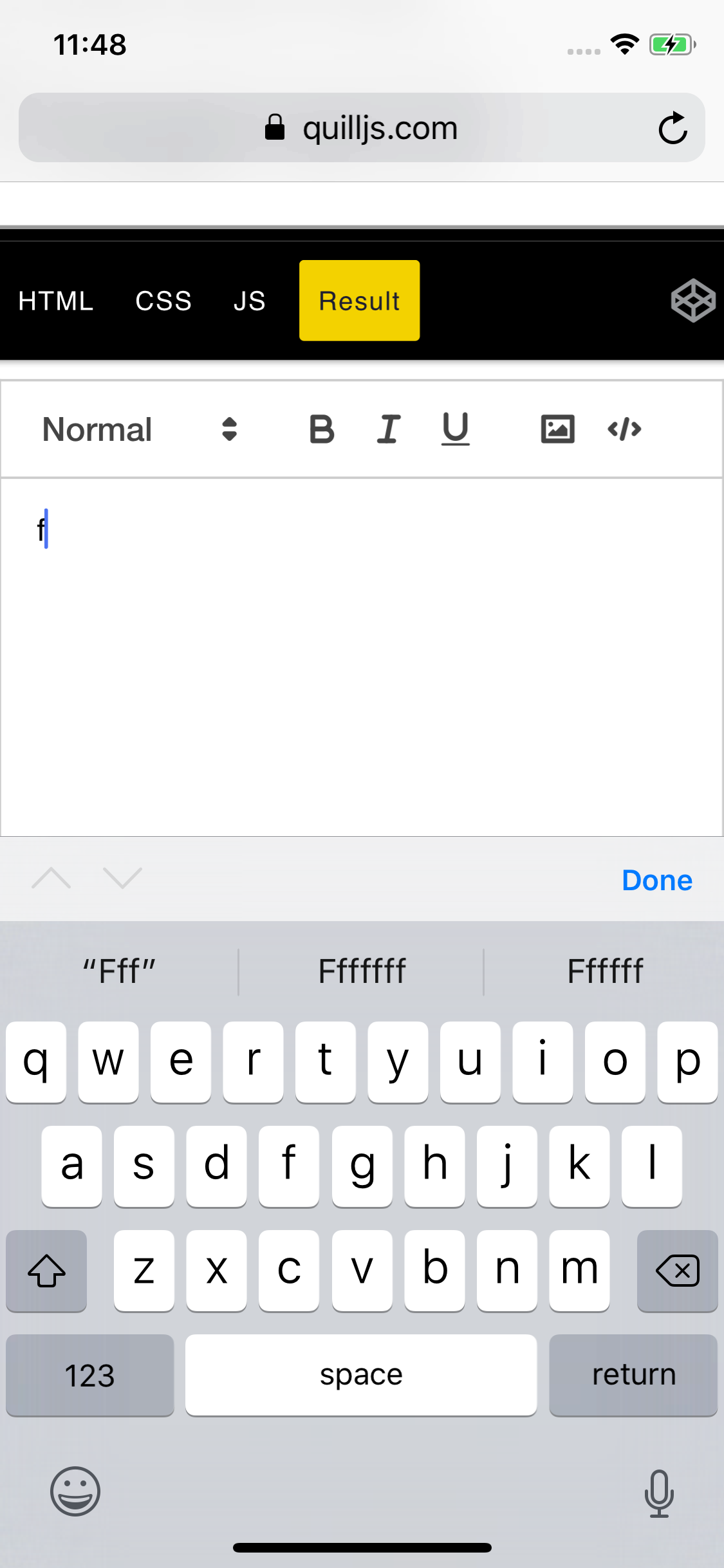
This is happening to me as well. Another thing I've noticed is that the predictive text suggestions will keep the last letter that was deleted.
Reproduction steps
- Visit https://quilljs.com/playground on an iOS device
- Type some text then delete all text or enter a new line
- Type a letter
- delete it
- type another letter
- the predictive text now has appending letters
 TaylorWu21
on 16 Aug 2019
TaylorWu21
on 16 Aug 2019
👍5
Yeah, this is a tough one for usability. I put together a quick and dirty hack. It can be extended to have heuristics around backspacing etc.
q.on('text-change', (d, _, source) => {
  if (source !== 'api') {
    const sel = q.getSelection();
    const [line, ] = q.getLine(sel.index);

    if (!line.children) { return }

    const val = line.children.head.value();
    if (val.length && val[0] === val[0].toLowerCase()) {
      q.updateContents(
        new delta().retain(q.getIndex(line.children.head)).delete(1).insert(val[0].toUpperCase())
        , 'api')
    }
  }
});
 phillipb
on 21 Apr 2020
phillipb
on 21 Apr 2020
Was this page helpful?
0 / 5 - 0 ratings
Related issues
 Kivylius
·
3Comments
Kivylius
·
3Comments
 markstewie
·
3Comments
markstewie
·
3Comments
 ouhman
·
3Comments
ouhman
·
3Comments
 lastmjs
·
3Comments
lastmjs
·
3Comments
 scottfr
·
3Comments
scottfr
·
3Comments
Most helpful comment
This is happening to me as well. Another thing I've noticed is that the predictive text suggestions will keep the last letter that was deleted.
Reproduction steps