Quill: Copy/paste text from (MS Word/MS Outlook) magically creates new newlines.
If I copy text from my Quill editor to Microsoft Word/Microsoft Outlook, then it's works. But if I want copy back these text from Microsoft Word/Microsoft Outlook to Quill editor, then new newlines seem to be inserted into the text. My Quill editor has a 100% width (1800px), and I don't use any specific options (matchVisual, addMatcher, etc.) from Quill.
Steps for Reproduction
- Visit https://quilljs.com/docs/formats/
- Open MS Word/MS Outlook, put any text, that does not contain any newlines, but it is long enough to wrap
- Copy text from MS Word/MS Outlook to Quill editor
Text in Word:
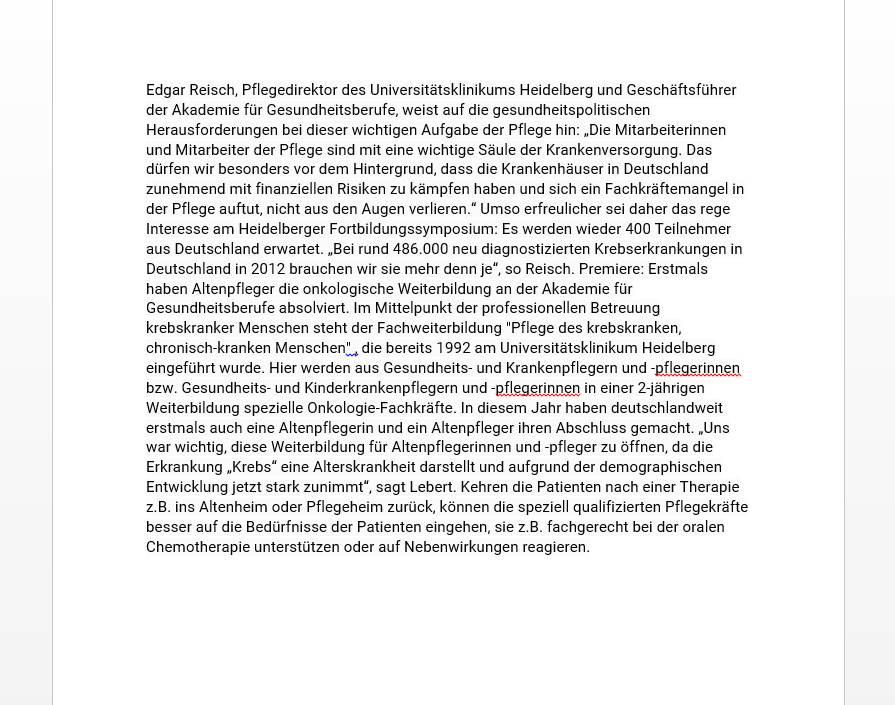
Expected behavior:
- there should be no newlines in the text

Actual behavior:
- quill creates new newlines

Tested Platforms:
- windows 10 64Bit, Chrome 63.
Version:
- quill Version: 1.3.4
 szerleticsi
All 4 comments
Can you help me please?
szerleticsi
on 11 Apr 2018
@jhchen.
szerleticsi
on 11 Apr 2018
@szerleticsi mine was caused by white-space: pre-wrap; on class="ql-editor". Removing the style solved my problem.
 winsensim
on 4 Jun 2018
winsensim
on 4 Jun 2018
Here is minimal example https://codepen.io/DmitrySkripkin/pen/BPbOyR just paste content from word to see the difference.
This is not related to quill, just make sure that .ql-clipboard has white-space: normal.
 DmitrySkripkin
on 14 Aug 2018
DmitrySkripkin
on 14 Aug 2018
Related issues
 lastmjs
·
3Comments
lastmjs
·
3Comments
 sferoze
·
3Comments
sferoze
·
3Comments
 Softvision-MariusComan
·
3Comments
Softvision-MariusComan
·
3Comments
 DaniilVeriga
·
3Comments
DaniilVeriga
·
3Comments
 splacentino
·
3Comments
splacentino
·
3Comments
Most helpful comment
Here is minimal example https://codepen.io/DmitrySkripkin/pen/BPbOyR just paste content from word to see the difference.
This is not related to quill, just make sure that
.ql-clipboardhaswhite-space: normal.