Quill: I would like some help in understanding as to how can I close the quillJS editor once you are done with the editing.
I am dynamically instantiating the QuillJS editor on a click event of an element in the DOM. So my requirement is that once the user is done with the editing for that element, he/she should be able to close the editor. Currently, I do not see any close method in the quill API. The enable/disable API methods won't work for me as I want to close the editor completely and show the user the same view he/she had before seeing the quill editor but of course with the saved changes.
const options = { theme: "snow" `};`
var initializeQuill = function (e){
     if(!this.quill){
        console.log(e);
        this.target = event.currentTarget;
        this.quill = new Quill(this.target, options);
        this.target.children[0].onclick = function(et) { et.preventDefault(); };
        this.target.children[0].onblur = function(l) {
               l.target.parentElement.quill.close;
         };
        }
        this.quill.focus();
        e.stopPropagation();
        e.preventDefault();
}
var divs = document.getElementsByTagName("div");
for(var i = 0; i < divs.length; i++){
    divs[i].onclick = initializeQuill;
}
 curiousdj
All 6 comments
Hi @curiousdj,
You're better off asking on Stackoverflow as Github issues are generally for bugs or feature requests for the project and its documentation, rather than questions on how to best use it. That way it makes it easier for the developer/s to get on with the important tasks for the project.
That being said, I think issue #662 should help with your particular issue.
 Joeao
on 25 Aug 2017
Joeao
on 25 Aug 2017
Hey @Joeao, I appreciate you taking your time to point me in the right direction. I would be posting it in SO, as rightly suggested.
And also, I have already gone through #662, and it not what I am looking for my current implementation. But, thanks anyway.
Cheers
curiousdj
on 25 Aug 2017
If I'm imagining your scenario correctly, then I'd advise either:
- Copy the contents of the quill instance, destroy the DOM element, create a new DOM element and paste the contents back in
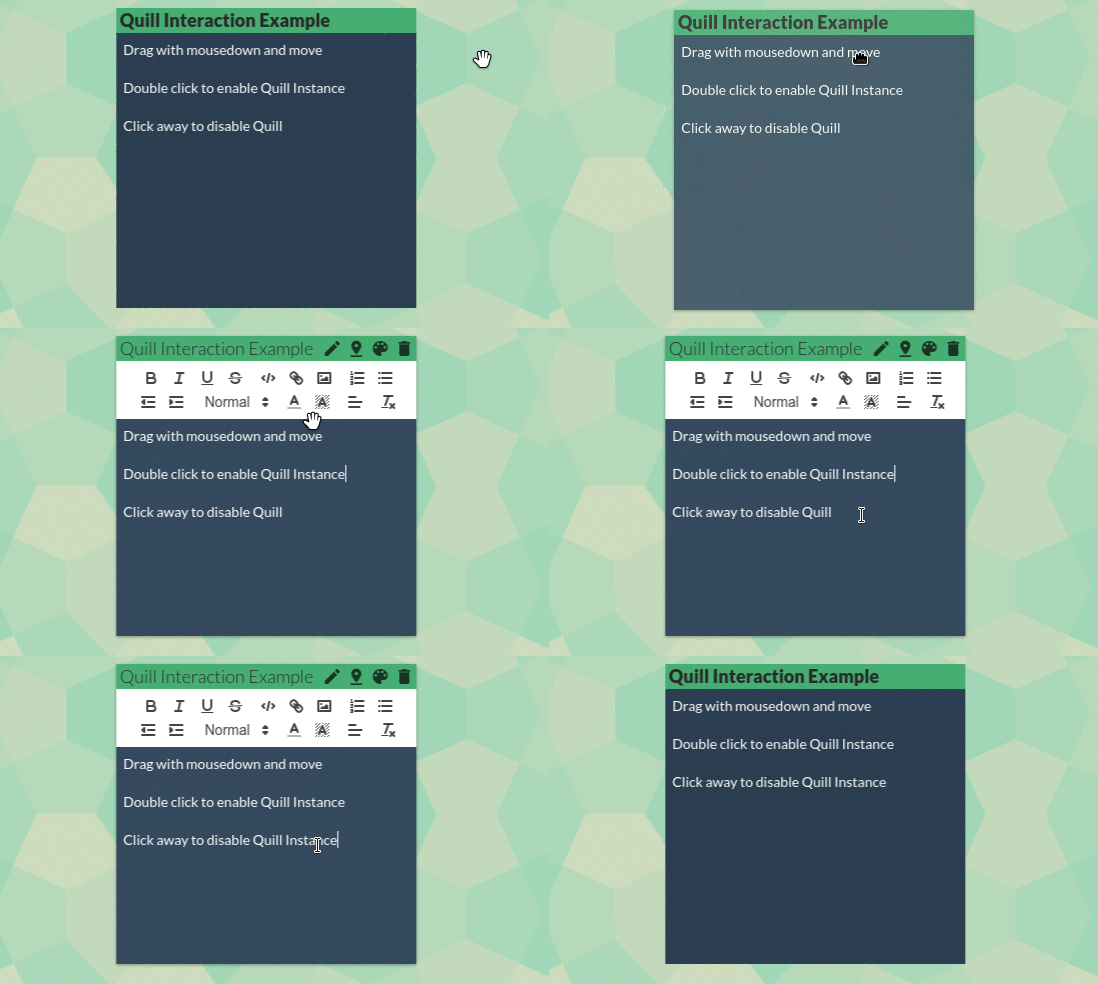
- Use disable via the API as you've already tried, but also style disabled Quill instances to not show any differentiation.
I've gone with the second option. In fact in my use case I set up the Quill instances on page load and set them as disabled, then a user interaction will enable them. See example below.
Joeao
on 25 Aug 2017
hey @Joeao, that looks great. Can I request the code that you used to accomplish this?
By the way, here is the SO question I posted How to close the quill editor when done with editing . If you wish you can answer there too so that its useful for others.
Cheers
curiousdj
on 26 Aug 2017
I've given a code example on SO, should be good to get you on your way.
From here I'd recommend you close this issue and continue the discussion on Stack Overflow if you have questions, you can still also comment here even if the issue's closed.
Joeao
on 27 Aug 2017
Thank You!
curiousdj
on 27 Aug 2017
Related issues
 sferoze
·
3Comments
sferoze
·
3Comments
 CHR15-
·
3Comments
CHR15-
·
3Comments
 Kivylius
·
3Comments
Kivylius
·
3Comments
 kheraud
·
3Comments
kheraud
·
3Comments
 scottfr
·
3Comments
scottfr
·
3Comments
Most helpful comment
If I'm imagining your scenario correctly, then I'd advise either:
I've gone with the second option. In fact in my use case I set up the Quill instances on page load and set them as disabled, then a user interaction will enable them. See example below.