Quickstart-android: Google Sign-In (Authentication) will not work
- Android device: Samsung-SM-G530A
- Android OS version: 5.1.1
- Google Play Services version: 10.2.0
- Firebase/Play Services SDK version: 10.2.0
Step 3: Describe the problem:
Cannot sign in with Google authentication. Nothing modified, simply downloaded the .zip and imported it into Android Studio. Set it up as a new project in Firebase Console, added SHA1 fingerprint, enabled Google Sign-In under authentication tab.
Steps to reproduce:
I changed nothing from the original quickstart
Observed Results:
I click the Sign-In button, the user selector comes up, I select my Google profile, the dialog disappears, and nothing happens. I added a toast to the onActivityResult method's failure conditional, which runs. So it is making it into onActivityResult, but result.isSuccess() returns false.
Expected Results:
I'm not sure what's supposed to happen after successful log-in, as I've never gotten that far.
Relevant Code:
 // [START onactivityresult]
@Override
public void onActivityResult(int requestCode, int resultCode, Intent data) {
    super.onActivityResult(requestCode, resultCode, data);

    // Result returned from launching the Intent from GoogleSignInApi.getSignInIntent(...);
    if (requestCode == RC_SIGN_IN) {
        GoogleSignInResult result = Auth.GoogleSignInApi.getSignInResultFromIntent(data);
        if (result.isSuccess()) {
            // Google Sign In was successful, authenticate with Firebase
            GoogleSignInAccount account = result.getSignInAccount();
            firebaseAuthWithGoogle(account);
        } else {
            // Google Sign In failed, update UI appropriately
            // [START_EXCLUDE]
            updateUI(null);
            // [END_EXCLUDE]
            CharSequence toastText = "Failed in onActivityResult";
            int duration = Toast.LENGTH_SHORT;
            Toast toast = Toast.makeText(getApplicationContext(), toastText, duration);
            toast.show(); // this toast runs, so obviously the sign in was not a success.
        }
    }
}
// [END onactivityresult]
Some extra context: I'm trying to user Firebase Google sign-in for my main app. So I downloaded this quickstart so I could easily see how to get Google auth up and running...but even the quickstart isn't working for me
 therealccarter
All 15 comments
enable google sign in from firebase
 R33N4K0R
on 21 Feb 2017
R33N4K0R
on 21 Feb 2017
or enable
Email/Password
from Authentication -> Sign-in Method ->Email/Password -> enable
R33N4K0R
on 21 Feb 2017
That was the first thing I did...nothing happens.
therealccarter
on 21 Feb 2017
The problem looks like it was an issue with my SHA-1
therealccarter
on 22 Feb 2017
Thank you feed back!
나의 SOL에서 보냄
- 오후 5:08에 MintuReena notifications@github.com님이 작성:or enable
Email/Password
from Authentication -> Sign-in Method ->Email/Password -> enable
- 오후 5:08에 MintuReena notifications@github.com님이 작성:or enable
—You are receiving this because you are subscribed to this thread.Reply to this email directly, view it on GitHub, or mute the thread.
 jogilsang
on 23 Feb 2017
jogilsang
on 23 Feb 2017
W/GoogleActivity: Google sign in failed
com.google.android.gms.common.api.ApiException: 10:
at com.google.android.gms.common.internal.zzb.zzz(Unknown Source)
at com.google.android.gms.auth.api.signin.GoogleSignIn.getSignedInAccountFromIntent(Unknown Source)
at com.igenesys.powerscape.GoogleSignInActivity.onActivityResult(GoogleSignInActivity.java:105)
at android.app.Activity.dispatchActivityResult(Activity.java:7292)
at android.app.ActivityThread.deliverResults(ActivityThread.java:4516)
at android.app.ActivityThread.handleSendResult(ActivityThread.java:4563)
at android.app.ActivityThread.-wrap22(ActivityThread.java)
at android.app.ActivityThread$H.handleMessage(ActivityThread.java:1698)
at android.os.Handler.dispatchMessage(Handler.java:102)
at android.os.Looper.loop(Looper.java:154)
at android.app.ActivityThread.main(ActivityThread.java:6776)
at java.lang.reflect.Method.invoke(Native Method)
at com.android.internal.os.ZygoteInit$MethodAndArgsCaller.run(ZygoteInit.java:1496)
at com.android.internal.os.ZygoteInit.main(ZygoteInit.java:1386)
 satendrarocks
on 17 Jan 2018
satendrarocks
on 17 Jan 2018
If someone has the same problem, I was getting getSignedInAccountFromIntent(Unknown Source) . I had an client ID in google cloud for my website, and then I forgot to create one for my android application. I realized that I needed to create one OAuth Client ID for my android app also.
 soonsam123
on 17 Aug 2018
soonsam123
on 17 Aug 2018
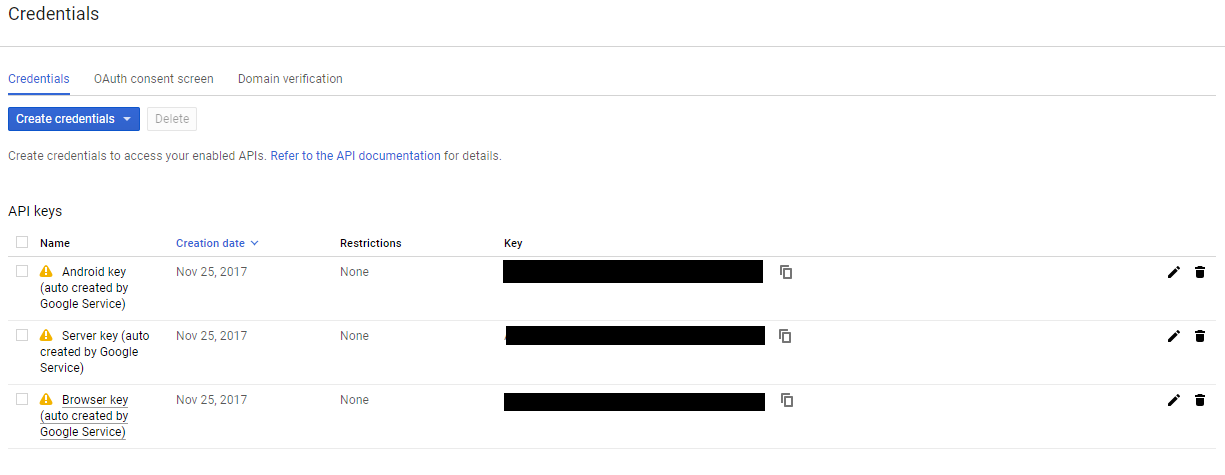
@soonsam123 Is this what's expected? I'm encountering the same error except its not that the login has to be cancelled but just that it never will complete successfully. But afterward the firestore credentials are good for the user that was attempting to log in.
 tobytraylor
on 2 Nov 2018
tobytraylor
on 2 Nov 2018
Mine however isn't api exception 10 it's 8
PlatformException(sign_in_failed, com.google.android.gms.common.api.ApiException: 8: , null)
E/flutter ( 3674): #0      StandardMethodCodec.decodeEnvelope (package:flutter/src/services/message_codecs.dart:551:7)
E/flutter ( 3674): #1      MethodChannel.invokeMethod (package:flutter/src/services/platform_channel.dart:279:18)
E/flutter ( 3674): <asynchronous suspension>
E/flutter ( 3674): #2      GoogleSignIn._callMethod (package:google_sign_in/google_sign_in.dart:217:58)
E/flutter ( 3674): <asynchronous suspension>
E/flutter ( 3674): #3      GoogleSignIn._addMethodCall (package:google_sign_in/google_sign_in.dart:256:20)
E/flutter ( 3674): #4      GoogleSignIn.signIn (package:google_sign_in/google_sign_in.dart:324:48)
E/flutter ( 3674): #5      Authentication.startGoogleSignIn (package:built_redux_sample/authentication.dart:40:57)
When removing the sha-1 key and replacing it with a sha-256 in the firebase console I started getting the "ApiException: 10" error. I'm guessing that is a step backward and that most people are able to solve their "ApiExeption: 10" error by adding the sha-1 key.
tobytraylor
on 2 Nov 2018
@tobytraylor Unfortunatelly, mine was a different problem. Did u solve your issue?
soonsam123
on 3 Nov 2018
Make sure you use the web client key in the OAuth section and not the android key in your app
 jeffnyauke
on 24 Dec 2018
jeffnyauke
on 24 Dec 2018
Can anyone please elaborate the whole solving because i'm getting the same error and it sucks..pleaseeee
 raunak-many-ac
on 14 Feb 2019
raunak-many-ac
on 14 Feb 2019
I faced the same error today and this is how I rectified it.
First of all, head over to your console > Project Settings > General > Your apps > Add your SHA-1 key.
Now download and replace the google-services.json file in your app folder.
Usually your problem is solved here but you have one more small thing to do. In your code, when you define your GoogleSignInOptions Object, make sure you pass the right client id to the requestIdToken(); function.
GoogleSignInOptions gso = new GoogleSignInOptions.Builder(GoogleSignInOptions.DEFAULT_SIGN_IN)
                .requestIdToken(getString(R.string.clientID))
                .requestEmail()
                .build();
In the place (getString(R.string.clientID) paste your client id. You can find your client id in your google-services.json file. Make sure to copy the correct client id though.
"oauth_client": [
        {
           <BLAH BLAH BLAH>
                   Your oauth client details are here.
            </BLAH BLAH BLAH>
          }
        },
        {
          "client_id": "<THIS IS THE ONE YOU GOT TO COPY>",
          "client_type": XXXXXXXXX
        }
There. This should solve your problem.
 sivansundar
on 26 Feb 2019
sivansundar
on 26 Feb 2019
hello guys can anyone guide me on "com.google.android.gms.common.api.ApiException: 7: " ? I am unable to sign in using google sign in firebase. But i can get the information from GoogleSignInAccount but unable to sign in Credential.... Thank you
 akjaanalam
on 3 Jan 2020
akjaanalam
on 3 Jan 2020
Related issues
 DenLangeKilde
·
5Comments
DenLangeKilde
·
5Comments
 rahuldevanavar91
·
5Comments
rahuldevanavar91
·
5Comments
 hungud
·
6Comments
hungud
·
6Comments
 llooz
·
5Comments
llooz
·
5Comments
 kaushikb1996
·
4Comments
kaushikb1996
·
4Comments
Most helpful comment
The problem looks like it was an issue with my SHA-1