Quasar: [v1] self-stretch class is not overriding height
Software version
Quasar:
Operating System - Darwin(18.5.0) - darwin/x64
NodeJs - 11.12.0
Global packages
NPM - 6.9.0
yarn - Not installed
@quasar/cli - 1.0.0-beta.3
cordova - 8.1.2 ([email protected])
Important local packages
quasar - 1.0.0-beta.16 -- High performance, Material Design 2, full front end stack with Vue.js -- build SPA, SSR, PWA, Hybrid Mobile Apps and Electron apps, all simultaneously using the same codebase
@quasar/app - 1.0.0-beta.16 -- Quasar Framework App CLI
@quasar/extras - 1.1.1 -- Quasar Framework fonts, icons and animations
vue - 2.6.10 -- Reactive, component-oriented view layer for modern web interfaces.
vue-router - 3.0.2 -- Official router for Vue.js 2
vuex - 3.1.0 -- state management for Vue.js
electron - Not installed
electron-packager - Not installed
electron-builder - Not installed
@babel/core - 7.3.4 -- Babel compiler core.
webpack - 4.29.6 -- Packs CommonJs/AMD modules for the browser. Allows to split your codebase into multiple bundles, which can be loaded on demand. Support loaders to preprocess files, i.e. json, jsx, es7, css, less, ... and your custom stuff.
webpack-dev-server - 3.2.1 -- Serves a webpack app. Updates the browser on changes.
workbox-webpack-plugin - 4.1.1 -- A plugin for your Webpack build process, helping you generate a manifest of local files that workbox-sw should precache.
register-service-worker - 1.6.2 -- Script for registering service worker, with hooks
Quasar App Extensions
None installed
JsFiddle
I think self-stretch should override height inside the respective div but it's not happening.
https://codepen.io/hamdan85/pen/jRBvNg
What did you get as the error?
Items dont have their height overrided to full-height
What were you expecting?
Two cols inside a row with items-stretch should have its children divs stretched for full height,
Two a col with self-stretch should have its children divs stretched for full height
full-height class should override a QInput (type textarea) to have a full height
What steps did you take, to get the error?
It's exemplified in codepen
 Hamdan85
All 9 comments
I asked @Hamdan85 to file this issue because even though it could be solved by adding a rows="8" prop to
 nothingismagick
on 10 Apr 2019
nothingismagick
on 10 Apr 2019
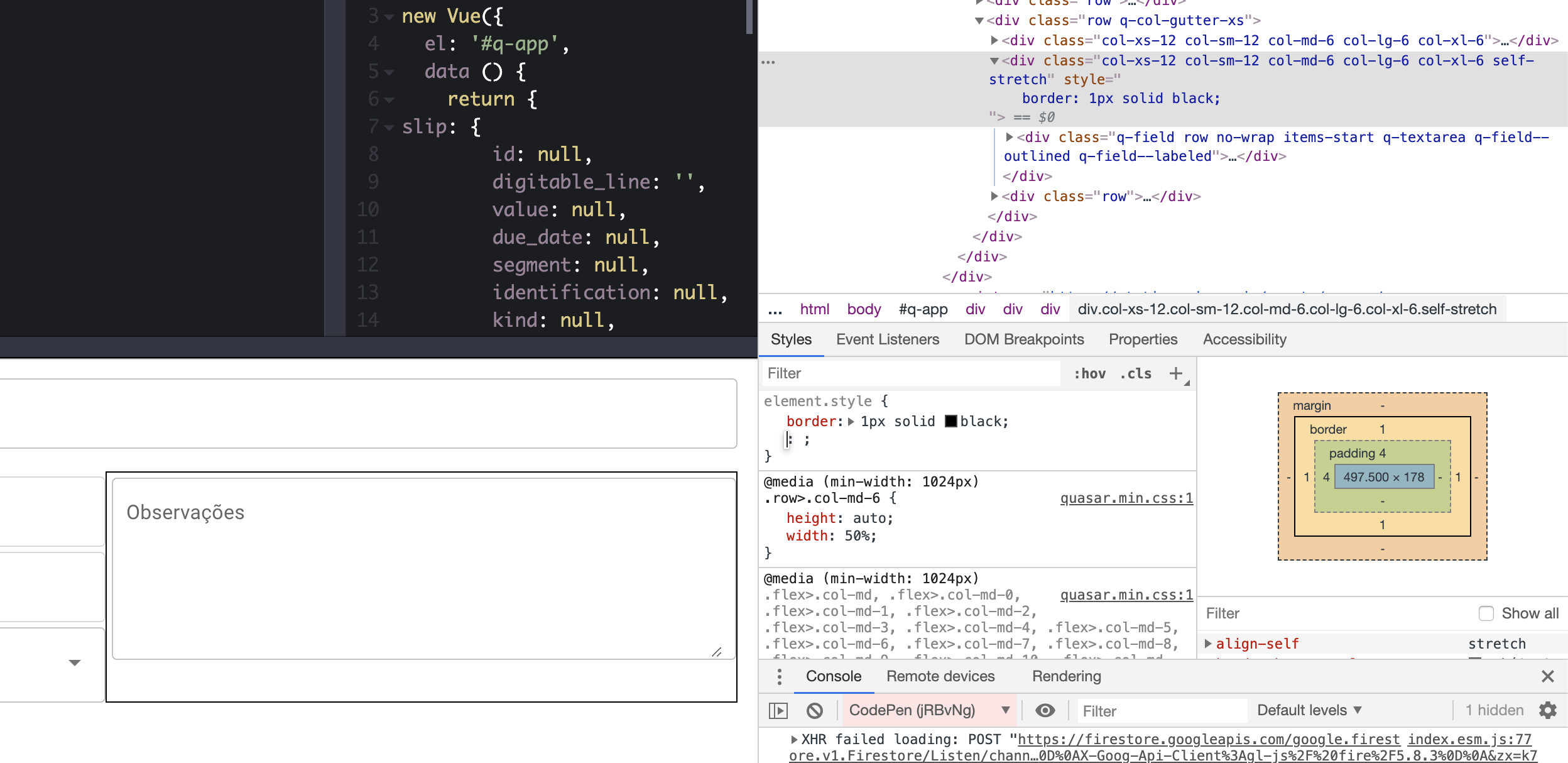
This is not how CSS works. self-stretch does not apply to the content of an Element but to the Element (that it is applied to) itself. Which works correctly (highlighted below).
 rstoenescu
on 10 Apr 2019
rstoenescu
on 10 Apr 2019
@rstoenescu as I said in the description of the problem, I tried to make it be stretched in many ways... Qinput also didnt responded to full-height class...
I ask you to see the bigger picture in the problem because QInput didnt had its height override in none of the exposed scenarios.
EG:
I also tried flex items-stretch and full-height classes, and also tried self-stretch applied in QInput class
Hamdan85
on 10 Apr 2019
Your reported problem: "self-stretch is not overriding height"
As I've shown you, this is not the case. You apply "self-stretch" on the QInput's parent (even though you don't need it, but regardless..) and the bug report says self-stretch does not override height -- in your case, it doesn't even need to, because it already stretches to full available height due to how flexbox works.
A correct ticket should sound like "How to make QInput textarea occupy full height of parent", not reporting a bug in self-stretch. Regardless, here is your answer: https://codepen.io/rstoenescu/pen/YMZMqL?editors=1100
rstoenescu
on 10 Apr 2019
Thanks for the clarification Razvan. @Hamdan85 - my feeling here is that you are trying to change material design spec on the inputs...Had I understood your "bigger picture" issue I wouldn't have encouraged the creation of the issue.
nothingismagick
on 10 Apr 2019
ok.. understood... thank you guys ;)
Hamdan85
on 10 Apr 2019
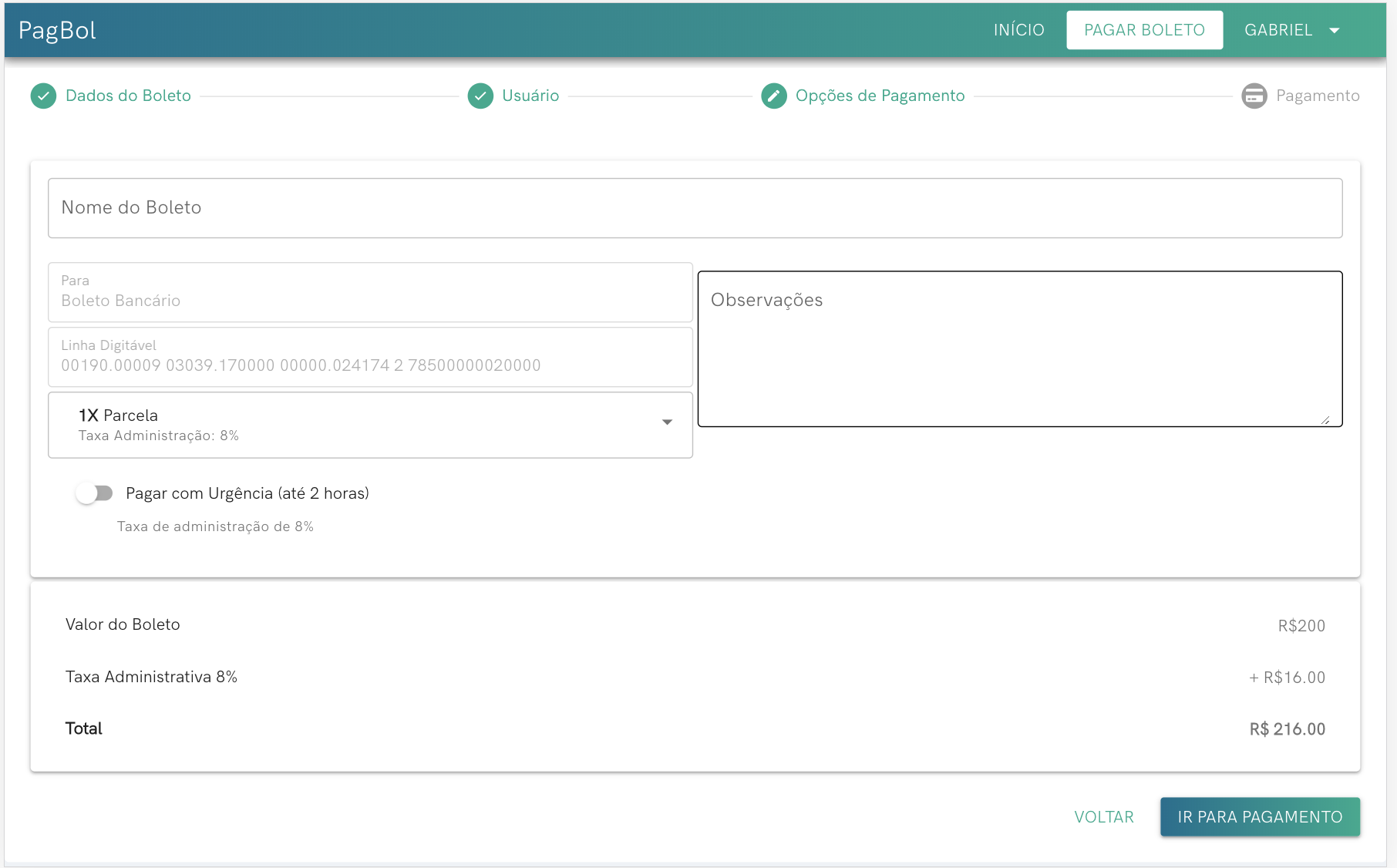
It seems that your solution it still not working for some reason on the go... but Ill use the one @nothingismagick proposed.
Thanks
Hamdan85
on 10 Apr 2019
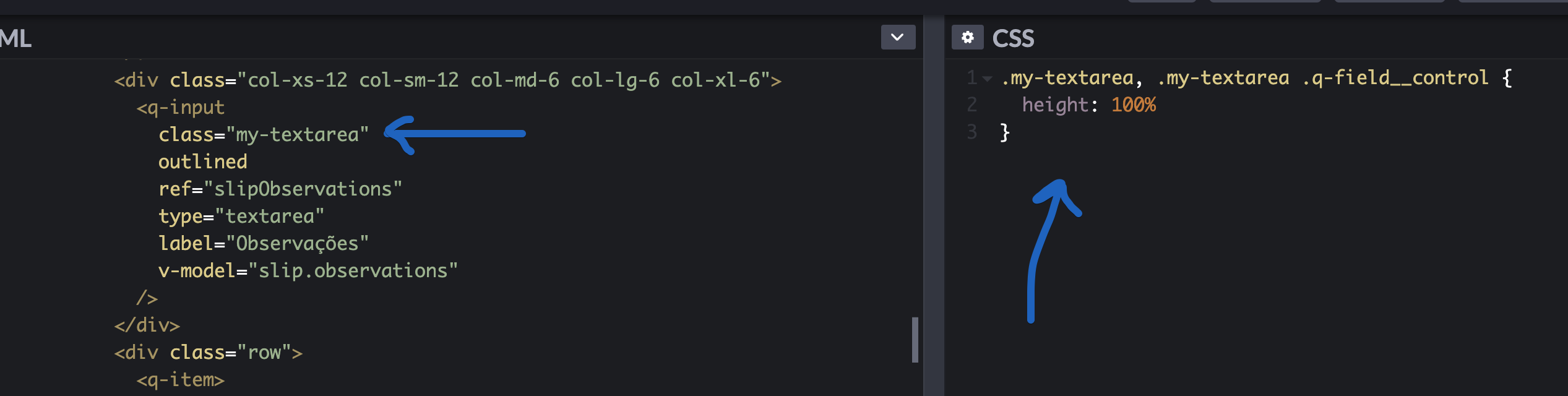
You using <style scoped> in your Vue file?
rstoenescu
on 10 Apr 2019
for the sake of test, i tried inside a scoped style and inside a non scoped... the result was the same.
but @rstoenescu, im just reporting trying to help. I have used the @nothingismagick 's solution and it's working fine.
Hamdan85
on 11 Apr 2019
Related issues
 danikane
·
3Comments
danikane
·
3Comments
 wc-matteo
·
3Comments
wc-matteo
·
3Comments
 adwidianjaya
·
3Comments
adwidianjaya
·
3Comments
 green-mike
·
3Comments
green-mike
·
3Comments
 jigarzon
·
3Comments
jigarzon
·
3Comments