Quasar: [ERROR] - Unexpected border-top In QField When Using "helper" or "error-label" props
Software version
Quasar: 14.7
OS: deepin Linux
Node: 9.4.0
NPM: 5.6.0
Browsers: Chrome 63.0.3239.84, Firefox 57.0.4
Any other software related to your bug:
What did you get as the error?
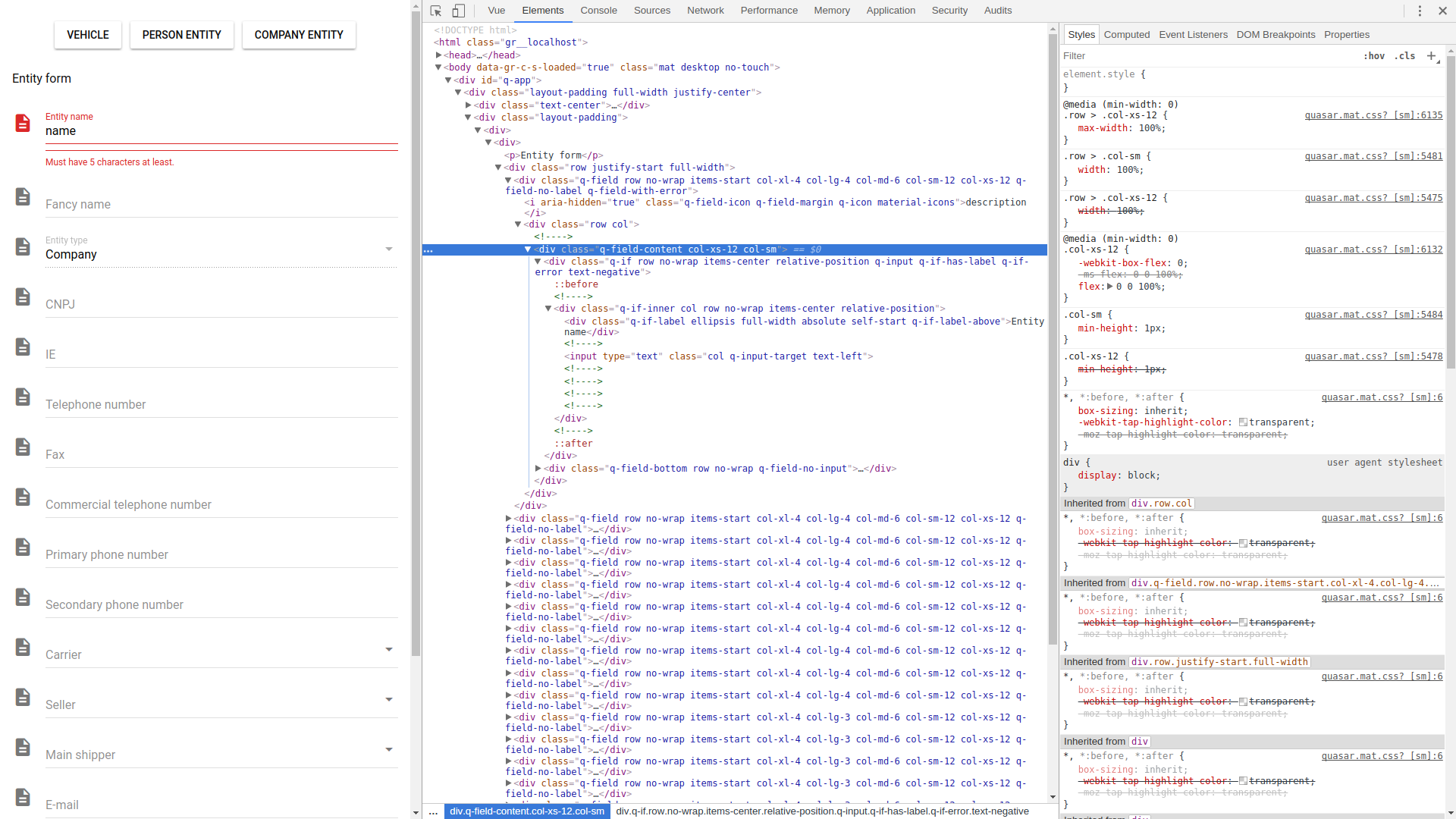
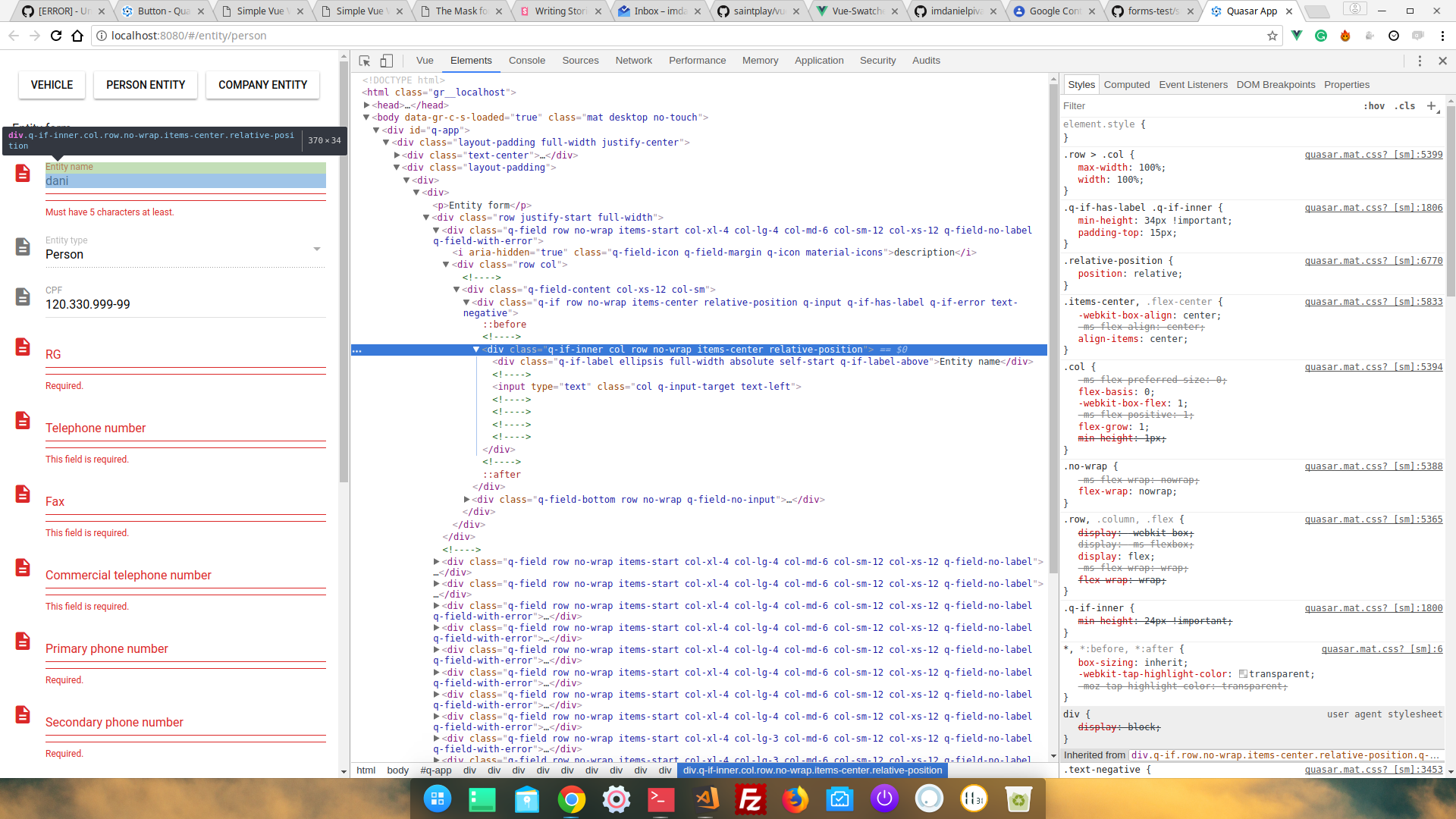
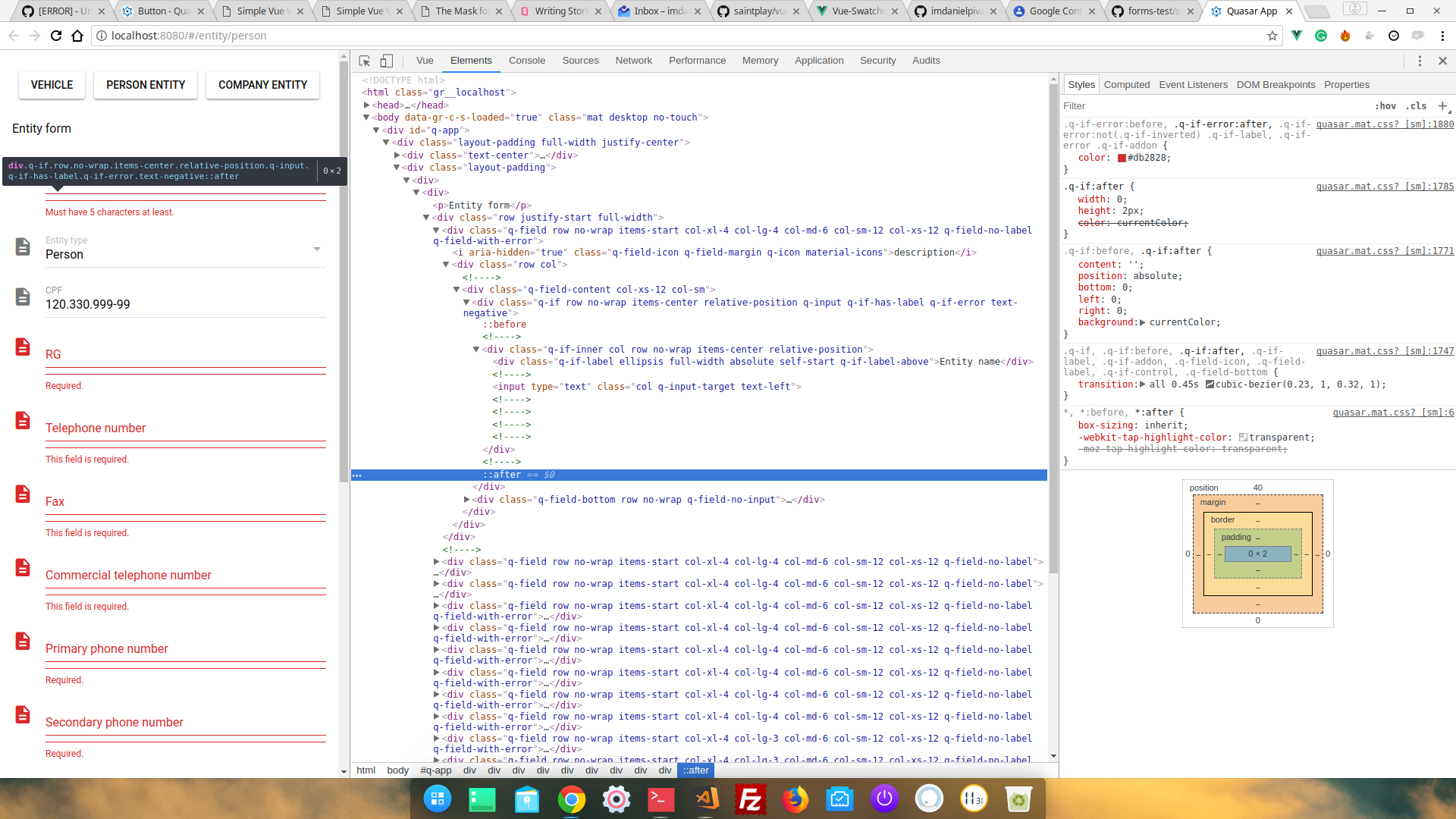
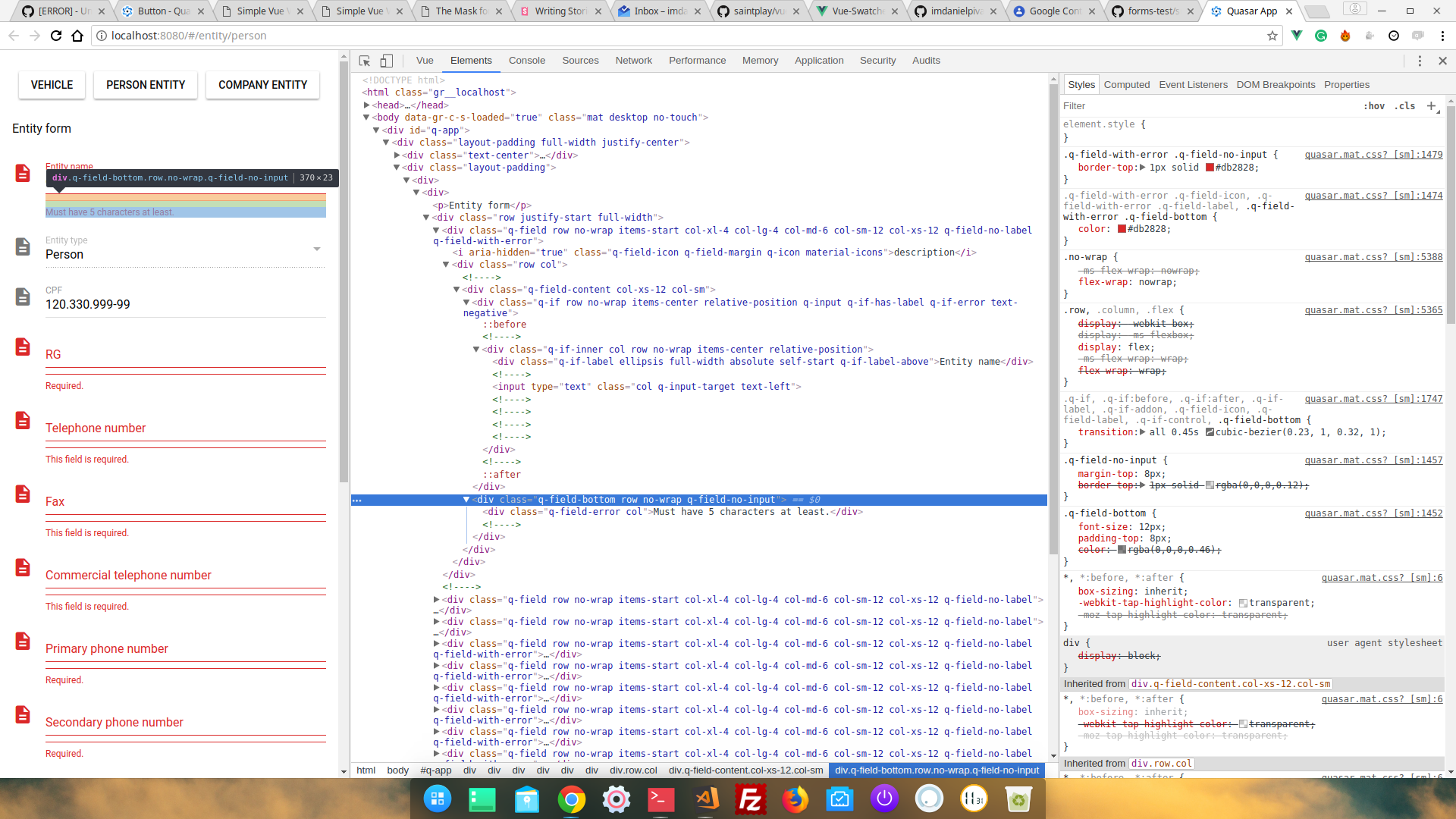
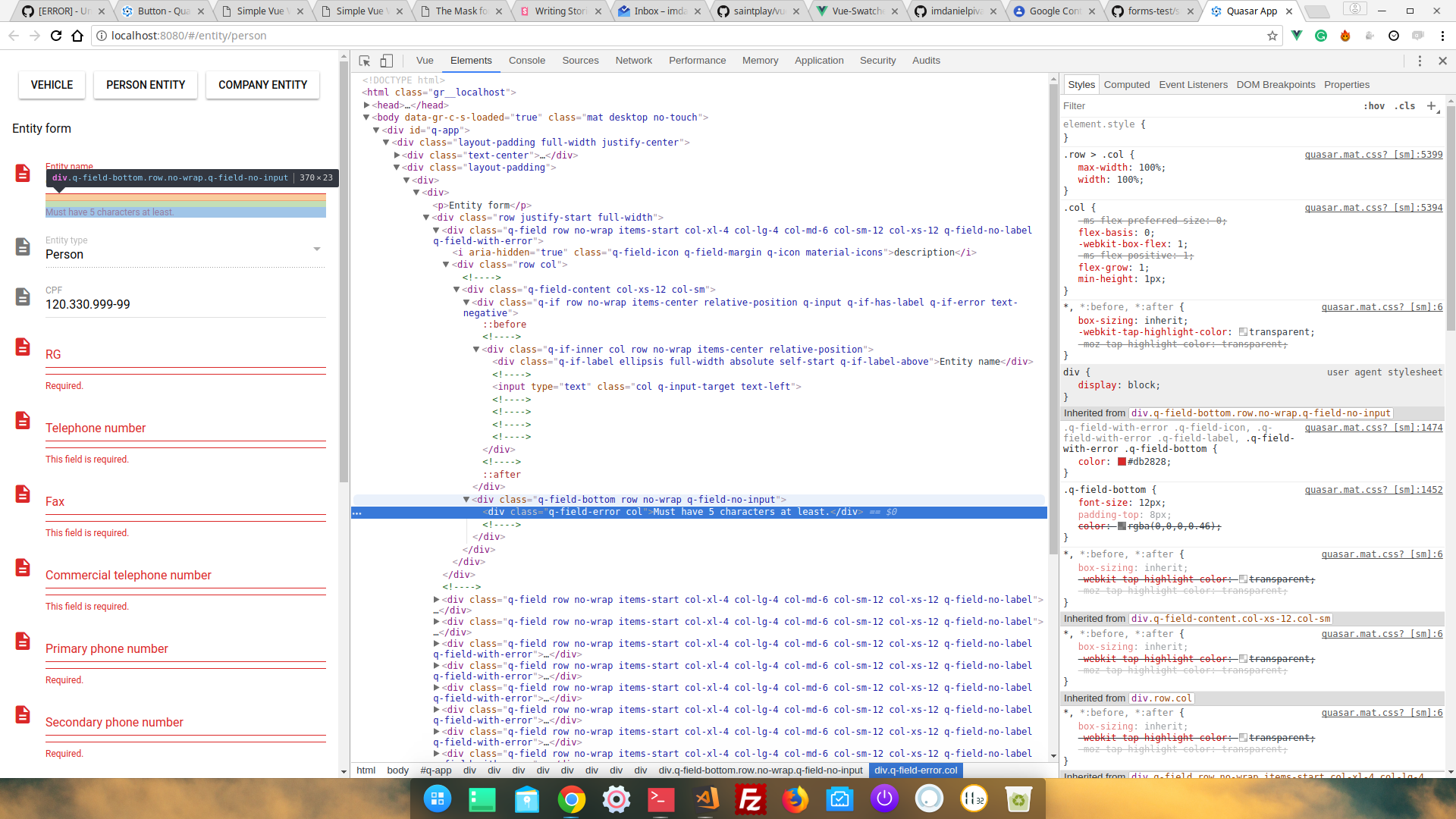
An unexpected border-top shows up when using q-field "helper" or "error-label" props
What were you expecting?
No border
What steps did you take, to get the error?
Just used the props
Screen-shot

 imdanielpiva
All 8 comments
Can you please share the code that produces this problem?
If this is not possible then please attach a screenshot of the chrome inspector (with styles) when you have the helper or the error-label selected in inspector.
 pdanpdan
on 22 Jan 2018
pdanpdan
on 22 Jan 2018
Other info
I've made a component, which has this snippet below, but when I run the yarn dev it happens, but using the same component inside storybook it works fine.
Snippet
<q-field
    icon="description"
    :error="validation.hasError('entityName')"
    :error-label="validation.firstError('entityName')"
    class="col-xl-4 col-lg-4 col-md-6 col-sm-12 col-xs-12"
>
        <q-input
        v-model="entityName"
            @keyup="unmaskStr(entityName)"
            :error="validation.hasError('entityName')"
        float-label="Entity name"
        />
</q-field>
DevTools screen-shots
imdanielpiva
on 22 Jan 2018
Thank you, I found the problem.
pdanpdan
on 22 Jan 2018
Could you give me some info about this?
imdanielpiva
on 22 Jan 2018
It looks like the control element (QInput in this case) is not registered properly inside the QField when using dev/HMR.
You can check this by doing a little test for me:
- start with
yarn dev - refresh the browser => all should be good
- change something in the code => the browser should be updated => it should look bad
- refresh the broser => all should be good
Please let me know if this is what happens.
pdanpdan
on 22 Jan 2018
Nope, it's not. I've seen this behavior with QModal, but not with QField.
PS: I ran yarn build command already and the took a look at the dist version, the same problem.
imdanielpiva
on 22 Jan 2018
Fix available in next Quasar beta. https://github.com/quasarframework/quasar/pull/1469
 rstoenescu
on 23 Jan 2018
rstoenescu
on 23 Jan 2018
Thanks, @rstoenescu!
imdanielpiva
on 23 Jan 2018
Related issues
 slowaways
·
3Comments
slowaways
·
3Comments
 fnicollier
·
3Comments
fnicollier
·
3Comments
 adwidianjaya
·
3Comments
adwidianjaya
·
3Comments
 tombarfoot
·
3Comments
tombarfoot
·
3Comments
 green-mike
·
3Comments
green-mike
·
3Comments