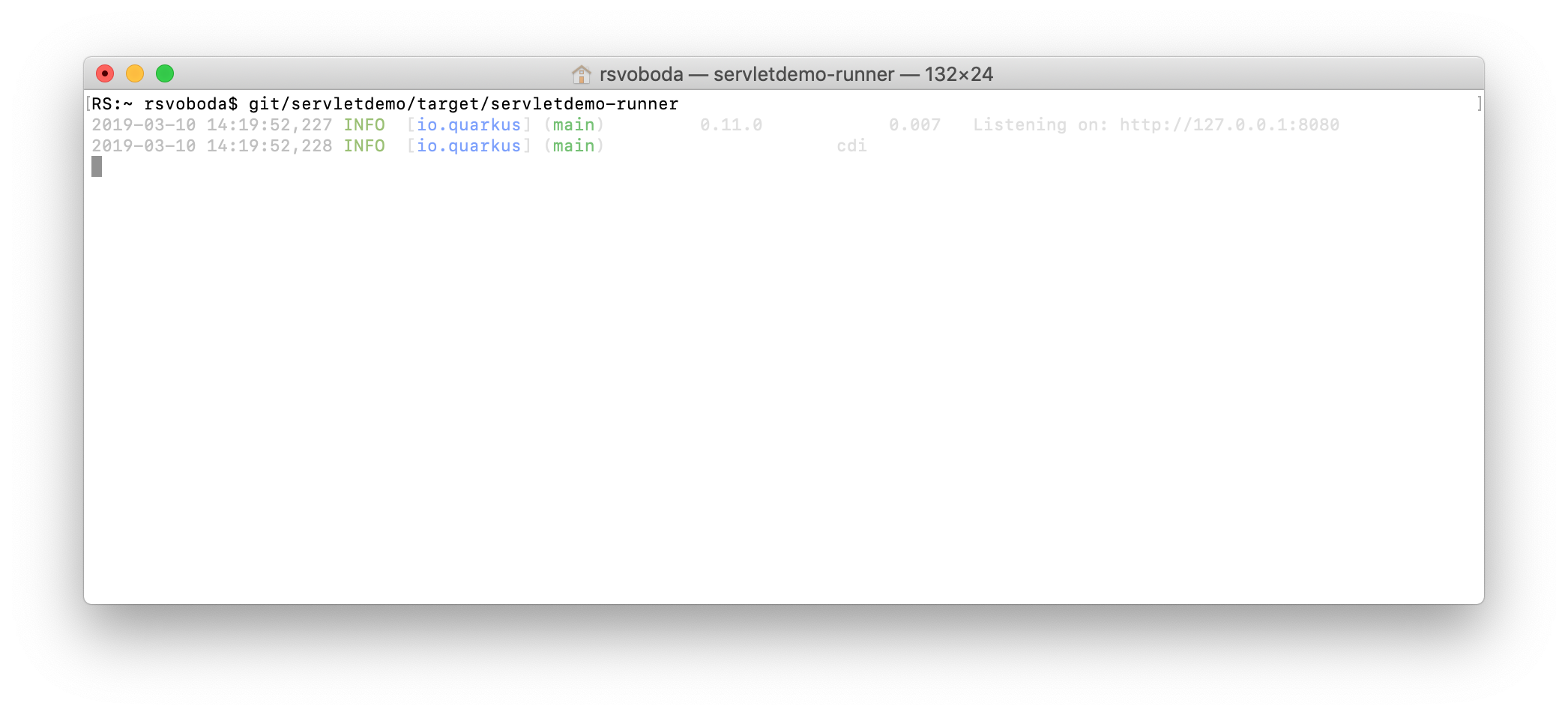
Quarkus: Log messages are barely visible in on white background
Log messages are barely visible in macOS native terminal
Workaround is to use alternative terminal - e.g. https://www.iterm2.com/
 rsvoboda
All 8 comments
Like the web site, dark mode only :-)
On 10 Mar 2019, at 14:24, Rostislav Svoboda notifications@github.com wrote:
Log messages are barely visible in macOS native terminal
https://user-images.githubusercontent.com/925259/54085572-ef66c080-433f-11e9-9f4b-cad827563404.png
Workaround is to use alternative terminal - e.g. https://www.iterm2.com/ https://www.iterm2.com/
—
You are receiving this because you are subscribed to this thread.
Reply to this email directly, view it on GitHub https://github.com/quarkusio/quarkus/issues/1378, or mute the thread https://github.com/notifications/unsubscribe-auth/AAYjfSVOVb3EqU0EfPgJA-oRyki1ND3Pks5vVQeJgaJpZM4bnQoU.
 cescoffier
on 10 Mar 2019
cescoffier
on 10 Mar 2019
Lol, like dark mode (side?) of the Force :)
WildFly works nicely in both terminals. So there will be some tricks to make the output nice for light mode.

rsvoboda
on 10 Mar 2019
There will be light and dark mode options in an upcoming release.
 dmlloyd
on 10 Mar 2019
dmlloyd
on 10 Mar 2019
Workaround is to use alternative terminal - e.g. iterm2.com
Iterm2 is not of much help here, as the log output uses absolute RGB value and not plain ANSI colors, which could be adapted and configured by the terminal adapter.
So having the mode switchable, or even better, make it configurable for each color individually would be awesome.
 rhuss
on 21 Mar 2019
rhuss
on 21 Mar 2019
You can disable colors via -Dquarkus.log.console.color=false or setting this property in your application.properties.
dmlloyd
on 21 Mar 2019
@rsvoboda has this been fixed? I remember some work on it.
 gsmet
on 8 Nov 2019
gsmet
on 8 Nov 2019
Out of the box experience is still the same
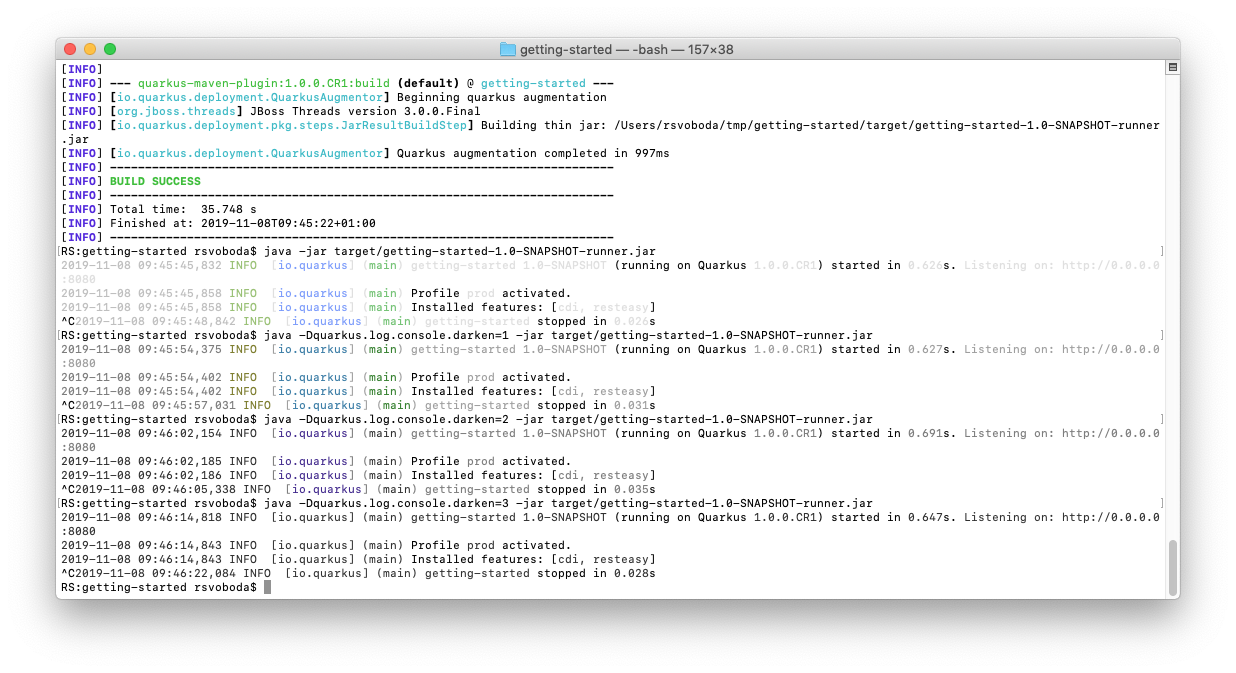
You can tweak it with quarkus.log.console.darken which is not documented.
rsvoboda
on 8 Nov 2019
Using quarkus.log.console.darken resolves the problem. Closing this issue for now
 gastaldi
on 21 Oct 2020
gastaldi
on 21 Oct 2020
Related issues
gastaldi
·
3Comments
 lbernardomaia
·
3Comments
lbernardomaia
·
3Comments
 blsouthr
·
3Comments
blsouthr
·
3Comments
 dansiviter
·
3Comments
dansiviter
·
3Comments
 nderwin
·
3Comments
nderwin
·
3Comments