Qtox: Tray icon is not visible in KDE Plasma (Fedora 30)
Brief Description
OS: Fedora 30 KDE Spin
qTox version: 1.16.2 (Says "Nightly" as installed from RPMFusion)
Commit hash: build without git
toxcore: 0.2.9
Qt: 5.11.3
…
Reproducible: Always
Steps to reproduce
- Install Fedora
- Install qTox from RPMFusion
- Run qTox
Observed Behavior
Tray icon is missing/not visible
Expected Behavior
Tray icon is visible
qtox.log (seems to be no relavent information)
 TheDcoder
All 39 comments
The log seems to be cut at the beginning, can you run qTox from the shell and copy the log from there?
This might be some strange incompatibility with newer KDE, it works for me with openSUSE and KDE 5.45
 sudden6
on 20 Sep 2019
sudden6
on 20 Sep 2019
can you run qTox from the shell and copy the log from there?
Not much output was produced in the console either:
TheDcoder@BeastLappy ~> qtox
AL lib: (WW) alGetError: Querying error state on null context (implicitly 0xa004)
[18:50:26.295 UTC] core/toxencrypt.cpp:272 : Warning: "Unknown decryption error."
[18:50:27.026 UTC] core/toxlogger.cpp:57 : Warning: "WARN :network.c:sendpacket:532: unknown address type: 0"
That is the full uncut output, same with the log file :disappointed:
TheDcoder
on 20 Sep 2019
This might be some strange incompatibility with newer KDE, it works for me with openSUSE and KDE 5.45
I am running KDE Plasma 5.15.5 with KDE Frameworks 5.59.0 and Qt 5.12.4 (not matching with Qt version from qTox)
TheDcoder
on 20 Sep 2019
There should definitely be way more log output, can you try the nightly AppImage from here: https://github.com/qTox/qTox-nightly-releases/releases
Where exactly did you get the package from? It might simply be old or have broken patches.
sudden6
on 21 Sep 2019
Okay, I will try the nightly AppImage tomorrow and report back.
Where exactly did you get the package from? It might simply be old or have broken patches.
From the RPMFusion repository as I have mentioned in the first post :)
TheDcoder
on 21 Sep 2019
@sudden6 The latest nightly AppImage did show the tray icon! and it also output a lot more information as you have mentioned :)
What could be the problem in the package from RPMFusion?
TheDcoder
on 22 Sep 2019
What could be the problem in the package from RPMFusion?
It could be that the last release doesn't work anymore on Fedora 30 or that the package itself is broken.
sudden6
on 22 Sep 2019
I am pretty sure the same issue was present pre-30 (29 and 28), in any case, I think it is best to open a bug report at RPMFusion about this matter.
TheDcoder
on 22 Sep 2019
I have filed a bug report in RPMFusion's bug tracker: https://bugzilla.rpmfusion.org/show_bug.cgi?id=5391
TheDcoder
on 22 Sep 2019
Brief Description
OS: Fedora 30 KDE Spin
qTox version: 1.16.2 (Says "Nightly" as installed from RPMFusion)
Commit hash: build without git
toxcore: 0.2.9
Qt: 5.11.3
…Reproducible: Always
Steps to reproduce
1. Install Fedora

2. Install qTox from RPMFusion

3. Run qTox
Observed Behavior
Tray icon is missing/not visible
Expected Behavior
Tray icon is visible
qtox.log (seems to be no relavent information)
I can't reproduce on Fedora 31. Granted that I can't seem to interact with the icon I see. I'll try to push an update to the latest GIT to see if it solves your problems.
 eclipseo
on 22 Sep 2019
eclipseo
on 22 Sep 2019
@eclipseo Thanks, I am on F30 and I don't see the icon at all. All other programs with tray icons work fine.
TheDcoder
on 22 Sep 2019
@eclipseo Thanks, I am on F30 and I don't see the icon at all. All other programs with tray icons work fine.
The update is in updates-testing, could you install it to test if it works for you?
eclipseo
on 25 Sep 2019
@eclipseo I tried to install the package from updates-testing but I am getting a dependency error:
nothing provides toxcore >= 0.2.10 needed by qtox-1.16.3-1.20190922gitaf02542.fc30.x86_64
@eclipseo I tried to install the package from
updates-testingbut I am getting a dependency error:nothing provides toxcore >= 0.2.10 needed by qtox-1.16.3-1.20190922gitaf02542.fc30.x86_64
It should be in updates-testing as well: https://bodhi.fedoraproject.org/updates/FEDORA-2019-3fb3ad81f6
Try installing it manually maybe:
sudo dnf upgrade --enablerepo=updates-testing --advisory=FEDORA-2019-3fb3ad81f6
eclipseo
on 27 Sep 2019
@eclipseo I installed the package along with the updates-testing repo and advisory enabled:
sudo dnf install --enablerepo=updates-testing --advisory=FEDORA-2019-3fb3ad81f6 "https://download1.rpmfusion.org/free/fedora/updates/30/x86_64/q/qtox-1.16.3-1.20190922gitaf02542.fc30.x86_64.rpm"
But sadly it has not solved the issue, I still do not see the tray icon, no traces of it :disappointed:
The latest stable AppImage works, I have been using it since the last week and the tray icon works very well in that build...
TheDcoder
on 28 Sep 2019
@sudden6 Any thoughts? It looks like Qt supplied with Fedora has some incompatibilities with the working version of Qt in the AppImage...
TheDcoder
on 4 Oct 2019
Do you get any additional output from qTox with the testing RPM?
sudden6
on 4 Oct 2019
No, only some other unrelated errors in the output:
[04:20:17.692 UTC] persistence/db/rawdatabase.cpp:197 : Info: Opened database with SQLCipher 4.x parameters
AL lib: (WW) alGetError: Querying error state on null context (implicitly 0xa004)
[04:20:18.806 UTC] core/toxencrypt.cpp:259 : Warning: "Decryption failed. Either the data was corrupted or the password/key was incorrect."
[04:20:18.806 UTC] persistence/profile.cpp:588 : Warning: Failed to decrypt avatar at "/home/TheDcoder/.config/tox/avatars/XXXXXXXXXXXXXXXXXXXXXXXXXX.png"
@eclipseo It increasingly looks like a packaging/build configuration issue, please check if you are using any configuration options which limit the output produced by qTox, so that we can see any warnings related to the tray issue.
TheDcoder
on 13 Oct 2019
@eclipseo could it be that you limit the log level to warning and above somehow? Or is this maybe the cause of the packages being built in release mode?
sudden6
on 13 Oct 2019
Regarding logs not appearing, this answer is probably the reason, and provides the workaround needed: https://stackoverflow.com/a/37906563
 anthonybilinski
on 14 Oct 2019
anthonybilinski
on 14 Oct 2019
@anthonybilinski Thanks, that helped me get more output from qTox, I found these lines to be relavent:
[04:06:07.550 UTC] widget/systemtrayicon.cpp:83 : Debug: Using the Qt backend
[04:06:07.556 UTC] widget/widget.cpp:533 : Debug: Detected buggy QIcon::hasThemeIcon. Icon overrides from theme will be ignored.
[04:06:13.536 UTC] widget/systemtrayicon.cpp:92 : Debug: Deleting SystemTrayIcon
Why is SystemTrayIcon being deleted? The adjacent log lines doesn't seem to be relavent (they were something related about accessibility)
TheDcoder
on 14 Oct 2019
Why is
SystemTrayIconbeing deleted?
That's a very good question, it seems SystemTrayIcon is only ever deleted here: https://github.com/qTox/qTox/blob/master/src/widget/widget.cpp#L587
which is the destruction point of the whole UI.
Just to clarify, did the last line appear after you closed qTox or was qTox still running?
sudden6
on 14 Oct 2019
Just to clarify, did the last line appear after you closed qTox or was qTox still running?
I just did another test to confirm this, but sadly no... it only appears after I close qTox (after disabling the "Close to Tray" option), so it looks like a red herring.
TheDcoder
on 15 Oct 2019
According to the tray implementation table in this issue, Fedora KDE Plasma should be working well as long as the Qt backend is being used.
In my case it is indeed using the Qt backend, but qTox from RPMFusion does not display the tray icon. But the AppImage for the latest stable release works without any problems... So the observations increasingly point towards an issue in how qTox is built at RPMFusion.
@eclipseo Your thoughts on this matter?
TheDcoder
on 15 Oct 2019
I just did another test to confirm this, but sadly no... it only appears after I close qTox (after disabling the "Close to Tray" option), so it looks like a red herring.
Ok, it's normal for that message to appear when closing qTox.
I think I'm out of ideas on why this problem exists only on Fedora 30.
sudden6
on 15 Oct 2019
As part of the testing in https://github.com/qTox/qTox/issues/5881#issuecomment-541892457, I just installed Fedora 30 with Plasma, and compiling qTox master tip from source, the tray icon appears correctly for me. AFAIK there has been no work touching the tray icon between v1.16.3 release and tip.. so I'm not sure what's going on for you, but whatever it is it doesn't look like a generic qTox + Fedora 30 Plasma problem :S
anthonybilinski
on 15 Oct 2019
@anthonybilinski Thanks for testing it in the latest version of Fedora with KDE (Plasma), I agree that it is not a generic qTox + Fedora problem at this point.
Also as indicated by @sudden6, the "Deleting SystemTrayIcon" message is also a normal occurace during shutdown.
All of the evidence points to some kind of misconfiguration in how qTox is built by RPMFusion... @eclipseo Your thoughts on this conclusion?
TheDcoder
on 15 Oct 2019
@eclipseo I installed the package along with the updates-testing repo and advisory enabled:
sudo dnf install --enablerepo=updates-testing --advisory=FEDORA-2019-3fb3ad81f6 "https://download1.rpmfusion.org/free/fedora/updates/30/x86_64/q/qtox-1.16.3-1.20190922gitaf02542.fc30.x86_64.rpm"But sadly it has not solved the issue, I still do not see the tray icon, no traces of it disappointed
The latest stable AppImage works, I have been using it since the last week and the tray icon works very well in that build...
Sorry I missed the update to this bug. I still can't reproduce on my machine.
Nothing about the RPMFusion build is special:
%global commit          af02542e05992bf94fcff37c365f638ad7b53d8d
%global shortcommit     %(c=%{commit}; echo ${c:0:7})
%global snapshotdate    20190922
# git describe
%global qtox_version    v1.16.3-652-gaf02542e

Name:       qtox
Version:    1.16.3
Release:    1.%{snapshotdate}git%{shortcommit}%{?dist}
Summary:    Feature-rich Tox client

# Main program: GPLv3+
# src/widget/flowlayout.*: BSD
# Smileys/Universe Smileys/emojione: CC-BY
# Smileys/Classic: CC-BY-SA
License:    GPLv3+ and BSD and CC-BY and CC-BY-SA
URL:        https://github.com/qTox/qTox/
Source0:    %{url}/archive/%{commit}/%{name}-%{shortcommit}.tar.gz

# Remove project_group tag from appdata.xml
Patch0:     qTox-af02542-remove_project_group.patch
# Remove -Werror from compile flags
Patch1:     qTox-af02542-disable_Werror.patch

BuildRequires:  gcc-c++
BuildRequires:  cmake
BuildRequires:  desktop-file-utils
BuildRequires:  libappstream-glib
BuildRequires:  pkgconfig(Qt5)
BuildRequires:  pkgconfig(Qt5Svg)
BuildRequires:  qtsingleapplication
BuildRequires:  pkgconfig(toxcore) >= 0.2.10
BuildRequires:  pkgconfig(libavcodec)
BuildRequires:  pkgconfig(openal)
BuildRequires:  pkgconfig(libqrencode)
BuildRequires:  pkgconfig(sqlcipher)
BuildRequires:  pkgconfig(filteraudio)
BuildRequires:  pkgconfig(libexif)
BuildRequires:  pkgconfig(check)
BuildRequires:  pkgconfig(xscrnsaver)
BuildRequires:  pkgconfig(x11)
BuildRequires:  pkgconfig(atk)
BuildRequires:  pkgconfig(cairo)
BuildRequires:  pkgconfig(gdk-pixbuf-2.0)
BuildRequires:  pkgconfig(glib-2.0)
BuildRequires:  pkgconfig(gtk+-2.0)
BuildRequires:  pkgconfig(pango)
BuildRequires:  pkgconfig(openssl)
BuildRequires:  pkgconfig(libsodium)
BuildRequires:  pkgconfig(opus)
BuildRequires:  pkgconfig(vpx)
BuildRequires:  pkgconfig(sqlite3)
BuildRequires:  qt5-linguist
Requires:       hicolor-icon-theme
Requires:       toxcore >= 0.2.10

%description
qTox is a powerful Tox client that follows the Tox design
guidelines while running on all major platforms.

%prep
%autosetup -p1 -n qTox-%{commit}

%build
mkdir build && cd build
%cmake -DSVGZ_ICON=OFF \
       -DGIT_DESCRIBE=%{qtox_version} \
       -DGIT_VERSION=%{commit} \
       ..
%make_build

%install
cd build
%make_install

%check
cd build
ctest -V %{?_smp_mflags} ||:
desktop-file-validate %{buildroot}%{_datadir}/applications/io.github.qtox.qTox.desktop
appstream-util validate-relax --nonet %{buildroot}%{_datadir}/metainfo/io.github.qtox.qTox.appdata.xml

%files
%license LICENSE smileys/Universe/LICENSE-GRAPHICS
%doc README.md CHANGELOG.md
%{_bindir}/qtox
%{_datadir}/metainfo/io.github.qtox.qTox.appdata.xml
%{_datadir}/applications/io.github.qtox.qTox.desktop
%{_datadir}/icons/hicolor/*/apps/qtox.*

%changelog
it's just cmake, make, make install
eclipseo
on 15 Oct 2019
What does echo $XDG_CURRENT_DESKTOP say? Or echo $DESKTOP_SESSION?
eclipseo
on 15 Oct 2019
I will try building https://github.com/anthonybilinski/qTox/commit/ad11885ccbcda4705a65012c941c80c77028424c, see if it solves your issues.
eclipseo
on 15 Oct 2019
What does
echo $XDG_CURRENT_DESKTOPsay? Orecho $DESKTOP_SESSION?
TheDcoder@BeastLappy ~> echo $XDG_CURRENT_DESKTOP
KDE
TheDcoder@BeastLappy ~> echo $DESKTOP_SESSION
/usr/share/xsessions/plasma
Thanks for the quick response, looking forward to try the new build :smile:
TheDcoder
on 15 Oct 2019
@TheDcoder You could also try to reproduce the issue with a fresh setup in a VM, to verify this is not some very strange config issue or stale data lying around.
sudden6
on 15 Oct 2019
@sudden6 Good idea, but I rarely have enough free time these days so it will be a while before I perform this test... but I hope the issue can be resolved sooner than that.
Edit: Seeing as how @anthonybilinski has freshly installed Fedora with KDE Plasma, maybe he can volunteer for the test and try qTox from RPMFusion?
TheDcoder
on 15 Oct 2019
Sure - I will give that a try, hopefully tonight.
anthonybilinski
on 18 Oct 2019
Ok, I've installed qTox from RPMFusion on a fresh Fedora 30 KDE Plasma install, running inside VirtualBox. qTox's tray icon is shown in the litte up arrow next to the time bottom right under "Status and Notifications" and interacting with the tray icon works correctly. Opening "System Tray Settings" and changing qTox form "Visibility: Auto" to "Visibility: Shown" moves the icon from the "Status and Notifications" menu to the tray itself, where it continues to work properly.
I can't see any problems on this fresh install of Fedora 30 with KDE Plasma and qTox from RPMFusion.
anthonybilinski
on 19 Oct 2019
qTox's tray icon is shown in the litte up arrow next to the time bottom right under "Status and Notifications" and interacting with the tray icon works correctly.
🤦 Why did I not think of checking this area?
Opening "System Tray Settings" and changing qTox form "Visibility: Auto" to "Visibility: Shown" moves the icon from the "Status and Notifications" menu to the tray itself, where it continues to work properly.
This works perfectly and I can confirm that I can see and interact with the tray icon now.
Many thanks for finding out the hiding place! No idea why it was hiding in the "Status and Notifications" area, and why was the AppImage version not in that area too?...
TheDcoder
on 20 Oct 2019
I found a bug but I am not sure if it is related to the tray. When I close qTox to the tray and open it again, the window displays but shows a blank interface:
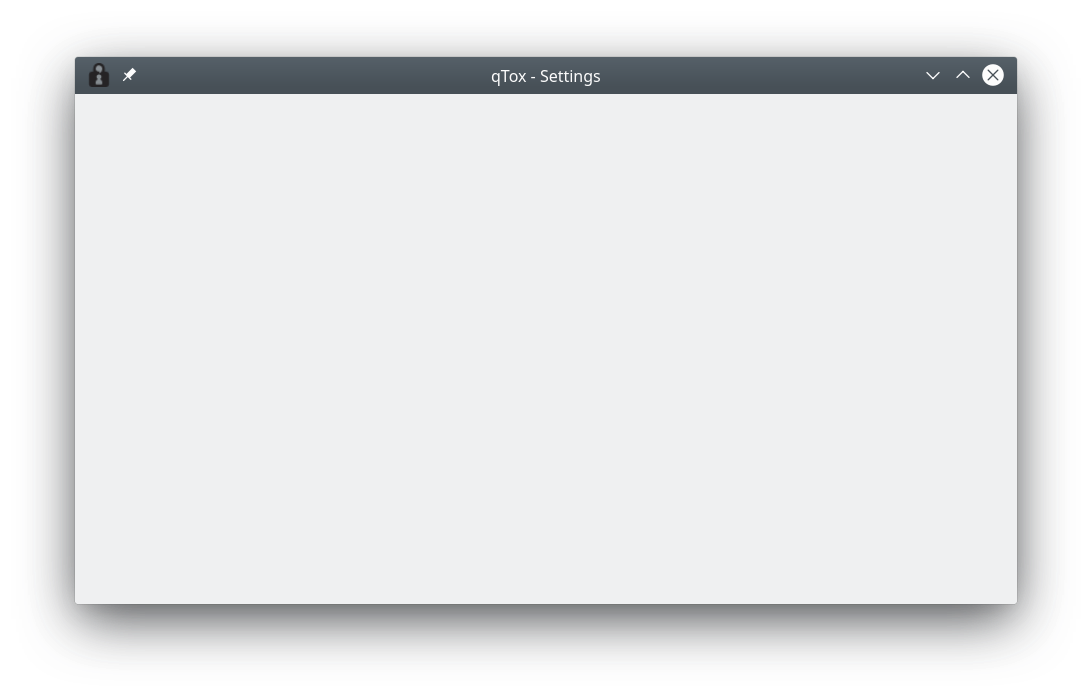
Steps to reproduce:
- Make sure "Close to tray" option is enabled
- Close the qTox window
- Open it again by clicking on the tray icon or using the "Show" option from the context menu of the tray
Any ideas? @anthonybilinski Can you try to reproduce this and see if you can observe it too?
TheDcoder
on 20 Oct 2019
No idea why it was hiding in the "Status and Notifications" area, and why was the AppImage version not in that area too?...
Not sure, but we don't do anything different on qTox's side there. I'm guessing this is just normal behaviour?
Can you try to reproduce this and see if you can observe it too?
I can! It seems to work correctly for "minimize to tray", but show the blank screen for "close to tray". I see the same thing when built from source on tip. I can't reproduce the same bug on Ubuntu 19.04 with gnome on wayland, I'll open a new ticket for this issue, since I think the "Tray icon is not visible" issue is resolved.
anthonybilinski
on 21 Oct 2019
Related issues
 ghost
·
3Comments
ghost
·
4Comments
ghost
·
3Comments
ghost
·
4Comments
 iphydf
·
3Comments
ghost
·
6Comments
iphydf
·
3Comments
ghost
·
6Comments
 ovalseven8
·
4Comments
ovalseven8
·
4Comments
Most helpful comment
Regarding logs not appearing, this answer is probably the reason, and provides the workaround needed: https://stackoverflow.com/a/37906563