Qiskit-terra: Pulse and Schedule plots do not start at t0=0
Information
- Qiskit Terra version:
- Python version:
- Operating system:
What is the current behavior?
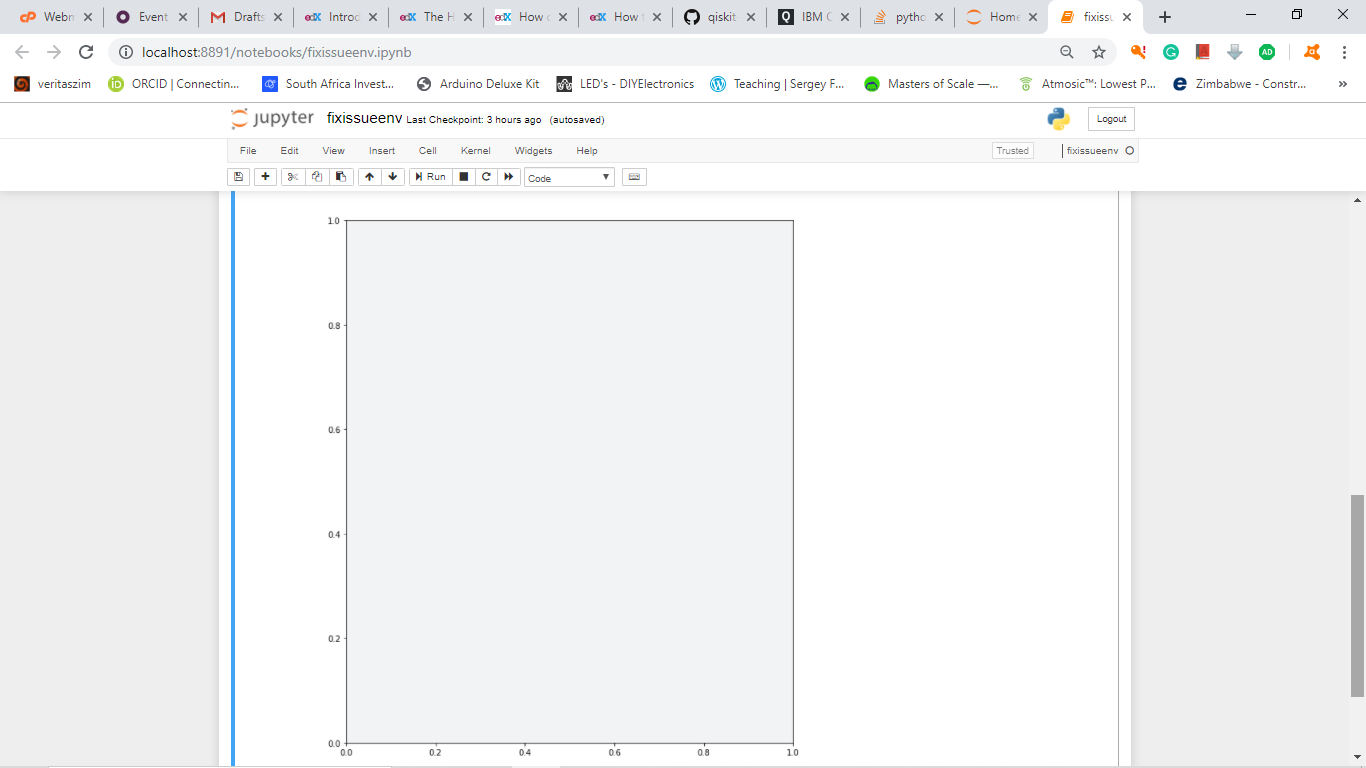
As noted in https://github.com/Qiskit/qiskit-terra/pull/3418#pullrequestreview-313349295, the pulse and schedule plots do not start at t=0, nor do they finish at t=t0+duration
Steps to reproduce the problem
import qiskit.pulse as pulse
import qiskit.pulse.pulse_lib as pulse_lib
sched = pulse.Schedule()
sched += pulse_lib.constant(10, 1.0)(pulse.DriveChannel(1))
sched.draw(channels_to_plot=[pulse.DriveChannel(1)])
What is the expected behavior?
They should start and stop at t0(duration)
Suggested solutions
Any ideas @nkanazawa1989?
 taalexander
All 17 comments
I looked through the code a little more and it looks like it may be happening within the _draw_channels function. I tried playing around with the code in there, and if I have set the time array's first entry to 0, then the channel's figure correctly starts at 0. (Currently, time's first entry is 0.5, which is the amount of offset we see). I have not been able to reproduce the same fix for the end of the channel's figure though. Will play around with it a little more.
 Matt-Stypulkoski
on 7 Nov 2019
Matt-Stypulkoski
on 7 Nov 2019
@taalexander I think it is a problem of how to interpolate discrete pulse. As I remember, time shift of +0.5 indicates sampling at midpoint. i.e.
sample = [s0, s1, s2]
time = [t0, t1, t2, t3]
It should be noted that if you have sample pulse of duration 3, a length of time vector becomes 4 because it should start from 0, or t0. When visualizer interpolates this envelope, it resamples the above vectors to be [(t0+t1)/2, s0], [(t1+t2)/2, s1], [(t2+t3)/2, s2] - this is why your square pulse starts from 0.5, and ends at tf - 0.5.
If you remove the time shift, visualizer returns the figure exactly the same as _left_ sampling strategy and pulse ends at t2 in above example. This is confusing because pulse of duration 3 ends at t2.
 nkanazawa1989
on 8 Nov 2019
nkanazawa1989
on 8 Nov 2019
I don't think we should be interpolating by default (after all our pulses are discrete waveforms). What we should be plotting is [t0, t1, t1, t2, t2, t3] and [s0, s0, s1, s1, s2, s2]. If we want to interpolate on that, it would be fine.
taalexander
on 8 Nov 2019
Not because I have a sure fix but just to learn, may I come through and poke around until I find something. Good starting pointers welcome.
 faraimazh
on 9 Nov 2019
faraimazh
on 9 Nov 2019
@taalexander agreed. but cubic interpolation raises an error with that vectors, ValueError: Expect x to be a 1-D sorted array_like.
nkanazawa1989
on 10 Nov 2019
@faraimazh feel free to poke around and comment here if you have any questions!
taalexander
on 11 Nov 2019
@nkanazawa1989 would either of the two solution work?
- Use a switch statement to use the vectors above I mention if interpolation is off (which I think it should be by default).
- Modify the vectors to be [t0, t1-epsilon, t1+epsilon, t2-epsilon, t2+epsilon, t3] and [s0, s0, s1, s1, s2, s2]
taalexander
on 11 Nov 2019
1 looks easy. In default, visualizer uses linear interpolation instead of disabling.
nkanazawa1989
on 13 Nov 2019
Ok, than. Option one it is :smile:!
taalexander
on 14 Nov 2019
@faraimazh do you still plan to work on this?
taalexander
on 8 Jan 2020
Sure, no problem. If I make progress I will let you know.
On Wed., 8 Jan. 2020, 01:23 Thomas Alexander, notifications@github.com
wrote:
@faraimazh https://github.com/faraimazh do you still plan to work on
this? Otherwise, I will reassign.—
You are receiving this because you were mentioned.
Reply to this email directly, view it on GitHub
https://github.com/Qiskit/qiskit-terra/issues/3427?email_source=notifications&email_token=AIPNQSRZUQLG54SPKVL575TQ4UFHFA5CNFSM4JKHK5DKYY3PNVWWK3TUL52HS4DFVREXG43VMVBW63LNMVXHJKTDN5WW2ZLOORPWSZGOEIKUQ3Q#issuecomment-571820142,
or unsubscribe
https://github.com/notifications/unsubscribe-auth/AIPNQSUZQ7NXKCDZ7376PCLQ4UFHFANCNFSM4JKHK5DA
.
faraimazh
on 8 Jan 2020
Hi @faraimazh, how is this going?
 lcapelluto
on 31 Jan 2020
lcapelluto
on 31 Jan 2020
@lcapelluto thanks for checking. I am only starting to follow now. I had to read a bit on terra and OpenPulse. I am not there yet but ready to get my hands dirty. Excuse my noob-ness, where do I find the drawing function or visualization files?
faraimazh
on 2 Feb 2020
the files are here.
https://github.com/Qiskit/qiskit-terra/tree/master/qiskit/visualization/pulse
and interpolation code is here.
https://github.com/Qiskit/qiskit-terra/blob/ff6b94120520b5c27d6316088eafc90338a97914/qiskit/visualization/pulse/interpolation.py#L26-L49
good luck and I'm happy to help :)
nkanazawa1989
on 3 Feb 2020
the files are here.
https://github.com/Qiskit/qiskit-terra/tree/master/qiskit/visualization/pulseand interpolation code is here.
https://github.com/Qiskit/qiskit-terra/blob/ff6b94120520b5c27d6316088eafc90338a97914/qiskit/visualization/pulse/interpolation.py#L26-L49good luck and I'm happy to help :)
Thanks. I am on it.
faraimazh
on 3 Feb 2020
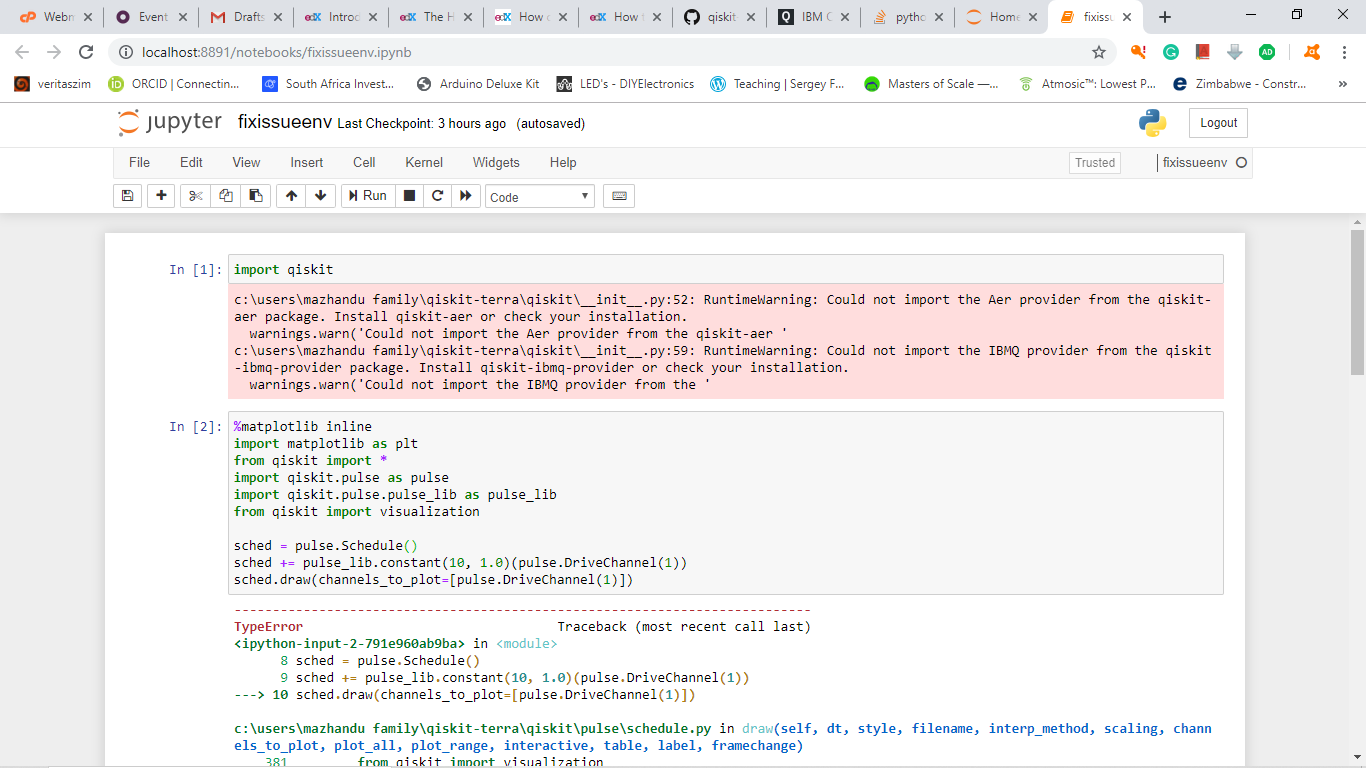
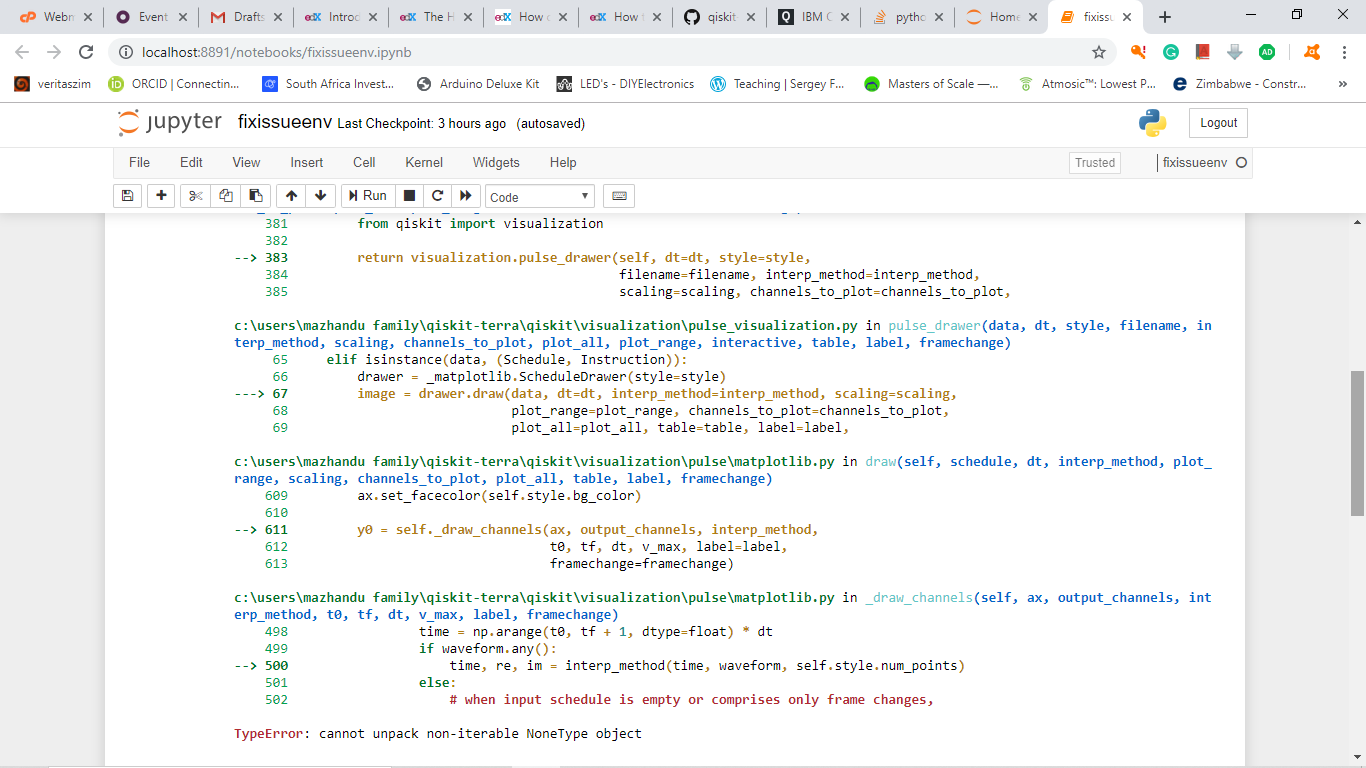
After setting up my environment and all, when I run the code to reproduce the problem here is the error I get.
faraimazh
on 5 Feb 2020
After setting up my environment and all, when I run the code to reproduce the problem here is the error I get.
Issue resolved. I had two folders for qiskit-terra and in one of them there was a corrupt file.
faraimazh
on 5 Feb 2020
Related issues
 cbjuan
·
3Comments
cbjuan
·
3Comments
 1ucian0
·
5Comments
1ucian0
·
5Comments
 delapuente
·
5Comments
delapuente
·
5Comments
 HimanshuBansal112
·
3Comments
HimanshuBansal112
·
3Comments
 chowington
·
4Comments
chowington
·
4Comments