Qgis: Layout -> Legend -> when using diagrams (Pie Chart), weird rendering
Describe the bug
The legend doesn't render a pie diagram correctly instead it shows a weird placement in the front-end and the hides the correct one in the back
How to Reproduce

- Add any shapefile a number feature and link it to a [Pie Chart] Diagram in the layer properties
from the Diagrams page select legend and configure a collapsed or Separated legend [example]:

Go to 'Project'
- Click on 'New Print Layout'
- Add a Map containing a Pie Chart diagram, then add a Legend
- See error
please check also the separated render and other charts if they render correctly in the layout.
QGIS and OS versions
3.12 / Windows 10 (64bit)
QGIS version
3.12.0-București
QGIS code revision
cd141490ec
Compiled against Qt
5.11.2
Running against Qt
5.11.2
Compiled against GDAL/OGR
3.0.4
Running against GDAL/OGR
3.0.4
Compiled against GEOS
3.8.0-CAPI-1.13.1
Running against GEOS
3.8.0-CAPI-1.13.1
Compiled against SQLite
3.29.0
Running against SQLite
3.29.0
PostgreSQL Client Version
11.5
SpatiaLite Version
4.3.0
QWT Version
6.1.3
QScintilla2 Version
2.10.8
Compiled against PROJ
6.3.1
Running against PROJ
Rel. 6.3.1, February 10th, 2020
OS Version
Windows 10 (10.0)
Active python plugins
d3datavis;
dataexplorer;
openlayers_plugin;
OSMDownloader;
OSMtools;
qconsolidate3;
shapetools;
VectorBender;
db_manager;
MetaSearch;
processing
Additional context
 hshatti
All 3 comments
I have the same same issue on Ubuntu Bionic, QGIS v3.12.1!
But I noticed something else too that could help to troubleshoot.
First, this is my buggy legend:
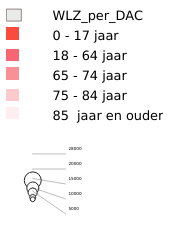
If I disable the legend background then tick on Resize to fit contents in the legend main properties, I seem to get a duplicate of the items rendered over the original, all inside the same legend box... except the duplicate pie chart item is rendered correctly:

 arongergely
on 23 Mar 2020
arongergely
on 23 Mar 2020
I tried to test this, and I think I missed a step. I can't validate this issue as my legend just becomes a damn giraffe for no reason in 3.12 on windows.
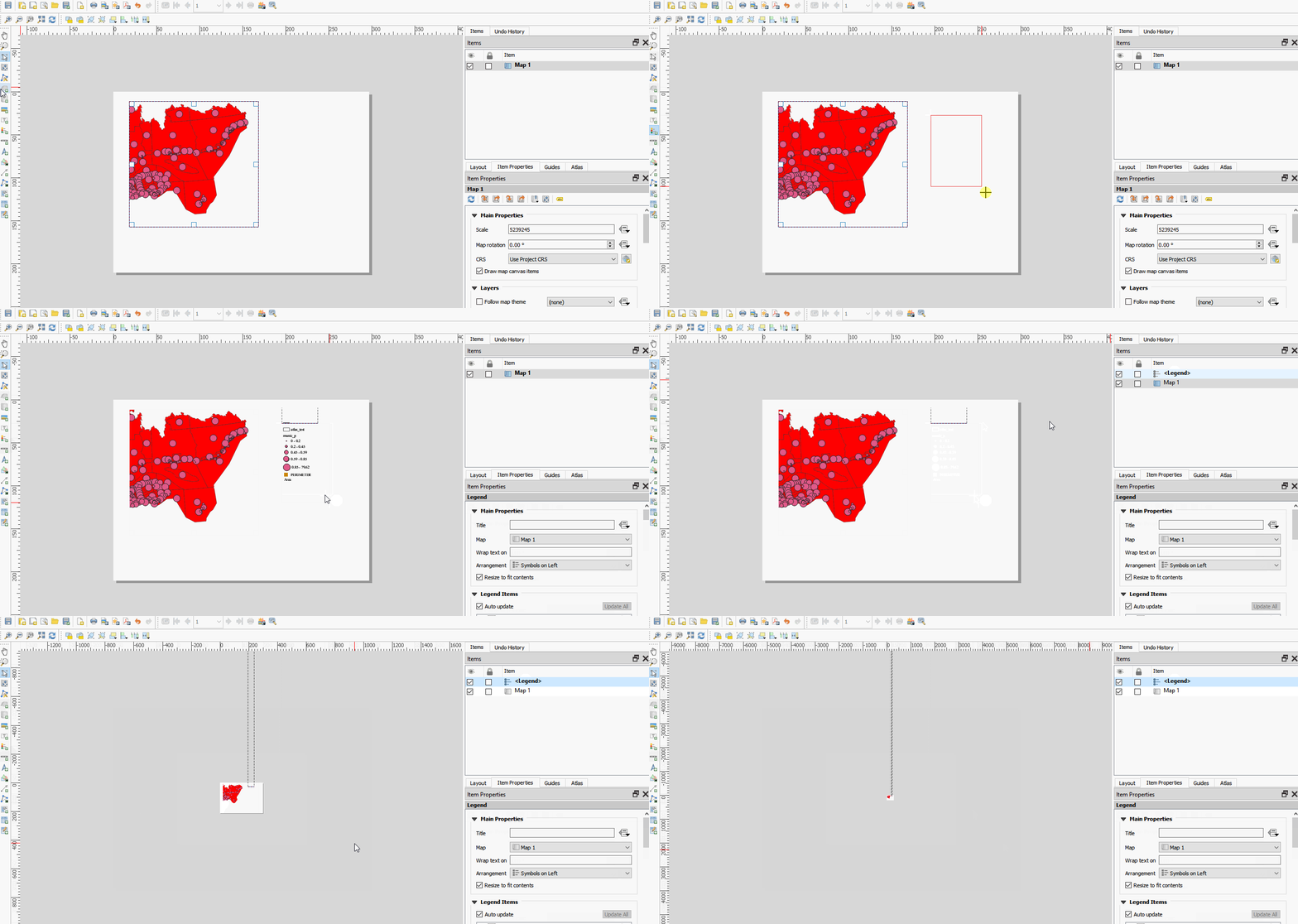
 roya0045
on 17 Apr 2020
roya0045
on 17 Apr 2020


After trying @arongergely workaround
"If I disable the legend background then tick on Resize to fit contents in the legend main properties, I seem to get a duplicate of the items rendered over the original, all inside the same legend box... except the duplicate pie chart item is rendered correctly:"
There is no duplicated legends when you export to PDF, image, ...
I have the same problem of superimposing proportional circles in a legend with version 3.12.1.
I see that it is correct when exported.
 Benidrissa
on 14 May 2020
Benidrissa
on 14 May 2020
Related issues
 Saijin-Naib
·
3Comments
Saijin-Naib
·
4Comments
Saijin-Naib
·
3Comments
Saijin-Naib
·
4Comments
 Mariosmsk
·
3Comments
Mariosmsk
·
3Comments
 qgib
·
3Comments
qgib
·
3Comments
 romariocarvalhoneto
·
3Comments
romariocarvalhoneto
·
3Comments
Most helpful comment
I have the same same issue on Ubuntu Bionic, QGIS v3.12.1!
But I noticed something else too that could help to troubleshoot.
First, this is my buggy legend:

If I disable the legend background then tick on Resize to fit contents in the legend main properties, I seem to get a duplicate of the items rendered over the original, all inside the same legend box... except the duplicate pie chart item is rendered correctly: