Pywinauto: DataGrid not wrapped correctly, can't access any cells
I have an ancient app that is using DataGrid. Listing all other controls in the app works (using both win32 and UIA backends), but i can't get any children from DataGrid (can't even locate this control using win32 backend).
"Inspect.exe" is able to list all details in MSAA mode, even traverse over siblings (cells) in any direction and read it's content
pywinauto 0.6.4 on python3.6.4 / x64, using UIA backend.
Reading through the sources it looks like the DataGrid should be wrapped in uia_controls.ListView, but here it is wrapped just in the generic UIAWrapper.
>>> from pprint import pprint as pp
>>> pp(win.children()[0].children()[0].children())  # subwindow of a main window
[<uia_controls.ButtonWrapper - 'OK', Button, 3713039909540564731>,
 <uia_controls.ButtonWrapper - 'X', Button, 3713039909750574581>,
 <uia_controls.EditWrapper - '', Edit, 3713039909791710531>,
 <uiawrapper.UIAWrapper - 'DataGrid', Table, 3713039980558534831>,
 <uia_controls.ComboBoxWrapper - '', ComboBox, 3713040619033944881>]
>>> dg = win.children()[0].children()[0].children()[4]
>>> dg
<uiawrapper.UIAWrapper - 'DataGrid', Table, 3713039980558534831>
>>> dg.texts()
['DataGrid']
>>> dg.children()  # this should return quite a lot of items
[]
>>> dg.iface_grid
Traceback (most recent call last):
  File "C:\Users\User\AppData\Local\Programs\Python\Python36\lib\site-packages\pywinauto\uia_defines.py", line 232, in get_elem_interface
    iface = cur_ptrn.QueryInterface(cls_name)
  File "C:\Users\User\AppData\Local\Programs\Python\Python36\lib\site-packages\comtypes\__init__.py", line 1158, in QueryInterface
    self.__com_QueryInterface(byref(iid), byref(p))
ValueError: NULL COM pointer access

During handling of the above exception, another exception occurred:

Traceback (most recent call last):
  File "<stdin>", line 1, in <module>
  File "C:\Users\User\AppData\Local\Programs\Python\Python36\lib\site-packages\pywinauto\controls\uiawrapper.py", line 131, in __get__
    value = self.fget(obj)
  File "C:\Users\User\AppData\Local\Programs\Python\Python36\lib\site-packages\pywinauto\controls\uiawrapper.py", line 265, in iface_grid
    return uia_defs.get_elem_interface(elem, "Grid")
  File "C:\Users\User\AppData\Local\Programs\Python\Python36\lib\site-packages\pywinauto\uia_defines.py", line 234, in get_elem_interface
    raise NoPatternInterfaceError()
pywinauto.uia_defines.NoPatternInterfaceError
>>>
when using win32 backend, this is all i get from the control:
>>> pp(win.children())
[<hwndwrapper.HwndWrapper - '', WindowsForms10.Window.8.app.0.2780b98, 524706>,
 <win32_controls.ButtonWrapper - 'OK', Button, 590198>,
 <win32_controls.ButtonWrapper - 'X', Button, 590260>,
 <win32_controls.EditWrapper - '', Edit, 590238>,
 <hwndwrapper.HwndWrapper - '', WindowsForms10.Window.8.app.0.2780b98, 524594>,
 <hwndwrapper.HwndWrapper - '', WindowsForms10.SCROLLBAR.app.0.2780b98, 524670>,
 <hwndwrapper.HwndWrapper - '', WindowsForms10.SCROLLBAR.app.0.2780b98, 917850>,
 <win32_controls.ComboBoxWrapper - 'Company', ComboBox, 1245528>,
 <win32_controls.EditWrapper - 'Company', Edit, 524672>,
 <win32_controls.ComboBoxWrapper - '', ComboBox, 1376596>,
 <win32_controls.EditWrapper - '', Edit, 852300>,
 <hwndwrapper.HwndWrapper - '', WindowsForms10.Window.8.app.0.2780b98, 590184>,
 <win32_controls.StaticWrapper - 'Infopanel', Static, 1180004>]
DataGrid should be located in the 'WindowsForms10.Window.8.app.0.2780b98, 524594' window, but it contains only two scrollbars and nothing else.
Any way to get the data out of the DataGrid?
 Nonisiuniis
All 25 comments
Digging deeper, it looks the app does something weird with the DataGrid element. Calling _GetCurrentPattern()_ on the element returns non-null pointer only for pattern id _10018_ (_LegacyIAccessible_) and calling _legacy_properties()_ indeed does return some data.
>>> dg.legacy_properties()
{'ChildId': 0, 'DefaultAction': '', 'Description': '', 'Help': '', 'KeyboardShortcut': '',
 'Name': 'DataGrid', 'Role': 24, 'State': 1048576, 'Value': ''}
>>> dg.element_info.element.CurrentAutomationId
'dataGrid1'
Still i haven't found a way to list children. Calling any _Find*_ method with any combination of children/descendants and any condition hangs for some time and ends up with following exception
>>> cond = IUIA().build_condition()
>>> scope = IUIA().tree_scope['children']
>>> dg.element_info.element.FindAll(scope, cond)
Traceback (most recent call last):
  File "<stdin>", line 1, in <module>
_ctypes.COMError: (-2147467259, 'Unspecified error', (None, None, None, 0, None))
However "Inspect.exe" shows that something is probably broken in the application itself. Getting info about cell element by mouse-hover mode i get something like this (MSAA mode):
How found:
        Mouse move (243,296) hwnd=0x00080132 64bit class="WindowsForms10.Window.8.app.0.2780b98" style=0x56010000 ex=0x0
ChildId:
        0
Interfaces:
        IEnumVARIANT IOleWindow
Impl:
        Remote native IAccessible
[...]
Other Props:
        Object has no additional properties
Children:
        Container has no children
Ancestors:
        "N" : Row : Focus, Select
        "DataGrid" : Table : Focus
        "DataGrid" : Window : Focus
        none : Client : Focus
        none : Window : Focus
        "[dialog window title]" : Client : Focus
        "[dialog window title]" : Window : Change size,Move,Focus
    "Desktop" : Client : Focus
    "Desktop" : Window : Focus
    [ No Parent ]
In UI Automation mode, Ancestors looks like this:
Ancestors:
        "N"
        "DataGrid" table
        "" Subwindow
        "[dialog window title]" Window
        "[app window title]" Window
        "Desktop" Subwindow
    [ No Parent ]
In both modes it shows some empty window between DataGrid and window. Stepping up to parent works until it should inspect this empty window, then Inspect.exe hangs for quite a long time (roughly the same time as python before throwing exception)
Nonisiuniis
on 6 Feb 2018
Hmm... Some automation elements don't have parent in some applications. Don't know why. Probably the workaround might be to get cell rectangles by another way and then call ElementFromPoint function (see an example). But not sure this alternative way exists for this DataGrid.
As I understand it's a standard WinForms DataGrid? So sample app should be pretty easy to create. Right?
 vasily-v-ryabov
on 8 Feb 2018
vasily-v-ryabov
on 8 Feb 2018
I don't know what happened, but it works now. There was no reboot, just few restarts of the application, fiddling with win32api and win32gui modules and that's it. As my previous automation attempt was done in Sikuli, i had all the coords and got the same idea to get elements from screen points. Today, i've installed Lackey to get rid of Java, loaded few lines from history buffer in REPL and out of sudden, even _app.top_window().print_control_identifiers()_ correctly dumps whole object tree - I'm really puzzled. I have to call _legacy_properties()_ on each cell to get value out (each cell is a control_type="Custom" object), but that's the easiest part.
Sadly, it's quite slow. I was able to scan through the grid within 2 seconds in Sikuli, this including selecting text in each cell, right-click, copy to clipboard and compare (Ctrl+C raises exception in original application - it's not maintained anymore). Just getting reference to DataGrid object using _app.top_window().window(title="DataGrid")_ takes around 3-4 seconds, listing rows in huge table really slows things down. What's worse, it eats a lot of RAM. Strangely, this is allocated in original process. Few scans over large tables and app eats 2G of RAM in few minutes (it is usually way below 100MB).
However i still get exceptions when doing simple interactions, like clicking buttons (the action is carried out - it opens new window as it should, but then it raises exception)
>>> app.top_window().child_window(auto_id="bnOrders").click()
Traceback (most recent call last):
  File "<interactive input>", line 1, in <module>
  File "C:\Users\User\AppData\Local\Programs\Python\Python36\lib\site-packages\pywinauto\controls\uia_controls.py", line 116, in click
    self.invoke()
  File "C:\Users\User\AppData\Local\Programs\Python\Python36\lib\site-packages\pywinauto\controls\uiawrapper.py", line 496, in invoke
    self.iface_invoke.Invoke()
_ctypes.COMError: (-2147467259, 'Unspecified error', (None, None, None, 0, None))
One last thought - i've ran all of test binaries in the repository - is it possible some control was just badly registered?
Nonisiuniis
on 8 Feb 2018
Looking for child_window(title="DataGrid") is slow because the search gets the text of every element in the hierarchy (for "win32" backend it means sending 2 window messages and 1 memory allocation in neighbor process, so called "marshalling").
If you use control_type or class_name additionally, it will be much faster. Getting control_type costs almost nothing and doesn't even require cross-process interaction for both backends.
vasily-v-ryabov
on 9 Feb 2018
If the exception in Invoke() pattern happens for the newly opened window, it might be some incomplete lazy initialization. That might be workarounded using method app.wait_cpu_usage_lower() which measures CPU usage for this particular application process only and waits while the app becomes idle. Lazy initialization may include some DB connection or whatever. I saw some apps crashed if trying to interact with them too early. Generally I would consider this behavior as a bug in lazy init implementation, but some automation tasks don't consider fixes in the app possible.
vasily-v-ryabov
on 9 Feb 2018
Application is quite simple CRUD type with file-based SQL-CE DB. There is main window (type 'Dialog') with few buttons (orders, storecards, invoices, ..) which opens new window (again, type 'Dialog') with some inputs, buttons and datagrid. Double-clicking grid row (or selecting and pressing 'Ok' button) closes current dialog and open new one, usually with the similiar layout. There can be only one datagrid opened at a time (windows with datagrids are modal). Each datagrid can contain unknown number of rows. Data for rows are fetched from DB when the window is opened.
Right now, i start the app manually and then connect to it using _Application(backend="uia").connect(title="App title")_ - as noted before, 'win32' backend won't show the datagrid at all. I don't know if the _Invoke_ exception is triggered for the newly opened window - i just call the _.click()_ method as mentioned in previous post (it doesn't matter which button - every one triggers it). The app is sitting idle with no CPU usage - it merely opens the DB file at start and reads some defaults, which is done before main dialog is drawn (window content depends on the data). I think i can safely ignore this exception, i'll just wrap it in try/except and wait for the expected window to appear.
Any evaluation of window containing datagrid is slow and eats RAM in app process. It doesn't matter if i pass any extra details to _child_window()_ method.
Let's do some benchmark - app with one datagrid window opened, showing 35 rows with 17 columns (595 cells), eating 51MB RAM before starting python and connecting _Application()_ object to it.
Just title:
>>> timeit.timeit(stmt='app.top_window().window(title="DataGrid").wrapper_object()', number=100, globals={'app': app})
210.52739412411347
Title and control_type:
>>> timeit.timeit(stmt='app.top_window().window(title="DataGrid", control_type="Table").wrapper_object()', number=100, globals={'app': app})
209.34534081845595
Title, control_type, class_name:
>>> timeit.timeit(stmt='app.top_window().window(title="DataGrid", control_type="Table", class_name="WindowsForms10.Window.8.app.0.2780b98").wrapper_object()', number=100, globals={'app': app})
214.96945477707322
Just control_type:
>>> timeit.timeit(stmt='app.top_window().window(control_type="Table").wrapper_object()', number=100, globals={'app': app})
210.20864188046198
Just class_name:
timeit.timeit(stmt='app.top_window().window(class_name="WindowsForms10.Window.8.app.0.2780b98").wrapper_object()', number=100, globals={'app': app})
213.94833700931486
Any of the _.window()_ calls to find the datagrid control bumps the memory footprint of application to 69MB (when rows=35) and spikes the CPU to 100%. Calling any _.window()_ while the datagrid contains many rows (up to few thousands is common in the app) triggers timeout exception.
Calling _.print_control_identifiers()_ on such window freezes the app and RAM usage grows to few GB (as noted, this RAM is allocated by app and not python and isn't freed when python process exits). Sometimes, it runs and the tree is printed, sometimes it ends up with exception (again, probably depends on row count):
_ctypes.COMError: (-2147467259, 'Unspecified error', (None, None, None, 0, N
one))
Any automation operation called when the app is bloated in RAM from previous operation makes things even worse and more often it fails with timeout, exception, or not listing any children in given window.
Nonisiuniis
on 9 Feb 2018
Right now, i think i can workaround most issues - i can limit the amount of rows in datagrid by filter available in the same window and i can jump to specific window/control just by traversing _.children()_ but i think some extra limiting in children/window would help.
Could the _.children()_ method be modified (or other introduced) to return generator instead of traversing and evaluating all the children and returning them as list?
Nonisiuniis
on 9 Feb 2018
btw i think the "out of sudden it works" was because i've switched from displaying large datagrid to a small one - as noted, it still fails with random results on large ones
Nonisiuniis
on 9 Feb 2018
.children() call could be extended by .children(title="...", control_type="..."), but returning a generator is not possible because it calls MS UI Automation function FindAll with TreeScopeChildren. In theory it can be rewritten by using RawTreeWalker object, but not sure 100% it will improve something.
Just curious... What is the minimum and maximum of len(app.top_window().descendants())?
vasily-v-ryabov
on 9 Feb 2018
only main app running:
>>> len(app.top_window().descendants())
19
datagrid window with 35 rows (17 columns, 595 cells, as in the timing calls):
eating about 355MB RAM in app process
>>> len(app.top_window().descendants())
1291
datagrid window with 198 rows (16 columns, 3168 cells):
failed, ended up with 120MB RAM
>>> len(app.top_window().descendants())
0
datagrid window with 1127 rows (11 columns, 12397 cells):
obviously failed too, ended up with 295MB RAM taken
>>> len(app.top_window().descendants())
0
every call started with clean app and python restart, no exceptions raised
Calling _.children(title="...")_ might help (adding _control_type_ won't, as it's _Custom_ for every cell, except for header row, which is type _Header_). The problem is i usually don't need whole column (say, 6k entries) of, say, _Street_ or _City_. I just need to scan row by row until i hit the row with my search data (usually within first few rows, generally < 100), then select it (sometimes with extra action, like add amount into first cell) and submit.
Snippet of output from _.print_control_identifiers()_, stripped of extra tree structure for clarity (i've cut out some cells/rows out, so numbers don't match here). Each row is window with title "N" and contains individual cells as it's children
 Custom - 'N'    (L40, T687, R1275, B704)
 ['NCustom35', 'N35', 'Custom613']
 child_window(title="N", control_type="Custom")
     |
     | Custom - 'Created'    (L275, T177, R354, B193)
     | ['CreatedCustom5', 'Custom77', 'Created6']
     | child_window(title="Created", control_type="Custom")
     |
     | Custom - 'Planned'    (L355, T177, R434, B193)
     | ['Planned6', 'Custom78', 'PlannedCustom5']
     | child_window(title="Planned", control_type="Custom")
     |
     | Custom - 'External number'    (L435, T177, R514, B193)
     | ['External number6', 'Custom79', 'External numberCustom5']
     | child_window(title="External number", control_type="Custom")
     |
     | Custom - 'Company'    (L515, T177, R644, B193)
     | ['CompanyCustom5', 'Custom80', 'Company6']
     | child_window(title="Company", control_type="Custom")
It's quite strange how some inner lists are ordered, but i think it's just implementation detail.
There is another strange thing in the output - only some rows at start are rendered within "N"-control wrapper, rest of the table is rendered without them, something like this:
  cell
  cell
row
  cell
  cell
cell
cell
cell
cell
cell
...
Trying to get just the rows (with _.children(title="N")_) fails in same way as getting all the children (it just returns empty list). Probably because it still has to visit every control anyway. However this fails too (and there are just <20 entries with control_type="Header")
Header example:
   | Header - 'Company'    (L515, T90, R644, B106)
   | ['Header7', 'ComapnyHeader', 'Company', 'Company0', 'Company1']
   | child_window(title="Company", control_type="Header")
>>> app.top_window().window(title="DataGrid").children(control_type="Header")
Traceback (most recent call last):
  File "C:\Users\User\AppData\Local\Programs\Python\Python36\lib\site-packages\pywinauto\application.py", line 245, in __resolve_control criteria)
  File "C:\Users\User\AppData\Local\Programs\Python\Python36\lib\site-packages\pywinauto\timings.py", line 449, in wait_until_passes
    raise err
pywinauto.timings.TimeoutError

During handling of the above exception, another exception occurred:

Traceback (most recent call last):
  File "<stdin>", line 1, in <module>
  File "C:\Users\User\AppData\Local\Programs\Python\Python36\lib\site-packages\pywinauto\application.py", line 351, in __getattribute__
    ctrls = self.__resolve_control(self.criteria)
  File "C:\Users\User\AppData\Local\Programs\Python\Python36\lib\site-packages\pywinauto\application.py", line 248, in __resolve_control
    raise e.original_exception
  File "C:\Users\User\AppData\Local\Programs\Python\Python36\lib\site-packages\pywinauto\timings.py", line 427, in wait_until_passes
    func_val = func(*args)
  File "C:\Users\User\AppData\Local\Programs\Python\Python36\lib\site-packages\pywinauto\application.py", line 209, in __get_ctrl
    ctrl = self.backend.generic_wrapper_class(findwindows.find_element(**ctrl_criteria))
  File "C:\Users\User\AppData\Local\Programs\Python\Python36\lib\site-packages\pywinauto\findwindows.py", line 87, in find_element
    raise ElementNotFoundError(kwargs)
pywinauto.findwindows.ElementNotFoundError: {'title': 'DataGrid', 'top_level_only': False, 'parent': <uia_element_info.UIAElementInfo - '', , None>, 'backend':'uia'}
Method .children() enumerates immediate children only while .descendants() walks the whole subtree so it's required to reach these cells:
  cell
  cell
row
  cell
  cell
UIA backend doesn't do manual marshaling to retrieve any texts, this is all up to MS UI Automation library (UIAutomationCore.dll) and UIA providers exposed by the app.
With your latest example the exception is pretty informative. There is no element with title "DataGrid". Previous print_control_identifiers output shows the right title is "N". So this statement should find something:
app.top_window().child_window(title="N", control_type="Custom").children(control_type="Header")
or even this way:
app.top_window().descendants(control_type="Header")
I'll draw complete tree of the app as printed by _app.top_window().print_control_identifiers()_ with one datagrid subwindow opened, just to have something to refer to (in previous message i've posted only the row container and it obviously created some confusion). Extra info is stripped, only control_type, auto_id and title (where applicable) is included. Let's pretend the datatable has three columns:
Window / FormMain / title=AppTitle
  |  Window / FormRoll / title=Orders
  |  |  Pane / panel1
  |  |  |  Button / bnQuickCmd / title=New
  |  |  |  [ .. some extra buttons ..]
  |  |  |  Table / dataGrid1 / title=DataGrid
  |  |  |  |  ScrollBar / <random>
  |  |  |  |  |  Button / title=ColumnLeft
  |  |  |  |  |  Thumb / title=Position
  |  |  |  |  |  Button / title=PageRight
  |  |  |  |  |  Button / title=ColumnRight
  |  |  |  |  Header / title=<col1_title>
  |  |  |  |  Header / title=<col2_title>
  |  |  |  |  Header / title=<col3_title>
  |  |  |  |  Custom / title=N
  |  |  |  |  | Custom / title=<col1_title>
  |  |  |  |  | Custom / title=<col2_title>
  |  |  |  |  | Custom / title=<col3_title>
  |  |  |  |  Custom / title=N
  |  |  |  |  | Custom / title=<col1_title>
  |  |  |  |  | Custom / title=<col2_title>
  |  |  |  |  | Custom / title=<col3_title>
  |  |  |  |  Custom / title=N
  |  |  |  |  | Custom / title=<col1_title>
  |  |  |  |  | Custom / title=<col2_title>
  |  |  |  |  | Custom / title=<col3_title>
  [ .. many other rows .. ]
this is how it should look like, and is consistent with MS .NET docs. However after several rows (row container is the _N_ element) the output is (sometimes) mangled and row elements are not rendered at all, it continues like this:
  |  |  |  |  Custom / title=N
  |  |  |  |  | Custom / title=<col1_title>
  |  |  |  |  | Custom / title=<col2_title>
  |  |  |  |  | Custom / title=<col3_title>
  |  |  |  | Custom / title=<col1_title>   #  <-- mangled from here
  |  |  |  | Custom / title=<col2_title>
  |  |  |  | Custom / title=<col3_title>
  |  |  |  | Custom / title=<col1_title>
  |  |  |  | Custom / title=<col2_title>
  |  |  |  | Custom / title=<col3_title>
  |  |  |  | Custom / title=<col1_title>
  |  |  |  | Custom / title=<col2_title>
  |  |  |  | Custom / title=<col3_title>
But this is not a real problem (at least not for me) as this is probably just some mishap in the printing function.
As you see, every _ScrollBar_, _Header_, _N_ and _Custom_ element is descendant of _DataGrid_ element (control_type _Table_), but only _ScrollBar_, _Header_ and _N_ should show up in _.children()_, right? Well, that's not the case. When i open my smallest DataGrid window with 35 rows / 17 columns, i should get 1 _ScrollBar_, 17 _Header_ elements and 35 _N_ rows, that's 53 elements. Let's see:
>>> # app / subwindow / pane /  datagrid element after some buttons
>>> dg = app.top_window().children()[0].children()[0].children()[6]
>>> dg
<uiawrapper.UIAWrapper - 'DataGrid', Table, 3713043101523575881>
>>> len(dg.children())
648
>>> len(dg.descendants())
1247
Here, _dg.children()_ contains 1 ScrollBar (but not it's buttons) and EVERY header and cell (1 + 17 + 35 + 17 * 35). I don't know why it contains children of _N_ elements, but not children of _ScrollBar_ element. _dg.descendants()_ contains everything and from the counts it looks like each cell is duplicated in the output (1 + 4buttons + 17 + 35 + (17 * 35) * 2).
To reiterate previous findings - ANY _.children()_ call on DataGrid element probably scans each cell and when the table has more than few rows it quickly ends up with one of following errors:
- Timeout Exception
- COM Unspecified Error Exception
- zero children returned (and no exception)
In every case (failed or not) it leaks memory in original app.
Using _FindAll()_ is discouraged for elements that can lead to deep tree scans (like calling it on Desktop root element) as it can quickly lead to stack overflow. I guess that's what happens when zero children are returned.
I've switched to _TreeWalker_ wrapped in generator and so far it works like a charm. Memory footprint looks stable, it's pretty fast (no 100% CPU load for several seconds) and i can bail-out early when searched row was found without the need to scan rest of the table.
Nonisiuniis
on 10 Feb 2018
And to show that this really returns something (on small datagrid):
>>> headers = app.top_window().window(title="DataGrid").children(control_type="Header")
>>> len(headers)
17
>>> headers[0]
<uia_controls.HeaderWrapper - 'Internal number', Header, 3527539>
As you see, every Header, N and Custom element is descendant of DataGrid element (control_type Table), but only ScrollBar, Header and N should show up in .children(), right?
This is incorrect. All mangled "Custom" cells are immediate children of "DataGrid" Table element. This is exposed by the app (I'm pretty sure about that especially if Inspect.exe shows the same hierarchy). Please correct me if Inspect.exe gives you another picture.
I don't know why it contains children of N elements, but not children of ScrollBar element.
Children of "N" rows shouldn't be included into the Table's .children() list. Maybe it's a confusion because of mangled "Custom" cells included.
I've switched to TreeWalker wrapped in generator and so far it works like a charm. Memory footprint looks stable, it's pretty fast (no 100% CPU load for several seconds) and i can bail-out early when searched row was found without the need to scan rest of the table.
That's good news. Would you like to create a pull request with a simple proof of concept like .walk() generator as a potential replacement for .descendants()? If it was the first step of a deeper contribution, that would be great for the project. 👍
vasily-v-ryabov
on 10 Feb 2018
Not my app, but check Figure 7, my datagrid control looks just like that.
Inspect.exe:
selecting row element (leftmost "column" where caret is shown for selected row):
How found:  Mouse move (23,308)
    hwnd=0x00340350 64bit class="WindowsForms10.Window.8.app.0.2780b98" style=0x56010000 ex=0x0
BoundingRectangle:  {l:40 t:296 r:1275 b:313}
ProcessId:  1188
Name:       "N"
AccessKey:  ""
HasKeyboardFocus:   false
IsKeyboardFocusable:    true
IsEnabled:  true
HelpText:   ""
IsPassword: false
IsOffscreen:    false
ProviderDescription:    "[pid:1188,hwnd:0x0 Main(parent link):Microsoft: MSAA Proxy (unmanaged:uiautomationcore.dll)]"
[...]
FirstChild: "Internal number"
LastChild:  "Author"
Next:       "N"
Previous:   "N"
Other Props:    Object has no additional properties
Children:   "Internal number"
        "Document Id"
        "Created"
        [ ... ]
Ancestors:  "DataGrid" table
        "" Subwindow
        "Orders" Window
        "App title" Window
        "Desktop" Subwindow
        [ No Parent ]
Selecting cell element:
How found:  Mouse move (54,170)
    hwnd=0x00340350 64bit class="WindowsForms10.Window.8.app.0.2780b98" style=0x56010000 ex=0x0
BoundingRectangle:  {l:40 t:160 r:114 b:176}
ProcessId:  1188
Name:       "Internal number"
AccessKey:  ""
HasKeyboardFocus:   false
IsKeyboardFocusable:    true
IsEnabled:  true
HelpText:   ""
IsPassword: false
IsOffscreen:    false
ProviderDescription:    "[pid:1188,hwnd:0x0 Main(parent link):Microsoft: MSAA Proxy (unmanaged:uiautomationcore.dll)]"
[ ... ]
FirstChild: [null]
LastChild:  [null]
Next:       "Document id"
Previous:   [null]
Other Props:    Object has no additional properties
Children:   Container has no children
Ancestors:  "N"
        "DataGrid" table
        "" Subwindow
        "Orders" Window
        "App title" Window
        "Desktop" Subwindow
        [ No Parent ]
But you're right. Calling _.print_ctrl_ids()_ always lists rows with children and then all cells are listed once again (checked just visualy by auto_id / generated name), now without parent rows. This is consistent with the children/descendants numbers.
Stepping to last row (call it N35) in Inspect.exe and moving to next sibling indeed selects first cell (let's name it C1) of first row. However this is strange - right now, i can step to previous sibling from C1 and it steps back to N35. But when i step up from C1 to a parent, it selects first row (N1, so C1 is child of N1), stepping into first child selects again C1, but now i can't step to previous sibling (to N35). C1 always shows N1 as own parent, it doesn't matter if i entered it as a sibling to N35 (based on this, it's parent should be DataGrid). I haven't checked MSDN if this is default/expected behavior, but i find it strange it returns different siblings based on the way i've stepped into it.
I can't promise you anything about possible contribution. This is my first time i've touched windows after several years (and first time ever i'm digging into any win api) and i'm already pretty upset about it :-)
Nonisiuniis
on 11 Feb 2018
Small update - i'm testing generator walk over large datagrid (4435 rows, 9 columns, that's 39915 cells + 4435 wrapper rows = total 44350 elements). There is still CPU load spike while iterating over the elements (strangely, it's quite early, usually within first 300 elements), but otherwise it works and renders all elements. RAM footprint is quite stable (around 119MB in main process).
That <300 hang looks like there is some optimization in the UIAutomation library and only some elements are made available from start. When the "magic number" of elements are exhausted, it hangs for some time with 100% CPU load (probably collecting pointers to remaining elements), then it continues without further delays till the end (more elements = longer cpu spike). But that's pure speculation.
It's possible _FindAll_ approach works the same way and would return all children too, if i'd extended it's timeout, but it probably allocates RAM for element list in process memory before sending it back (i've seen 1.4G RAM used and not freed when i tried to use _.children()_ on this datagrid)
Nonisiuniis
on 11 Feb 2018
OK, thanks for your research anyway. We had no much experience with big apps for UIA backend (only did some optimization of print_control_identifiers() for iTunes app having ~3K controls) because it's a hobby project for us and a diploma work for my students. We can continue digging into RawTreeWalker approach much later, because we are now busy with Linux AT-SPI support and "record-replay" implementation using UIAutomation event handlers. But code review is what we can promise anyway. :)
vasily-v-ryabov
on 11 Feb 2018
Here is patch with added _.children_generator()_. No changes to base_wrapper.py as this is so far limited to UIA backend. It should support same conditions as generic _.children()_ method (caching option is silently discarded)
diff --git a/pywinauto/controls/uiawrapper.py b/pywinauto/controls/uiawrapper.py
index 808724c..2424fbf 100644
--- a/pywinauto/controls/uiawrapper.py
+++ b/pywinauto/controls/uiawrapper.py
@@ -382,6 +382,17 @@ class UIAWrapper(BaseWrapper):
         return self.friendlyclassname

     # -----------------------------------------------------------
+    def children_generator(self, **kwargs):
+        """
+        Return the children of this element as a list
+
+        It returns a generator of BaseWrapper (or subclass) instances.
+        """
+        child_elements = self.element_info.children_generator(**kwargs)
+        for element_info in child_elements:
+            yield self.backend.generic_wrapper_class(element_info)
+
+    # -----------------------------------------------------------
     def is_keyboard_focusable(self):
         """Return True if the element can be focused with keyboard"""
         return self.element_info.element.CurrentIsKeyboardFocusable == 1
diff --git a/pywinauto/uia_element_info.py b/pywinauto/uia_element_info.py
index b77e02c..5b83a67 100644
--- a/pywinauto/uia_element_info.py
+++ b/pywinauto/uia_element_info.py
@@ -278,6 +278,26 @@ class UIAElementInfo(ElementInfo):
         cond = IUIA().build_condition(**kwargs)
         return self._get_elements(IUIA().tree_scope["children"], cond, cache_enable)

+    def children_generator(self, **kwargs):
+        """Return generator of only immediate children of the element
+
+         * **kwargs** is a criteria to reduce a list by process,
+           class_name, control_type, content_only and/or title.
+        """
+        # it is one-time and one-way walk, caching makes no sense here
+        kwargs.pop('cache_enable', False)
+        cond = IUIA().build_condition(**kwargs)
+        walker = IUIA().iuia.CreateTreeWalker(cond)
+        element = walker.GetFirstChildElement(self._element)
+        if not element:
+            return
+        yield UIAElementInfo(element)
+        while True:
+            element = walker.GetNextSiblingElement(element)
+            if not element:
+                return
+            yield UIAElementInfo(element)
+
     def descendants(self, **kwargs):
         """Return a list of all descendant children of the element
Usage:
>>> app = pywinauto.Application(backend="uia").connect(title="Some Application")
>>> gen = app.top_window().children_generator()
>>> for element in gen: print(element)
uiawrapper.UIAWrapper - '', Custom
[ ... ]
>>>
One note after some testing - passing any limiting condition works, but the result isn't set of immediate children, rather a set of descendants (i.e. searching for button control_type on main app window will return also minimize/maximize/close buttons, while these are children of extra wrapper and not listed as siblings of any direct child element). There is probably some reason behind this behavior (i'm sure well described and buried in depths of MSDN), but i find it odd.
It can be changed to check if each returned element has starting element as it's direct parent with two extra lines.
Nonisiuniis
on 15 Feb 2018
@Nonisiuniis thanks a lot for your deep findings. I'd prefer to keep this open till we implement it.
I asked my friends about their proprietary GUI testing solution and they use tree walkers as well since FindAll has many problems. I think there are sufficient number of reasons to consider it as a mainstream solution for us too. Targeting for 0.7.0, but may have time to implement it earlier.
vasily-v-ryabov
on 16 Feb 2018
Hi all. When I try implementing this functionality all I get printed out is:
uiawrapper.UIAWrapper - '', Pane
uiawrapper.UIAWrapper - '', Pane
uiawrapper.UIAWrapper - 'Graphical', Pane
uiawrapper.UIAWrapper - 'Panel1', Pane
uiawrapper.UIAWrapper - '', Pane
what exactly is this output attempting to tell me? I expected to see cell and identifiable properties.
any help would be great.
Thanks Heaps
Karl
 vorwerkk
on 13 Dec 2018
vorwerkk
on 13 Dec 2018
In short, it's a wrapper type, window title and friendly class name. The last two items usually are useful for setting criteria to access a control. But you may consider starting with the original print_control_identifiers method and trying to understand the controls hierarchy. Also a concise example and detailed description of your problem could help to everyone to understand the context.
 airelil
on 13 Dec 2018
airelil
on 13 Dec 2018
Hi @vorwerkk is it a .children() call for some kind of DataGrid? If no, please submit another issue. Please don't mix it into another long thread.
Some DataGrid implementations have cells 2 levels below its parent control. So knowing the type of application is important: WinForms? Delphi? Qt?
vasily-v-ryabov
on 15 Dec 2018
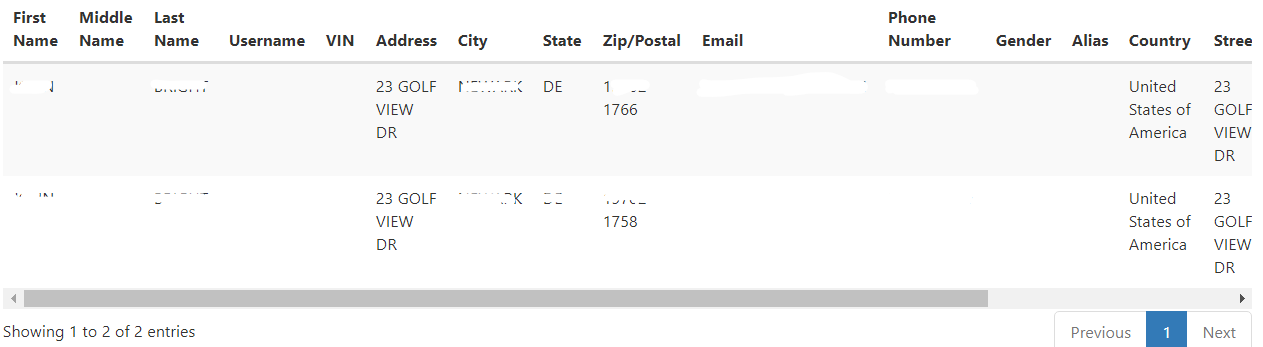
Hi @vasily-v-ryabov , Do we have a solution for this?
I need to get the number of rows in a table and click a particular row to open the details.
Inspect.exe gives this -

In the application, it looks like this. [Application is Unified Service Desk for Microsoft Dynamics 365]
 jjbright
on 17 Apr 2020
jjbright
on 17 Apr 2020
Hi @vasily-v-ryabov , Do we have a solution for this?
I need to get the number of rows in a table and click a particular row to open the details.
@vasily-v-ryabov I was able the click and do the next action.
resultsTable.Custom3.click_input(double=True)
jjbright
on 17 Apr 2020
Related issues
vasily-v-ryabov
·
36Comments
 lanzorg
·
16Comments
lanzorg
·
16Comments
 nimuston
·
20Comments
nimuston
·
20Comments
 harryhobson
·
13Comments
harryhobson
·
13Comments
 mtkennerly
·
14Comments
mtkennerly
·
14Comments