Pytorch3d: OpenCV camera to PyTorch3D PerspectiveCameras
Dear PyTorch3D team,
First of all, thanks so much for releasing this amazing library!
I have some camera intrinsic and extrinsic parameters from OpenCV, and I try to convert them to PyTorch3D PerspectiveCameras. I have been carefully following this amazing page. However, the calculated pixels in the screen coordinate system in PyTorch3D are always not correct. I provide my code snippet below:
# Given a projection matrix, obtain K, R, t
K, R, t = cv2.decomposeProjectionMatrix(P)[:3]
K = K / K[2, 2]
t = t[:3] / t[3]

# NOTE: I have verified p_camera = K @ (R @ p_world - R @ t)
# is the p_world in camera coordinate system
# p_pix = p_camera[:2] / p_camera[2] are the pixels in screen coordinate system between [0, W-1] and [0, H-1]

pose = np.eye(4, dtype=np.float32)
pose[:3, :3] = R
pose[:3, 3] = -R @ t

T1 = torch.tensor([[-1, 0, 0, 0], [0, -1, 0, 0], [0, 0, -1, 0], [0, 0, 0, 1]],
           dtype=torch.float32) # assume OpenCV is X-right, Y-down, Z-in
T2 = torch.tensor([[-1, 0, 0, 0], [0, -1, 0, 0], [0, 0, 1, 0], [0, 0, 0, 1]],
           dtype=torch.float32) # assume OpenCV is X-right, Y-down, Z-out

# transform the pose from OpenCV to PyTorch3D (X-left, Y-up, Z-out)
T = T1 # or T2
pose = (T @ torch.tensor(pose, dtype=torch.float32) @ T)
R = pose[:3, :3].unsqueeze(0)
t = pose[:3, 3].unsqueeze(0)

# build focal length and principle points from K
focal = torch.tensor((torch.tensor(K[0, 0]), torch.tensor(K[1, 1]))).unsqueeze(0)
principle = torch.tensor((torch.tensor(K[0, 2]), torch.tensor(K[1, 2]))).unsqueeze(0)

img_size = (rgb.shape[1], rgb.shape[0]) # (Width, Height)

camera = PerspectiveCameras(R=R, T=t, focal_length=focal, principal_point=principle, image_size=(img_size,))
p_pix_p3d = camera.transform_points_screen(p_world.float(), (img_size,))
p_pix_p3d = p_pix_p3d[:2]
In my case, p_pix_p3d is always different from GT pixel p_pix, no matter if I use T1 or T2 as the transformation matrix. I am wondering if someone can kindly guide me on this? Thanks so much in advance for the help!
Best,
Songyou
 pengsongyou
All 9 comments
Hi,
I figure out the solution myself after getting stuck here for quite some time :) I post my answer below.
First, OpenCV coordinate system is X-right, Y-down, Z-out, and PyTorch3D is X-left, Y-up, Z-out. You can notice that we need to flip X and Y axes. However, instead of what I was doing above (I still did not make that work), one can actually simply input the negative focal length to PerspectiveCameras:
Here I provide an example to help you understand:
# Assume we have the following parameters from OpenCV
fx fy # focal length in x and y axes
px py # principal points in x and y axes
R t # rotation and translation matrix

# First, (X, Y, Z) = R @ p_world + t, where p_world is 3D coordinte under world system
# To go from a coordinate under view system (X, Y, Z) to screen space, the perspective camera mode should consider
# the following transformation and we can get coordinates in screen space in the range of [0, W-1] and [0, H-1]
x_screen = fx * X / Z + px
y_screen = fy * Y / Z + py

# In PyTorch3D, we need to build the input first in order to define camera. Note that we consider batch size N = 1
RR = torch.from_numpy(R).permute(1, 0).unsqueeze(0) # dim = (1, 3, 3)
tt = torch.from_numpy(t).permute(1, 0) # dim = (1, 3)
f = torch.tensor((fx, fy), dtype=torch.float32).unsqueeze(0) # dim = (1, 2)
p = torch.tensor((px, py), dtype=torch.float32).unsqueeze(0) # dim = (1, 2)
img_size = (W, H) # (width, height) of the image

# Now, we can define the Perspective Camera model.
# NOTE: you should consider negative focal length as input!!!
camera = PerspectiveCameras(R=RR, T=tt, focal_length=-f, principal_point=p, image_size=(img_size,))

p_world = torch.tensor([X, Y, Z], dtype=torch.float32)[None, None] # dim = (1, 1, 3)
out_screen = camera.transform_points_screen(p_world, (img_size,))
The out_screen[..., :2] should now correspond to (x_screen, y_screen). This verifies that we obtain 1:1 mapping from OpenCV to PyTorch3D.
Proof for negative focal length
Now we discuss why the negative focal length brought us the correct result. First, in the bottom of this official page, we know how to go from view coordinates to NDC coordinates. If I follow what my convention defined before (fx, fy, px, py are in screen space), then we can get
x_ndc = (fx * 2 / W) * X / Z - (px - W / 2) * 2 / W
y_ndc = (fy * 2 / H) * Y / Z - (py - H / 2) * 2 / H
Then if you check transform_points_screen function, the coordinates in screen space:
x_screen = (W - 1) / 2 * (1 - x_ndc)
y_screen = (H - 1) / 2 * (1 - y_ndc)
Now if you substitute x_ndc and y_ndc, you will obtain:
x_screen = (-fx * (W - 1) / W) * X / Z + (W - 1) / W * px
y_screen = (-fy * (H - 1) / H) * Y / Z + (H - 1) / H * py
Proved.
@nikhilaravi I am wondering why not directly incorporate the negative focal length, so people would not be spending very long time like me figuring all this out.
Best,
Songyou
pengsongyou
on 19 Jan 2021
@pengsongyou thank you for providing your detailed solution on this issue to help others. We are considering providing helper functions for converting from different coordinate system conventions to PyTorch3D as this is a common source of confusion. cc @davnov134 @gkioxari
 nikhilaravi
on 22 Jan 2021
nikhilaravi
on 22 Jan 2021
@nikhilaravi, hi, I would like to ask that do we have this mentioned convertion method now?
 MengXinChengXuYuan
on 31 Mar 2021
MengXinChengXuYuan
on 31 Mar 2021
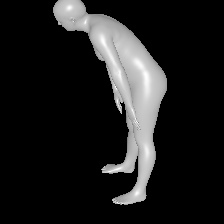
@pengsongyou Hi I tried to use -f, the rendered result are very close as in opencv camera, but still has a little differ. I dont konw what could be wrong, any clue?
It seems that the rotation of the cam is not correct
Thanks in advance!


MengXinChengXuYuan
on 31 Mar 2021
Solved...
For anyone who met the same problem like I did, the -f convertion only works when the R of the camera is I matrix
If not you can apply the rotation matrix to the points first and than make R = np.eyes(3), t = np.zeros(3) (for the new camera)
MengXinChengXuYuan
on 1 Apr 2021
Solved...
For anyone who met the same problem like I did, the -f convertion only works when the R of the camera is I matrix
If not you can apply the rotation matrix to the points first and than make R = np.eyes(3), t = np.zeros(3) (for the new camera)
That is strange because I can input R and t directly. I guess @nikhilaravi could provide some insights here.
pengsongyou
on 1 Apr 2021
@pengsongyou That's just so strange... Cause I just spent hours in examining all this params (using synthetic camera rt and smpl param), including camera R t, f, c, smpl t, when using -f, it works if only when the R is np.eyes(3)
@nikhilaravi I think the camera convertion is really needed cause in many CV fields we real have to use opencv camera :(
MengXinChengXuYuan
on 2 Apr 2021
Hi, I‘m trying to render images using some specific extrinsics like provided ground-trurth on some public datasets instead of
R, T = look_at_view_transform(distance, elevation, azimuth, up=((0, 0, 1),), device=device)
The rendering part is as follows:
cameras = PerspectiveCameras(focal_length=(focal_length,), principal_point=(principal_point,), image_size = (image_size,), device=device)

silhouette_renderer = MeshRenderer(
        rasterizer=MeshRasterizer(
            cameras=cameras,
            raster_settings=raster_settings
        ),
        shader=SoftSilhouetteShader(blend_params=blend_params)
    )

silhouette = silhouette_renderer(meshes_world=mesh, R=R, T=T)
I got some strange rendered images by using both f and -f. Is there anyone who knows how to perform rendering using a specific extrinsic? @nikhilaravi Could you please give me a clue?
 sailor-z
on 5 May 2021
sailor-z
on 5 May 2021
Sovled, using MengXinChengXuYuan's solution.
sailor-z
on 5 May 2021
Related issues
 AndreiBarsan
·
3Comments
AndreiBarsan
·
3Comments
 unlugi
·
3Comments
unlugi
·
3Comments
 cihanongun
·
3Comments
cihanongun
·
3Comments
 ruslanvasylev
·
3Comments
ruslanvasylev
·
3Comments
 OOF-dura
·
3Comments
OOF-dura
·
3Comments
Most helpful comment
Hi,
I figure out the solution myself after getting stuck here for quite some time :) I post my answer below.
First, OpenCV coordinate system is X-right, Y-down, Z-out, and PyTorch3D is X-left, Y-up, Z-out. You can notice that we need to flip X and Y axes. However, instead of what I was doing above (I still did not make that work), one can actually simply input the negative focal length to
PerspectiveCameras:Here I provide an example to help you understand:
The
out_screen[..., :2]should now correspond to(x_screen, y_screen). This verifies that we obtain 1:1 mapping from OpenCV to PyTorch3D.Proof for negative focal length
Now we discuss why the negative focal length brought us the correct result. First, in the bottom of this official page, we know how to go from view coordinates to NDC coordinates. If I follow what my convention defined before (
fx, fy, px, pyare in screen space), then we can getThen if you check
transform_points_screenfunction, the coordinates in screen space:Now if you substitute
x_ndcandy_ndc, you will obtain:Proved.
@nikhilaravi I am wondering why not directly incorporate the negative focal length, so people would not be spending very long time like me figuring all this out.
Best,
Songyou