Pytorch-lightning: TPU MNIST demo hangs in last batch
I am afraid this is not working for me.
_Remark : There have been various posts about this or very similar issues, but as far as I can see they have all been closed.
Example: https://github.com/PyTorchLightning/pytorch-lightning/issues/1590
In fact I posted this exact comment in the following issue, when it was already closed.
https://github.com/PyTorchLightning/pytorch-lightning/issues/1403
I am therefore creating this issue, because I think the closed issue is probably not receiving any attention, which is understandable._
now:
I have tried all the versions, given in the notebook. (The links are given below in NB1)
Additionally, I have also tried it with the version 20200516. That version is given in the official colab TPU MNIST example notebook which does not use pytorch-lightening, ie 20200516. A reference is below in NB2.
The summary of the results are:
"1.5" : wont run at all
"20200325" hangs in the final epoch (with 10 epochs in the 10th, with 3 epochs in the 3rd)
"nightly" crashes with : Exception: process 0 terminated with signal SIGABRT
"20200516" hangs after one epoch
I have tried this several times over the last few days. With the exception of the nightly all these results have always been the same.
NB1:
Locally I am on a Mac, not sure whether this makes a difference.
My terminal gives this
uname -a
Darwin osx-lhind6957 18.7.0 Darwin Kernel Version 18.7.0: Mon Apr 27 20:09:39 PDT 2020; root:xnu-4903.278.35~1/RELEASE_X86_64 x86_64
NB2:
The links for that official colab TPU MNIST example notebook which does not use pytorch lightning are here:
https://cloud.google.com/tpu/docs/colabs?hl=de
(The official notebook which does not use pytorch lightning has no problem and runs through with 20200516)
 hfwittmann
All 22 comments
Hi! thanks for your contribution!, great first issue!
![github-actions[bot] picture](https://avatars2.githubusercontent.com/in/15368?v=4&s=40) github-actions[bot]
on 29 Jun 2020
github-actions[bot]
on 29 Jun 2020
Same hangup for the 'MNIST hello world' notebook - computation stops at 72% for the first epoch.
https://colab.research.google.com/drive/1F_RNcHzTfFuQf-LeKvSlud6x7jXYkG31#scrollTo=zM15oxCH5lo6
 mul118
on 29 Jun 2020
mul118
on 29 Jun 2020
tqdm crashes colab... the code is running but colab is freezing (sometimes you would have noticed you had to restart your browser...). The demos are updated to refresh less frequently.
Set the following to not update the UI so frequently.
Trainer(progress_bar_refresh_rate=20)
Just tested and it works as expected.
Re the HF examples, currently working on updating them since they are out of sync @hfwittmann
 williamFalcon
on 30 Jun 2020
williamFalcon
on 30 Jun 2020
I am still out of luck, it seems.
None of the combinations I tried work.
Again in the Live Demo book from https://pytorch-lightning.readthedocs.io/en/latest/tpu.html
changing
from
trainer = Trainer(num_tpu_cores=8, progress_bar_refresh_rate=5, max_epochs=10)
to
trainer = Trainer(num_tpu_cores=8, progress_bar_refresh_rate=20, max_epochs=10)
resulted in
"1.5" : hangs in the final epoch
"20200325" hangs in the final epoch
"nightly" crashes with : Exception: process 0 terminated with signal SIGABRT
So there is a change in behavior for "1.5" from "wont run at all" to "hangs in the final epoch"
@williamFalcon could you kindly post the version of the workbook that runs through?
hfwittmann
on 30 Jun 2020
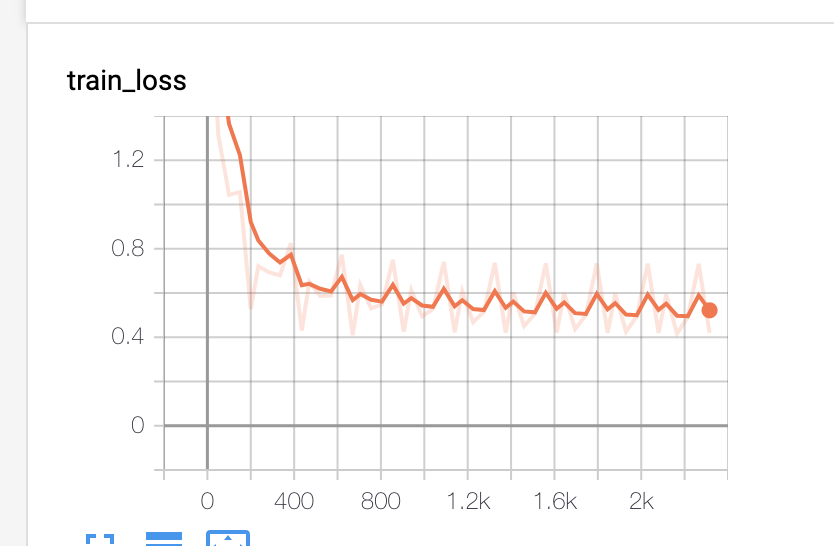
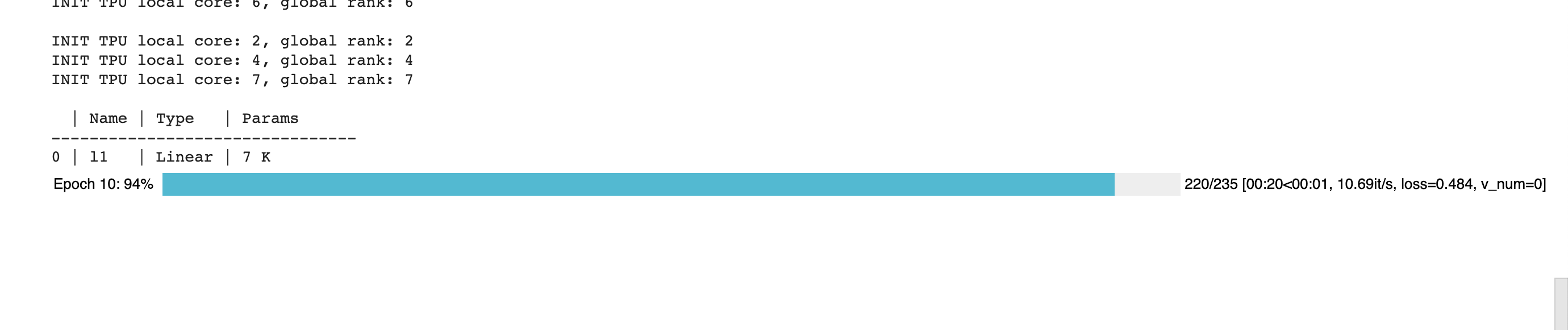
Ok, i think it's something to do with the shutdown sequence for finishing training.
But to clarify, this demo DOES work, but the LAST batch hangs...
williamFalcon
on 30 Jun 2020
@lezwon want to take a look at this one?
williamFalcon
on 30 Jun 2020
@williamFalcon will have a look at it.
 lezwon
on 30 Jun 2020
lezwon
on 30 Jun 2020
For what it's worth, it looks like I'm running into the same issue outside of a Colab as well (run from a regular python session).
 zphang
on 2 Jul 2020
zphang
on 2 Jul 2020
I think there's an issue with the lastest xla releases due to which there is a SIGABRT error occurring. It's related to this: https://github.com/pytorch/xla/issues/2246. I haven't been able to zero in on it though.
lezwon
on 2 Jul 2020
Fixed on master! also, make sure to use xla nightly
williamFalcon
on 3 Jul 2020
hi, @williamFalcon I think I have my commands confused, to install master from pip would it be ?
!pip install https://github.com/PyTorchLightning/pytorch-lightning.git
 foobar8675
on 3 Jul 2020
foobar8675
on 3 Jul 2020
pip install git+https://github.com/PytorchLightning/pytorch-lightning.git@master --upgrade
williamFalcon
on 3 Jul 2020
After modifying the notebook to pip install from master, it still seems to be getting stuck at the start of Epoch 2.
zphang
on 3 Jul 2020
are you using xla nightly? and also increase the refresh rate... otherwise colab will freeze since the progress bar updates to the screen too much
williamFalcon
on 3 Jul 2020
Yep, it's set to install XLA nightly, and progress_bar_refresh_rate is set to 20.
zphang
on 3 Jul 2020
Tested it on Kaggle too. It freezes at the beginning of epoch 2. But works when checkpoint_callback=False.
 rohitgr7
on 3 Jul 2020
rohitgr7
on 3 Jul 2020
ummm good to know.
i think it’s something about writing weights? maybe processes are colliding?
williamFalcon
on 4 Jul 2020
Tested it on Kaggle too. It freezes at the beginning of epoch 2. But works when
checkpoint_callback=False.
Same situation here. I tested on GCP.
 YuxianMeng
on 4 Jul 2020
YuxianMeng
on 4 Jul 2020
Setting checkpoint_callback=False, I'm back to the demo hanging on the last batch of the last epoch.
zphang
on 4 Jul 2020
Same here, problems persist.
I tested on colab.
- with checkpoint_callback=True, hangs at beginning of 2nd epoch
- with checkpoint_callback=False hangs at the end of last epoch
hfwittmann
on 4 Jul 2020
ok fixed!
Turns out the bug is that without a validation loop the behavior is a bit strange right now.
For the moment, this is fixed on the demo now and will push an upcoming fix for the special case where you don't need a val loop.
Try the demo again!
BTW, you have to wait for all the shutdown stuff to happen at epoch 10... it looks like it's hanging but in reality it's terminating all the distributed stuff.
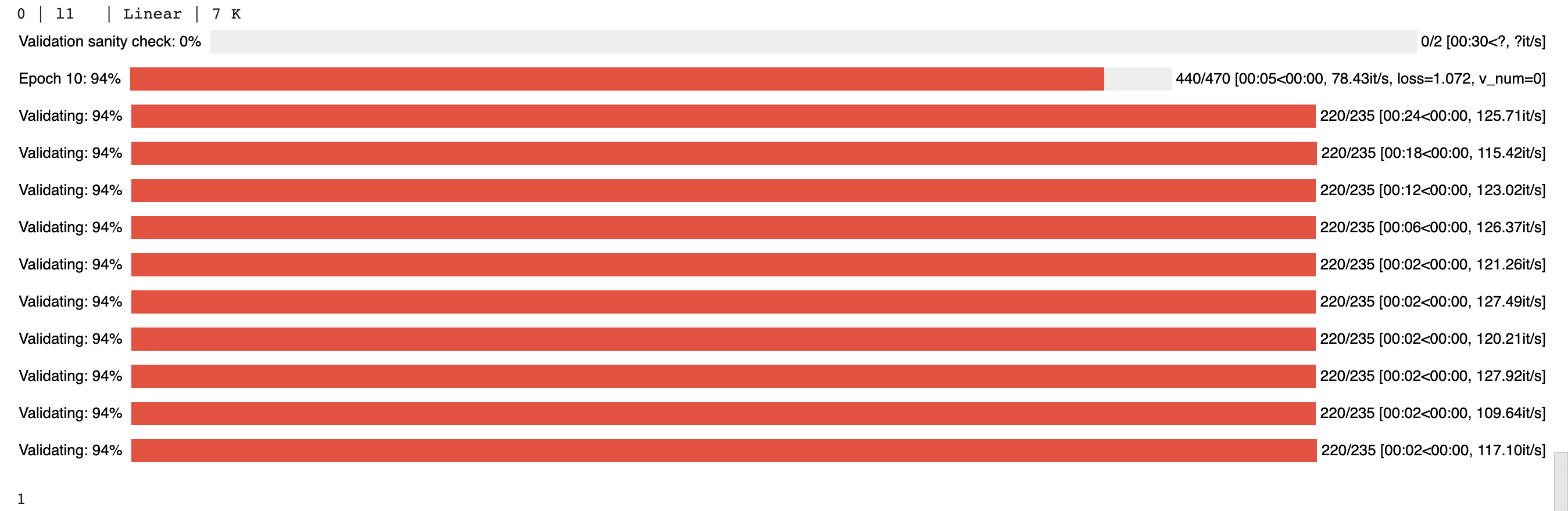
(the 1 at the bottom means this was successful)
williamFalcon
on 4 Jul 2020
Thanks and I have no idea how you find the time to work on all this!
foobar8675
on 4 Jul 2020
Related issues
 anthonytec2
·
3Comments
anthonytec2
·
3Comments
 monney
·
3Comments
monney
·
3Comments
 jcreinhold
·
3Comments
jcreinhold
·
3Comments
 polars05
·
3Comments
polars05
·
3Comments
 iakremnev
·
3Comments
iakremnev
·
3Comments
Most helpful comment
ok fixed!
Turns out the bug is that without a validation loop the behavior is a bit strange right now.
For the moment, this is fixed on the demo now and will push an upcoming fix for the special case where you don't need a val loop.
Try the demo again!
BTW, you have to wait for all the shutdown stuff to happen at epoch 10... it looks like it's hanging but in reality it's terminating all the distributed stuff.
(the 1 at the bottom means this was successful)