Pytorch-cyclegan-and-pix2pix: problem grayscale images
I want to use the cycleGAN on grayscale (medical) images. I have followed the suggestions of the FAQ
- changed the parameters --input_nc and --output_nc to be 1
- wrote a custom data loader. This is the same as the unaligned_dataset except it reads in the images using sitk (SimpleITK) and converting to np and PIL as follows:
A_img = Image.fromarray(sitk.GetArrayFromImage(sitk.ReadImage(A_path)))#Image.open(A_path).convert('RGB')B_img = Image.fromarray(sitk.GetArrayFromImage(sitk.ReadImage(B_path)))#Image.open(B_path).convert('RGB')
- wrote a custom data loader. This is the same as the unaligned_dataset except it reads in the images using sitk (SimpleITK) and converting to np and PIL as follows:
- Changed the dataset_mode flag to use the new data loader.
Note that the image grey-values are between 0-255. The code is running successfully but the images that are shown in the visualiser and html are not correct (see the attached image. This is the reproduction of a chest x-ray image). I can show that reading in an image, converting to np and then PIL , back to np.uint8 and back to PIL does not affect the image .
Sample code to show that np and PIL conversions don't affect the image.
    pil_img_in = Image.fromarray(sitk.GetArrayFromImage(sitk.ReadImage(in_path)))
    np_img = np.asarray(pil_img_in).astype(np.uint8)
    pil_img2 = Image.fromarray(np_img)
    pil_img2.save(file_dir_out) # This image looks fine on inspection.
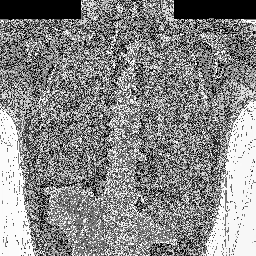
I am new to pytorch so I wonder whether the issue could be with converting the image to a torch.Tensor or back again...? Any suggestions would be great. Thanks.
 keelinm
All 12 comments
To clarify, it is not that I am worried about the visualization, but I would like to be sure that the images are being represented correctly internally in the model .....
keelinm
on 11 Oct 2018
This is the preprocessing code. The preprocessing will do scaling, cropping, toTensor (to float), Normalize to [-1, 1]. Here is the code to convert tensor to image again. I will recommend that you write a python script to convert it to tensor, and then convert it back, and see if it is the same.
 junyanz
on 11 Oct 2018
junyanz
on 11 Oct 2018
I found the problem was converting from np array to PIL image - it's important that the np array is type uint8 before conversion. So code to read in the image works fine as follows:
A_np = sitk.GetArrayFromImage(sitk.ReadImage(A_path))
B_np = sitk.GetArrayFromImage(sitk.ReadImage(B_path)
A_pil = Image.fromarray(A_np.astype(np.uint8))
B_pil = Image.fromarray(B_np.astype(np.uint8))
I am glad that you figured it out.
junyanz
on 12 Oct 2018
I have a similar problem and I'm wondering if you can help me. I am trying to use some np.int16 images. I assume that I could somehow rescale each pixel to be in the range [0,255] but not sure if there is a better way of dealing with my data. I feel that going from np.int16 to np.int8 is losing some information. Do you think I can just train using the np.int16 data? or somehow float data that is not in the range [0,255]? Is this range a requirement?
Any help is appreciated. Thank you in advance.
 carluri
on 20 Dec 2018
carluri
on 20 Dec 2018
You can rescale your np.int16 into a float between [0, 1].
junyanz
on 20 Dec 2018
Does the pix2pix (aligned dataset) model expect input in [-1, 1] or [0,1]? When passing input between [0,1] the saved images look washed out, and black is saved as grey (RGB value (127,127,127)), so I am guessing it expects [-1,1].
 villanuevab
on 3 Jun 2019
villanuevab
on 3 Jun 2019
Yes, [-1, 1]
junyanz
on 10 Jun 2019
@junyanz : How about cyclegan range? Does it still work on [0,1] by replacing tanh() by sigmoid () function or even adding a scale (2*output-1) if you want to maintain the tanh()?
 John1231983
on 31 Aug 2019
John1231983
on 31 Aug 2019
The range of input/output in CycleGAN is also [-1, 1]. You can change tanh to sigmoid. But you also need to change the preprocessing code and post-processing code. They all assume that the range is [-1, 1].
junyanz
on 3 Sep 2019
Thanks. I tested and It also worked on [0,1]. Just one more question, why do you choose the range [-1,1] insted of [0,1]. Do you have any reason or benefit for the range?
John1231983
on 3 Sep 2019
There is no specific reason. We mostly follow the practice of prior work.
junyanz
on 4 Sep 2019
Related issues
 ShaniGam
·
4Comments
John1231983
·
3Comments
ShaniGam
·
4Comments
John1231983
·
3Comments
 MaureenZOU
·
4Comments
MaureenZOU
·
4Comments
 davidwessman
·
3Comments
davidwessman
·
3Comments
 JamesChenChina
·
3Comments
JamesChenChina
·
3Comments