Python-slack-sdk: How to edit/update image an image attachment from a message? Is this possible?
Description
I have an image that changes in real time, basically I take snapshots from time to time, and I need to be able to send that image on a channel with the changes. Send the first image in a message and then just replace the image attached by a new updated image from time to time. I don't wanna clutter a channel with multiple images, I want one single message with image then the image attached changes, Is this possible? How? Thanks!
What type of issue is this? (place an x in one of the [ ])
- [ ] bug
- [ ] enhancement (feature request)
- [x] question
- [ ] documentation related
- [ ] testing related
- [ ] discussion
Requirements (place an x in each of the [ ])
- [x] I've read and understood the Contributing guidelines and have done my best effort to follow them.
- [x] I've read and agree to the Code of Conduct.
- [x] I've searched for any related issues and avoided creating a duplicate issue.
 Dwyte
Dwyte
All 3 comments
Unfortunately, it's not possible to realize the user experience by uploading several files and calling chat.update. Let me share two alternative solutions. I know these solutions are not fully equivalent to your original plan. But I hope this is helpful to you.
1: Remote files' preview_image
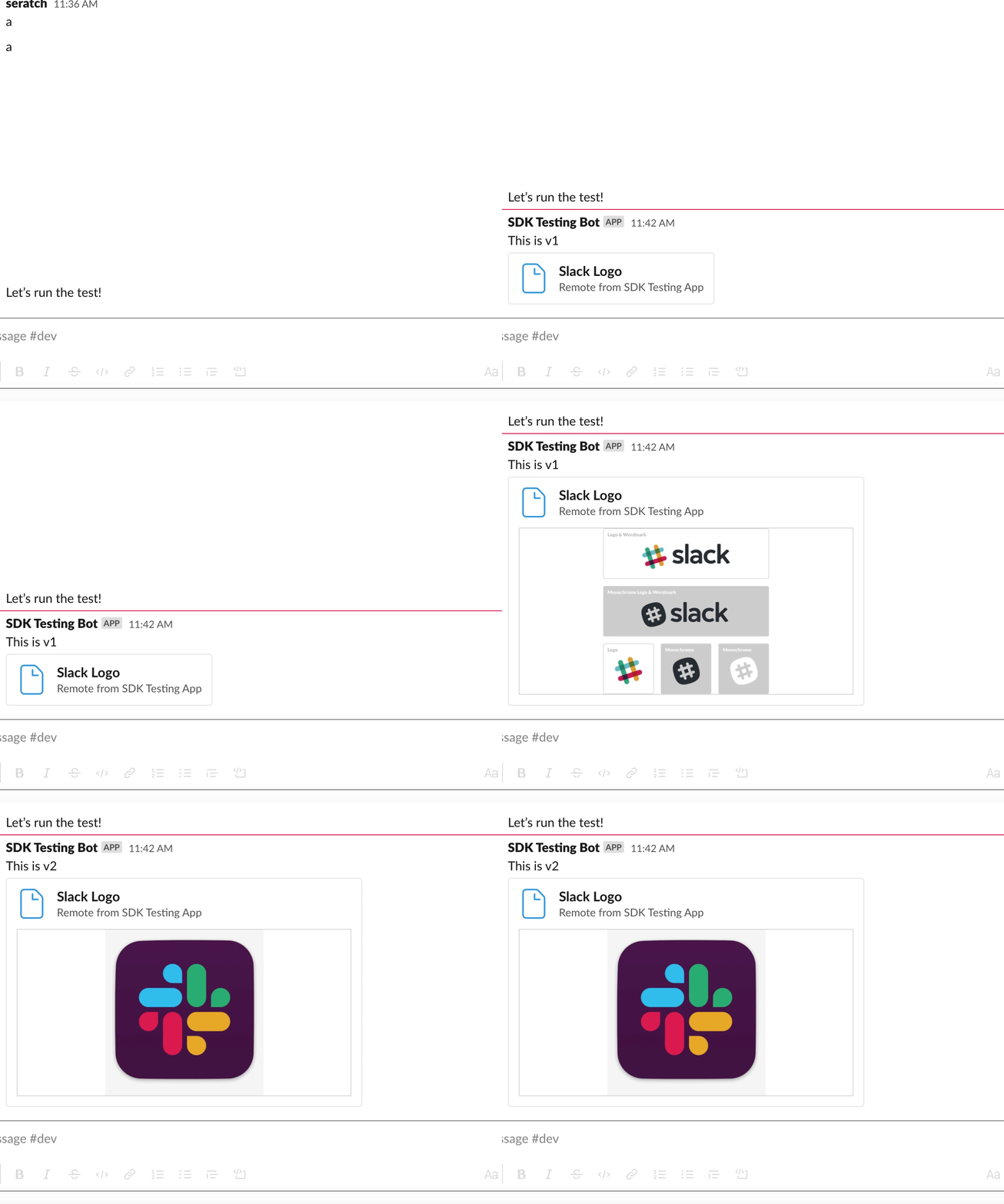
If you're fine with using the remote files API, you can use file blocks for displaying a remote file's display_image in a message this way. Here is the sample code. The main points are:
files.remote.addwith versionedexternal_ids andpreview_image(simply relying on file id is also fine)chat.updatewith the newexternal_Id
2: Unfurling public image files
Probably, this is not suitable for your use case but if you can make the image files public, uploading those files somewhere and using chat.unfurl may be an option.
 seratch
on 27 Jul 2020
seratch
on 27 Jul 2020
@seratch thanks, will try this!
Dwyte
on 31 Jul 2020
As I've already provided an answer here, allow me to close this. Please feel free to write in further or reopen this as necessary.
seratch
on 20 Aug 2020
Related issues
 sushiparlour
·
5Comments
sushiparlour
·
5Comments
 sofya-salmanova
·
5Comments
sofya-salmanova
·
5Comments
 juan-vg
·
5Comments
juan-vg
·
5Comments
 Terrance
·
3Comments
Terrance
·
3Comments
 avinassh
·
3Comments
avinassh
·
3Comments
Most helpful comment
Unfortunately, it's not possible to realize the user experience by uploading several files and calling
chat.update. Let me share two alternative solutions. I know these solutions are not fully equivalent to your original plan. But I hope this is helpful to you.1: Remote files' preview_image
If you're fine with using the remote files API, you can use
fileblocks for displaying a remote file'sdisplay_imagein a message this way. Here is the sample code. The main points are:files.remote.addwith versionedexternal_ids andpreview_image(simply relying on file id is also fine)chat.updatewith the newexternal_Id2: Unfurling public image files
Probably, this is not suitable for your use case but if you can make the image files public, uploading those files somewhere and using
chat.unfurlmay be an option.