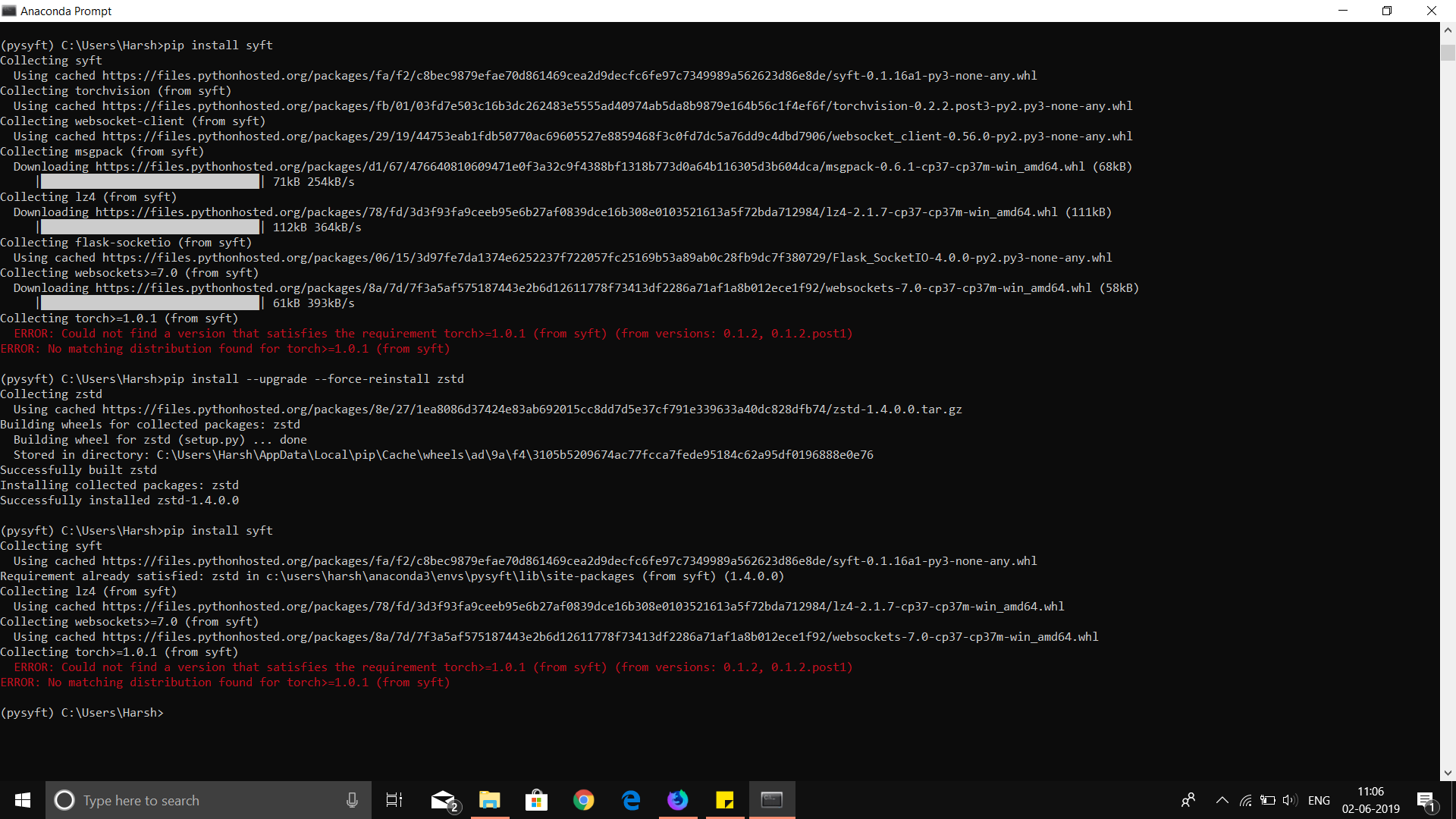
Pysyft: Could not find a version that satisfies the requirement torch>=1.0.1 (from syft) (from versions: 0.1.2, 0.1.2.p
I am using a windows machine, with anaconda navigator I installed as per the instructions given in the readme.md
- created an enviornment named pysyft and activated it
- initialized pip install syft
- The error mentioned above is displayed
I am Udacity Student for Secure and Private AI
 harsh2ai
All 5 comments
Looks you haven't installed the appropriate version of torch or don't have torch installed in your conda environment. So activate your conda environment and install pytorch. Conda environments are a good way to keep separate dependencies. So if you have had a different version of torch in your system which you usually use. You can still use a specific version of torch separately using virtual environments such as conda.
 kamathhrishi
on 2 Jun 2019
kamathhrishi
on 2 Jun 2019
Did you execute the following command in your pysyft environment? If not, then please run this command and check.
conda install pytorch torchvision -c pytorch
 amit-rastogi
on 2 Jun 2019
amit-rastogi
on 2 Jun 2019
You should update conda and pip. If it doesn't have torch 1.x it's likely very old.
 iamtrask
on 3 Jun 2019
iamtrask
on 3 Jun 2019
I have already tried all the mentioned commands I even tried using it within the enviornment in which I had pytorch Installed and I got back the same error my current conda version is 4.5x and the torch version is 1.x @iamtrask
harsh2ai
on 5 Jun 2019
I've the exact same issue seems to me that torch 1.2 (latest) isn't compatible with syft ?.
Any suggestions
 colin-byrneireland
on 28 Aug 2019
colin-byrneireland
on 28 Aug 2019
Related issues
 deevashwer
·
4Comments
deevashwer
·
4Comments
 MetaT1an
·
3Comments
MetaT1an
·
3Comments
 mgale694
·
3Comments
iamtrask
·
3Comments
mgale694
·
3Comments
iamtrask
·
3Comments
 IonesioJunior
·
3Comments
IonesioJunior
·
3Comments
Most helpful comment
Looks you haven't installed the appropriate version of torch or don't have torch installed in your conda environment. So activate your conda environment and install pytorch. Conda environments are a good way to keep separate dependencies. So if you have had a different version of torch in your system which you usually use. You can still use a specific version of torch separately using virtual environments such as conda.