Type of Issues (Enhancement, Error, Bug, Question)
PSGDebugger Crash
Operating System
W10
Python version
3.7
PySimpleGUI Port and Version
PySimpleGUI-3.29.0
pysimpleguidebugger-1.6.0
Code or partial code causing the problem
No need to jump on this right away but two out of of my 5 windows causes the same exception chain (Seems to be related to tk color?). Honestly I'm doing a lot with this main loop - Wouldn't suprise me if it's a multiwindow, multiloop within loop customization issue or something. Just wanted to get you the info. I'll look at reproducing some code for you to run - Because I would like to use this more :D
Traceback (most recent call last):
  File "C:\Users\Administrator\AppData\Local\Programs\Python\Python37\lib\site-packages\IPython\core\interactiveshell.py", line 2961, in run_code
    exec(code_obj, self.user_global_ns, self.user_ns)
  File "<ipython-input-2-b47dbd54a0e9>", line 1, in <module>
    runfile('C:/Users/Administrator/Documents/GitHub/_testAnatomy/TA/_testAnatomy.py', wdir='C:/Users/Administrator/Documents/GitHub/_testAnatomy/TA')
  File "C:\Program Files\JetBrains\PyCharm 2018.2.4\helpers\pydev\_pydev_bundle\pydev_umd.py", line 197, in runfile
    pydev_imports.execfile(filename, global_vars, local_vars)  # execute the script
  File "C:\Program Files\JetBrains\PyCharm 2018.2.4\helpers\pydev\_pydev_imps\_pydev_execfile.py", line 18, in execfile
    exec(compile(contents+"\n", file, 'exec'), glob, loc)
  File "C:/Users/Administrator/Documents/GitHub/_testAnatomy/TA/_testAnatomy.py", line 2840, in <module>
    b2, values2 = buildWindow.Read(timeout=0)
  File "C:\Users\Administrator\AppData\Local\Programs\Python\Python37\lib\site-packages\PySimpleGUI\PySimpleGUI.py", line 3779, in Read
    event, values =  self.ReadNonBlocking()
  File "C:\Users\Administrator\AppData\Local\Programs\Python\Python37\lib\site-packages\PySimpleGUI\PySimpleGUI.py", line 3885, in ReadNonBlocking
    self.Show(non_blocking=True)
  File "C:\Users\Administrator\AppData\Local\Programs\Python\Python37\lib\site-packages\PySimpleGUI\PySimpleGUI.py", line 3716, in Show
    StartupTK(self)
  File "C:\Users\Administrator\AppData\Local\Programs\Python\Python37\lib\site-packages\PySimpleGUI\PySimpleGUI.py", line 6218, in StartupTK
    ConvertFlexToTK(my_flex_form)
  File "C:\Users\Administrator\AppData\Local\Programs\Python\Python37\lib\site-packages\PySimpleGUI\PySimpleGUI.py", line 6133, in ConvertFlexToTK
    PackFormIntoFrame(MyFlexForm, master, MyFlexForm)
  File "C:\Users\Administrator\AppData\Local\Programs\Python\Python37\lib\site-packages\PySimpleGUI\PySimpleGUI.py", line 4998, in PackFormIntoFrame
    PackFormIntoFrame(element, element.TKColFrame, toplevel_form)
  File "C:\Users\Administrator\AppData\Local\Programs\Python\Python37\lib\site-packages\PySimpleGUI\PySimpleGUI.py", line 4998, in PackFormIntoFrame
    PackFormIntoFrame(element, element.TKColFrame, toplevel_form)
  File "C:\Users\Administrator\AppData\Local\Programs\Python\Python37\lib\site-packages\PySimpleGUI\PySimpleGUI.py", line 5618, in PackFormIntoFrame
    element.tktext_label.config(background=element.BackgroundColor)
  File "C:\Users\Administrator\AppData\Local\Programs\Python\Python37\lib\tkinter\__init__.py", line 1482, in configure
    return self._configure('configure', cnf, kw)
  File "C:\Users\Administrator\AppData\Local\Programs\Python\Python37\lib\tkinter\__init__.py", line 1473, in _configure
    self.tk.call(_flatten((self._w, cmd)) + self._options(cnf))
_tkinter.TclError: unknown color name "1234567890"
Here is a working second window:
` if b == "config": # main menu config button press
configWindow_active = True
logging.info("Window 2 Active: Pressed Config")
configlayoutloop_general = [[Sg.Frame("Quick Launch",
[[Sg.Text('Platform:',
size=(20, 0)),
Sg.InputCombo(
ddVals, default_value=
"",
key="browsertype",
size=(42, 10))],
[Sg.Text('URL:', size=(20, 0)),
Sg.Input(
"",
key='appuri',
size=(42, 10))],
[Sg.Text('Application Title:',
size=(20, 0)),
Sg.InputText(
"",
key='appname',
do_not_clear=
True)],
[Sg.Text(
'Repository Root Path:',
size=(20, 0)),
Sg.InputText(
"",
key='repositorypath',
do_not_clear=True,
size=(40, 1)),
Sg.Button("", key="root_search",
image_data=TestAnatomy_images.search)],
[Sg.Text('Automation Engineer:',
size=(20, 0)),
Sg.InputText(
"",
key='testername',
do_not_clear=
True)]])]]
configlayoutloop_appdetails = [[Sg.Frame("Application "
"Details:", [[
Sg.Text('Build:',
size=(20, 0)),
Sg.InputText(
"",
key='appbuild',
do_not_clear=
True)],
[Sg.Text('Release:',
size=(20, 0)),
Sg.InputText(
"",
key='apprelease',
do_not_clear=
True)],
[Sg.Text('Version:',
size=(20, 0)),
Sg.InputText(
"",
key='appversion',
do_not_clear=
True)],
[Sg.Text('Branch:',
size=(20, 0)),
Sg.InputText(
"",
key='appbranch',
do_not_clear=
True)],
[Sg.Text('Event Title:',
size=(20, 0)),
Sg.InputText(
"",
key='appevent',
do_not_clear=
True)]])]]
configlayoutloop_email = [[Sg.Frame("Email",
[[Sg.Text('From:', size=(20, 0)),
Sg.InputText(str(
""),
key='emailfrom',
size=(45, 10),
do_not_clear=True)],
[Sg.Text('To:', size=(20, 0)),
Sg.InputText(str(
""),
key='emailto',
size=(45, 10),
do_not_clear=True)],
[Sg.Text('Username:',
size=(20, 0)),
Sg.InputText("",
key='emailusername',
size=(45, 10),
do_not_clear=True)],
[Sg.Text('Password:',
size=(20, 0)),
Sg.InputText("",
key='emailpassword',
password_char="*",
size=(45, 10),
do_not_clear=True)],
[Sg.Text('Server:', size=(20, 0)),
Sg.InputText('',
key='emailserver',
size=(45, 10),
do_not_clear=True)],
[Sg.Text('Existing Project UUID:',
key="projectUUIDID",
visible=False,
size=(20, 0))]])]]
configlayoutloop_reporting = [[Sg.Frame("Reporting",
[[Sg.Checkbox('HTML',
size=(10, 0),
key='htmlcheck',
default=
1),
Sg.Checkbox('Email',
size=(10, 0),
key='emailcheck',
default=
0,
disabled=True),
Sg.Checkbox('PDF',
size=(10, 0),
key='pdfcheck',
default=
1),
Sg.Checkbox('Create Graphs',
size=(14, 0),
key='graphcheck',
default=
0)]])]]
configlayoutloop_testing = Sg.Column([[Sg.Frame("Test Server",
[[Sg.Text("Server: "),
Sg.InputText(
"Server IP",
size=(45, 10),
key="server_ip")],
[Sg.ReadButton(
"Launch")]])]]
)
configlayoutloop_db = [[Sg.Frame("Database",
[[Sg.Text('DB Name / Port / IP:',
size=(20, 1)),
Sg.InputText("",
key='dbhost',
size=(15, 10),
do_not_clear=True,
change_submits=True),
Sg.InputText("",
key='dbport',
size=(11, 1),
do_not_clear=True),
Sg.InputText("",
key='dbip',
size=(15, 1),
do_not_clear=True,
change_submits=True)],
[Sg.Text('Username / '
'Password:', size=(20,
1)),
Sg.InputText("",
key='dbun',
size=(15, 10),
do_not_clear=True),
Sg.InputText('', key='dbpw',
size=(28, 10),
password_char="*",
do_not_clear=True)],
[Sg.Checkbox('SQL Database',
size=(17, 0),
key='databasecheck',
default=1),
Sg.Checkbox("Local Mods",
size=(15, 0),
default=1,
key="sideload"),
Sg.Checkbox("Network Mods",
size=(12, 0),
default=1,
key="sideload"),
# Sg.T("", size=(3, 0)),
Sg.Button("", key="reload_mods",
image_data=
TestAnatomy_images.reload_small,
tooltip="Reload Mods")
]])]]
configlayoutloop_cycles = [[Sg.Frame("Test Cycle Throttling",
[[Sg.Slider([0,60], size=(45, 10),
key='throttle',
default_value=0,
disabled = True,
enable_events=True,
orientation='h')]],
size=(35, 55))]]
configlayoutloop_launch = [[Sg.ReadButton(
"",
tooltip='Start Testing Environment',
key="Launch2",
image_data=TestAnatomy_images.HLlaunch),
Sg.ReadButton(
"",
image_data=TestAnatomy_images.save,
key="config_save",
tooltip='Save'),
Sg.ReadButton(
"",
image_data=TestAnatomy_images.load,
key="config_load",
tooltip='Load'),
Sg.ReadButton(
"",
image_data=TestAnatomy_images.home,
key="home",
tooltip='Main Menu')]]
configlayoutlooppane = [[
Sg.Column(configlayoutloop_general)],
[Sg.Column(configlayoutloop_appdetails)],
[Sg.Column(configlayoutloop_db)],
[Sg.Column(configlayoutloop_reporting)],
# [Sg.Column(configlayoutloop_email)], # REMOVED 042519
[Sg.Column(configlayoutloop_launch)]]
configWindow = Sg.Window(
'Test Anatomy - Configuration',
grab_anywhere=False,
no_titlebar=False,
auto_size_text=True,
icon=icon).Layout(configlayoutlooppane)
if configWindow_active: # this is elsewhere in the script:
b3, values3 = configWindow.Read(timeout=0)`
And one of the broken windows:
` if b == "build": # main menu build button press
logging.info("Window 3 Active: Pressed Build")
    EHX_column = [[Sg.Image(data=TestAnatomy_images.econfig)],
                  [Sg.Multiline("Enter Element Tag", size=(35, 1),
                                enter_submits=True, key='enterElement',
                                do_not_clear=True)],
                  [Sg.InputCombo(ddElements, key="elementtype",
                                 size=(35, 1))],
                  [Sg.InputCombo(ddCols, key="colortype", size=(35, 1))],
                  [Sg.T("", size=(1,1))],
                  [Sg.ReadButton('', key="highlight", border_width=0,
                                 size=(33, 5),
                                 image_data=TestAnatomy_images.HLimg,
                                 tooltip="Highlight Element")]]

    buildcolumn = [[Sg.Image(data=TestAnatomy_images.scriptoptionsconfig)],
                   [Sg.InputCombo(ddbuildactions, key="buildactions",
                                  size=(35, 1))],
                   [Sg.InputText("Add Arguments to Command",
                                 key="enterText", size=(33, 1)),
                    Sg.ReadButton('', key="imgload", border_width=0,
                                  size=(33, 5),
                                  image_data=TestAnatomy_images.imgload,
                                  tooltip="Load Image from Repository")],
                   [Sg.T("")],
                   [Sg.T("")],
                   [Sg.T("")],
                   [Sg.ReadButton('',
                           key="addButt",
                            pad = (0, 11),
                           image_data=TestAnatomy_images.addButt,
                           border_width=0,
                           tooltip="Add the command to your script")]]

    BuildModeColBox = [[Sg.Image(data=TestAnatomy_images.sbuilder)],
                       [Sg.Multiline(size=(81, 22), enter_submits=True,
                                     key='buildscriptbox',
                                     do_not_clear=True,
                                     background_color="white",
                                     auto_size_text=True)],
                       [Sg.Image(data=TestAnatomy_images.boptions)],
                       [Sg.T("Save Script:"),
                        Sg.InputText('',
                                     key='testName', do_not_clear=True,
                                     size=(25, 0)),
                       Sg.Button("", key="api",
                                  image_data=
                                  TestAnatomy_images.api_small,
                                  tooltip="View Scripting API Reference"),
                        Sg.ReadButton("",
                                      image_data=TestAnatomy_images.log,
                                      key="log", tooltip="Open Log"),
                       Sg.ReadButton("",
                                     image_data=TestAnatomy_images.camera,
                                     key="grab_image", tooltip=
                                     "Open Screenshot Tool")],
                       [Sg.ReadButton(
                               "",
                               border_width=0,
                               tooltip='Test This Case',
                               image_data=TestAnatomy_images.test_code,
                               key="testbuildcase"),
                           Sg.ReadButton("",
                                         border_width=0,
                                         tooltip='Load a Case',
                                         image_data=
                                         TestAnatomy_images.loadcase,
                                         key="loadcase"),
                           Sg.ReadButton("",
                                         border_width=0,
                                         tooltip='Save This Case',
                                         image_data=
                                         TestAnatomy_images.savecase,
                                         key="savecase"),
                           Sg.ReadButton("",
                                         image_data=
                                         TestAnatomy_images.folder,
                                         border_width=0, key="folder",
                                         tooltip="Open Project Folder"),
                           Sg.ReadButton("",
                                         image_data=
                                         TestAnatomy_images.bnotes,
                                         border_width=0, key="notes",
                                         tooltip="Open Notepad"),
                           Sg.ReadButton("",
                                         image_data=
                                         TestAnatomy_images.sl,
                                         border_width=0, key="sl",
                                         tooltip="Open Sideload Editor"),
                           Sg.ReadButton("",
                                         image_data=
                                         TestAnatomy_images.home,
                                         border_width=0, key="Main Menu",
                                         tooltip="Main Menu")]]

    BuildModeCol = [[Sg.Column(buildcolumn, size=(1, 1), pad=(0,0)),
                     Sg.Column(BuildModeColBox, size=(1, 1), pad=(0,0))]]

    buildWindow = Sg.Window('Test Anatomy - Build', grab_anywhere=False,
                            no_titlebar=False, resizable= True,
                            auto_size_text=True, icon=icon).Layout(
            [[Sg.Column([[Sg.Column(EHX_column), Sg.Column(buildcolumn)],
             [Sg.Column(BuildModeColBox)]], pad=(0,0))]])

    if buildWindow_active or buildWindow_sl_active: # this is a branching window within a second window:
        if buildWindow_active:
            buildWindow_sl_active = False
            buildWindow_active = True
            b2, values2 = buildWindow.Read(timeout=0)
    if buildWindow_sl_active:
            buildWindow = buildWindow_sl
            buildWindow_active = False
            buildWindow_sl_active = True
            b2, values2 = buildWindow_sl.Read(timeout=0)
`
 eagleEggs
All 37 comments
Try upgrading to 1.8
 MikeTheWatchGuy
on 25 May 2019
MikeTheWatchGuy
on 25 May 2019
Just did from what you updated about 40 minutes ago. Same result.
If I remove the entire layout for the broken window, it works. Something in the layout...
` if b == "test": # main menu test button press
testWindow_active = True
logging.info("Window 4 Active: Pressed Test")
    testsingleimg = TestAnatomy_images.tsingle
    testmultiimg = TestAnatomy_images.tmulti

    testlayoutloop_local = [[  # Sg.Column(
            # [[Sg.Frame("Local Testing",
               Sg.ReadButton(
                  image_data=TestAnatomy_images.tsingle,
                  button_text='', key="loadsingle"),
                Sg.Image(data=TestAnatomy_images.or_image),
                Sg.ReadButton(image_data=TestAnatomy_images.tmulti,
                              button_text='', key="loadrep"),
                Sg.Image(data=TestAnatomy_images.arrowright),
                Sg.ReadButton(image_data=TestAnatomy_images.treview,
                              button_text='', key="testreview"),
                Sg.Image(data=TestAnatomy_images.arrowright),
                Sg.ReadButton(image_data=TestAnatomy_images.tgo,
                              button_text='', key="go")],
        [Sg.T("Cycles:      ", tooltip="Total number of times to "
                                            "run the test event"),
                Sg.Slider([1, 1000], size=(72, 10),
                   key='cycles',
                   default_value=0, tooltip="Total number of times to "
                                            "run the test event",
                   enable_events=True,
                   orientation='h')],
        [Sg.T("Throttle:     ", tooltip="Number of scripts to "
                                            "thread concurrently"),
                    Sg.Slider([0, 100], size=(72, 10),
                   key='throttle', disabled= True,
                   default_value=0, tooltip="Number of scripts to "
                                            "thread concurrently",
                   enable_events=True,
                   orientation='h')],
        [Sg.T("Step Break:", tooltip="Seconds in between each "
                                                "step in a test script"),
                                    Sg.Slider([0, 180], size=(72, 10),
                                   key='brake',
                                   default_value=0,
                                        tooltip="Seconds in between each "
                                                "step in a test script",
                                   enable_events=True,
                                   orientation='h')],
        [Sg.T("GIF Break: ", tooltip="Seconds in between "
                                            "images of the GIF report"),
                                Sg.Slider([0, 60], size=(72, 10),
                                   key='gif',
                                   default_value=0,
                                        tooltip="Seconds in between "
                                                "images of the GIF report",
                                   enable_events=True,
                                   orientation='h')],
        [Sg.Frame("Reporting",
                                            [[Sg.Checkbox('HTML',
                                                          size=(15, 0),
                                                          key='htmlcheck',
                                                          default=
                                                          0),
                                              Sg.Checkbox('Email',
                                                          size=(15, 0),
                                                          key='emailcheck',
                                                          default=
                                                          0),

                                              Sg.Checkbox('PDF',
                                                          size=(15, 0),
                                                          key='pdfcheck',
                                                          default=
                                                          0),
                                              Sg.Checkbox('Graphs',
                                                          size=(15, 0),
                                                          key='graphcheck',
                                                          default=
                                                          0),
                                              Sg.Checkbox('GIF',
                                                          size=(23, 0),
                                                          key='GIF')

                                              ]])
    ],

        [Sg.Frame("Proxy",
                  [[Sg.Radio('None', group_id="proxy",
                                size=(15, 0),
                                key='proxy_log_all'),

                      Sg.Radio('Basic', group_id="proxy",
                                size=(15, 0),
                                key='proxy_log_all'),

                    Sg.Radio('Advanced (Req. BurpSuitePro)',
                             group_id="proxy",
                                key='proxy_log_burp')

                    ]])
         ]
    ]

    testlayoutloop_remote = Sg.Column(
            [[Sg.Frame("Remote Testing", [[Sg.ReadButton(
                    image_data=TestAnatomy_images.tsingle,
                    button_text='', key="loadsingle"),
                Sg.Image(data=TestAnatomy_images.or_image),
                Sg.ReadButton(image_data=TestAnatomy_images.tmulti,
                              button_text='', key="loadrep"),
                Sg.Image(data=TestAnatomy_images.arrowright),
                Sg.ReadButton(image_data=TestAnatomy_images.treview,
                              button_text='', key="testreview")]])]])

    testlayoutlooppane = [[
        Sg.Pane([testlayoutloop_local, Sg.Column([[
            Sg.Pane([testlayoutloop_remote], handle_size=25)]])],
                handle_size=25)]]

    testWindow = Sg.Window('Test Anatomy - Test',
                           grab_anywhere=False,
                           no_titlebar=False, icon=icon).Layout(
            testlayoutloop_local)

if testWindow_active:
    b4, values4 = testWindow.Read(timeout=0)`
Changing testlayoutloop_local variable to testlayoutloop_local = [[]] doesn't crash it in other words.
eagleEggs
on 25 May 2019
The crash looks like it's trying to use the default color for something.
Crap. This could be a change I just made to PySimpleGUI itself, not the debugger.
You'll see that the code that crashed is your code, not the debugger.
MikeTheWatchGuy
on 25 May 2019
This was a completely working program where you added 3 lines of code to it?
MikeTheWatchGuy
on 25 May 2019
Yes I've had this app stable for a long time now, and was using it before adding those 3 lines for the debugger. I just removed the debugger code and fully functional again.
Yes it's my code, but I don't see anything strange that would cause it - Only two windows have the issue and I've posted the layout code. When you remove the layout code - Debugger works. Not sure where in the layout the issue lies yet.
eagleEggs
on 25 May 2019
Just to double check
- Your import statement is this with no "as" or other stuff:
import PySimpleGUIdebugger - You call the initialize call 1 time, prior to anything else (unless you close-reopen debugger)
- You call this each time through your loop:
PySimpleGUIdebugger.refresh(locals(), globals())
You may want to try setting your timeout to be = 1 instead of 0 just to see if that helps.
It crashes before you have a chance to do anything?
This really looks like a bug in PySimpleGUI itself not the debugger. I just released a LARGE number of changes.
MikeTheWatchGuy
on 25 May 2019
Looking at your crash, it looks like a problem with a look and feel problem.
The debugger changes the look and feel.
I change it back, but it appears that I don't change it back correctly!
Damn!
MikeTheWatchGuy
on 25 May 2019
If you change line 5617 to this, it won't crash:
if not element.BackgroundColor in (None, COLOR_SYSTEM_DEFAULT):
I missed yet another change for COLOR SYSTEM DEFAULT!
MikeTheWatchGuy
on 25 May 2019
Let me also update PSG to your repository status. I have PSG updated through pip, and debugger is latest repository - just to be sure here.
- Standard import, yes.
- Init call is one time at top of script, before main loop inits.
- I've added .refresh just now and having same issue. All but two of the windows worked without .refresh before as well.
Also made the element.BackgroundColor change you just mentioned.
Damn - Ok I just updated to your latest repository (I had the latest pip) - and complete failure now without the debugger.
Traceback (most recent call last):
  File "C:\Users\Administrator\AppData\Local\Programs\Python\Python37\lib\site-packages\IPython\core\interactiveshell.py", line 2961, in run_code
    exec(code_obj, self.user_global_ns, self.user_ns)
  File "<ipython-input-2-b47dbd54a0e9>", line 1, in <module>
    runfile('C:/Users/Administrator/Documents/GitHub/_testAnatomy/TA/_testAnatomy.py', wdir='C:/Users/Administrator/Documents/GitHub/_testAnatomy/TA')
  File "C:\Program Files\JetBrains\PyCharm 2018.2.4\helpers\pydev\_pydev_bundle\pydev_umd.py", line 197, in runfile
    pydev_imports.execfile(filename, global_vars, local_vars)  # execute the script
  File "C:\Program Files\JetBrains\PyCharm 2018.2.4\helpers\pydev\_pydev_imps\_pydev_execfile.py", line 18, in execfile
    exec(compile(contents+"\n", file, 'exec'), glob, loc)
  File "C:/Users/Administrator/Documents/GitHub/_testAnatomy/TA/_testAnatomy.py", line 1833, in <module>
    maindisplay).Finalize()
  File "C:\Users\Administrator\AppData\Local\Programs\Python\Python37\lib\site-packages\PySimpleGUI\PySimpleGUI.py", line 3908, in Finalize
    self.Show(non_blocking=True)
  File "C:\Users\Administrator\AppData\Local\Programs\Python\Python37\lib\site-packages\PySimpleGUI\PySimpleGUI.py", line 3716, in Show
    StartupTK(self)
  File "C:\Users\Administrator\AppData\Local\Programs\Python\Python37\lib\site-packages\PySimpleGUI\PySimpleGUI.py", line 6218, in StartupTK
    ConvertFlexToTK(my_flex_form)
  File "C:\Users\Administrator\AppData\Local\Programs\Python\Python37\lib\site-packages\PySimpleGUI\PySimpleGUI.py", line 6133, in ConvertFlexToTK
    PackFormIntoFrame(MyFlexForm, master, MyFlexForm)
  File "C:\Users\Administrator\AppData\Local\Programs\Python\Python37\lib\site-packages\PySimpleGUI\PySimpleGUI.py", line 5071, in PackFormIntoFrame
    justification = DEFAULT_TEXT_JUSTIFICAION
NameError: name 'DEFAULT_TEXT_JUSTIFICAION' is not defined
Probably some changes I need to make........
But essentially, this was really cool - it worked with over half of my multiwindows with the latest pip PSG, but broke the app completely (wont open) after updating to repository PSG probably because.... I dunno yet. Maybe you made a change in alignment things and I'm using a parameter that is no longer used.
eagleEggs
on 25 May 2019
I just released a new PySimpleGUI.py to Github a minute ago.
It fixed my OLD bug of setting look and feel to system default. This is the problem.
I also fixed the problem you just hit with the "Justification" mispelling.
MikeTheWatchGuy
on 25 May 2019
You just happened to hit 2 "side effect" bugs that are actually kinda old. I did a bad job regression testing. Let me rush this out to PyPI!
MikeTheWatchGuy
on 25 May 2019
Just updated. Now back to the two windows not working (Same error - removing layout makes it work). At least I'm fully updated and those things are resolved :P
And thanks!!!
eagleEggs
on 25 May 2019
I just released 3.33 to PyPI. Please install it
MikeTheWatchGuy
on 25 May 2019
If you were to simply set your look and feel to 'SystemDefault' you would have seen the same crash. It had nothing to do with the debugger except the debugger set the look and feel to that value.
MikeTheWatchGuy
on 25 May 2019
3.33 should fix both your debugger issue and your error:
packages\PySimpleGUI\PySimpleGUI.py", line 5071, in PackFormIntoFrame justification = DEFAULT_TEXT_JUSTIFICAION NameError: name 'DEFAULT_TEXT_JUSTIFICAION' is not defined
They were both fixed in this release. You should be good to go. You were grabbing releases before I could get them checked in on time.
MikeTheWatchGuy
on 25 May 2019
Interesting. Justification error resolved. Now the testWindow works with debugger (Which was one of the two that didn't) however the buildWindow is still reporting the same error.
eagleEggs
on 25 May 2019
What error is still being reported? I can't keep up with what's what.
Is it this?
_tkinter.TclError: unknown color name "1234567890"
That for sure should have been fixed in 3.33.
MikeTheWatchGuy
on 25 May 2019
Yes that's the error... there were two windows that threw that. Strangely now only one is after updating.
eagleEggs
on 25 May 2019
There are no stray PySimpleGUI.py files around?
Lines 5618 is where it should "now" be failing if it's still failing. But it can't as this is the code:
                    if not element.BackgroundColor in (None, COLOR_SYSTEM_DEFAULT):
                        element.tktext_label.config(background=element.BackgroundColor)
I literally just copied the code from PyPI and that is on line 6195..... Let me double check this, thanks for patience...
edit: oh hold on
eagleEggs
on 25 May 2019
Hey, thanks for YOUR patience... they're my bugs
MikeTheWatchGuy
on 25 May 2019
You're going to find those lines of code all over the entire file, not just in 1 place.
The important place to check is in the placement of the Image Widget.
MikeTheWatchGuy
on 25 May 2019
YOU MUST run the debugger from a PIP install.
MikeTheWatchGuy
on 25 May 2019
Ok. I went ahead and just removed the 'background=' params from a few elements I had. Works. I'm fully updated, not sure what the problem is at this point but it's functional to that extent. I didn't need those background changes anyway.
I do see that line change in PSG.py as well....
By the way I haven't updated in a while before this. Kudos because it didn't break anything really. So your the backtesting you are doing is great for me haha.
eagleEggs
on 25 May 2019
If you pip installed version 3.33 then it should be line for line identical for what's in GitHub.
The offensive line before was line 5618 from your error list above:
  File "C:\Users\Administrator\AppData\Local\Programs\Python\Python37\lib\site-packages\PySimpleGUI\PySimpleGUI.py", line 5618, in PackFormIntoFrame
    element.tktext_label.config(background=element.BackgroundColor)
The lines at 5618 and 5619 NOW should be:
                    if not element.BackgroundColor in (None, COLOR_SYSTEM_DEFAULT):
                        element.tktext_label.config(background=element.BackgroundColor)
The important line is the first one. The OLD version of the software only had a check for None. This is why you got an error at the very bottom that complained:
_tkinter.TclError: unknown color name "1234567890"
The variable COLOR_SYSTEM_DEFAULT has that value in it. It's an illegal color. So if you try to set something to it, it'll crash. So I have to check for it all over. The OLD version you had, did not check it. The new one does.
Removing background colors from your layout should have had no effect.
I fear we're both doing code changes when you do not need to be. Both of the problems we've faced were bugs in my code. I had this one line error that's taken quite a bit to get around and it still doesn't seem like we're around it.
There's this new line number 6195 recently mentioned.
When I look at my PySimpleGUI.py file in my site-packages, I see this:
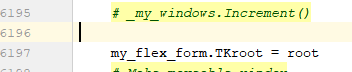
I don't see how you could be crashing on that line. Maybe lines are counted different.
It would be create to make sure you do NOT have an old PySimpleGUI.py file laying around.
A good command to run just in case:
where PySimpleGUI.py
Can you please send me the latest crash info?
My recommendation
GO BACK to your original source code.
Pip install PySimpleGUI and PySimpleGUIdebugger
Try your code without the debugger and with it. You should see no difference.
I like the idea of a debugger button enough I may make one. This thing WILL get rolling into the core PySimpleGUI somehow.
In the meatime, let's keep on this.
Please send me the crash log.... and stop modifying your code! Just listen to what I request and follow it and you'll be fine :-)
MikeTheWatchGuy
on 25 May 2019
I noticed a lot of do_not_clear' parameters in your code. You don't need them anymore as I made the default do_not_clear=Yes after hearing from enough people (finally). It's been that way for months.
Another thing is that there are some functions that will have positional parameters that do not change. For these, you do not need to specify the keyword.
For example. Buttons will ALWAYS start with the text. Frames will always start with text followed by layout. Windows will ALWAYS be window title followed by layout.
I guess I should document these a lot better so people know how to cut down on code. That's my goal often in these parameters that are immovable... cut the amount of code way down. Same with calling FindElement just Element :-)
MikeTheWatchGuy
on 25 May 2019
Ok thanks for the explanations. Here is the latest exception:
Traceback (most recent call last):
  File "C:\Users\Administrator\AppData\Local\Programs\Python\Python37\lib\site-packages\IPython\core\interactiveshell.py", line 2961, in run_code
    exec(code_obj, self.user_global_ns, self.user_ns)
  File "<ipython-input-2-b47dbd54a0e9>", line 1, in <module>
    runfile('C:/Users/Administrator/Documents/GitHub/_testAnatomy/TA/_testAnatomy.py', wdir='C:/Users/Administrator/Documents/GitHub/_testAnatomy/TA')
  File "C:\Program Files\JetBrains\PyCharm 2018.2.4\helpers\pydev\_pydev_bundle\pydev_umd.py", line 197, in runfile
    pydev_imports.execfile(filename, global_vars, local_vars)  # execute the script
  File "C:\Program Files\JetBrains\PyCharm 2018.2.4\helpers\pydev\_pydev_imps\_pydev_execfile.py", line 18, in execfile
    exec(compile(contents+"\n", file, 'exec'), glob, loc)
  File "C:/Users/Administrator/Documents/GitHub/_testAnatomy/TA/_testAnatomy.py", line 2852, in <module>
    b2, values2 = buildWindow.Read(timeout=0)
  File "C:\Users\Administrator\AppData\Local\Programs\Python\Python37\lib\site-packages\PySimpleGUI\PySimpleGUI.py", line 3779, in Read
    event, values =  self.ReadNonBlocking()
  File "C:\Users\Administrator\AppData\Local\Programs\Python\Python37\lib\site-packages\PySimpleGUI\PySimpleGUI.py", line 3885, in ReadNonBlocking
    self.Show(non_blocking=True)
  File "C:\Users\Administrator\AppData\Local\Programs\Python\Python37\lib\site-packages\PySimpleGUI\PySimpleGUI.py", line 3716, in Show
    StartupTK(self)
  File "C:\Users\Administrator\AppData\Local\Programs\Python\Python37\lib\site-packages\PySimpleGUI\PySimpleGUI.py", line 6219, in StartupTK
    ConvertFlexToTK(my_flex_form)
  File "C:\Users\Administrator\AppData\Local\Programs\Python\Python37\lib\site-packages\PySimpleGUI\PySimpleGUI.py", line 6134, in ConvertFlexToTK
    PackFormIntoFrame(MyFlexForm, master, MyFlexForm)
  File "C:\Users\Administrator\AppData\Local\Programs\Python\Python37\lib\site-packages\PySimpleGUI\PySimpleGUI.py", line 4998, in PackFormIntoFrame
    PackFormIntoFrame(element, element.TKColFrame, toplevel_form)
  File "C:\Users\Administrator\AppData\Local\Programs\Python\Python37\lib\site-packages\PySimpleGUI\PySimpleGUI.py", line 4998, in PackFormIntoFrame
    PackFormIntoFrame(element, element.TKColFrame, toplevel_form)
  File "C:\Users\Administrator\AppData\Local\Programs\Python\Python37\lib\site-packages\PySimpleGUI\PySimpleGUI.py", line 5448, in PackFormIntoFrame
    element.TKText.vbar.config(troughcolor=DEFAULT_SCROLLBAR_COLOR)
  File "C:\Users\Administrator\AppData\Local\Programs\Python\Python37\lib\tkinter\__init__.py", line 1482, in configure
    return self._configure('configure', cnf, kw)
  File "C:\Users\Administrator\AppData\Local\Programs\Python\Python37\lib\tkinter\__init__.py", line 1473, in _configure
    self.tk.call(_flatten((self._w, cmd)) + self._options(cnf))
_tkinter.TclError: unknown color name "1234567890"
The testWindow works now like I said - yet doesn't and never had any backgroundColor params used. The buildWindow is what errored out here. Removing background= makes it work.
5618 and 5619 are now what you're expecting (as it's updated).
I've made direct changes to PSG.py and afterward updated from PIP which stated no need to update. There are no stray PSG.py's anywhere. Verified by making a change on it to make sure that's the one that is being used.
Removing PSGDebugger code works, adding back breaks with the above error :(
eagleEggs
on 25 May 2019
I guess I could make a virtualenv to test it out, since everything is now on PyPI makes it easy. I'll try it a bit later to rule out any convoluted py files that may be wondering around.
eagleEggs
on 25 May 2019
user this pip to update PySimpleGUI, or anything that's been pip installed.....
pip install --upgrade --no-cache-dir PySimpleGUI
and it should "force" the most recent version, 3.33.
You're running into old old bugs that deal with setting the Look and Feel to a setting of "SystemDefault". I guess no one has ever set the setting to that.
As I explained earlier, if you removed all of the debug code (no imports, etc), and simply changed the look and feel to this SystemDefault value, you would get these crashes.
The one you just sent me was for line 5448:
element.TKText.vbar.config(troughcolor=DEFAULT_SCROLLBAR_COLOR)
And of course it's another place where I try and set a widget's color. It appears the background color was checked, but the DEFAULT_SCOLLBAR_COLOR was not.
So, I'll add that check.
If you want to ,make the change manually, change your code at line 5448 to add this if prior to trying to set the trough color:
                if DEFAULT_SCROLLBAR_COLOR not in (None, COLOR_SYSTEM_DEFAULT):
                    element.TKText.vbar.config(troughcolor=DEFAULT_SCROLLBAR_COLOR)
This will get you past that last crash... I'll make the change and upload soon. It'll be quickest for you to edit the file.
MikeTheWatchGuy
on 25 May 2019
I'm adding this and a Linux fix and releasing as 3.34 and 1.34.
Would be nice to catch any others that are left.
Can you try again with this patch I gave you?
MikeTheWatchGuy
on 25 May 2019
Thaaaaaaaat worked! :D Just made the change to line 5448. Tested with adding the background params back as well.
Sweet now I can start looking at some useful ways to use this debug data O_o
eagleEggs
on 25 May 2019
OK, I've uploaded 3.34 and 1.34 (ver 2.7) to PyPI.
It should have ALL of these changes you need.
You should be able to erase stuff I've given you and run straight from the pip installs (honest)
MikeTheWatchGuy
on 25 May 2019
Awesome. Not showing yet (Still 3.33) but I will do it later should be avail then, have to run. Thanks much for looking into this quickly. Looking forward to building around this and exploring :D
eagleEggs
on 26 May 2019
Thanks for your patience with all my bugs!
Damn, now I probably have to roll these into the other releases too! shit. lol
I've done more PyPI releases in the past 24 than I hope to in a lifetime. UGH.
But, I think we did it.
We've got a more stable debugger thanks to all your help.
What's CRAZY about this debugger is that you can add code to those "watches" and it'll simply be code that is run every time your every loop is run.
It's going to be a while for me to figure it out. I think it's going to take fully integrating it into the package so there is no additional stuff required for PySimpleGUI (tk) debugging.
MikeTheWatchGuy
on 26 May 2019
I also need to add a lot of features. Easily updating values for example. Adding / removing rows of watches.... and the one soon to be added, the single page "show them all to me!".
MikeTheWatchGuy
on 26 May 2019
Consider this a win. All working with updates and reverted code :)
eagleEggs
on 28 May 2019
It's got a life of it's own now with the 'imwatchingyou' package.
I'm about to try and using a bunch of "panes" to show panes worth of variables at a time, perhaps sliding the REPL out out of the way.
MikeTheWatchGuy
on 28 May 2019
Related issues
 eyeonus
·
6Comments
MikeTheWatchGuy
·
3Comments
eyeonus
·
6Comments
MikeTheWatchGuy
·
3Comments
 OPMUSER
·
5Comments
MikeTheWatchGuy
·
5Comments
OPMUSER
·
5Comments
MikeTheWatchGuy
·
5Comments
 martinmeteor
·
4Comments
martinmeteor
·
4Comments