Pyrevit: Update button hiding buttons
I have a pyRevit extension (Wombat) as a separate tab in my Revit.
I also added a couple of buttons to this Wombat tab that are not through pyRevit (custom C# plugins that need to access the UIControlledApplication), but still live under the same tab. To do this I created a VS solution and I'm creating a RibbonPanel in the tab named Wombat.
Now, the issue that I have is that if I update the tab with the Update button (same as the pyRevit Update button), those two buttons I added to the tab are disappearing. The .addin and .dll files are still there and if restart Revit the buttons are still there, but the update process will sort of hide them.
Is there a way to avoid this?
 Dre-Tas
All 8 comments
That is normal since pyRevit does not see the Wombat as part of its own extensions and cleans up the tab contents. A good workaround is to use the pyRevit Link Buttons 👉 https://www.notion.so/pyRevit-Bundles-12323e3090904d9aa7cdc3d82095d3e3#481c10c447784ec0bc4476539619c466
It's basically a button that points to your addon. This way you can avoid UI code inside your plugins and keep that as part of your pyRevit extension. You can also use pyRevit Invoke Buttons that can point to an external dll and run the code from there without locking the dll by Revit so it could be replaced and updated while Revit is running 👉 https://www.notion.so/pyRevit-Bundles-12323e3090904d9aa7cdc3d82095d3e3#4dfd090c06964b7ab6f4a54d2ee0038b
 eirannejad
on 21 Jan 2021
eirannejad
on 21 Jan 2021
I tried the Link Button you're suggesting, but apparently it doesn't like the context: zero-doc specification in the bundle.yaml file.
I keep getting this error if I add it to the bundle:
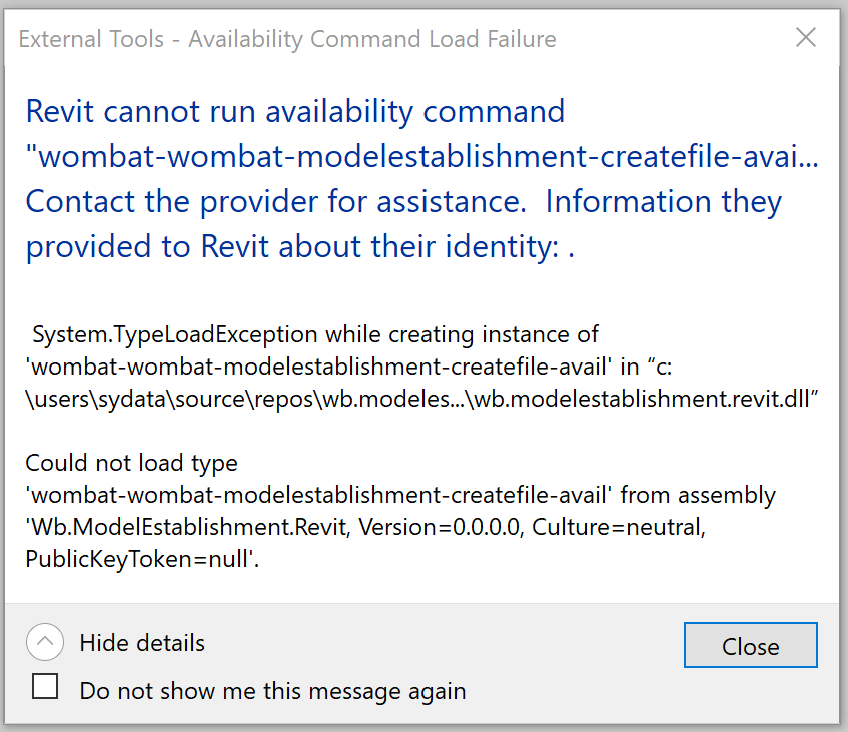
(works fine without that context key)
If I add an IExternalCommandAvailability class from my code then I get this error:
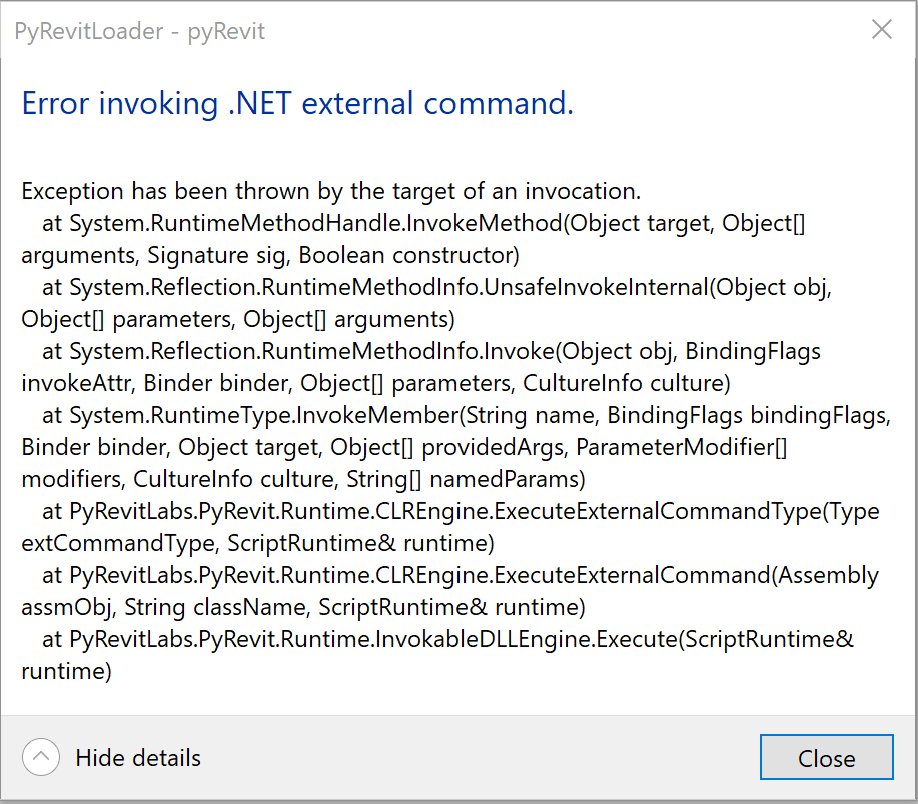
Am I missing something?
Dre-Tas
on 22 Jan 2021
Not sure. Let me test this. Does it work normally without the zero-doc context?
eirannejad
on 23 Jan 2021
Thanks mate!
Yeah it works normally without the zero-doc
Dre-Tas
on 23 Jan 2021
- [x] Link/Invoke buttons do not work in
zero-docmode. The availability function is not bounded correctly
eirannejad
on 23 Jan 2021
Ok. Linkbutton now supports availability classes through availability_class property
title: Test Link Button (Custom Title)
tooltip: Test Link Button Tooltip
author: "{{author}}"
highlight: new
assembly: PyRevitTestLinkCommand.dll
command_class: PyRevitTestLinkExternalCommand
availability_class: PyRevitTestLinkExternalCommandAvail
Since this button type points to a completely different assembly, pyRevit can not assign its own zero-doc or other automatic context functions to it. If that is desired, I highly suggest using Invoke buttons instead. The linkbutton assembly needs to implement an instance of the availability class. See example below for zero-doc for the example bundle above:
    public class PyRevitTestLinkExternalCommandAvail : IExternalCommandAvailability {
        public PyRevitTestLinkExternalCommandAvail() {}
        public bool IsCommandAvailable(UIApplication uiApp, CategorySet selectedCategories) {
            return true;
        }
    }
Thanks @eirannejad
I think I might be missing something, as it still not working for me:
- is it supposed to work in version 4.8.5.0? (That's the version I'm running)
- I see in your sample yaml above that you're not using the property
context: zero-doc. Is that correct? If I don't have it in the yaml then the button is not available at zero documents state. If I put it in, then I still get the same error as my second message (https://github.com/eirannejad/pyRevit/issues/1131#issuecomment-765091432)
Dre-Tas
on 8 Feb 2021
No will be published with 4.8.6 soon. :D It is in the develop branch
eirannejad
on 8 Feb 2021
Related issues
 kuldeep3618x
·
4Comments
kuldeep3618x
·
4Comments
 AlexVilaOrtega
·
3Comments
AlexVilaOrtega
·
3Comments
 Robbo1234
·
4Comments
Robbo1234
·
4Comments
 thazell
·
5Comments
thazell
·
5Comments
 Tyree
·
3Comments
Tyree
·
3Comments