After finally successfully getting pyRevit installed and working, I had to uninstall it because it was causing an issue with Dynamo. Every script I opened, my nodes were not visible. I can still run the script, but some of my graphs have nodes that require user input and if I can't see them I can't change the input.
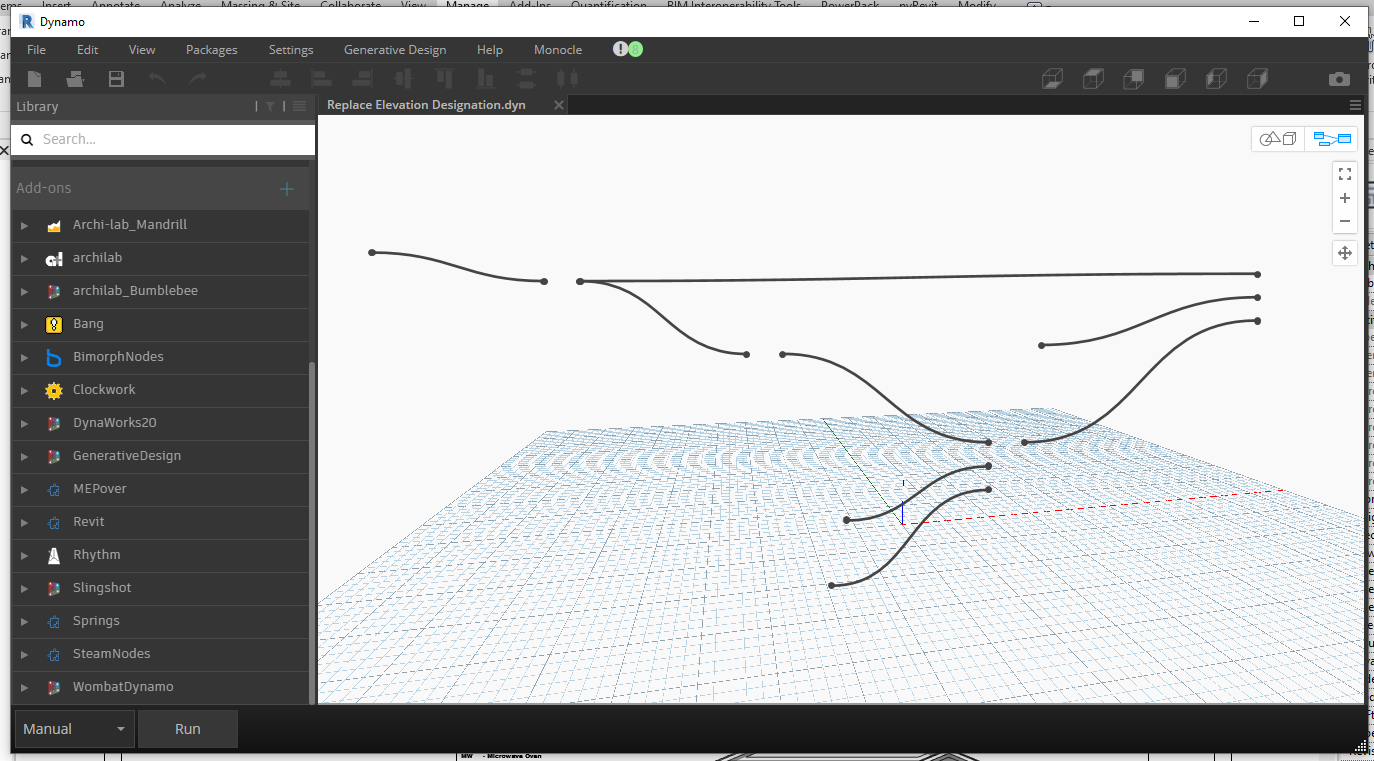
I'm running Windows 10 Home; Revit 2021.1.2; Dynamo Core 2.6.1.8786; Dynamo Revit 2.6.1.8850
I had pyRevit 4.8.4 installed
 teflaherty67
All 45 comments
Trying switching pyRevit IronPython engine to 2.7.3 for compatibility with Dynamo. See pyRevit Settings > Core
 eirannejad
on 29 Dec 2020
eirannejad
on 29 Dec 2020
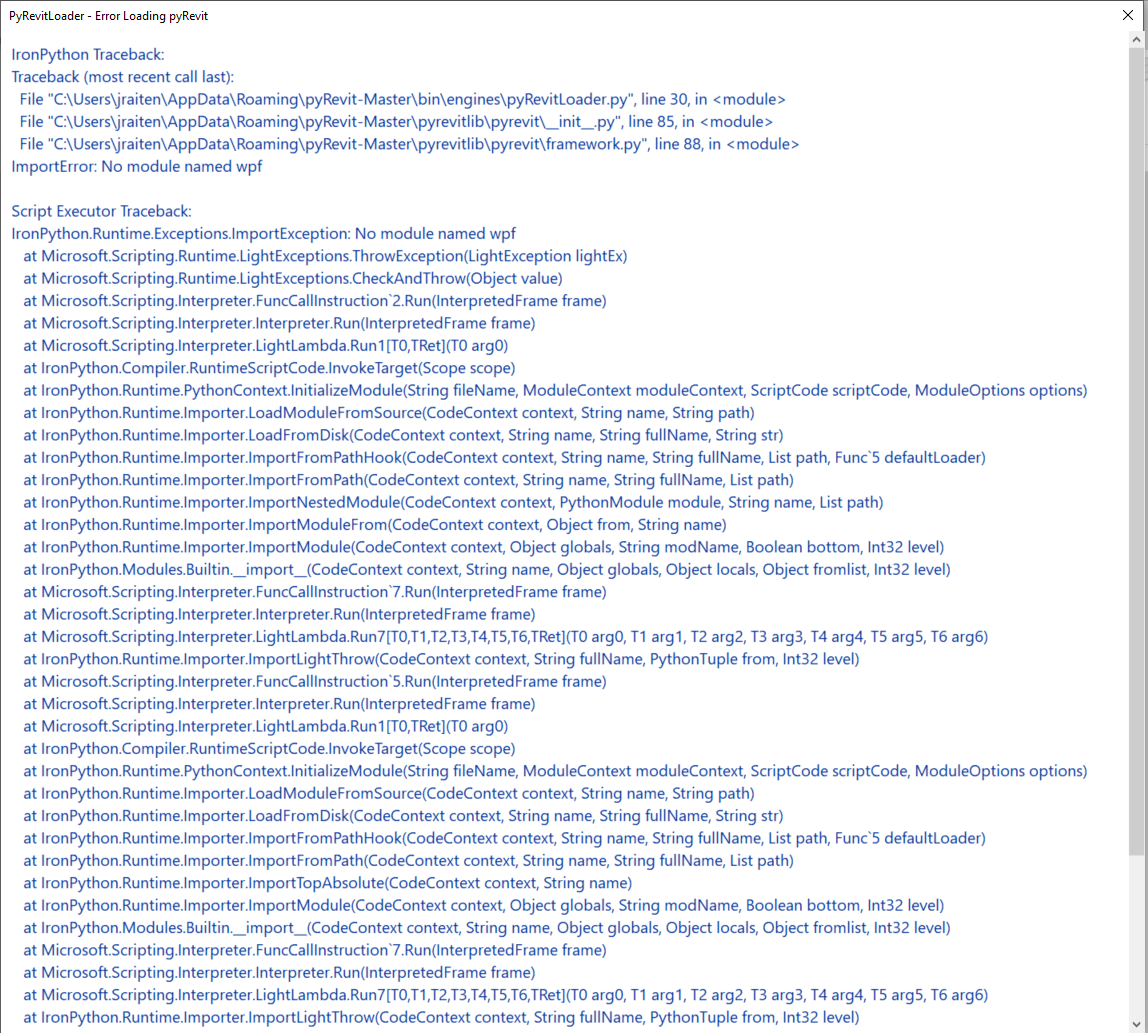
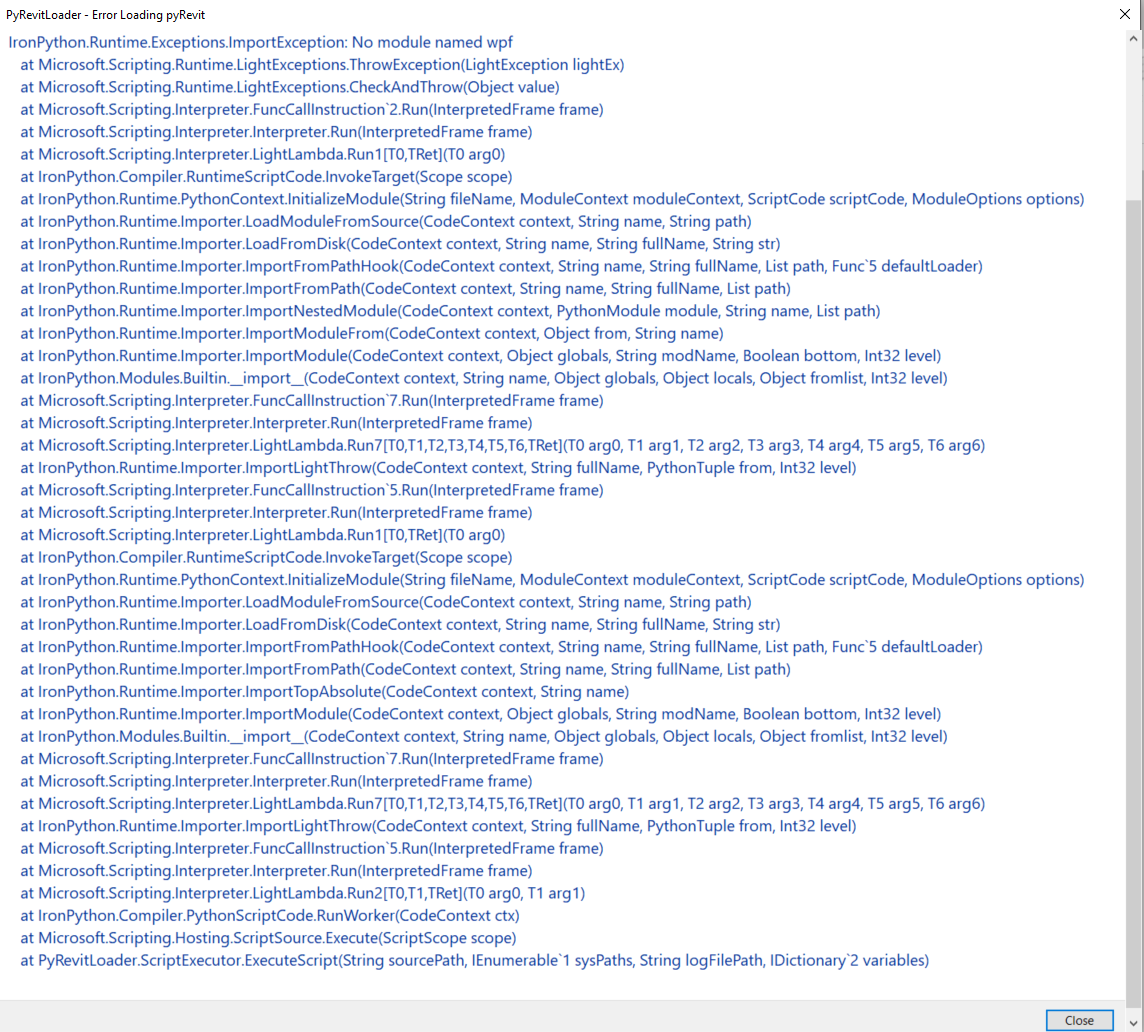
I tried that, and when I restarted Revit, this is what I got
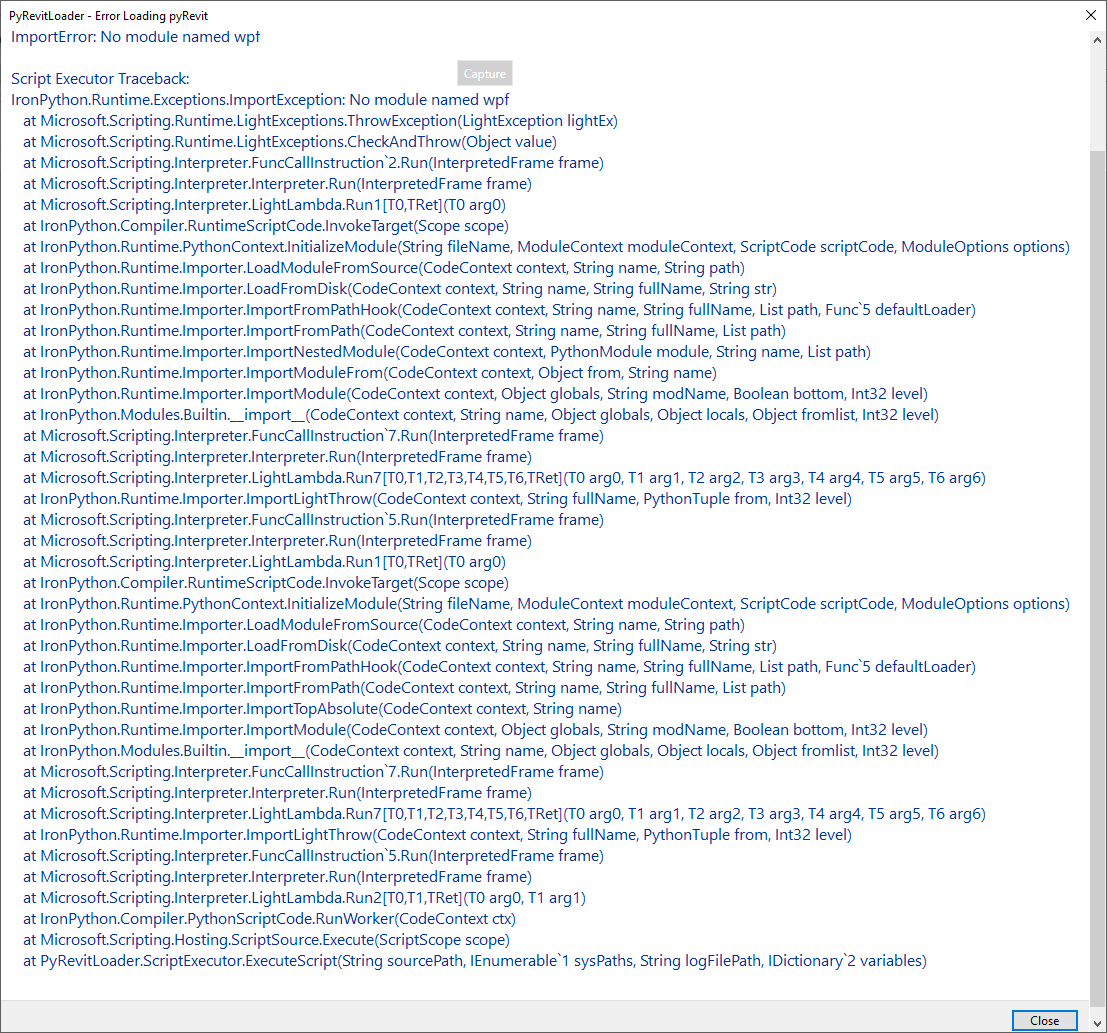
the first few lines were cut off, but they were:
IronPython Traceback
Traceback (most recent call last):
File "C:\Users\Tom Flaherty\AppData\Roaming\pyRevit-Master\bin\engines\pyRevitLoader.py", line 30, in
File "C:\Users\Tom Flaherty\AppData\Roaming\pyRevit-Master\pyrevitlib\pyrevit_init_.py", line 103, in
File "C:\Users\Tom Flaherty\AppData\Roaming\pyRevit-Master\pyrevitlib\pyrevit\framework.py", line 85, in
ImportError: No module named wpf
teflaherty67
on 29 Dec 2020
I've encountered the same issues with Dynamo same builds as above. I was hoping it was another add-in but I spent the day taking one add-in out at a time. I even updated PyRevit hoping that would resolve it. I had the same issue with the script when I opened an existing one looking like above where it looks like it is not fully loaded with just text for the nodes. When I would start with a empty script, any node I would add regardless if I added it from the menu on the left or right clicked and typed the name it would never show the node and almost act like Dynamo is locked up. I'll currently have to pull the PyRevit addin if I'm going to need to use Dynamo. I'm not giving my my PyRevit.
 Sweiter
on 6 Jan 2021
Sweiter
on 6 Jan 2021
Hello. I am having the same issue w/ Revit 2021.1.2, Dynamo Core 2.6.1.8786, Dynamo Revit 2.6.1.8850, pyRevit 4.8.5, and using IP 2.7.11. The only packages I currently have installed in Dynamo are the three ootb generative design packages.
Revit 2019 and 2020 w/ ootb Dynamo versions are still working fine w/ the same pyRevit / IP versions.
Is there still a setting I'm missing that allows Dynamo nodes to show up again?
also, I just use the released installer for pyRevit, I didn't try to compile or any of that advanced stuff ;)
thanks!
 mcnamac23
on 19 Feb 2021
mcnamac23
on 19 Feb 2021
Okay so 4.8.5 has a new custom engine that is my attempt at resolving these conflicts. Go to pyRevit Settings > Core and switch the engine to Custom 2.7.11 and relaunch Revit
eirannejad
on 21 Feb 2021
Ok! I check it. I have that same problem!
 laloibg
on 22 Feb 2021
laloibg
on 22 Feb 2021
Yes, I am using the Custom 2.7.11 engine and I am still having this issue. When I take the .addin file out of the directory and pyRevit doesn't load, Dynamo is fine, when I put it back in, no visible nodes, Dynamo seems to lock up. Always using 2.7.11. Thanks!
mcnamac23
on 22 Feb 2021
Also having this issue in Revit 2021 only. Was using Revit 2021.1.2 and had pyRevit 4.8.4 installed. Tried upgrading pyRevit to 4.8.5 but no luck. I can't try changing the settings as my IT team has uninstalled pyRevit at this point :(
 jamesgwitman
on 26 Feb 2021
jamesgwitman
on 26 Feb 2021
I'm trying to see if I can find the root of this annoying conflict. Hoping to publish a fix with the next release this week
eirannejad
on 28 Feb 2021
I got it to work on my laptop, but still not on my desktop. I just tried 4.8.5 but no luck. Could it have to do with the fact I have Python 3.9.2 installed on my desktop?
teflaherty67
on 19 Mar 2021
I don't believe so. Is it the missing-dynamo-component issue still?
eirannejad
on 20 Mar 2021
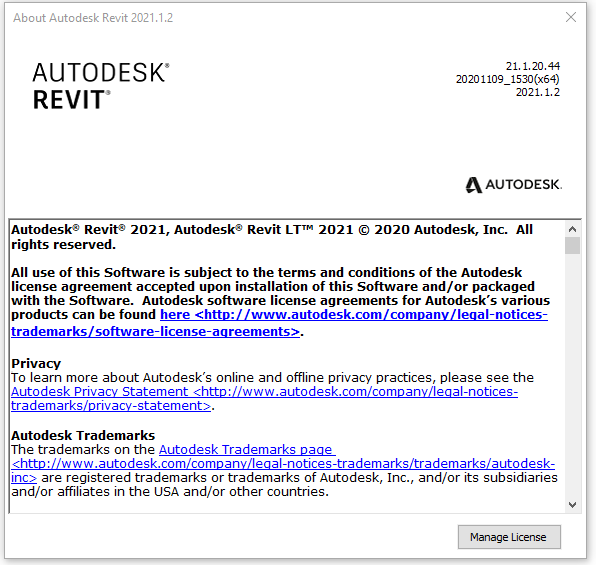
Hello, for myself also I have the nodes not visible in Revit 2021.1.20.44
20201102_1530(x64)
2021.1.2
Windows 10 French
pyRevit settings are se to the default no changes were made.
If I uninstall everything is working in Dynamo
The scripts are working if pyRevit is installed but i'm not seeing the nodes.
Dynamo is ok with 2020 or 2019 Revit
 IrishFriend
on 21 Mar 2021
IrishFriend
on 21 Mar 2021
FYI: PR 4.8.6 w/ IP 2.7.11 / CP 3.8.5 has no affect on this issue. Any suggestions?
mcnamac23
on 23 Mar 2021
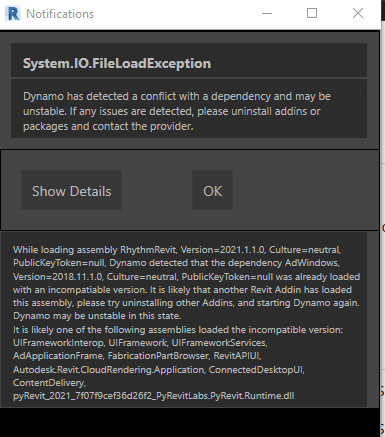
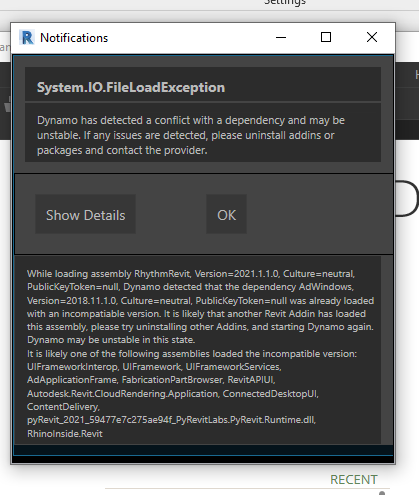
I am still not able to reproduce the issue but this screenshot that you posted is very interesting and might actually help. I'm understanding that this is pyRevit running in Revit 2021 and apparently is causing conflict with RhythmRevit and Adwindows. I installed Rhythm addon for Dynamo but don't see any issues. Would you mind running Dynamo in Revit and then go to pyRevit first panel and run Spy > Find All Loaded Assemblies tool? You can save the results using the save button on the output window and upload here.
eirannejad
on 23 Mar 2021
eirannejad
on 23 Mar 2021
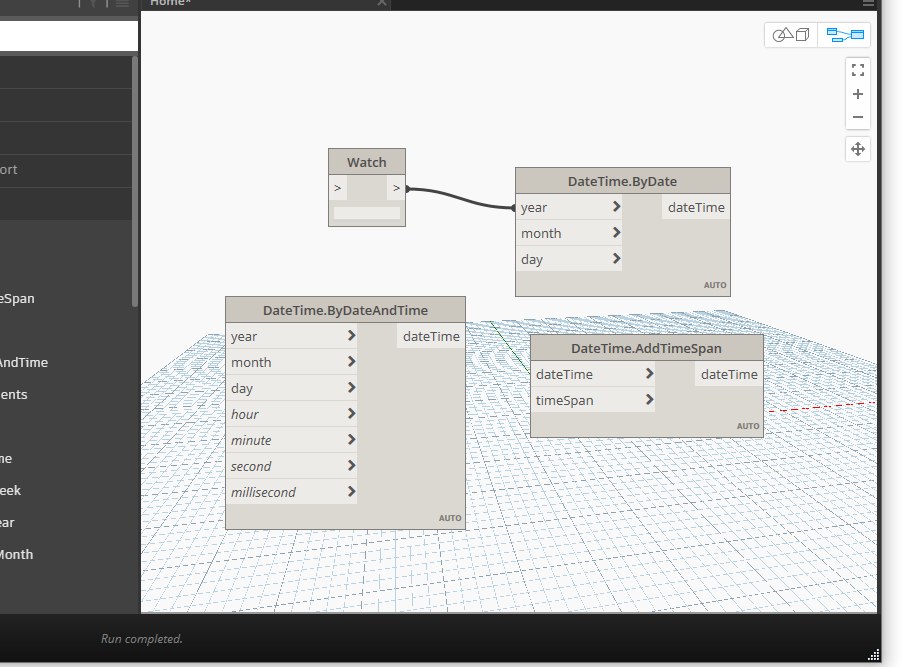
I can see the notification but not the missing components bug
eirannejad
on 23 Mar 2021
pyrevit issues.zip
The Rhythm issue is probably completely separate from this issue, it's still there when I unload pyRevit.
Attached is the spy log as requested. I opened dynamo and a graph (image also included), but couldn't run the tool until I closed Dynamo.
Also, when pyRevit is loaded, Dynamo takes much longer to load, and the interface freezes up, other than to close it or the open graph.
this is still only in 2021. I am running just fine in 2019.
mcnamac23
on 24 Mar 2021
I also get the same issue when I open Dynamo.
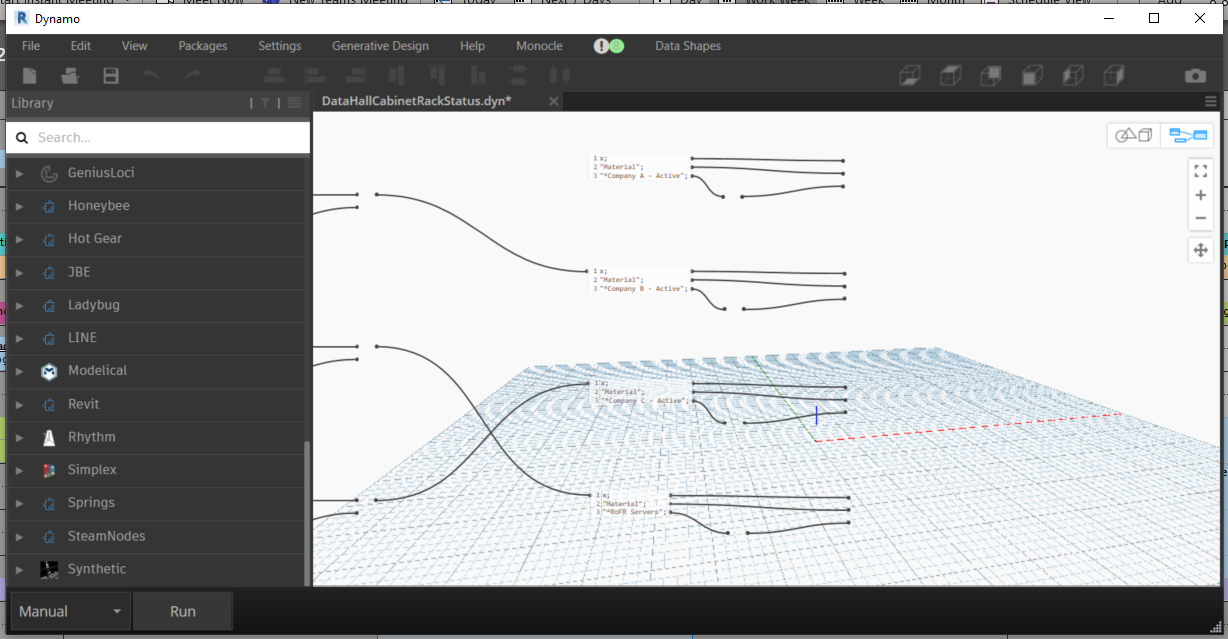
I switched the engine to 2711 Custom, and still no luck. The toolbar on Revit also disappears.

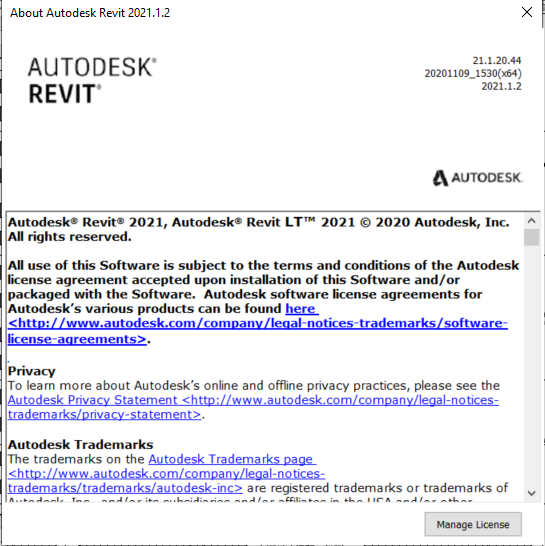
Zip file has the Loaded Assemblies and the I/O issues listed in Dynamo.
pyRevit-Dynamo.zip
Also, when I switch to Engine 273, It crashes pyRevit and does not Load
 JcRai10
on 24 Mar 2021
JcRai10
on 24 Mar 2021
I have unloaded every add-in and reloaded one at a time. I'm getting it to flip from good to bad consistently with any single or any combination of the three CTC add-ins I have: BIM Manager Suite, BIM Project Suite, and HIVE.
With these three unloaded and pyRevit loaded, Dynamo is fine. When loading any/all CTC tools and unloading pyRevit, Dynamo is fine. It is the combination of pyRevit with any of these tools that is causing the issues.
mcnamac23
on 24 Mar 2021
Would you mind running the Spy > Find loaded assemblies tool when all of these addons are loaded and Dynamo is in nodeless-graph universe, and send me the report?
eirannejad
on 24 Mar 2021
I will be glad to. I will try to remember and do it tomorrow :-)
IrishFriend
on 24 Mar 2021
pyRevit_486_spy_2021-03-24.zip
Here is my spy report w/ just CTC tools and pyRevit (and the normal autodesk stuff) loaded. Invisible notes in Dynamo.
Let me know if there is anything else I can do to help! thx!!
mcnamac23
on 24 Mar 2021
here is my spy report with snapshotts of my add-ins
pyRevit_486_spy_2021-03-24-phm.zip
IrishFriend
on 24 Mar 2021
Seems like updating CTC tools fixes this
https://twitter.com/williamartes/status/1374904613766332417?s=21
eirannejad
on 25 Mar 2021
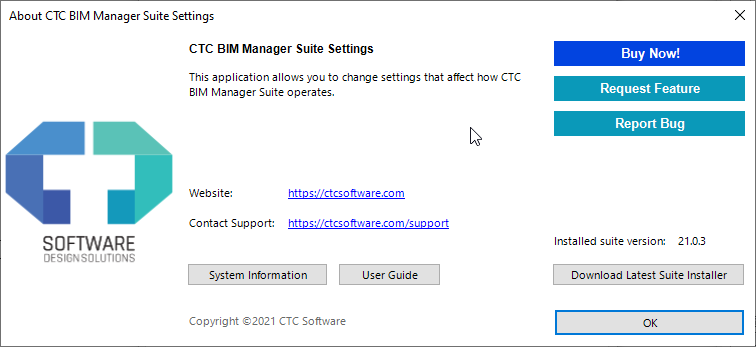
Hello just updated CTC tools. the only one that needed updating was Manager Suite
The only thing at the moment that I did not do is restart the laptop
IrishFriend
on 25 Mar 2021
@eirannejad @mcnamac23 - one thing I note from looking at this log is that System.Windows.Interactivity.dll is loaded twice - once from ctc tools and once from Revit's bin folder - Dynamo also uses this binary (for port rendering), of the same version I believe. - but it's not loaded from Dynamo's core folder in the log. Can you try removing that dll from the ctc addin folder?
 mjkkirschner
on 25 Mar 2021
mjkkirschner
on 25 Mar 2021
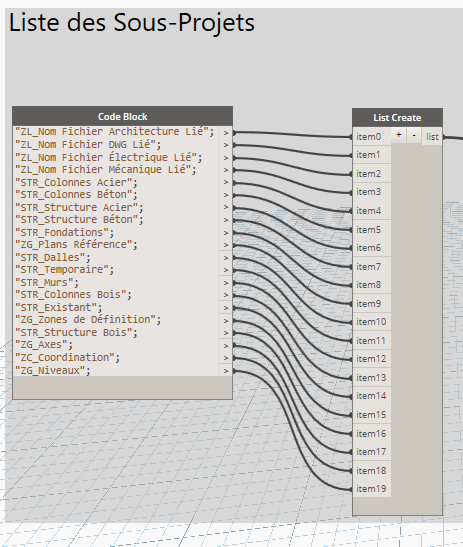
I'll be darn, it is working. You made my day, I'm happy again. but How do we resolve that for global users?
IrishFriend
on 25 Mar 2021
@IrishFriend Does the CTC update cost money? Or people just have to run the update?
eirannejad
on 25 Mar 2021
I don't have CTC tools, so this fix won't help me
teflaherty67
on 25 Mar 2021
here is my report. I started Dynamo and selected new, so I have a blank graph, then ran the report. If I open an existing graph Dynamo & Revit are completely frozen, until I close Dynamo.
All loaded Asemblies-new Dynamo.zip
teflaherty67
on 25 Mar 2021
@teflaherty67 - worth a shot - in your log I see that again as in @mcnamac23's log system.windows.interactivity is loaded twice (this time with different versions). Try uninstalling archilab_mandril package.
mjkkirschner
on 25 Mar 2021
@mjkkirschner well, the good news is that resolved the issue. the bad news - I'm pretty sure I use some nodes from that package and will have to re-do some of my scripts.
Thanks!!
teflaherty67
on 25 Mar 2021
I have updated all of my CTC apps - no change, still no nodes while loading w/ pyRevit at the same time...loading one or the other is fine.
removing the system.windows.interactivity dll that CTC loads, also no change - still no nodes.
removing rhythm fixes the error message in dynamo, no change to the nodes issue...Rhythm is a separate, and as John has already mentioned, ignorable issue.
I removed all packages, just to make sure...also, no change...
mcnamac23
on 25 Mar 2021
I removed the Archi-lab_Mandrill package and It works! will have to deal without those nodes though.
JcRai10
on 26 Mar 2021
maybe let @ksobon know instead and the version of system.windows.interactivity can be aligned with Revit. It seems like mandril is on an older version.
mjkkirschner
on 26 Mar 2021
I spent a ton of time looking through spy reports and loading / unloading add-ins and the only things I am consistently seeing are these:
- there are several dll's that are loaded twice, some are the same version, some are not. system.windows.interactivity.dll seems to be the only one involved in the Dynamo issue, none of the other duplicates had any affect one way or the other.
- system.windows.interactivity.dll loads twice when CTC tools are loading - once from revit, and once from CTC. they are the same version. I even copied the one from Revit to CTC to make sure.
- if pyRevit is not loaded, these two dll's still load, and Dynamo is fine.
- if pyRevit is loaded, these two still load, and Dynamo is broken.
- if CTC tools are not loaded, only the Revit version loads, pyRevit / Dynamo are fine.
- if I remove the dll file from the CTC folder (apparently just renaming it isn't enough), only the Revit dll loads; pyRevit and CTC can coexist and Dynamo is fine. I'm not sure how removing the file affects CTC, but that's not your problem :)
- i have no idea if this is helpful as i have never seen the system.windows.interactivity.dll from pyRevit show up in the spy report, so i'm not sure if it's loading or not. i checked it though, and it is the same version as the other two.
- there is another one in C:\Program Files\Autodesk\Revit 2021\AddIns\DynamoForRevit\ that is the same version and never shows up in the report.
- there is another one in C:\Program Files\Autodesk\AECGenerativeDesign\RestDynamoCore\ that is older and never shows up in the report. I don't have admin rights on my machine to move it out and see if it changes anything.
I hope this makes more sense to you...let me know if you need any other data. thx!
mcnamac23
on 26 Mar 2021
For the life of me I can't get the issue to replicate on my machine. Installed latest CTCs and tested with multiple engines and dlls and nothing. Looked into the dynamo controls and they are part of Dynamo.**Wpf.dll that has a reference to System.Windows.Interactivity.dll but Dynamo, pyRevit and Revit are all on the same version. my CTC installation does not include this as a separate dll.
Still no idea why this is happening and can't break it on my machine :/
eirannejad
on 27 Mar 2021
here is my guess :)
this page contains lots of great information on .net assembly loading, it also raises many more questions - but it has a potentially relevant bullet:
https://docs.microsoft.com/en-us/dotnet/framework/deployment/best-practices-for-assembly-loading
If an assembly is loaded with LoadFrom,
and the probing path includes an assembly with the same identity
but in a differentlocation, an InvalidCastException, MissingMethodException, or other unexpected behavior can occur.
I imagine - though can't confirm that the Revit version of this binary is loaded in the default load context, and the CTC version is loaded into the load-from context - causing runtime failures later.
Why pyRevit needs to be present to trigger this? No idea so far.
mjkkirschner
on 28 Mar 2021
@mjkkirschner I just looked into the System.Windows.Interactivity.dll dependency in Mandrill, and it turns out that it's actually a dependency in Dynamo Nugets. Specifically, your DynamoVisualProgramming.Core nuget has a Prism dependency that in turn has a System.Windows.Interactivity.dll dependency which is different than one that gets shipped with Dynamo (different than version that is actually located in C:\Program Files\Autodesk\Revit 2021\Addins\DynamoForRevit). Now, I can override the dll that I am shipping with to match the version that you guys ship with as well, but there was no way in the world for me to know that this was going to be an issue. As far as I am concerned I have installed your Nugets so I should be good here. Thoughts?
 ksobon
on 5 Apr 2021
ksobon
on 5 Apr 2021
@ksobon Does it actually solve the Dynamo drawing issue?
eirannejad
on 5 Apr 2021
@eirannejad no way to know. I never had that issue, and I am not able to re-create it, but if @mjkkirschner thinks that it's caused by Mandrill, then I guess, I should be fixing it.
ksobon
on 5 Apr 2021
@ksobon - I agree - I have no idea why the core nuget has a dependency on prism - we'll look into it.
Though - I don't see that prism nuget depending on system.windows.interactivity?
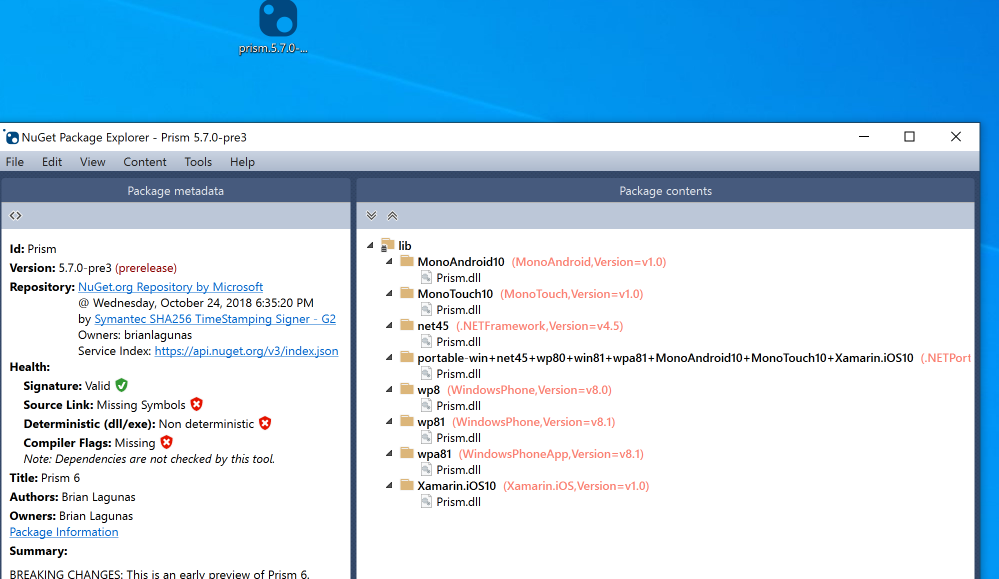
can you share how you came to that conclusion?
mjkkirschner
on 5 Apr 2021
@JcRai10 I just released a new version of Mandrill that ships with version of Interactivity dll that should not cause conflicts. Please install Archi-lab_Mandrill version 2021.26.1 and let me know if this solves the issue here.
@mjkkirschner yeah, I know Prism's Nuget doesn't list it, but when you install that Prism nuget and look into your references it will show that the Interactivity DLL is references from Prism Nuget pacakge folder. It's clearly being shipped with it. Also, Dynamo 2.6.1 which is the default version shipped with Revit 2021, uses Prism v4.1 if I am not mistaken. It's an older version than what you are showing above. Things might have changed since.
ksobon
on 5 Apr 2021
I wonder if this helps you smart people on the Dynamo side of things...I noticed the following versions of System.Windows.Interactivity.dll are being loaded on my machine (according to pyRevit spy tool):
Revit 2019.2 (Dynamo nodes are fine):
System.Windows.Interactivity 4.5.0.0 C:\Program Files\Autodesk\Revit 2019System.Windows.Interactivity.dll
System.Windows.Interactivity 4.5.0.0 C:\ProgramData\CTC\CommonRevitSystem.Windows.Interactivity.dll
System.Windows.Interactivity 4.0.0.0 C:\Program Files\Dynamo\Dynamo Core\1.3System.Windows.Interactivity.dll
Revit 2020.2 (Dynamo nodes are fine):
System.Windows.Interactivity 4.5.0.0 C:\Program Files\Autodesk\Revit 2020System.Windows.Interactivity.dll
System.Windows.Interactivity 4.5.0.0 C:\ProgramData\CTC\CommonRevitSystem.Windows.Interactivity.dll
System.Windows.Interactivity 4.0.0.0 C:\Program Files\Autodesk\Revit 2020\AddIns\DynamoForRevitSystem.Windows.Interactivity.dll
Revit 2021.1.2 (Dynamo nodes are missing):
System.Windows.Interactivity 4.5.0.0 C:\Program Files\Autodesk\Revit 2021System.Windows.Interactivity.dll
System.Windows.Interactivity 4.5.0.0 C:\ProgramData\CTC\CommonRevitSystem.Windows.Interactivity.dll
Nothing loading from Dynamo this time.
Revit 2021.1.2 (removed the CTC version) (Dynamo notes are fine):
System.Windows.Interactivity 4.5.0.0 C:\Program Files\Autodesk\Revit 2021System.Windows.Interactivity.dll
Nothing else
I'm using the included version of Dynamo in all versions of Revit...
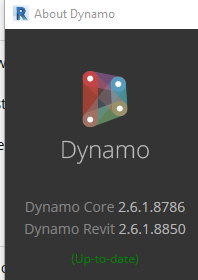
(2021)
If nothing else, maybe this info will lead you in a better direction? Good luck! :)
mcnamac23
on 5 Apr 2021
@eirannejad - I installed the new version, and no - issues with the nodes.
@ksobon - I installed the new build of Mandrill, and it loads fine, with no issues with the nodes.
Great work guys.
JcRai10
on 7 Apr 2021
Related issues
 thumDer
·
4Comments
thumDer
·
4Comments
 DanBoghean
·
3Comments
DanBoghean
·
3Comments
 kuldeep3618x
·
4Comments
kuldeep3618x
·
4Comments
kuldeep3618x
·
4Comments
kuldeep3618x
·
4Comments
 Tyree
·
3Comments
Tyree
·
3Comments
Most helpful comment
I'm trying to see if I can find the root of this annoying conflict. Hoping to publish a fix with the next release this week